Loading
Text Convergence
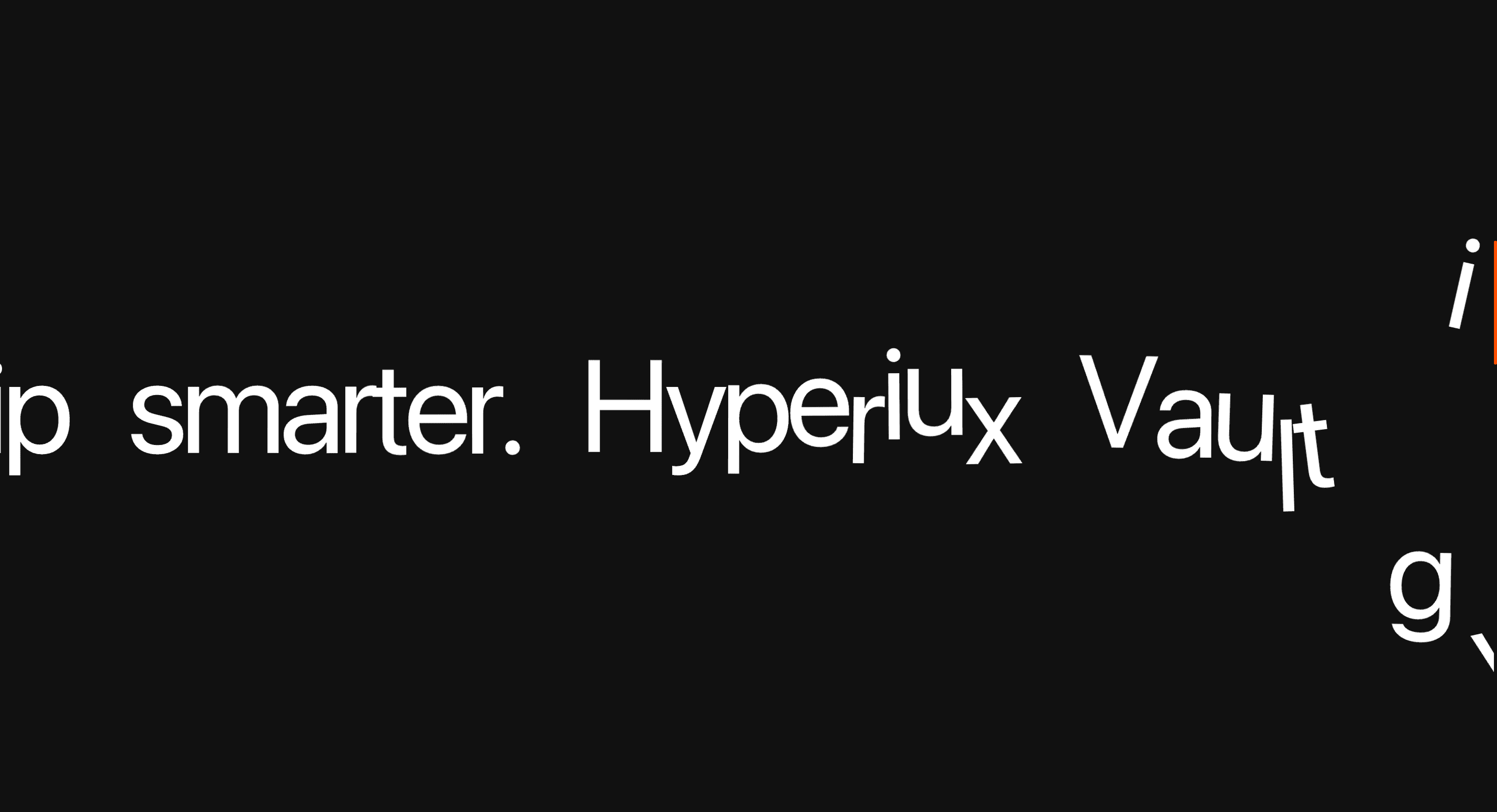
A scroll text animation that brings scattered words or phrases together into one resolved statement.
Published On: June 4, 2026
Last Updated: August 17, 2026
GSAP
Overview
Text Convergence pulls separate phrases into one claim. The effect works when alignment is the message.
Use Text Convergence when separate ideas should collapse into one claim. Brand campaigns, editorial intros, and technical launch pages can use it to make the final line feel earned. The page job is resolution: scattered words should arrive as one clear statement.
The thing to watch is split-text accessibility and layout shift. The final phrase must exist as readable DOM text, and the animated fragments must not change line height or screen-reader output.
Install Command
npx hyperiux add text-convergenceUsage Code
page.jsx
import TextConvergence from '@/components/effects/text-convergence'

const page = () => {
 return (
 <>
 <TextConvergence
 text="Build faster. Animate better. Ship smarter. Hyperiux Vault gives you the tools to create high-performance interfaces that look premium and feel effortless."
 bgColor="bg-[#111111]"
 textColor="text-[#ffffff]"
 />
 </>
 )
}

export default page
Component Code
index.jsx
// Built using Hyperiux Vault: https://vault.hyperiux.com
'use client';
import { useEffect, useMemo, useRef } from "react";
import gsap from "gsap";
import { ScrollTrigger } from "gsap/ScrollTrigger";
import { SplitText } from "gsap/SplitText";
const BASE_HEIGHT_VH = 600;
const MIN_HEIGHT_VH = 300;
const MAX_HEIGHT_VH = 2000;
const BASE_WORD_COUNT = 20;
const INTRO_FADE_DISTANCE = 120;
const CHARACTER_SPLIT_TYPE = "chars,words";
const CHARACTER_Y_PERCENT_MIN = -200;
const CHARACTER_Y_PERCENT_MAX = 200;
const CHARACTER_EASE = "elastic.out(1,0.8)";
const TEXT = "Build faster. Animate better. Ship smarter. Hyperiux Vault gives you the tools to create high-performance interfaces that look premium and feel effortless.";
// True when the user has asked the OS to minimise animation. Safe to call
// during render - returns false on the server.
function prefersReducedMotion() {
    if (typeof window === "undefined")
        return false;
    return window.matchMedia?.("(prefers-reduced-motion: reduce)")?.matches ?? false;
}
// Reduced motion: keep the per-character assembly, just far weaker - the
// main horizontal scroll (xPercent:-100) is left alone, it's the functional
// scroll-through mechanism, not decorative per-char movement.
const REDUCED_MOTION_FACTOR = 0.25;
const getDynamicHeight = (text) => {
    const trimmedText = text.trim();
    const words = trimmedText ? trimmedText.split(/\s+/).length : 0;
    const scale = words / BASE_WORD_COUNT;
    const calculatedHeight = BASE_HEIGHT_VH * scale;
    const clampedHeight = Math.max(MIN_HEIGHT_VH, Math.min(calculatedHeight, MAX_HEIGHT_VH));
    return `${clampedHeight}vh`;
};
gsap.registerPlugin(ScrollTrigger, SplitText);
export default function TextConvergence({ text = TEXT, bgColor = "#111111", textColor = "text-white", charRotation = 20, }) {
    // State and refs
    const sectionRef = useRef(null);
    const textRef = useRef(null);
    const introRef = useRef(null);
    // Derived values
    const dynamicHeight = useMemo(() => getDynamicHeight(text), [text]);
    // Effects
    useEffect(() => {
        if (!sectionRef.current) {
            return;
        }
        sectionRef.current.style.setProperty("--text-break-height", dynamicHeight);
    }, [dynamicHeight]);
    useEffect(() => {
        const introElement = introRef.current;
        if (!introElement) {
            return;
        }
        const onScroll = () => {
            const scrollY = window.scrollY;
            const sectionTop = sectionRef.current?.offsetTop ?? 0;
            const fadeProgress = Math.min((scrollY - sectionTop) / INTRO_FADE_DISTANCE, 1);
            introElement.style.opacity = String(1 - fadeProgress);
        };
        window.addEventListener("scroll", onScroll, { passive: true });
        return () => {
            window.removeEventListener("scroll", onScroll);
        };
    }, []);
    useEffect(() => {
        const context = gsap.context(() => {
            const textElement = textRef.current;
            if (!textElement) {
                return;
            }
            const split = SplitText.create(textElement, {
                type: CHARACTER_SPLIT_TYPE,
            });
            const reducedMotion = prefersReducedMotion();
            const charScale = reducedMotion ? REDUCED_MOTION_FACTOR : 1;
            const scrollTween = gsap.to(textElement, {
                xPercent: -100,
                ease: "linear",
                scrollTrigger: {
                    trigger: sectionRef.current,
                    start: "top top",
                    end: "bottom 70%",
                    scrub: true,
                    markers: false,
                    scroller: window,
                    invalidateOnRefresh: true,
                },
            });
            split.chars.forEach((character) => {
                gsap.from(character, {
                    yPercent: gsap.utils.random(CHARACTER_Y_PERCENT_MIN, CHARACTER_Y_PERCENT_MAX) *
                        charScale,
                    rotation: gsap.utils.random(-charRotation, charRotation) *
                        charScale,
                    ease: CHARACTER_EASE,
                    scrollTrigger: {
                        trigger: character,
                        containerAnimation: scrollTween,
                        start: "left 100%",
                        end: "left 30%",
                        scrub: 0.4,
                    },
                });
            });
        }, sectionRef);
        return () => {
            context.revert();
        };
    }, [text, charRotation]);
    // Return
    return (<div ref={sectionRef} className="relative h-(--text-break-height)" style={{ backgroundColor: bgColor }}>
      <div className="sticky top-0 flex h-screen items-center overflow-clip">
        <h3 ref={textRef} className={`flex w-max whitespace-nowrap gap-[4vw] pl-[100vw] font-sans! text-4xl font-bold leading-[1.1] tracking-tighter ${textColor} sm:text-6xl lg:text-8xl xl:text-9xl`}>
          {text}
        </h3>

        <div ref={introRef} className="pointer-events-none absolute inset-0 z-20">
          <div className="pointer-events-none absolute inset-0 bg-[radial-gradient(ellipse_70%_55%_at_50%_52%,rgba(255,255,255,0.06)_0%,transparent_70%)]"/>

          <span className="absolute top-[2.2rem] left-[2.4rem] font-mono text-xs uppercase tracking-[0.22vw] text-gray-400">
            scroll experience
          </span>

          <span className="absolute top-[2.2rem] right-[2.4rem] font-mono text-xs uppercase tracking-[0.22vw] text-gray-400">
            v1.0
          </span>

          <div className="absolute inset-0 flex flex-col items-center justify-center gap-[2.4rem]">
            <svg width="320" height="1" className="opacity-[0.2]" xmlns="http://www.w3.org/2000/svg">
              <line x1="0" y1="0" x2="320" y2="0" stroke="white" strokeWidth="1"/>
            </svg>

            <p className="m-0 font-mono text-xs uppercase tracking-[0.3vw] text-gray-400">
              — kinetic typography —
            </p>

            <h2 className="m-0 max-w-[14ch] text-center font-serif text-5xl font-normal leading-none tracking-[-0.03vw] text-white/92 sm:text-6xl lg:text-8xl xl:text-9xl">
              Words
              <br />
              <em className="text-white/45 italic">
                in motion.
              </em>
            </h2>

            <p className="m-0 max-w-100 text-center font-mono text-sm leading-[1.7] tracking-[0.08vw] text-white/80">
              Each character assembles as you scroll.

              Drag the page downward to begin.
            </p>

            <div className="flex flex-col items-center gap-[2vw]">
  <span>
  <p className="font-mono text-xs uppercase tracking-[0.25vw] text-white/80">

                scroll
  </p>
              </span>

              <svg width="20" height="28" viewBox="0 0 20 28" fill="none" xmlns="http://www.w3.org/2000/svg">
                <style>{`
                  .chev1 { animation: fadeDown 1.4s ease-in-out infinite; }
                  .chev2 { animation: fadeDown 1.4s ease-in-out 0.22s infinite; }
                  .chev3 { animation: fadeDown 1.4s ease-in-out 0.44s infinite; }
                  @keyframes fadeDown {
                    0%   { opacity: 0.08; transform: translateY(-3px); }
                    50%  { opacity: 0.55; transform: translateY(2px); }
                    100% { opacity: 0.08; transform: translateY(-3px); }
                  }
                `}</style>
                <polyline className="chev1" points="2,2 10,9 18,2" stroke="white" strokeWidth="1.4" fill="none" strokeLinecap="round" strokeLinejoin="round"/>
                <polyline className="chev2" points="2,10 10,17 18,10" stroke="white" strokeWidth="1.4" fill="none" strokeLinecap="round" strokeLinejoin="round"/>
                <polyline className="chev3" points="2,18 10,25 18,18" stroke="white" strokeWidth="1.4" fill="none" strokeLinecap="round" strokeLinejoin="round"/>
              </svg>
            </div>
          </div>

          <span className="absolute bottom-[2.2rem] left-[2.4rem] font-mono text-xs uppercase tracking-[0.18vw] text-gray-400">
            gsap · splittext
          </span>

          <div className="absolute right-[10%] bottom-0 left-[10%] h-px bg-[linear-gradient(to_right,transparent,rgba(255,255,255,0.12),transparent)]"/>
        </div>
      </div>
    </div>);
}
Example Production Use Case
A brand campaign landing page opening with fragmented value words: Text Convergence pulls them into a single claim before the CTA appears. The outcome is resolution: the message feels assembled by the interaction, not pasted above it.
Best Used For
- Taglines or launch claims that become stronger when fragmented words visibly assemble.
- Single high-impact taglines that land harder by visibly assembling.
- Text Convergence creates a concrete scroll outcome that a static section would not deliver.
Not For
Not for body copy, instructions, or claims that must be clear before the animation resolves.
Not for phrases that need to be understood instantly above the fold.
Performance Budget
Animate transform and opacity, avoid layout reads in scroll handlers, pre-size media, and clean up timelines/listeners when the route changes.
Accessibility and Mobile
The animated sequence must match DOM order. On mobile, replace pinned or horizontal mechanics with stacked sections, native swipe, or static cards.
Common Mistakes
- Splitting the accessible phrase into fragments for screen readers.
- Letting moving words cause horizontal overflow.
- Using convergence on claims that need instant comprehension.
Changelog
v1.0.1
Jul 21, 2026Added prefers-reduced-motion support: per-character fly-in yPercent/rotation range is reduced to 25% strength; the main horizontal scroll is unaffected
v1.0.0
Jul 20, 2026Initial release
Props
| Prop | Type | Default | Description |
|---|---|---|---|
bgColor | color | #111111 | Background color of the section. |
charRotation | number | 20 | Max random rotation (degrees, plus or minus) each character starts from before flying into place. |
Frequently Asked Questions
What makes Text Convergence different from a standard scroll reveal?
Separate words or phrases travel from different positions and lock into a single line as you scroll, so alignment itself is the payoff. A standard reveal just brings finished text in; here the assembly carries the meaning. Use it when a claim lands harder by visibly coming together.
How should Text Convergence simplify on mobile devices?
Large travel distances overflow a narrow screen, so shorten the paths or assemble the line in place. Keep the final, converged text the accessible source so it's never dependent on the animation. Reduced-motion users should see the completed line immediately.
What should developers test before shipping Text Convergence?
Confirm the readable text exists in the DOM as one phrase (so screen readers don't read scattered fragments), that pieces don't cause horizontal overflow mid-travel, and that the line always resolves even on fast scroll. Test the reduced-motion end state. Check timing so the payoff isn't missed.
Which content structure works best with Text Convergence?
One short, high-impact statement — a tagline or single claim — where the act of converging adds weight. It's wrong for paragraphs or for anything users need to read instantly. Keep it to a few words.
When should I avoid Text Convergence even if the preview looks good?
Avoid it on body copy, on anything time-sensitive to read, or where movement would distract from a nearby CTA. If users land mid-page and miss the assembly, the line should still read normally — and if it can't, skip the effect. Don't use it just because the motion is satisfying.
Request a Custom Scroll Effect
Need a custom effect? Tell us what to create.


