Loading
Interactive Blur Reveal
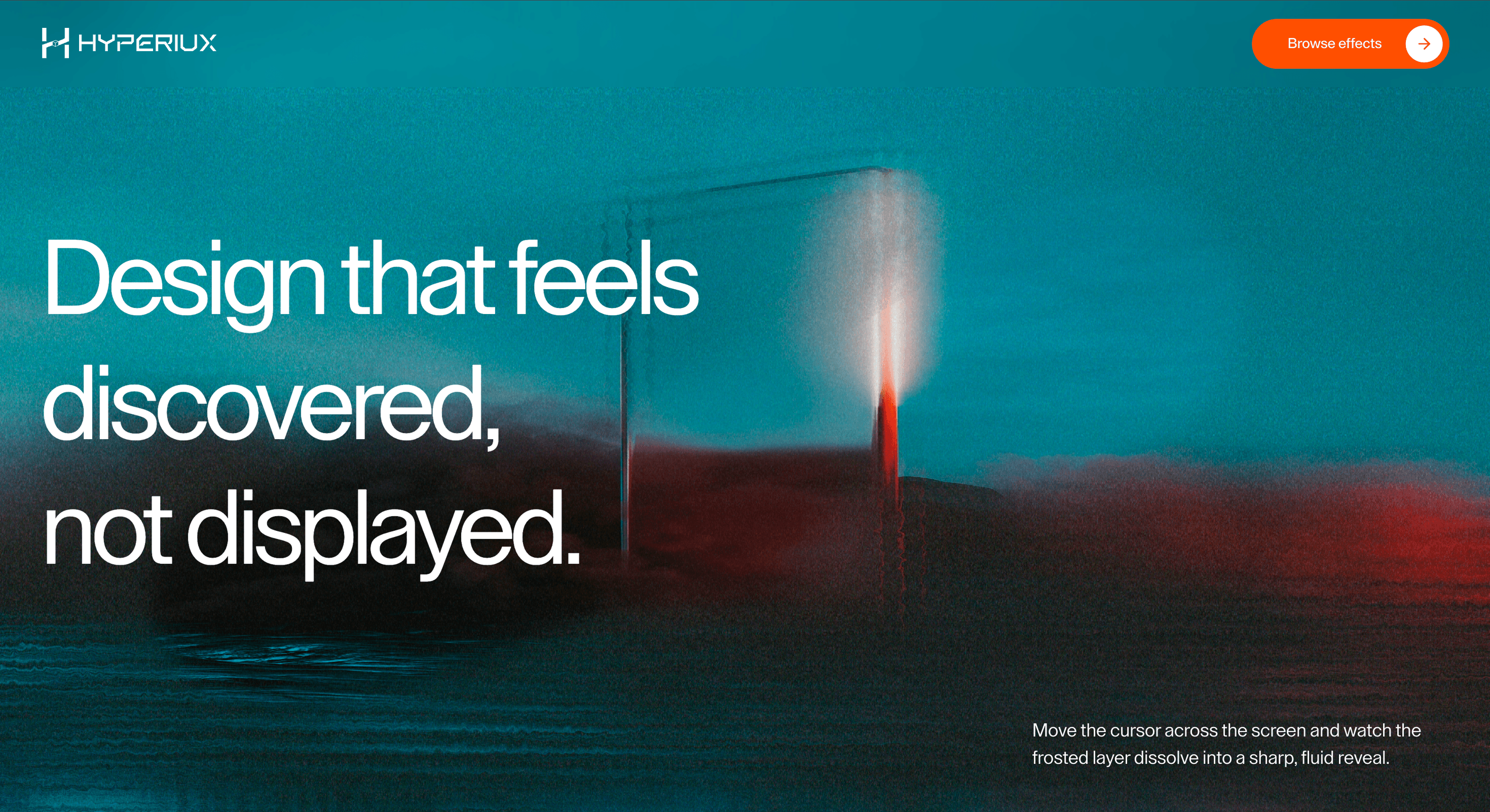
A WebGL reveal effect that sharpens imagery through pointer or touch exploration for image-led heroes and campaign visuals.
Published On: June 4, 2026
Last Updated: August 17, 2026
WebGL Shader
Overview
Interactive Blur Reveal lets clarity arrive through exploration. The image sharpens because the user earns the reveal.
Use it for image-led heroes, portfolio previews, campaign visuals, and editorial moments where discovery adds meaning. The page job is reveal: the visitor should uncover visual detail, not essential instructions.
The main risk is gating. Anything users need before they explore must remain readable outside the blurred surface.
Install Command
npx hyperiux add interactive-blur-revealUsage Code
page.jsx
import InteractiveBlurReveal from '@/components/effects/interactive-blur-reveal'

const Page = () => {
  return (
    <main className="relative h-dvh w-dvw overflow-hidden bg-black text-white">
      <InteractiveBlurReveal
        iChannel0="https://picsum.photos/seed/hover7/800/1000"
        iChannel1="https://pub-8abee449136941f5b0a1cd2c014534e9.r2.dev/vault-listing-images/assets-images/interactive-blur-reveal-noise.png"
      />
    </main>
  )
}

export default Page
Component Code
index.jsx
// Built using Hyperiux Vault: https://vault.hyperiux.com
"use client";
import { useEffect, useRef, useState } from "react";
import { attachWebGLContextRecovery } from "./webgl-context-recovery";
import { createSuspendedRaf } from "./createSuspendedRaf";
function usePrefersReducedMotion() {
const [prefersReducedMotion, setPrefersReducedMotion] = useState(false);
useEffect(() => {
const mediaQuery = window.matchMedia("(prefers-reduced-motion: reduce)");
const update = () => setPrefersReducedMotion(mediaQuery.matches);
update();
mediaQuery.addEventListener("change", update);
return () => mediaQuery.removeEventListener("change", update);
}, []);
return prefersReducedMotion;
}
const FULLSCREEN_TRIANGLE_VERTICES = new Float32Array([
-1, -1,
1, -1,
-1, 1,
-1, 1,
1, -1,
1, 1,
]);
const TEXTURE_UNIT_BASE = 0;
const TEXTURE_UNIT_NOISE = 1;
const TEXTURE_UNIT_MASK = 2;
const DEFAULT_POINTER_POSITION = 0.5;
const DEFAULT_FRAME_TIME_MS = 16.67;
const MAX_FRAME_DELTA_MS = 64;
const POINTER_LERP_FACTOR = 0.001;
const STOP_VELOCITY_EPSILON = 0.00008;
const MASK_FADE_ALPHA = 0.015;
const MASK_IDLE_FADE_ALPHA = 0.085;
const DEFAULT_MOUSE_RADIUS = 180;
const DEFAULT_DURATION = 0.3;
const DEFAULT_NOISE_TEXTURE = "https://pub-8abee449136941f5b0a1cd2c014534e9.r2.dev/vault-listing-images/assets-images/interactive-blur-reveal-noise.png";
const BLUR_REVEAL_VERT = /* glsl */ `#version 300 es
in vec2 position;
void main() {
gl_Position = vec4(position, 0.0, 1.0);
}
`;
const BLUR_REVEAL_FRAG = /* glsl */ `#version 300 es
precision highp float;
uniform vec2 iResolution;
uniform float iTime;
uniform sampler2D iChannel0;
uniform sampler2D iChannel1;
uniform sampler2D iMask;
out vec4 fragColor;
vec2 distortUv(vec2 uv) {
vec2 noiseUv = uv * 2.2;
vec2 noiseOffset = texture(iChannel1, noiseUv).xy - 0.5;
return uv + noiseOffset * 0.012;
}
vec4 blur21(sampler2D tex, vec2 uv, float radiusPx) {
vec2 px = radiusPx / iResolution;
vec4 color = vec4(0.0);
color += texture(tex, uv) * 0.12;
color += texture(tex, uv + px * vec2(1.0, 0.0)) * 0.08;
color += texture(tex, uv + px * vec2(-1.0, 0.0)) * 0.08;
color += texture(tex, uv + px * vec2(0.0, 1.0)) * 0.08;
color += texture(tex, uv + px * vec2(0.0, -1.0)) * 0.08;
color += texture(tex, uv + px * vec2(1.0, 1.0)) * 0.065;
color += texture(tex, uv + px * vec2(-1.0, 1.0)) * 0.065;
color += texture(tex, uv + px * vec2(1.0, -1.0)) * 0.065;
color += texture(tex, uv + px * vec2(-1.0, -1.0)) * 0.065;
color += texture(tex, uv + px * vec2(2.0, 0.0)) * 0.045;
color += texture(tex, uv + px * vec2(-2.0, 0.0)) * 0.045;
color += texture(tex, uv + px * vec2(0.0, 2.0)) * 0.045;
color += texture(tex, uv + px * vec2(0.0, -2.0)) * 0.045;
color += texture(tex, uv + px * vec2(3.0, 1.0)) * 0.025;
color += texture(tex, uv + px * vec2(-3.0, 1.0)) * 0.025;
color += texture(tex, uv + px * vec2(3.0, -1.0)) * 0.025;
color += texture(tex, uv + px * vec2(-3.0, -1.0)) * 0.025;
return color;
}
vec3 filmGrain(vec2 uv) {
vec2 coarseUv = uv * (iResolution.xy / 260.0) + vec2(iTime * 0.035, -iTime * 0.028);
vec2 fineUv = uv * (iResolution.xy / 120.0) + vec2(-iTime * 0.055, iTime * 0.041);
vec3 coarse = texture(iChannel1, coarseUv).rgb - 0.5;
float fine = texture(iChannel1, fineUv).r - 0.5;
vec3 chroma = vec3(coarse.r, coarse.g * 0.9, coarse.b * 1.1);
return chroma * 0.95 + fine * 0.65;
}
void main() {
vec2 screenUv = gl_FragCoord.xy / iResolution.xy;
screenUv.y = 1.0 - screenUv.y;
vec2 imageUv = screenUv;
vec4 frostedImage = blur21(iChannel0, distortUv(imageUv), 42.0);
vec4 clearImage = texture(iChannel0, imageUv);
float mask = texture(iMask, screenUv).a;
float cloudNoise = texture(iChannel1, screenUv * 7.0).r;
float fineNoise = texture(iChannel1, screenUv * 22.0).r;
float revealMask = smoothstep(
0.04,
0.95,
mask + cloudNoise * 0.08 + fineNoise * 0.035
);
frostedImage.rgb = mix(frostedImage.rgb, vec3(0.70, 0.76, 0.78), 0.18);
frostedImage.rgb *= 0.96;
vec4 mixed = mix(frostedImage, clearImage, revealMask);
float grainAmount = mix(0.24, 0.12, revealMask);
mixed.rgb += filmGrain(screenUv) * grainAmount;
vec2 vignetteDelta = screenUv - 0.5;
float vignette = smoothstep(0.85, 0.25, dot(vignetteDelta, vignetteDelta) * 1.35);
mixed.rgb *= mix(0.96, 1.0, vignette);
fragColor = vec4(clamp(mixed.rgb, 0.0, 1.0), 1.0);
}
`;
function createShader(gl, type, source) {
const shader = gl.createShader(type);
gl.shaderSource(shader, source);
gl.compileShader(shader);
if (!gl.getShaderParameter(shader, gl.COMPILE_STATUS)) {
const errorMessage = gl.getShaderInfoLog(shader) || "Shader compilation failed.";
gl.deleteShader(shader);
throw new Error(errorMessage);
}
return shader;
}
function createProgram(gl, vertexSource, fragmentSource) {
const vertexShader = createShader(gl, gl.VERTEX_SHADER, vertexSource);
const fragmentShader = createShader(gl, gl.FRAGMENT_SHADER, fragmentSource);
const program = gl.createProgram();
gl.attachShader(program, vertexShader);
gl.attachShader(program, fragmentShader);
gl.linkProgram(program);
if (!gl.getProgramParameter(program, gl.LINK_STATUS)) {
const errorMessage = gl.getProgramInfoLog(program) || "Program linking failed.";
gl.deleteShader(vertexShader);
gl.deleteShader(fragmentShader);
gl.deleteProgram(program);
throw new Error(errorMessage);
}
gl.deleteShader(vertexShader);
gl.deleteShader(fragmentShader);
return program;
}
function resolveImageSource(source) {
if (typeof source === "string")
return source;
if (source?.src)
return source.src;
return source;
}
function shouldUseCrossOrigin(source) {
if (typeof source !== "string")
return false;
if (source.startsWith("data:") || source.startsWith("blob:"))
return false;
return true;
}
function loadImage(source) {
return new Promise((resolve, reject) => {
if (source instanceof HTMLImageElement) {
if (source.complete) {
resolve(source);
}
else {
source.onload = () => resolve(source);
source.onerror = reject;
}
return;
}
const imageSource = resolveImageSource(source);
if (!imageSource) {
reject(new Error("A valid image URL is required."));
return;
}
const image = new Image();
if (shouldUseCrossOrigin(imageSource)) {
image.crossOrigin = "anonymous";
image.referrerPolicy = "no-referrer";
}
image.onload = () => resolve(image);
image.onerror = () => {
reject(new Error(`Unable to load texture image: ${imageSource}. If this is a remote public URL, the server must allow CORS for WebGL textures.`));
};
image.src = imageSource;
});
}
function createImageTexture(gl, image, unit, shouldRepeat = false) {
const texture = gl.createTexture();
gl.activeTexture(gl.TEXTURE0 + unit);
gl.bindTexture(gl.TEXTURE_2D, texture);
gl.pixelStorei(gl.UNPACK_FLIP_Y_WEBGL, false);
gl.texImage2D(gl.TEXTURE_2D, 0, gl.RGBA, gl.RGBA, gl.UNSIGNED_BYTE, image);
gl.texParameteri(gl.TEXTURE_2D, gl.TEXTURE_WRAP_S, shouldRepeat ? gl.REPEAT : gl.CLAMP_TO_EDGE);
gl.texParameteri(gl.TEXTURE_2D, gl.TEXTURE_WRAP_T, shouldRepeat ? gl.REPEAT : gl.CLAMP_TO_EDGE);
gl.texParameteri(gl.TEXTURE_2D, gl.TEXTURE_MIN_FILTER, gl.LINEAR);
gl.texParameteri(gl.TEXTURE_2D, gl.TEXTURE_MAG_FILTER, gl.LINEAR);
return texture;
}
function createMaskTexture(gl, maskCanvas, unit) {
const texture = gl.createTexture();
gl.activeTexture(gl.TEXTURE0 + unit);
gl.bindTexture(gl.TEXTURE_2D, texture);
gl.pixelStorei(gl.UNPACK_FLIP_Y_WEBGL, false);
gl.texImage2D(gl.TEXTURE_2D, 0, gl.RGBA, gl.RGBA, gl.UNSIGNED_BYTE, maskCanvas);
gl.texParameteri(gl.TEXTURE_2D, gl.TEXTURE_WRAP_S, gl.CLAMP_TO_EDGE);
gl.texParameteri(gl.TEXTURE_2D, gl.TEXTURE_WRAP_T, gl.CLAMP_TO_EDGE);
gl.texParameteri(gl.TEXTURE_2D, gl.TEXTURE_MIN_FILTER, gl.LINEAR);
gl.texParameteri(gl.TEXTURE_2D, gl.TEXTURE_MAG_FILTER, gl.LINEAR);
return texture;
}
function isPointInsideRect(clientX, clientY, rect) {
return (clientX >= rect.left &&
clientX <= rect.right &&
clientY >= rect.top &&
clientY <= rect.bottom);
}
function getNormalizedPointer(clientX, clientY, rect) {
return {
x: (clientX - rect.left) / rect.width,
y: (clientY - rect.top) / rect.height,
};
}
function drawTrailStamp(ctx, x, y, radius, softRadius) {
const gradient = ctx.createRadialGradient(x, y, radius * 0.1, x, y, softRadius);
gradient.addColorStop(0, "rgba(255,255,255,1)");
gradient.addColorStop(0.35, "rgba(255,255,255,0.72)");
gradient.addColorStop(1, "rgba(255,255,255,0)");
ctx.globalCompositeOperation = "source-over";
ctx.fillStyle = gradient;
ctx.beginPath();
ctx.arc(x, y, softRadius, 0, Math.PI * 2);
ctx.fill();
}
function clampNumber(value, min, max, fallback) {
const numericValue = Number(value);
if (!Number.isFinite(numericValue)) {
return fallback;
}
return Math.min(max, Math.max(min, numericValue));
}
function InteractiveBlurReveal({ iChannel0 = "https://picsum.photos/seed/hover7/800/1000", iChannel1 = "https://pub-8abee449136941f5b0a1cd2c014534e9.r2.dev/vault-listing-images/assets-images/interactive-blur-reveal-noise.png", mouseRadius = DEFAULT_MOUSE_RADIUS, mouseInteraction = true, duration = DEFAULT_DURATION, className, style }) {
const canvasRef = useRef(null);
const prefersReducedMotion = usePrefersReducedMotion();
const configRef = useRef({
mouseRadius: DEFAULT_MOUSE_RADIUS,
mouseInteraction: true,
duration: DEFAULT_DURATION,
});
useEffect(() => {
configRef.current = {
mouseRadius: clampNumber(mouseRadius, 40, 420, DEFAULT_MOUSE_RADIUS),
mouseInteraction,
duration: clampNumber(duration, 0.08, 1.5, DEFAULT_DURATION),
};
}, [duration, mouseInteraction, mouseRadius]);
const pointerRef = useRef({
isInside: false,
targetX: DEFAULT_POINTER_POSITION,
targetY: DEFAULT_POINTER_POSITION,
x: DEFAULT_POINTER_POSITION,
y: DEFAULT_POINTER_POSITION,
previousX: DEFAULT_POINTER_POSITION,
previousY: DEFAULT_POINTER_POSITION,
lastTime: 0,
lastMoveTime: 0,
hasDrawn: false,
});
useEffect(() => {
let isDisposed = false;
let loop = null;
let cleanupWebgl;
async function init() {
if (!canvasRef.current)
return undefined;
const canvas = canvasRef.current;
if (!canvas)
return undefined;
const gl = canvas.getContext("webgl2", {
alpha: false,
antialias: false,
preserveDrawingBuffer: false,
});
if (!gl) {
console.error("WebGL2 is required for this shader.");
return undefined;
}
const maskCanvas = document.createElement("canvas");
const maskCtx = maskCanvas.getContext("2d", {
alpha: true,
willReadFrequently: false,
});
if (!maskCtx)
return undefined;
const program = createProgram(gl, BLUR_REVEAL_VERT, BLUR_REVEAL_FRAG);
const positionBuffer = gl.createBuffer();
const positionLocation = gl.getAttribLocation(program, "position");
const resolutionLocation = gl.getUniformLocation(program, "iResolution");
const timeLocation = gl.getUniformLocation(program, "iTime");
const channel0Location = gl.getUniformLocation(program, "iChannel0");
const channel1Location = gl.getUniformLocation(program, "iChannel1");
const maskLocation = gl.getUniformLocation(program, "iMask");
gl.useProgram(program);
gl.bindBuffer(gl.ARRAY_BUFFER, positionBuffer);
gl.bufferData(gl.ARRAY_BUFFER, FULLSCREEN_TRIANGLE_VERTICES, gl.STATIC_DRAW);
gl.enableVertexAttribArray(positionLocation);
gl.vertexAttribPointer(positionLocation, 2, gl.FLOAT, false, 0, 0);
const [baseImage, noiseImage] = await Promise.all([
loadImage(iChannel0),
loadImage(DEFAULT_NOISE_TEXTURE),
]);
if (isDisposed) {
gl.deleteBuffer(positionBuffer);
gl.deleteProgram(program);
return undefined;
}
const baseTexture = createImageTexture(gl, baseImage, TEXTURE_UNIT_BASE);
const noiseTexture = createImageTexture(gl, noiseImage, TEXTURE_UNIT_NOISE, true);
const maskTexture = createMaskTexture(gl, maskCanvas, TEXTURE_UNIT_MASK);
gl.uniform1i(channel0Location, TEXTURE_UNIT_BASE);
gl.uniform1i(channel1Location, TEXTURE_UNIT_NOISE);
gl.uniform1i(maskLocation, TEXTURE_UNIT_MASK);
function resize() {
const devicePixelRatio = Math.min(window.devicePixelRatio || 1, 2);
const nextWidth = Math.floor(window.innerWidth * devicePixelRatio);
const nextHeight = Math.floor(window.innerHeight * devicePixelRatio);
if (canvas.width === nextWidth && canvas.height === nextHeight)
return;
canvas.width = nextWidth;
canvas.height = nextHeight;
canvas.style.width = "100vw";
canvas.style.height = "100vh";
maskCanvas.width = nextWidth;
maskCanvas.height = nextHeight;
maskCtx.clearRect(0, 0, maskCanvas.width, maskCanvas.height);
gl.viewport(0, 0, canvas.width, canvas.height);
gl.activeTexture(gl.TEXTURE0 + TEXTURE_UNIT_MASK);
gl.bindTexture(gl.TEXTURE_2D, maskTexture);
gl.texImage2D(gl.TEXTURE_2D, 0, gl.RGBA, gl.RGBA, gl.UNSIGNED_BYTE, maskCanvas);
}
function updatePointerFromClient(clientX, clientY) {
const rect = canvas.getBoundingClientRect();
const pointer = pointerRef.current;
const isInside = isPointInsideRect(clientX, clientY, rect);
pointer.isInside = isInside;
if (!isInside)
return;
const normalized = getNormalizedPointer(clientX, clientY, rect);
pointer.targetX = normalized.x;
pointer.targetY = normalized.y;
pointer.lastMoveTime = performance.now();
}
function onWindowPointerMove(event) {
updatePointerFromClient(event.clientX, event.clientY);
}
function onWindowPointerLeave(event) {
if (!event.relatedTarget) {
const pointer = pointerRef.current;
pointer.isInside = false;
pointer.hasDrawn = false;
}
}
function fadeMask(now, pointer) {
const durationMs = configRef.current.duration * 1000;
const idleAge = now - pointer.lastMoveTime;
const idleFade = clampNumber(MASK_IDLE_FADE_ALPHA * (DEFAULT_DURATION / configRef.current.duration), 0.015, 0.22, MASK_IDLE_FADE_ALPHA);
const activeFade = clampNumber(MASK_FADE_ALPHA * (DEFAULT_DURATION / configRef.current.duration), 0.003, 0.08, MASK_FADE_ALPHA);
const fadeAlpha = idleAge > durationMs ? idleFade : activeFade;
maskCtx.save();
maskCtx.globalCompositeOperation = "destination-out";
maskCtx.fillStyle = `rgba(0,0,0,${fadeAlpha})`;
maskCtx.fillRect(0, 0, maskCanvas.width, maskCanvas.height);
maskCtx.restore();
}
function drawTrail(pointer, velocity, now) {
const durationMs = configRef.current.duration * 1000;
const radius = configRef.current.mouseRadius;
const softRadius = radius * 1.17;
const lineWidth = radius * 1.05;
const idleAge = now - pointer.lastMoveTime;
const shouldDraw = configRef.current.mouseInteraction &&
pointer.isInside &&
idleAge <= durationMs &&
velocity > STOP_VELOCITY_EPSILON;
if (!shouldDraw) {
pointer.hasDrawn = false;
return;
}
const currentX = pointer.x * maskCanvas.width;
const currentY = pointer.y * maskCanvas.height;
const previousX = pointer.previousX * maskCanvas.width;
const previousY = pointer.previousY * maskCanvas.height;
maskCtx.save();
maskCtx.globalCompositeOperation = "source-over";
maskCtx.lineCap = "round";
maskCtx.lineJoin = "round";
maskCtx.strokeStyle = "rgba(255,255,255,0.72)";
maskCtx.lineWidth = lineWidth;
if (pointer.hasDrawn) {
maskCtx.beginPath();
maskCtx.moveTo(previousX, previousY);
maskCtx.lineTo(currentX, currentY);
maskCtx.stroke();
}
drawTrailStamp(maskCtx, currentX, currentY, radius, softRadius);
maskCtx.restore();
pointer.hasDrawn = true;
}
function uploadMaskTexture() {
gl.activeTexture(gl.TEXTURE0 + TEXTURE_UNIT_MASK);
gl.bindTexture(gl.TEXTURE_2D, maskTexture);
gl.texSubImage2D(gl.TEXTURE_2D, 0, 0, 0, gl.RGBA, gl.UNSIGNED_BYTE, maskCanvas);
}
function render() {
resize();
const now = performance.now();
const pointer = pointerRef.current;
const frameDelta = pointer.lastTime
? Math.min(MAX_FRAME_DELTA_MS, now - pointer.lastTime)
: DEFAULT_FRAME_TIME_MS;
pointer.lastTime = now;
const smoothing = configRef.current.mouseInteraction
? 1.0 -
Math.pow(POINTER_LERP_FACTOR, frameDelta / 1000)
: 0;
pointer.previousX = pointer.x;
pointer.previousY = pointer.y;
pointer.x += (pointer.targetX - pointer.x) * smoothing;
pointer.y += (pointer.targetY - pointer.y) * smoothing;
const velocityX = pointer.x - pointer.previousX;
const velocityY = pointer.y - pointer.previousY;
const velocity = Math.hypot(velocityX, velocityY);
fadeMask(now, pointer);
drawTrail(pointer, velocity, now);
uploadMaskTexture();
gl.clear(gl.COLOR_BUFFER_BIT);
gl.uniform2f(resolutionLocation, canvas.width, canvas.height);
gl.uniform1f(timeLocation, now / 1000);
gl.drawArrays(gl.TRIANGLES, 0, 6);
}
window.addEventListener("pointermove", onWindowPointerMove, {
passive: true,
});
window.addEventListener("mouseout", onWindowPointerLeave);
loop = createSuspendedRaf({
root: canvas,
onFrame: render,
});
loop.start();
return () => {
window.removeEventListener("pointermove", onWindowPointerMove);
window.removeEventListener("mouseout", onWindowPointerLeave);
loop?.destroy();
loop = null;
gl.deleteTexture(baseTexture);
gl.deleteTexture(noiseTexture);
gl.deleteTexture(maskTexture);
gl.deleteBuffer(positionBuffer);
gl.deleteProgram(program);
};
}
const boot = () => {
init()
.then((cleanup) => {
// If the effect unmounted while init was still loading, discard it.
if (isDisposed) {
if (cleanup)
cleanup();
return;
}
cleanupWebgl = cleanup;
})
.catch((error) => {
console.warn("InteractiveBlurReveal could not initialize. The provided texture URL must be directly loadable by the browser and must allow CORS for WebGL.", error?.message || error);
});
};
// A raw WebGL2 context gets no automatic recovery (unlike THREE.WebGLRenderer).
// On loss, stop the loop and drop the invalidated program/buffers/textures;
// on restore, rebuild them by re-running init().
const detachRecovery = attachWebGLContextRecovery(canvasRef.current, {
onLost: () => {
if (cleanupWebgl) {
cleanupWebgl();
cleanupWebgl = undefined;
}
else {
loop?.destroy();
loop = null;
}
},
onRestored: () => {
if (!isDisposed)
boot();
},
});
boot();
return () => {
isDisposed = true;
detachRecovery();
if (cleanupWebgl) {
cleanupWebgl();
}
else {
loop?.destroy();
loop = null;
}
};
}, [iChannel0]);
function updatePointerFromEvent(event) {
if (!mouseInteraction)
return;
const canvas = canvasRef.current;
if (!canvas)
return;
const rect = canvas.getBoundingClientRect();
const pointer = pointerRef.current;
const normalized = getNormalizedPointer(event.clientX, event.clientY, rect);
pointer.isInside = true;
pointer.targetX = normalized.x;
pointer.targetY = normalized.y;
pointer.lastMoveTime = performance.now();
}
function onPointerEnter(event) {
updatePointerFromEvent(event);
}
function onPointerMove(event) {
updatePointerFromEvent(event);
}
function onPointerLeave() {
const pointer = pointerRef.current;
pointer.isInside = false;
pointer.hasDrawn = false;
}
return (<>
<canvas ref={canvasRef} aria-hidden="true" onPointerEnter={onPointerEnter} onPointerMove={onPointerMove} onPointerLeave={onPointerLeave} className={className} style={{
position: "fixed",
inset: 0,
width: "100vw",
height: "100vh",
display: "block",
...style,
}}/>
{prefersReducedMotion && (<div aria-live="polite" className="pointer-events-none fixed top-26 right-4 z-40 w-fit max-w-65 rounded-md border border-white/15 bg-white/5 p-3 text-center backdrop-blur-sm max-md:hidden">
<h2 className="text-sm leading-none text-white">
The reveal keeps trailing.
</h2>
<p className="mt-2 text-xs leading-5 text-white/65">
Interactive Blur Reveal clears the blur only where your cursor
has recently moved, redrawing continuously. Since the reveal is
driven entirely by motion, reduced motion can't be applied
here.
</p>
</div>)}
</>);
}
export default InteractiveBlurReveal;
createSuspendedRaf.jsx
// Built using Hyperiux Vault: https://vault.hyperiux.com

const DEFAULT_ROOT_MARGIN = "256px";
function resolveElement(root) {
    if (!root)
        return null;
    if (typeof root === "function")
        return root() ?? null;
    if (typeof root === "object" && "current" in root)
        return root.current ?? null;
    return root;
}
function createVisibilityGate({ root = null, rootMargin = DEFAULT_ROOT_MARGIN, threshold = 0, observeTab = true, observeOffscreen = true, onChange, } = {}) {
    let tabVisible = typeof document === "undefined" ? true : !document.hidden;
    // Match border-beam: assume onscreen until the observer reports otherwise.
    let onscreen = true;
    let destroyed = false;
    let observer = null;
    const isActive = () => {
        if (destroyed)
            return false;
        if (observeTab && !tabVisible)
            return false;
        if (observeOffscreen && resolveElement(root) && !onscreen)
            return false;
        return true;
    };
    let lastActive = isActive();
    const emit = () => {
        if (destroyed)
            return;
        const next = isActive();
        if (next === lastActive)
            return;
        lastActive = next;
        onChange?.(next);
    };
    const onVisibilityChange = () => {
        tabVisible = !document.hidden;
        emit();
    };
    if (observeTab && typeof document !== "undefined") {
        document.addEventListener("visibilitychange", onVisibilityChange);
    }
    const bindObserver = () => {
        if (!observeOffscreen || typeof IntersectionObserver === "undefined") {
            return;
        }
        const el = resolveElement(root);
        if (!el)
            return;
        observer = new IntersectionObserver((entries) => {
            for (const entry of entries) {
                onscreen = entry.isIntersecting;
            }
            emit();
        }, { rootMargin, threshold });
        observer.observe(el);
    };
    bindObserver();
    return {
        /** Whether the animation should currently run. */
        get isActive() {
            return isActive();
        },
        /**
         * Re-bind IntersectionObserver after the root element mounts late
         * (e.g. ref not ready on first call). Safe to call multiple times.
         */
        observe(nextRoot) {
            if (destroyed)
                return;
            if (nextRoot != null)
                root = nextRoot;
            if (observer) {
                observer.disconnect();
                observer = null;
            }
            onscreen = true;
            bindObserver();
            emit();
        },
        destroy() {
            if (destroyed)
                return;
            destroyed = true;
            if (observeTab && typeof document !== "undefined") {
                document.removeEventListener("visibilitychange", onVisibilityChange);
            }
            if (observer) {
                observer.disconnect();
                observer = null;
            }
        },
    };
}
/**
 * Owns a requestAnimationFrame loop that auto-pauses when the tab is hidden
 * or the root element is offscreen.
 */
function createSuspendedRaf({ onFrame, root = null, rootMargin = DEFAULT_ROOT_MARGIN, threshold = 0, observeTab = true, observeOffscreen = true, }) {
    if (typeof onFrame !== "function") {
        throw new TypeError("createSuspendedRaf: onFrame is required");
    }
    let rafId = null;
    let running = false;
    let destroyed = false;
    const stopRaf = () => {
        if (rafId != null) {
            cancelAnimationFrame(rafId);
            rafId = null;
        }
    };
    const tick = (time) => {
        rafId = null;
        if (destroyed || !running || !gate.isActive)
            return;
        onFrame(time);
        if (!destroyed && running && gate.isActive) {
            rafId = requestAnimationFrame(tick);
        }
    };
    const sync = () => {
        if (destroyed)
            return;
        if (running && gate.isActive) {
            if (rafId == null) {
                rafId = requestAnimationFrame(tick);
            }
        }
        else {
            stopRaf();
        }
    };
    const gate = createVisibilityGate({
        root,
        rootMargin,
        threshold,
        observeTab,
        observeOffscreen,
        onChange: sync,
    });
    return {
        /** Start (or resume) the loop when visibility allows. */
        start() {
            if (destroyed)
                return;
            running = true;
            sync();
        },
        /** Stop requesting frames (visibility listeners stay attached until destroy). */
        stop() {
            running = false;
            stopRaf();
        },
        /** Whether the caller has started the loop (may still be paused by visibility). */
        get isRunning() {
            return running;
        },
        /** Whether a frame is currently allowed to schedule. */
        get isActive() {
            return gate.isActive;
        },
        /** Re-attach offscreen observer to a (new) root element. */
        observe(nextRoot) {
            gate.observe(nextRoot);
            sync();
        },
        /** Tear down listeners and cancel any pending frame. */
        destroy() {
            if (destroyed)
                return;
            destroyed = true;
            running = false;
            stopRaf();
            gate.destroy();
        },
    };
}
export { createSuspendedRaf, createVisibilityGate, DEFAULT_ROOT_MARGIN, };
webgl-context-recovery.jsx
// Built using Hyperiux Vault: https://vault.hyperiux.com

"use client";
export function attachWebGLContextRecovery(canvas, handlers = {}) {
    if (!canvas)
        return () => { };
    const { onLost, onRestored } = handlers;
    const handleLost = (event) => {
        // Required so the browser will later fire `webglcontextrestored`.
        event.preventDefault();
        if (onLost)
            onLost(event);
    };
    const handleRestored = (event) => {
        if (onRestored)
            onRestored(event);
    };
    canvas.addEventListener("webglcontextlost", handleLost, false);
    canvas.addEventListener("webglcontextrestored", handleRestored, false);
    return () => {
        canvas.removeEventListener("webglcontextlost", handleLost, false);
        canvas.removeEventListener("webglcontextrestored", handleRestored, false);
    };
}
Example Production Use Case
Use this as WebGL production guidance. Verify the shipped source, rendering stack, dependency list, shader assets, resource disposal, pause/offscreen behavior, DPR strategy, poster fallback, and reduced-motion state before relying on exact props, defaults, imports, or installation steps.
Best Used For
- Image-led heroes where exploration is part of the reveal, not a barrier to the message.
- Portfolio previews where detail can emerge without hiding navigation or CTA copy.
- Campaign sections where the visual reward is optional but memorable.
Not For
Not for low-power-first pages, dense content, dashboards, checkout, or routes where performance is the main conversion lever.
Performance Budget
Cap DPR at 1.0 on touch/mobile and up to 1.5 on mid-range desktop. Pause Interactive Blur Reveal offscreen and in hidden tabs, reduce postprocessing before shipping, and keep texture sizes controlled.
Accessibility and Mobile
Keep meaningful content in HTML outside the canvas. On mobile, reduce shader quality and switch to a poster if the scene cannot hold frame rate.
Common Mistakes
- Blurring text, captions, or critical UI that users need before they explore.
- Using blur as a gimmick when the revealed image adds no decision value.
- Leaving touch and keyboard users without an equivalent clear image.
Changelog
v1.0.1
Jul 31, 2026Documented the lack of a reduced-motion fallback and reworked the remixer controls.
v1.0.0
Jun 4, 2026Initial release
Props
| Prop | Type | Default | Description |
|---|---|---|---|
mouseRadius | number | 180 | Radius of the cursor reveal mask in canvas pixels. |
mouseInteraction | boolean | true | Enables pointer-driven reveal drawing. |
duration | number | 0.3 | Trail persistence and fade duration in seconds. |
Frequently Asked Questions
What GPU budget should Interactive Blur Reveal use on mobile and desktop?
Blur passes are fill-rate sensitive and the effect updates as the user explores, so cap DPR at 1.0 on mobile and 1.5 on desktop and limit blur radius and sample count on the lower tier. Update only the region under interaction where possible. Test pointer-driven blur on a real handset for smoothness.
What poster fallback should replace Interactive Blur Reveal when WebGL fails?
Show the image in its intended end state typically the sharp, revealed version so users aren't left with content locked behind an interaction they can't perform. The HTML around it is unaffected. Never hide essential content solely behind the reveal.
How should Interactive Blur Reveal pause when offscreen or in a hidden tab?
Pause rendering and pointer handling when the canvas is offscreen or the tab hidden, and resume on visibility. Since updates are interaction-driven, idle the loop when no interaction is happening too. This keeps the effect cheap when it isn't in use.
Which content should stay outside the Interactive Blur Reveal canvas?
Any text or links that matter stay in the DOM; the blur should reveal imagery, not gate readable content behind exploration. Provide the same information without requiring the interaction. Keep actions as real elements.
When should I choose a static image instead of Interactive Blur Reveal?
Choose a static image when the reveal is a gimmick rather than a benefit, when most users are on touch (where "explore to reveal" is awkward), or when performance is critical. If hiding the image behind blur doesn't add value, just show it. Reserve the reveal for moments where discovery is the experience.
Request a Custom WebGL Animation
Need a custom effect? Tell us what to create.


