Loading
Horizontal Feature Reveal
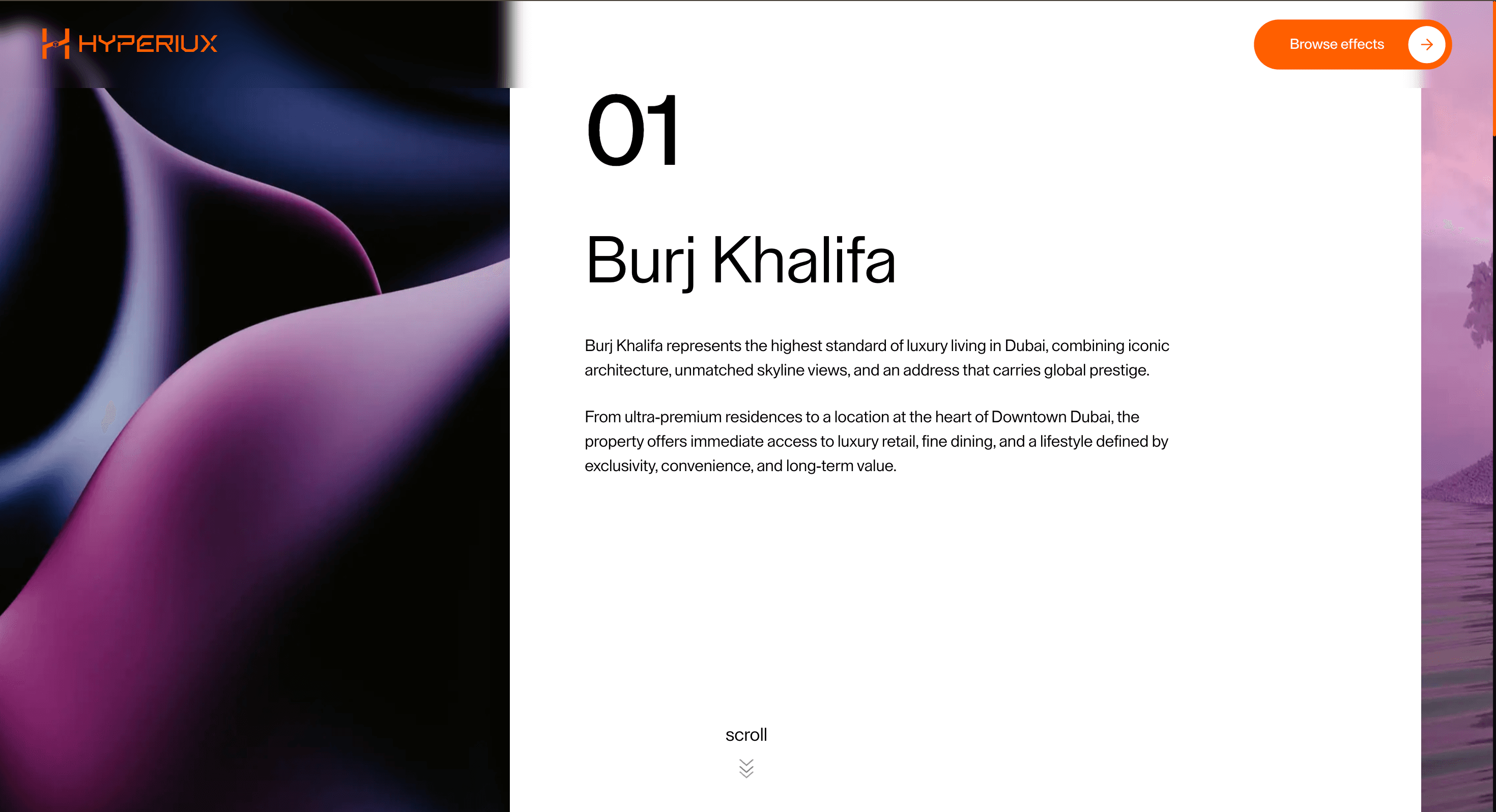
A horizontal feature reveal scroll animation that moves visitors sideways through chaptered content while they continue scrolling vertically.
Published On: February 10, 2026
Last Updated: August 17, 2026
GSAP
Overview
Horizontal Feature Reveal moves visitors sideways through chapters - each one a complete argument before the next begins.
Use Horizontal Feature Reveal when a page needs horizontal chapters inside a vertical journey. Agency brand narratives, editorial features, and campaign pages are the strongest fit because the layout can make each principle or scene feel like a deliberate act. The page job is authority: the sequence should feel authored, not assembled.
The thing to watch is the mobile collapse. Horizontal panels must become a clean vertical stack or swipe path without losing the narrative order.
Install Command
npx hyperiux add horizontal-feature-revealUsage Code
page.jsx
import HorizontalFeatureReveal from "@/components/effects/horizontal-feature-reveal";
import { ReactLenis } from "lenis/react";

const Page = () => {
  return (
    <ReactLenis root>
      <HorizontalFeatureReveal />
    </ReactLenis>
  );
};

export default Page;
Component Code
index.jsx
// Built using Hyperiux Vault: https://vault.hyperiux.com
import React from "react";
import HorizontalScrollComp from "./HorizontalFeatureRevealComp";
const PROPERTIES_DATA = [
    {
        number: "01",
        imgClass: "img-1",
        no: "1",
        titleClass: "property-title-1",
        contentClass: "property-content-1",
        title: "Burj Khalifa",
        image: "https://pub-8abee449136941f5b0a1cd2c014534e9.r2.dev/vault-listing-images/assets-images/v-05.jpg",
        paragraphs: [
            "Burj Khalifa represents the highest standard of luxury living in Dubai, combining iconic architecture, unmatched skyline views, and an address that carries global prestige.",
            "From ultra-premium residences to a location at the heart of Downtown Dubai, the property offers immediate access to luxury retail, fine dining, and a lifestyle defined by exclusivity, convenience, and long-term value.",
        ],
        triggers: {
            img: { start: "-10% top", end: "10% top" },
            no: { start: "-1% top", end: "5% top" },
            title: { start: "-1% top", end: "5% top" },
            content: { start: "-1% top", end: "5% top" },
        },
    },
    {
        number: "02",
        imgClass: "img-2",
        no: "2",
        titleClass: "property-title-2",
        contentClass: "property-content-2",
        title: "Palm Jumeirah",
        image: "https://pub-8abee449136941f5b0a1cd2c014534e9.r2.dev/vault-listing-images/assets-images/v-06.jpg",
        paragraphs: [
            "Palm Jumeirah is one of Dubai’s most sought-after waterfront destinations, known for its private beachfront residences, resort-style environment, and exceptional coastal views.",
            "Whether for end-use or investment, the location offers a rare combination of luxury, privacy, and international appeal, making it one of the strongest lifestyle-led property assets in the region.",
        ],
        triggers: {
            img: { start: "-5% top", end: "35% top" },
            no: { start: "18% top", end: "23% top" },
            title: { start: "18% top", end: "23% top" },
            content: { start: "18% top", end: "23% top" },
        },
    },
    {
        number: "03",
        imgClass: "img-3",
        no: "3",
        titleClass: "property-title-3",
        contentClass: "property-content-3",
        title: "Dubai Marina",
        image: "https://pub-8abee449136941f5b0a1cd2c014534e9.r2.dev/vault-listing-images/assets-images/v-07.jpg",
        paragraphs: [
            "Dubai Marina offers a dynamic urban waterfront experience, blending high-rise luxury apartments with vibrant retail, dining, and leisure experiences in one connected district.",
            "Its strong rental demand, premium lifestyle positioning, and consistent desirability make Dubai Marina a compelling option for both investors and residents seeking modern city living.",
        ],
        triggers: {
            img: { start: "25% top", end: "65% top" },
            no: { start: "45% top", end: "50% top" },
            title: { start: "45% top", end: "50% top" },
            content: { start: "45% top", end: "50% top" },
        },
    },
    {
        number: "04",
        imgClass: "img-4",
        no: "4",
        titleClass: "property-title-4",
        contentClass: "property-content-4",
        title: "Dubai Creek Harbour",
        image: "https://pub-8abee449136941f5b0a1cd2c014534e9.r2.dev/vault-listing-images/assets-images/v-08.jpg",
        paragraphs: [
            "Dubai Creek Harbour is emerging as one of the city’s most future-ready residential destinations, offering refined waterfront living with a strong focus on design, accessibility, and long-term growth.",
            "With its master-planned ecosystem, premium residences, and strong development vision, the district is positioned as a next-generation address for buyers seeking both lifestyle and appreciation potential.",
        ],
        triggers: {
            img: { start: "45% top", end: "85% top" },
            no: { start: "65% top", end: "70% top" },
            title: { start: "65% top", end: "70% top" },
            content: { start: "65% top", end: "70% top" },
        },
    },
];
export const HorizontalFeatureReveal = ({ bgColor = "#ffffff", imageParallaxRange = 30, cardGap = 15, }) => {
    return (<div>
        <HorizontalScrollComp propertiesData={PROPERTIES_DATA} bgColor={bgColor} imageParallaxRange={imageParallaxRange} cardGap={cardGap}/>
      </div>);
};
export default HorizontalFeatureReveal;
HorizontalFeatureRevealComp.jsx
// Built using Hyperiux Vault: https://vault.hyperiux.com

"use client";
import gsap from "gsap";
import ScrollTrigger from "gsap/dist/ScrollTrigger";
import { SplitText } from "gsap/dist/SplitText";
import { useEffect, useId } from "react";
gsap.registerPlugin(ScrollTrigger, SplitText);
const defaultPropertiesData = [];
function prefersReducedMotion() {
    if (typeof window === "undefined")
        return false;
    return window.matchMedia?.("(prefers-reduced-motion: reduce)")?.matches ?? false;
}
export default function HorizontalScrollComp({ propertiesData = defaultPropertiesData, bgColor = "#ffffff", imageParallaxRange = 30, cardGap = 15, }) {
    const uid = useId().replace(/:/g, "");
    const sectionId = `industries-${uid}`;
    useEffect(() => {
        const ctx = gsap.context(() => {
            if (window.innerWidth <= 1025)
                return;
            const reducedMotion = prefersReducedMotion();
            gsap.set(".industry-img, .industry-no, .industry-title, .industry-content", { opacity: 1 });
            gsap.to(".industry-container", {
                xPercent: -79,
                ease: "none",
                scrollTrigger: {
                    trigger: `#${sectionId}`,
                    start: "top top",
                    end: "bottom bottom",
                    scrub: true,
                },
            });
            if (reducedMotion) {
                ScrollTrigger.refresh();
                return;
            }
            const head = document.querySelector(".industry-head");
            if (head) {
                const headSplit = new SplitText(head, { type: "chars" });
                gsap.from(headSplit.chars, {
                    yPercent: () => (Math.random() < 0.5 ? 1 : -1) * (200 * Math.random()),
                    xPercent: () => 200 * Math.random(),
                    stagger: 0.1,
                    duration: 1,
                    ease: "back.out",
                    scrollTrigger: {
                        trigger: `#${sectionId}`,
                        start: "top top",
                        end: "20% top",
                        scrub: true,
                    },
                });
            }
            const cards = document.querySelectorAll(".industry-card");
            cards.forEach((card, i) => {
                const cfg = propertiesData[i]?.triggers || {};
                const startNo = cfg.no?.start || "top 70%";
                const endNo = cfg.no?.end || "top 40%";
                const startTitle = cfg.title?.start || "top 70%";
                const endTitle = cfg.title?.end || "top 40%";
                const startContent = cfg.content?.start || "top 70%";
                const endContent = cfg.content?.end || "top 40%";
                const startImg = cfg.img?.start || "top 70%";
                const endImg = cfg.img?.end || "top 40%";
                const noEl = card.querySelector(`[class*="industry-no-"]`);
                if (noEl) {
                    const splitNo = new SplitText(noEl, {
                        type: "chars,lines",
                        mask: "lines",
                    });
                    gsap.from(splitNo.chars, {
                        y: 150,
                        rotate: 10,
                        stagger: 0.1,
                        duration: 0.7,
                        ease: "power2.out",
                        scrollTrigger: {
                            trigger: `#${sectionId}`,
                            start: startNo,
                            end: endNo,
                            toggleActions: "play none none reverse",
                        },
                    });
                }
                // FIXED: query property-title instead of industry-title
                const titleEl = card.querySelector(`[class*="property-title-"]`);
                if (titleEl) {
                    const titleLines = new SplitText(titleEl, {
                        type: "lines",
                        mask: "lines",
                    });
                    gsap.set(titleEl, { lineHeight: 1.2 });
                    gsap.set(titleLines.lines, { lineHeight: 1.2 });
                    gsap.from(titleLines.lines, {
                        yPercent: 100,
                        stagger: 0.08,
                        duration: 0.7,
                        ease: "power2.out",
                        scrollTrigger: {
                            trigger: `#${sectionId}`,
                            start: startTitle,
                            end: endTitle,
                            // markers: true,
                            toggleActions: "play none none reverse",
                        },
                    });
                }
                // FIXED: query property-content instead of industry-content
                const contentEls = card.querySelectorAll(`[class*="property-content-"]`);
                contentEls.forEach((contentEl) => {
                    const contentLines = new SplitText(contentEl, {
                        type: "lines",
                        mask: "lines",
                    });
                    gsap.from(contentLines.lines, {
                        yPercent: 100,
                        stagger: 0.08,
                        delay: 0.3,
                        duration: 0.7,
                        ease: "power2.out",
                        scrollTrigger: {
                            trigger: `#${sectionId}`,
                            start: startContent,
                            end: endContent,
                            toggleActions: "play none none reverse",
                        },
                    });
                });
                // this one was already okay, but keep it consistent
                const propertyImgs = card.querySelectorAll(`[class*="industry-img-"]`);
                propertyImgs.forEach((propertyImg) => {
                    gsap.to(propertyImg, {
                        translateX: `${imageParallaxRange}%`,
                        ease: "none",
                        scrollTrigger: {
                            trigger: `#${sectionId}`,
                            start: startImg,
                            end: endImg,
                            scrub: true,
                            // markers:true
                        },
                    });
                });
            });
            ScrollTrigger.refresh();
        });
        return () => ctx.revert();
    }, [propertiesData, sectionId, imageParallaxRange]);
    return (<section className="w-screen h-[600vh] text-black relative z-10 max-[1025px]:mt-0 max-[1025px]:h-fit max-[1025px]:py-[15%] max-[1025px]:px-[7vw]" style={{ backgroundColor: bgColor }} id={sectionId}>

      <div className="w-screen  overflow-hidden h-screen justify-center items-center sticky top-0 max-[1025px]:static max-[1025px]:w-full max-[1025px]:h-fit max-[1025px]:flex max-[1025px]:flex-col max-[1025px]:items-start">

        <div className="flex flex-nowrap w-fit industry-container gap-(--card-gap) max-[1025px]:flex-col max-[1025px]:gap-[10vw] max-md:gap-[15vw]" style={{ "--card-gap": `${cardGap}vw` }}>
          {propertiesData.map((property, index) => (<div key={index} className="w-[80vw] h-screen flex gap-[5vw] industry-card max-[1025px]:h-fit max-[1025px]:flex-col-reverse max-[1025px]:w-full">
              <div className="w-[40vw] h-screen overflow-hidden max-md:h-[110vw] max-[1025px]:w-full max-md:rounded-[4vw] max-[1025px]:h-[80vw] max-[1025px]:rounded-[2vw]">
                <img src={property.image} alt={`property-img-${index + 1}`} className={`w-full h-full translate-x-(--image-shift-start) opacity-0 industry-img industry-${property.imgClass} max-[1025px]:translate-x-0 max-[1025px]:object-cover max-[1025px]:opacity-100`} style={{ "--image-shift-start": `-${imageParallaxRange}%` }} width={500} height={1080}/>
              </div>

              <div className="flex flex-col gap-[5vh] w-[60%] pt-[7%] max-md:pt-0 max-[1025px]:w-full max-[1025px]:gap-[4vw] max-md:gap-[7vw]">
                <p className={`text-[6em] font-medium font-display text-secondary leading-none opacity-0 industry-no industry-no-${property.no} max-[1025px]:text-[10vw] max-[1025px]:opacity-100`}>
                  {property.number}
                </p>

                <div className="w-full h-fit flex flex-col gap-[4vh] max-md:gap-[7vw]">
                  <h3 className={`text-[4em] opacity-0 industry-title max-md:text-[9vw] max-[1025px]:text-[7.5vw] max-[1025px]:opacity-100 leading-[1.3] ${property.titleClass}`}>
                    {property.title}
                  </h3>

                  <div className="space-y-[1.5vw] max-[1025px]:text-[2.5vw] max-md:text-[4.2vw]">
                    {property.paragraphs.map((para, pIndex) => (<p key={pIndex} className={`opacity-0 industry-content max-[1025px]:opacity-100 ${property.contentClass}`}>
                        {para}
                      </p>))}
                  </div>
                </div>
              </div>
            </div>))}
        </div>
      </div>
    </section>);
}
Example Production Use Case
An agency building a brand methodology page for a pitch process: Horizontal Feature Reveal wraps each principle in a horizontal chapter so the argument reads as a designed sequence rather than a bulleted list. The outcome is authority: the page feels authored, not assembled.
Best Used For
- Campaign and agency narratives that need a small set of horizontal chapters with a vertical fallback.
- Campaign and agency narratives told as a small set of horizontal chapters.
- Turns a methodology or campaign page into a chaptered sequence that feels authored rather than assembled.
Not For
Not for long mobile-first pages, docs, pricing, or routes where sideways movement would hide orientation.
Not for mobile audiences without a well-tested vertical fallback - horizontal scroll fatigue on touch is real and fast.
Performance Budget
Animate transform and opacity, avoid layout reads in scroll handlers, pre-size media, and clean up timelines/listeners when the route changes.
Accessibility and Mobile
The animated sequence must match DOM order. On mobile, replace pinned or horizontal mechanics with stacked sections, native swipe, or static cards.
Common Mistakes
- Forgetting a visible progress cue when panels move sideways.
- Letting horizontal motion fight anchor links or browser restoration.
- Keeping wide desktop panels on touch instead of stacking chapters.
Changelog
v1.1.0
Jul 22, 2026Added prefers-reduced-motion support: SplitText reveal animations and image parallax are skipped while the horizontal scroll remains usable.
v1.0.0
Feb 10, 2026Initial release
Props
| Prop | Type | Default | Description |
|---|---|---|---|
bgColor | color | #ffffff | Background color of the section. |
imageParallaxRange | number | 30 | Symmetric parallax shift range (%) each image travels as it scrolls past. |
cardGap | number | 15 | Gap between industry cards, in vw. |
Frequently Asked Questions
How do I keep Horizontal Feature Reveal from feeling too long on mobile?
Horizontal panels translate vertical scroll into sideways travel, which can feel endless on a small screen, so cut the chapter count for touch and shorten each panel. Often the right mobile fallback is to abandon horizontal movement entirely and stack the chapters vertically. Cap the number of panels so the section has a clear end.
How many horizontal chapters can a page support clearly?
Three to five complete arguments is the sweet spot; beyond that, visitors lose track of where they are in the sideways journey. Each chapter should be a self-contained idea, not a fragment that only makes sense in sequence. If you need more, consider two shorter sections instead of one long lane.
How should Horizontal Feature Reveal handle in-page anchor links?
Because horizontal position is driven by vertical scroll, an anchor must resolve to the scroll offset that brings its panel into view, not just to a DOM position. Map each panel to a target offset and test that every link lands correctly. On the vertical mobile fallback, anchors behave normally.
Can search engines crawl content inside horizontal panels?
Yes, as long as the panel content is real HTML in the DOM and not painted into a canvas or injected only on interaction. Keep headings, copy, and links present and ordered so crawlers and screen readers read the chapters regardless of the horizontal transform. The sideways motion should be presentation only.
When is vertical pinning better than Horizontal Feature Reveal?
Vertical pinning is better when each step builds on the last and you want the reader anchored while evidence changes, since it keeps a familiar reading direction. Horizontal Feature Reveal Scroll suits chaptered, gallery-like narratives where lateral movement signals "next exhibit." If the content is dense or text-heavy, vertical pinning is the safer, more readable choice.
Request a Custom Scroll Effect Animation
Need a custom effect? Tell us what to create.


