Loading
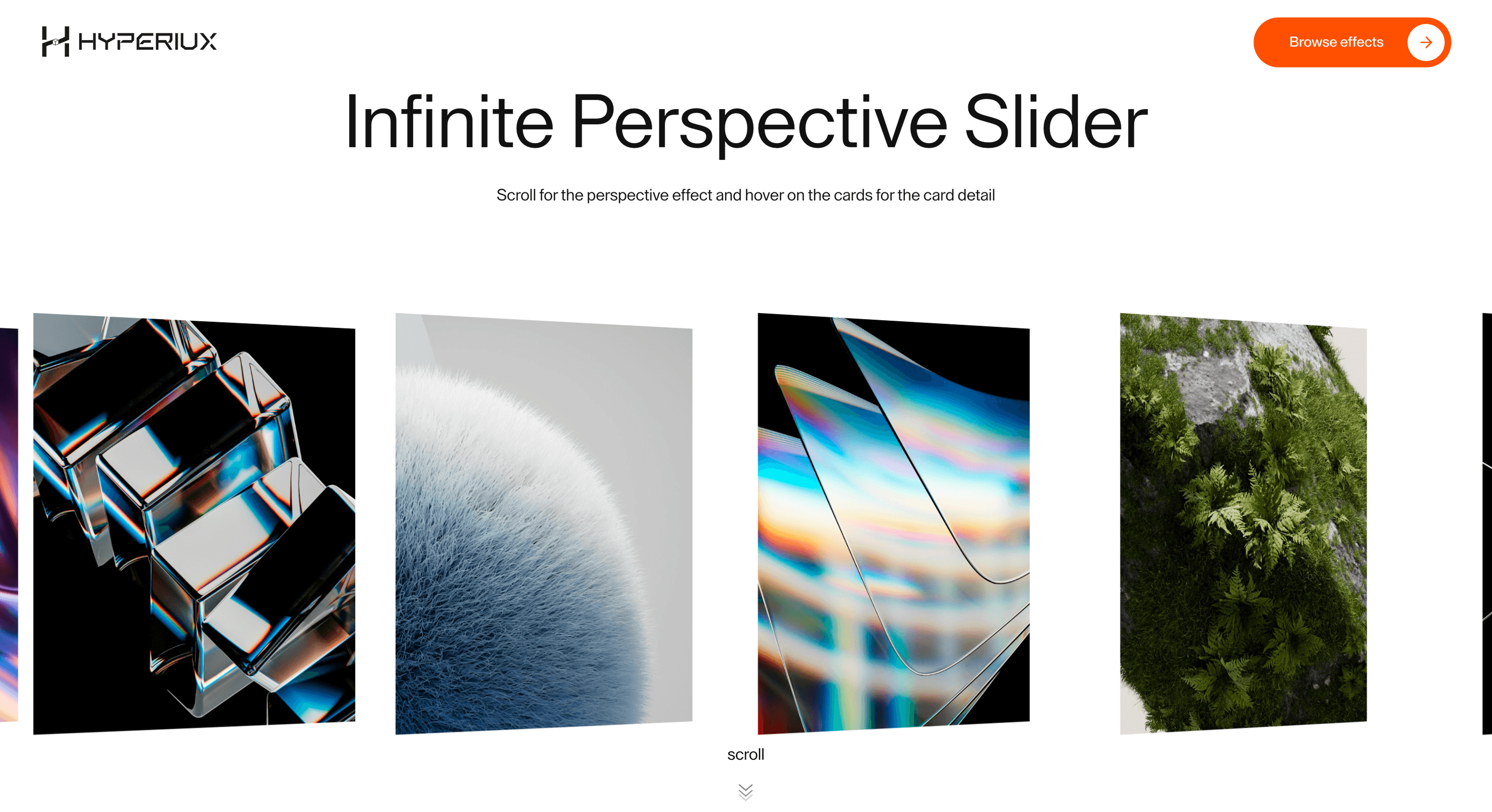
Infinite Perspective Slider
A depth-led infinite slider that adds perspective, motion, and continuity to portfolio showcases, launch pages, and visual sequences.
Published On: June 13, 2026
Last Updated: August 17, 2026
GSAP
Overview
Infinite Perspective Slider turns a scroll lane into depth. The visitor reads the sequence as motion, not pagination.
Use Infinite Perspective Slider when a showcase needs the feeling of forward motion without a full 3D scene. Agency showcases, portfolio chapters, and AI launch pages can use the effect to keep visual momentum while the visitor stays in a familiar scroll path. The page job is continuity: the work should keep arriving without feeling like a carousel bolted onto the page.
The main risk is loop management. Perspective lanes can disorient visitors if duplicated slides, focus order, or reduced-motion states do not make the current item obvious.
Install Command
npx hyperiux add infinite-perspective-sliderUsage Code
page.jsx
import InfinitePerspectiveSlider from "@/components/effects/infinite-perspective-slider";

export default function Page() {
  return (
    <>
      <InfinitePerspectiveSlider />
    </>
  );
}
Component Code
index.jsx
// Built using Hyperiux Vault: https://vault.hyperiux.com
import { InfinitePerspectiveSliderComp } from "./InfinitePerspectiveSliderComp";
export default function InfinitePerspectiveSlider(props) {
    const images = [
        {
            number: '01',
            src: 'https://pub-8abee449136941f5b0a1cd2c014534e9.r2.dev/vault-listing-images/assets-images/h-01.jpg',
            title: 'INSPIRE (JAN)',
            desc: 'Exploring nature and calm beginnings',
        },
        {
            number: '02',
            src: 'https://pub-8abee449136941f5b0a1cd2c014534e9.r2.dev/vault-listing-images/assets-images/h-02.jpg',
            title: 'INSPIRE (FEB)',
            desc: 'Moments of stillness and beauty',
        },
        {
            number: '03',
            src: 'https://pub-8abee449136941f5b0a1cd2c014534e9.r2.dev/vault-listing-images/assets-images/h-03.jpg',
            title: 'INSPIRE (MAR)',
            desc: 'Textures, light and motion',
        },
        {
            number: '04',
            src: 'https://pub-8abee449136941f5b0a1cd2c014534e9.r2.dev/vault-listing-images/assets-images/h-05.jpg',
            title: 'INSPIRE (APR)',
            desc: 'Flowing forms and soft tones',
        },
        {
            number: '05',
            src: 'https://pub-8abee449136941f5b0a1cd2c014534e9.r2.dev/vault-listing-images/assets-images/h-06.jpg',
            title: 'INSPIRE (MAY)',
            desc: 'Warmth, depth and perspective',
        },
        {
            number: '06',
            src: 'https://pub-8abee449136941f5b0a1cd2c014534e9.r2.dev/vault-listing-images/assets-images/h-07.jpg',
            title: 'INSPIRE (JUNE)',
            desc: 'Energy, waves and movement',
        },
        {
            number: '07',
            src: 'https://pub-8abee449136941f5b0a1cd2c014534e9.r2.dev/vault-listing-images/assets-images/h-08.jpg',
            title: 'DISTORT',
            desc: 'Abstract visuals and distortion',
        },
        {
            number: '08',
            src: 'https://pub-8abee449136941f5b0a1cd2c014534e9.r2.dev/vault-listing-images/assets-images/h-09.jpg',
            title: 'FRAME 01',
            desc: 'Captured cinematic frame',
        },
        {
            number: '09',
            src: 'https://pub-8abee449136941f5b0a1cd2c014534e9.r2.dev/vault-listing-images/assets-images/h-10.jpg',
            title: 'FRAME 02',
            desc: 'Light and contrast study',
        },
        {
            number: '10',
            src: 'https://pub-8abee449136941f5b0a1cd2c014534e9.r2.dev/vault-listing-images/assets-images/h-11.jpg',
            title: 'FRAME 03',
            desc: 'Minimal composition',
        },
    ];
    return (<>
            <div className=" bg-white flex flex-col justify-center gap-20">
                <InfinitePerspectiveSliderComp images={images} {...props}/>
            </div>
        </>);
}
InfinitePerspectiveSliderComp.jsx
"use client";
import { useEffect, useRef, useCallback, useState } from "react";
import gsap from "gsap";
import { SplitText } from "gsap/SplitText";
import { createSuspendedRaf } from "./createSuspendedRaf";
gsap.registerPlugin(SplitText);
// True when the user has asked the OS to minimise animation. Safe to call
// during render - returns false on the server.
function prefersReducedMotion() {
if (typeof window === "undefined")
return false;
return window.matchMedia?.("(prefers-reduced-motion: reduce)")?.matches ?? false;
}
const DEFAULT_CARD_WIDTH = 320;
const DEFAULT_CARD_GAP = 24;
const MOBILE_BREAKPOINT = 640;
const TABLET_BREAKPOINT = 1025;
const MOBILE_CARD_WIDTH = 240;
const MOBILE_CARD_GAP = 16;
const TABLET_CARD_WIDTH = 380;
const TABLET_CARD_GAP = 20;
const ACTIVE_CONTENT_CLEAR_DELTA = 2;
const TEXT_LEAVE_STAGGER = 0.04;
const getItemData = (item) => typeof item === "string" ? { src: item } : item;
export function InfinitePerspectiveSliderComp({ images = [], cardWidth = DEFAULT_CARD_WIDTH, cardGap = DEFAULT_CARD_GAP, perspective = 2200, scrollSpeed = 1.0, scrollLerp = 0.1, velocityLerp = 0.09, rotationSensitivity = 0.025, rotationDamp = 0.1, rotationLerp = 0.12, maxRotation = 80, scrollStopDelay = 180, textEnterDuration = 0.35, textLeaveDuration = 0.35, textStagger = 0.06, }) {
const stripRef = useRef(null);
const settersRef = useRef([]);
const cardRefs = useRef([]);
const imageRefs = useRef([]);
const numberRefs = useRef([]);
const titleRefs = useRef([]);
const descriptionRefs = useRef([]);
const activeHoverIndexRef = useRef(null);
const hoveredIndexRef = useRef(null);
const isScrollingRef = useRef(false);
const scrollStopTimerRef = useRef(null);
const leaveHandlersRef = useRef({});
const enterHandlersRef = useRef({});
const [viewportWidth, setViewportWidth] = useState(DEFAULT_CARD_WIDTH * 4);
const isMobileViewport = viewportWidth < MOBILE_BREAKPOINT;
const isTabletViewport = viewportWidth >= MOBILE_BREAKPOINT && viewportWidth < TABLET_BREAKPOINT;
const resolvedCardWidth = isMobileViewport
? MOBILE_CARD_WIDTH
: isTabletViewport
? TABLET_CARD_WIDTH
: cardWidth;
const resolvedCardGap = isMobileViewport
? MOBILE_CARD_GAP
: isTabletViewport
? TABLET_CARD_GAP
: cardGap;
const cardStep = resolvedCardWidth + resolvedCardGap;
const cardHeight = isMobileViewport
? "calc(40vh + 72px)"
: isTabletViewport
? "calc(45vh + 84px)"
: "calc(50vh + 96px)";
const stateRef = useRef({
current: 0,
target: 0,
velocity: 0,
smoothVelocity: 0,
rotationVelocity: 0,
currentRotation: 0,
prevDirection: 0,
isDragging: false,
lastX: 0,
});
const configRef = useRef({
cardWidth: resolvedCardWidth,
scrollSpeed,
scrollLerp,
velocityLerp,
rotationSensitivity,
rotationDamp,
rotationLerp,
maxRotation,
scrollStopDelay,
textEnterDuration,
textLeaveDuration,
textStagger,
});
configRef.current = {
cardWidth: resolvedCardWidth,
scrollSpeed,
scrollLerp,
velocityLerp,
rotationSensitivity,
rotationDamp,
rotationLerp,
maxRotation,
scrollStopDelay,
textEnterDuration,
textLeaveDuration,
textStagger,
};
const lerp = (a, b, n) => a + (b - a) * n;
const clamp = (value, min, max) => Math.max(min, Math.min(max, value));
const clearActiveContent = useCallback(() => {
const activeIndex = activeHoverIndexRef.current;
if (activeIndex === null)
return;
const leaveHandler = leaveHandlersRef.current[activeIndex];
if (leaveHandler) {
leaveHandler();
}
activeHoverIndexRef.current = null;
}, []);
const markScrolling = useCallback(() => {
isScrollingRef.current = true;
clearActiveContent();
if (scrollStopTimerRef.current) {
window.clearTimeout(scrollStopTimerRef.current);
}
scrollStopTimerRef.current = window.setTimeout(() => {
isScrollingRef.current = false;
scrollStopTimerRef.current = null;
const hoveredIndex = hoveredIndexRef.current;
if (hoveredIndex === null)
return;
const enterHandler = enterHandlersRef.current[hoveredIndex];
if (enterHandler) {
enterHandler();
}
}, configRef.current.scrollStopDelay);
}, [clearActiveContent]);
const initSetters = () => {
if (!stripRef.current)
return;
settersRef.current = Array.from(stripRef.current.children).map((element) => ({
x: gsap.quickSetter(element, "x", "px"),
rotateY: gsap.quickSetter(element, "rotateY", "deg"),
}));
};
const positionCards = useCallback((offset, rotation) => {
const strip = stripRef.current;
if (!strip || !images.length)
return;
const cards = strip.children;
const setters = settersRef.current;
const count = images.length;
const loopWidth = count * cardStep;
const viewW = window.innerWidth;
const centerX = viewW / 2;
const centreOffset = centerX - configRef.current.cardWidth / 2;
for (let index = 0; index < cards.length; index += 1) {
let x = index * cardStep - offset + centreOffset;
x = ((x % loopWidth) + loopWidth) % loopWidth;
if (x > loopWidth - cardStep) {
x -= loopWidth;
}
setters[index]?.x(x);
setters[index]?.rotateY(rotation);
}
}, [cardStep, images]);
useEffect(() => {
const updateViewport = () => {
setViewportWidth(window.innerWidth);
};
updateViewport();
window.addEventListener("resize", updateViewport);
return () => {
window.removeEventListener("resize", updateViewport);
};
}, []);
useEffect(() => {
if (!images.length)
return;
const state = stateRef.current;
const loopWidth = images.length * cardStep;
const reducedMotion = prefersReducedMotion();
initSetters();
const tick = () => {
// Reduced motion: snap straight to the target (no lerp smoothing) and
// never build up rotation velocity, so cards never tilt while
// scrolling or dragging - they just track the pointer/wheel directly.
if (reducedMotion) {
state.current = state.target;
state.velocity = 0;
state.smoothVelocity = 0;
state.rotationVelocity = 0;
state.currentRotation = 0;
}
else {
const config = configRef.current;
state.current = lerp(state.current, state.target, config.scrollLerp);
state.velocity = state.target - state.current;
state.smoothVelocity = lerp(state.smoothVelocity, state.velocity, config.velocityLerp);
state.rotationVelocity = lerp(state.rotationVelocity, state.velocity, config.rotationDamp);
const absVel = Math.abs(state.rotationVelocity);
const sign = Math.sign(state.rotationVelocity);
const targetRotation = sign * absVel * config.rotationSensitivity;
state.currentRotation = lerp(state.currentRotation, targetRotation, config.rotationLerp);
}
const finalRotation = clamp(state.currentRotation, -configRef.current.maxRotation, configRef.current.maxRotation);
if (Math.abs(state.current - state.target) < 0.05) {
const shift = Math.round(state.current / loopWidth) * loopWidth;
state.current -= shift;
state.target -= shift;
}
positionCards(state.current, finalRotation);
};
const onWheel = (event) => {
const delta = event.deltaY;
if (Math.abs(delta) >= ACTIVE_CONTENT_CLEAR_DELTA) {
markScrolling();
}
state.target += delta * configRef.current.scrollSpeed;
};
const onDown = (clientX) => {
state.isDragging = true;
state.lastX = clientX;
markScrolling();
};
const onMove = (clientX) => {
if (!state.isDragging)
return;
const delta = clientX - state.lastX;
state.lastX = clientX;
if (Math.abs(delta) >= ACTIVE_CONTENT_CLEAR_DELTA) {
markScrolling();
}
state.target += -delta * configRef.current.scrollSpeed;
};
const onUp = () => {
state.isDragging = false;
};
const handleMouseDown = (event) => onDown(event.clientX);
const handleMouseMove = (event) => onMove(event.clientX);
const handleMouseUp = () => onUp();
const handleTouchStart = (event) => onDown(event.touches[0].clientX);
const handleTouchMove = (event) => onMove(event.touches[0].clientX);
const handleTouchEnd = () => onUp();
const onResize = () => {
markScrolling();
initSetters();
positionCards(state.current, state.currentRotation);
};
state.current = 0;
state.target = 0;
state.velocity = 0;
state.smoothVelocity = 0;
state.rotationVelocity = 0;
state.currentRotation = 0;
state.prevDirection = 0;
activeHoverIndexRef.current = null;
hoveredIndexRef.current = null;
isScrollingRef.current = false;
positionCards(0, 0);
gsap.set(cardRefs.current, { opacity: 1 });
const loop = createSuspendedRaf({
root: stripRef,
onFrame: tick,
});
loop.start();
window.addEventListener("wheel", onWheel, { passive: true });
window.addEventListener("resize", onResize);
window.addEventListener("mousedown", handleMouseDown);
window.addEventListener("mousemove", handleMouseMove);
window.addEventListener("mouseup", handleMouseUp);
window.addEventListener("touchstart", handleTouchStart, { passive: true });
window.addEventListener("touchmove", handleTouchMove, { passive: true });
window.addEventListener("touchend", handleTouchEnd);
return () => {
loop.destroy();
if (scrollStopTimerRef.current) {
window.clearTimeout(scrollStopTimerRef.current);
}
window.removeEventListener("wheel", onWheel);
window.removeEventListener("resize", onResize);
window.removeEventListener("mousedown", handleMouseDown);
window.removeEventListener("mousemove", handleMouseMove);
window.removeEventListener("mouseup", handleMouseUp);
window.removeEventListener("touchstart", handleTouchStart);
window.removeEventListener("touchmove", handleTouchMove);
window.removeEventListener("touchend", handleTouchEnd);
};
}, [cardStep, images, positionCards, markScrolling]);
useEffect(() => {
if (!images.length)
return;
const animations = [];
leaveHandlersRef.current = {};
enterHandlersRef.current = {};
activeHoverIndexRef.current = null;
hoveredIndexRef.current = null;
cardRefs.current.forEach((card, index) => {
const image = imageRefs.current[index];
const number = numberRefs.current[index];
const title = titleRefs.current[index];
const description = descriptionRefs.current[index];
if (!card || !image || !number || !title || !description)
return;
const numberSplit = SplitText.create(number, {
type: "lines",
mask: "lines",
});
const titleSplit = SplitText.create(title, {
type: "lines",
mask: "lines",
});
const descriptionSplit = SplitText.create(description, {
type: "lines",
mask: "lines",
});
const numberLines = numberSplit.lines;
const titleLines = titleSplit.lines;
const descriptionLines = descriptionSplit.lines;
const allLines = [...numberLines, ...titleLines, ...descriptionLines];
gsap.set([number, title, description], {
autoAlpha: 0,
});
gsap.set(allLines, {
yPercent: 100,
});
const enter = () => {
if (isScrollingRef.current)
return;
if (activeHoverIndexRef.current !== null &&
activeHoverIndexRef.current !== index) {
const previousLeave = leaveHandlersRef.current[activeHoverIndexRef.current];
if (previousLeave) {
previousLeave();
}
}
activeHoverIndexRef.current = index;
gsap.killTweensOf(allLines);
gsap.killTweensOf([number, title, description]);
gsap
.timeline({
defaults: {
ease: "power3.out",
overwrite: "auto",
},
})
.set([number, title, description], { autoAlpha: 1 })
.to(numberLines, {
yPercent: 0,
duration: configRef.current.textEnterDuration,
stagger: configRef.current.textStagger,
}, 0)
.to([titleLines, descriptionLines], {
yPercent: 0,
duration: configRef.current.textEnterDuration,
stagger: configRef.current.textStagger,
}, 0.05);
};
const leave = () => {
if (activeHoverIndexRef.current === index) {
activeHoverIndexRef.current = null;
}
gsap.killTweensOf(allLines);
gsap.killTweensOf([number, title, description]);
gsap
.timeline({
defaults: {
ease: "power3.in",
overwrite: "auto",
},
})
.to([titleLines, descriptionLines], {
yPercent: 100,
duration: configRef.current.textLeaveDuration,
stagger: TEXT_LEAVE_STAGGER,
}, 0)
.to(numberLines, {
yPercent: 100,
duration: configRef.current.textLeaveDuration,
stagger: TEXT_LEAVE_STAGGER,
}, 0.04)
.set([number, title, description], { autoAlpha: 0 });
};
const handleImageEnter = () => {
hoveredIndexRef.current = index;
if (isScrollingRef.current)
return;
enter();
};
const handleImageLeave = () => {
if (hoveredIndexRef.current === index) {
hoveredIndexRef.current = null;
}
leave();
};
enterHandlersRef.current[index] = enter;
leaveHandlersRef.current[index] = leave;
image.addEventListener("mouseenter", handleImageEnter);
image.addEventListener("mouseleave", handleImageLeave);
animations.push({
image,
handleImageEnter,
handleImageLeave,
numberSplit,
titleSplit,
descriptionSplit,
});
});
return () => {
animations.forEach(({ image, handleImageEnter, handleImageLeave, numberSplit, titleSplit, descriptionSplit, }) => {
image.removeEventListener("mouseenter", handleImageEnter);
image.removeEventListener("mouseleave", handleImageLeave);
numberSplit.revert();
titleSplit.revert();
descriptionSplit.revert();
});
leaveHandlersRef.current = {};
enterHandlersRef.current = {};
activeHoverIndexRef.current = null;
hoveredIndexRef.current = null;
};
}, [images]);
return (<div className="h-screen w-screen overflow-hidden">
<div className="pointer-events-none relative flex h-full items-center overflow-hidden max-[1025px]:items-center" style={{ perspective }}>
<div ref={stripRef} className="transform-3d relative w-full" style={{ height: cardHeight }}>
{images.map((item, index) => {
const { src, number, title, desc, description } = getItemData(item);
return (<div key={index} ref={(element) => {
cardRefs.current[index] = element;
}} className="pointer-events-auto absolute left-0 top-0 opacity-0 will-change-transform" style={{
width: resolvedCardWidth,
height: cardHeight,
transformOrigin: "center center",
transform: "translateZ(1px)",
}}>
<div ref={(element) => {
numberRefs.current[index] = element;
}} className="mb-2 text-2xl leading-none tracking-tight text-black opacity-0 max-[1025px]:text-xl max-md:mb-1 max-md:text-lg">
{number}
</div>
<div ref={(element) => {
imageRefs.current[index] = element;
}} className="relative h-[50vh] w-full overflow-hidden bg-white max-[1025px]:h-[45vh] max-md:h-[40vh]">
<img src={src} alt={`slide-${index}`} className="absolute inset-0 h-full w-full object-cover" draggable={false}/>
</div>
<div className="mt-2 space-y-1">
<div ref={(element) => {
titleRefs.current[index] = element;
}} className="text-xl uppercase leading-none tracking-[0.04em] text-black opacity-0 max-[1025px]:text-lg max-md:text-base">
{title}
</div>
<div ref={(element) => {
descriptionRefs.current[index] = element;
}} className="text-sm leading-none text-black/70 opacity-0 max-[1025px]:text-xs max-md:text-xs">
{desc || description || ""}
</div>
</div>
</div>);
})}
</div>
</div>
<div className="absolute bottom-[5%] left-1/2 flex -translate-x-1/2 flex-col items-center justify-center gap-[1vw] text-black">
scroll
<svg width="20" height="28" className="size-[1.5vw] max-[1025px]:size-[3vw] max-md:size-[4vw]" viewBox="0 0 20 28" fill="none" xmlns="http://www.w3.org/2000/svg">
<style>{`
.chev1 { animation: fadeDown 1.4s ease-in-out infinite; }
.chev2 { animation: fadeDown 1.4s ease-in-out 0.22s infinite; }
.chev3 { animation: fadeDown 1.4s ease-in-out 0.44s infinite; }
@keyframes fadeDown {
0% { opacity: 0.08; transform: translateY(-3px); }
50% { opacity: 0.55; transform: translateY(2px); }
100% { opacity: 0.08; transform: translateY(-3px); }
}
`}</style>
<polyline className="chev1 stroke-current" points="2,2 10,9 18,2" stroke="white" strokeWidth="1.4" fill="none" strokeLinecap="round" strokeLinejoin="round"/>
<polyline className="chev2 stroke-current" points="2,10 10,17 18,10" stroke="white" strokeWidth="1.4" fill="none" strokeLinecap="round" strokeLinejoin="round"/>
<polyline className="chev3 stroke-current" points="2,18 10,25 18,18" stroke="white" strokeWidth="1.4" fill="none" strokeLinecap="round" strokeLinejoin="round"/>
</svg>
</div>
</div>);
}
createSuspendedRaf.jsx
const DEFAULT_ROOT_MARGIN = "256px";
function resolveElement(root) {
    if (!root)
        return null;
    if (typeof root === "function")
        return root() ?? null;
    if (typeof root === "object" && "current" in root)
        return root.current ?? null;
    return root;
}
function createVisibilityGate({ root = null, rootMargin = DEFAULT_ROOT_MARGIN, threshold = 0, observeTab = true, observeOffscreen = true, onChange, } = {}) {
    let tabVisible = typeof document === "undefined" ? true : !document.hidden;
    // Match border-beam: assume onscreen until the observer reports otherwise.
    let onscreen = true;
    let destroyed = false;
    let observer = null;
    const isActive = () => {
        if (destroyed)
            return false;
        if (observeTab && !tabVisible)
            return false;
        if (observeOffscreen && resolveElement(root) && !onscreen)
            return false;
        return true;
    };
    let lastActive = isActive();
    const emit = () => {
        if (destroyed)
            return;
        const next = isActive();
        if (next === lastActive)
            return;
        lastActive = next;
        onChange?.(next);
    };
    const onVisibilityChange = () => {
        tabVisible = !document.hidden;
        emit();
    };
    if (observeTab && typeof document !== "undefined") {
        document.addEventListener("visibilitychange", onVisibilityChange);
    }
    const bindObserver = () => {
        if (!observeOffscreen || typeof IntersectionObserver === "undefined") {
            return;
        }
        const el = resolveElement(root);
        if (!el)
            return;
        observer = new IntersectionObserver((entries) => {
            for (const entry of entries) {
                onscreen = entry.isIntersecting;
            }
            emit();
        }, { rootMargin, threshold });
        observer.observe(el);
    };
    bindObserver();
    return {
        /** Whether the animation should currently run. */
        get isActive() {
            return isActive();
        },
        /**
         * Re-bind IntersectionObserver after the root element mounts late
         * (e.g. ref not ready on first call). Safe to call multiple times.
         */
        observe(nextRoot) {
            if (destroyed)
                return;
            if (nextRoot != null)
                root = nextRoot;
            if (observer) {
                observer.disconnect();
                observer = null;
            }
            onscreen = true;
            bindObserver();
            emit();
        },
        destroy() {
            if (destroyed)
                return;
            destroyed = true;
            if (observeTab && typeof document !== "undefined") {
                document.removeEventListener("visibilitychange", onVisibilityChange);
            }
            if (observer) {
                observer.disconnect();
                observer = null;
            }
        },
    };
}
/**
 * Owns a requestAnimationFrame loop that auto-pauses when the tab is hidden
 * or the root element is offscreen.
 */
function createSuspendedRaf({ onFrame, root = null, rootMargin = DEFAULT_ROOT_MARGIN, threshold = 0, observeTab = true, observeOffscreen = true, }) {
    if (typeof onFrame !== "function") {
        throw new TypeError("createSuspendedRaf: onFrame is required");
    }
    let rafId = null;
    let running = false;
    let destroyed = false;
    const stopRaf = () => {
        if (rafId != null) {
            cancelAnimationFrame(rafId);
            rafId = null;
        }
    };
    const tick = (time) => {
        rafId = null;
        if (destroyed || !running || !gate.isActive)
            return;
        onFrame(time);
        if (!destroyed && running && gate.isActive) {
            rafId = requestAnimationFrame(tick);
        }
    };
    const sync = () => {
        if (destroyed)
            return;
        if (running && gate.isActive) {
            if (rafId == null) {
                rafId = requestAnimationFrame(tick);
            }
        }
        else {
            stopRaf();
        }
    };
    const gate = createVisibilityGate({
        root,
        rootMargin,
        threshold,
        observeTab,
        observeOffscreen,
        onChange: sync,
    });
    return {
        /** Start (or resume) the loop when visibility allows. */
        start() {
            if (destroyed)
                return;
            running = true;
            sync();
        },
        /** Stop requesting frames (visibility listeners stay attached until destroy). */
        stop() {
            running = false;
            stopRaf();
        },
        /** Whether the caller has started the loop (may still be paused by visibility). */
        get isRunning() {
            return running;
        },
        /** Whether a frame is currently allowed to schedule. */
        get isActive() {
            return gate.isActive;
        },
        /** Re-attach offscreen observer to a (new) root element. */
        observe(nextRoot) {
            gate.observe(nextRoot);
            sync();
        },
        /** Tear down listeners and cancel any pending frame. */
        destroy() {
            if (destroyed)
                return;
            destroyed = true;
            running = false;
            stopRaf();
            gate.destroy();
        },
    };
}
export { createSuspendedRaf, createVisibilityGate, DEFAULT_ROOT_MARGIN, };
Example Production Use Case
An AI launch page presenting product capabilities as visual chapters: Infinite Perspective Slider keeps the next proof point in motion while the current one remains readable. The outcome is continuity: momentum stays high without forcing a heavy WebGL scene.
Best Used For
- Portfolio and AI launch sequences that need depth without committing to a full WebGL scene.
- Portfolio chapters and launch pages that want depth without a full WebGL scene.
- Infinite Perspective Slider creates a concrete scroll outcome that a static section would not deliver.
Not For
Not for dense product lists, accessibility-critical sequences, or pages where perspective makes the active item harder to judge.
Not for routes where search traffic lands mid-sequence and needs immediate context.
Performance Budget
Animate transform and opacity, avoid layout reads in scroll handlers, pre-size media, and clean up timelines/listeners when the route changes.
Accessibility and Mobile
The animated sequence must match DOM order. On mobile, replace pinned or horizontal mechanics with stacked sections, native swipe, or static cards.
Common Mistakes
- Duplicating loop items without making the active item obvious.
- Letting perspective clipping create horizontal overflow.
- Treating depth as a substitute for a real sequence.
Changelog
v1.0.1
Jul 21, 2026Added prefers-reduced-motion support: position tracking snaps directly to target (no lerp) and card tilt is disabled while scrolling or dragging
v1.0.0
Jul 20, 2026Initial release
Props
| Prop | Type | Default | Description |
|---|---|---|---|
cardWidth | number | 320 | Desktop card width. |
cardGap | number | 24 | Spacing between cards. |
perspective | number | 2200 | 3D perspective depth. |
scrollSpeed | number | 1 | Scroll and drag movement multiplier. |
scrollLerp | number | 0.1 | How quickly the slider catches its target. |
maxRotation | number | 80 | Maximum card tilt angle. |
Frequently Asked Questions
What makes Infinite Perspective Slider different from a standard scroll reveal?
A standard reveal fades or slides one element into place; this turns the whole scroll lane into receding depth so the sequence reads as continuous motion rather than pagination. The perspective is the message momentum, not a series of discrete reveals. Use it when the feeling of moving through a sequence matters more than any single item landing.
How should Infinite Perspective Slider simplify on mobile devices?
Strong perspective on a narrow screen reads as distortion, so flatten the depth and present the items as a clean vertical or swipeable sequence. Keep the loop honest: don't trap the user in motion they can't escape. Reduced-motion users should get the same items as a static list in DOM order.
What should developers test before shipping Infinite Perspective Slider?
Verify the "infinite" loop doesn't accumulate transformed nodes or listeners over time, that it cleans up on route change, and that focus order follows the DOM rather than the visual depth. Check that perspective doesn't clip adjacent content or trigger horizontal overflow. Confirm the static fallback carries the same content.
Which content structure works best with Infinite Perspective Slider?
A medium-length run of comparable items like portfolio chapters, capability tiles, or launch milestones, where depth implies a journey. It's weakest with one or two items, where the lane has nothing to travel through. Each item should stand alone so the loop never depends on a fixed start.
When should I avoid Infinite Perspective Slider even if the preview looks good?
Avoid it on dense, text-heavy, or utility pages where reading speed beats spectacle, and on routes where people land mid-content from search. If the perspective makes the sequence harder to parse than a plain list would, the effect is working against the page. Skip it when there isn't a real sequence to move through.
Request a Custom Scroll Animation
Need a custom effect? Tell us what to create.


