
Ishita Srivastav
Developer
Category: Engineering
Ishita Srivastav
Developer
Rendering thousands of elements in a 3D scene is not just about drawing more objects. It’s about choosing how those objects should be represented, how they behave, and how efficiently they can be rendered.
Three.js makes this possible in several ways, from full 3D meshes to lightweight particles and points. Understanding how each approach works helps you choose the right representation for your scene.
Three.js is a JavaScript library for building 3D experiences in the browser on top of WebGL. At the simplest level, you create a scene, put a camera in front of it, add things for that camera to see, and let a renderer draw the result into a canvas. Those “things” can take several forms. Some are full 3D objects with real shape. Some are tiny marks in space. Others belong to larger systems where thousands of elements move together according to rules.
A normal 3D object in Three.js is often a Mesh. A mesh combines geometry, which describes the shape of the object, with a material, which controls how its surface is drawn. A cube, sphere, rock, product model, character, or imported 3D asset eventually becomes one or more pieces of mesh geometry in the scene. A model loaded from Blender, for example, may contain several meshes, materials, textures, and child objects grouped into a hierarchy. For this article, the important idea is simpler: when something needs a recognizable 3D shape, volume, orientation, or lighting, you are usually dealing with mesh geometry.
Things become more interesting when you need thousands of them.
If you created 10,000 identical rocks as 10,000 completely separate Mesh objects, Three.js would have to manage and submit a very large number of individual objects. InstancedMesh is one way to avoid that. It lets many copies of the same geometry and material be drawn together while each copy still gets its own position, rotation, and scale. You can think of it as telling the renderer: “Here is one rock. Draw this rock thousands of times at these different transforms,” rather than treating every rock as an unrelated object.
Points solves a different problem. A point is essentially a position in space that the renderer draws as a small mark. Give Three.js ten thousand positions and a Points object can render them as a point cloud. That is useful for stars, scan data, distant dust, abstract fields, and other scenes where each element does not need its own detailed silhouette. If a sample in a 3D scan only needs to say “there is data at this position,” replacing it with a small sphere would often add geometry without adding useful information.
Then there are particles. “Particle” does not describe one particular Three.js object in the same way that Mesh or Points does. It describes a behaviour model. A particle might have a position, velocity, lifetime, colour, scale, or direction, and thousands of particles may be emitted, moved, faded, or recycled over time. Sparks, smoke, snow, dust, trails, and swarms are common examples. Those particles still need to be rendered somehow. They might use Points, flat camera-facing planes, or even real instanced 3D meshes.
That distinction matters because these terms are easy to mix together:
- Mesh geometry describes shape.
InstancedMeshis a way to render many repeated meshes efficiently.Pointsis a rendering primitive for point-like data.- Particles describe the behaviour and state of many moving elements, not necessarily how they are drawn.
With that foundation, consider three scenes: ten thousand people, ten thousand sparks, and ten thousand samples from a 3D scan.
The number is identical. The rendering problem is not.
A crowd needs recognizable bodies, orientation, depth, perhaps animation, and sometimes interaction. Sparks need motion, lifetime, blending, and very little geometric identity. A point cloud may already be nothing more than positions, colours, and measurements in space.
Treat all three as “thousands of objects” and you will probably optimize the wrong thing. The useful question is what each element needs to look like, what state it carries, how it changes, and whether someone needs to interact with it.
A useful starting framework looks like this:
| Concern | What it describes | Typical fit |
|---|---|---|
| Mesh geometry | Shape, silhouette, volume, lighting, orientation | Crowds, debris, vegetation, repeated products, creatures |
| Particle system | Behaviour, state, lifetime, velocity, emitters, forces | Sparks, smoke, dust, snow, trails, swarms |
| Points | A point-based rendering primitive | Point clouds, stars, scan data, dense abstract fields |
Those layers often combine. A particle can be rendered as a point, but it can also be rendered as an instanced mesh. A crowd can use mesh geometry while its movement is driven by a particle-like simulation. A point cloud can animate with particle behaviour without becoming a mesh-based scene.
That overlap is the real architectural decision.
First decide what each “thing” needs to be
Before thinking about draw calls, start with the image. Does each element need a recognizable silhouette? Does its orientation matter? Should lighting reveal its volume? Does it need to rotate independently? Can it be represented as a dot or small screen-facing mark? Does it carry velocity, lifetime, or emitter state? Will users click or hover individual elements? Do different elements need different geometry?
Those questions tell you more than the raw object count. Imagine three scenes. The first contains 15,000 low-poly people moving through a station. Their silhouettes matter, their facing direction matters, and their bodies need to occupy volume and respond to light. The second contains 15,000 sparks from a grinder. Nobody cares whether spark number 8,421 has a beautiful 3D silhouette. The illusion comes from motion, lifetime, colour, velocity, streaking, and accumulation. The third contains 15,000 samples from a scanned sculpture. The data already consists of positions in space, so replacing every sample with a tiny sphere adds geometry without adding much meaning.
The count is the same, but the representation should not be. That is why representation comes before optimization.
Mesh geometry: when every element needs actual shape
Use mesh geometry when each element needs to look like an object rather than a mark. Crowds are the clearest example because a person in a crowd needs more than a position. Even from a distance, the visual depends on body shape, orientation, variation, scale, and the way light catches the form.
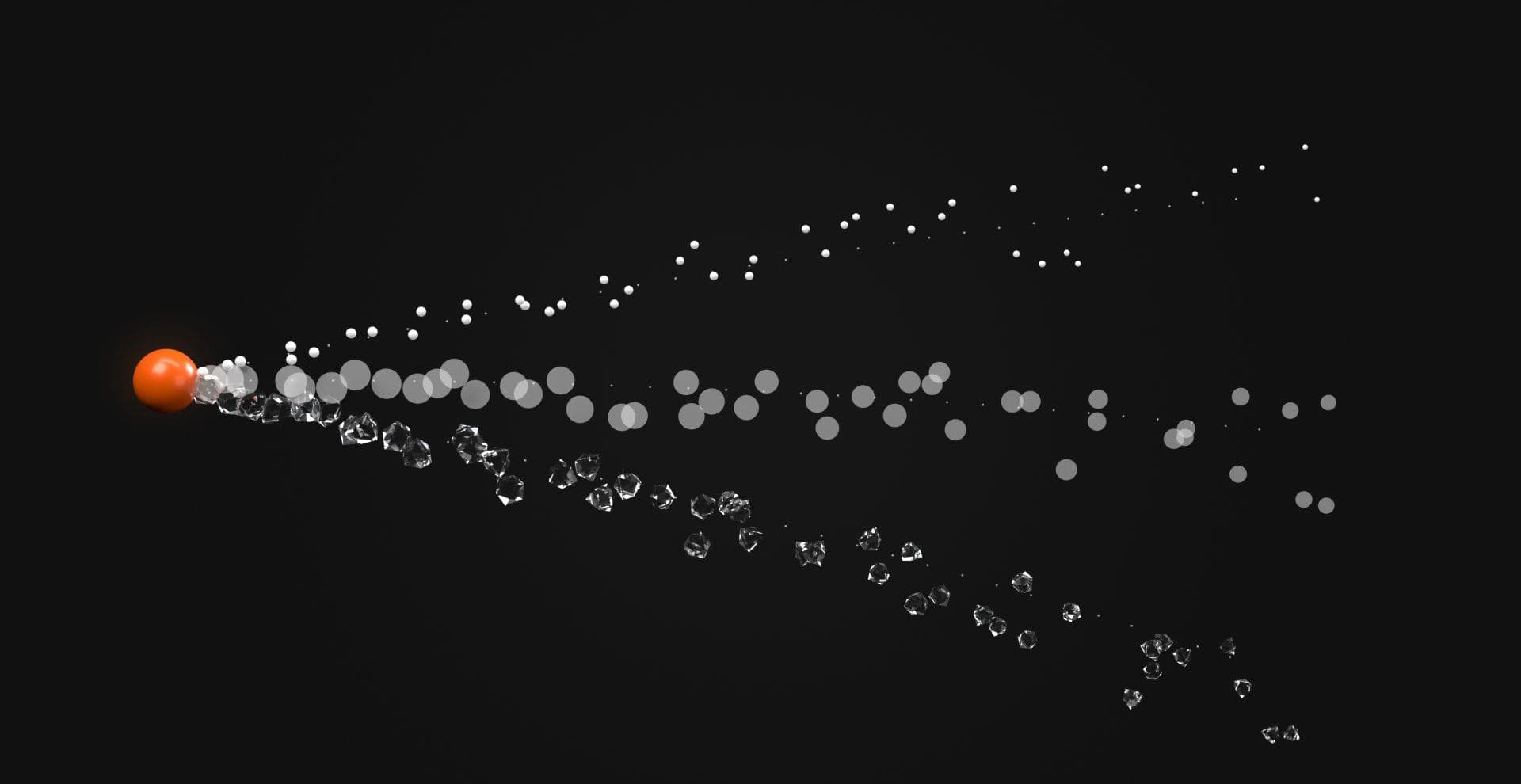
The same is true for leaves, rocks, tumbling debris, birds, fish, products, crystals, grass blades, or repeated architectural pieces. If the art direction needs 3D shape, Points is not a substitute simply because it may be cheaper to draw.
Separate Mesh objects are the simplest baseline
A normal Three.js Mesh is the most straightforward option when every object really is independent. That is appropriate for a scene with a modest number of genuinely distinct items, such as a dozen product models, several interactive sculptures, or a set of props with unrelated materials and hierarchies.
The scene graph stays intuitive because each object can have its own geometry, material, transform, child hierarchy, animation state, visibility, and raycasting behaviour. The problem appears when you repeat effectively the same object hundreds or thousands of times.
Ten thousand separate trees that all use the same geometry and material are semantically different trees, but they do not necessarily need to be ten thousand independent render submissions. That is where instancing earns its place.
Use InstancedMesh for repeated mesh geometry
Three.js InstancedMesh is built for many copies of the same geometry and material with different transforms. For repeated rigid geometry such as rocks, trees, shards, crowd markers, grass, or props, it can dramatically reduce draw-call overhead compared with separate meshes.
With an existing Three.js scene, an instanced population can begin like this:
import * as THREE from "three" const count = 10000 const geometry = new THREE.IcosahedronGeometry(0.08, 0) const material = new THREE.MeshStandardMaterial({ color: 0xffffff, }) const mesh = new THREE.InstancedMesh( geometry, material, count ) const dummy = new THREE.Object3D() for (let i = 0; i < count; i++) { dummy.position.set( (Math.random() - 0.5) * 20, (Math.random() - 0.5) * 20, (Math.random() - 0.5) * 20 ) dummy.rotation.set( 0, Math.random() * Math.PI * 2, 0 ) dummy.updateMatrix() mesh.setMatrixAt(i, dummy.matrix)} mesh.instanceMatrix.needsUpdate = truemesh.computeBoundingSphere() scene.add(mesh)Three.js documents InstancedMesh specifically for rendering many objects that share geometry and material while varying their world transforms. (threejs.org)
That model works well for repeated rigid geometry, but animated character crowds need additional architecture. Ordinary InstancedMesh does not automatically give every character an independent skeletal pose, animation timeline, or skinned mesh state. If each person needs different skeletal animation, morph targets, or pose data, you need a separate animation strategy, custom shader work, texture-based animation data, specialized crowd rendering, or a different scene structure.
The practical distinction is simple: instancing solves repeated geometry submission. It does not solve every form of character animation.
Instancing does not make mesh cost disappear
Reducing draw calls only removes one class of cost. If each object contains too many vertices, those vertices still need processing. If the material uses expensive fragment shaders, instancing does not make those shaders cheaper. If thousands of instances update their matrices every frame, the CPU still performs transform and simulation work, and updated data still has to reach the GPU.
The useful statement is narrow: instancing makes repeated mesh submission cheaper, but it does not make the rest of the frame free.
Per-instance state still has limits
Instanced objects can have different transforms, and Three.js also supports per-instance colour through setColorAt().
const color = new THREE.Color() for (let i = 0; i < count; i++) { color.setHSL(i / count, 0.7, 0.55) mesh.setColorAt(i, color)} mesh.instanceColor.needsUpdate = trueThe underlying material still remains shared. If objects need fundamentally different materials, render states, shaders, or texture systems, you may need separate instance groups or another batching strategy.
Likewise, if instances move far outside their previous occupied region, update bounds when needed so frustum culling and raycasting remain correct. Do not recompute bounds blindly on every frame if the animation stays inside a known envelope, because bounds maintenance itself costs CPU time.
When geometry differs, consider BatchedMesh
InstancedMesh assumes one shared geometry per instanced mesh, but some scenes contain many objects that share a material without sharing a shape. Three.js BatchedMesh covers that different case. It can batch objects with different geometries and world transforms while retaining a shared material. (threejs.org)
That can suit a mixed debris field, prop set, or environment containing several geometries that share the same rendering treatment. It is not simply “better instancing.” If you have three strongly repeated geometry types, three instanced meshes may remain clearer. If you have a more heterogeneous geometry set that can share material state, batching becomes more interesting.
Mesh geometry is the strategy when shape matters. Instancing and batching are ways to make that strategy scale.
Points: when the data is already point-like
Sometimes each thing is not really an object. It is a sample, a location, a star, a scan return, or a small abstract mark in space. That is where Three.js Points becomes a much more natural representation.
Three.js describes Points as a class for displaying points or point clouds from a BufferGeometry and a material. (threejs.org)
Instead of placing a mesh at every location, you store the locations as vertex data:
import * as THREE from "three" const count = 10000 const positions = new Float32Array(count * 3) for (let i = 0; i < count; i++) { const i3 = i * 3 positions[i3] = (Math.random() - 0.5) * 20 positions[i3 + 1] = (Math.random() - 0.5) * 20 positions[i3 + 2] = (Math.random() - 0.5) * 20} const geometry = new THREE.BufferGeometry() geometry.setAttribute( "position", new THREE.BufferAttribute( positions, 3 )) const material = new THREE.PointsMaterial({ color: 0xffffff, size: 3, sizeAttenuation: true, }) const points = new THREE.Points( geometry, material ) scene.add(points)A point cloud built this way is not pretending each sample is a tiny sphere. It is rendering the data in a form much closer to what the data actually is, which usually means less geometry and a simpler scene representation.
Points are ideal until you need them to stop behaving like points
The trade-off appears when the art direction demands more. Three.js PointsMaterial.size is specified in pixels, and available point size can be capped by hardware limits. With perspective cameras, sizeAttenuation controls whether point size changes with distance. (threejs.org)
That matters once the design wants large textured particles, detailed billboards, controlled silhouettes, mesh-like lighting, arbitrary orientation, large soft discs, or geometry that clearly rotates in 3D. At that point, a point primitive may no longer match the visual requirement.
The better question is whether Points still draws the image you need.
Dynamic point clouds still have update costs
A point representation can be compact while the simulation remains expensive. If the point positions move every frame, you need to update their buffer data.
In the fragment below, velocities is an external array containing one vertical velocity per point, while delta is the frame delta from the animation loop:
const position = geometry.getAttribute("position") for (let i = 0; i < count; i++) { const i3 = i * 3 position.array[i3 + 1] += velocities[i] * delta} position.needsUpdate = trueThree.js uses BufferAttribute.needsUpdate to signal that changed attribute data needs to be uploaded again. (threejs.org)
This is where representation and simulation separate again. You may have an efficient point draw call but an expensive JavaScript simulation. If CPU simulation or repeated buffer uploads dominate, evaluate a different update architecture rather than assuming the rendering primitive itself is wrong.
Particles: behaviour is not geometry
Particles are the category most likely to confuse the decision because the word describes what the system does more than what the GPU draws. A particle system may track position, velocity, acceleration, lifetime, emitter state, rotation, scale, opacity, colour, noise, forces, collision, or attraction.
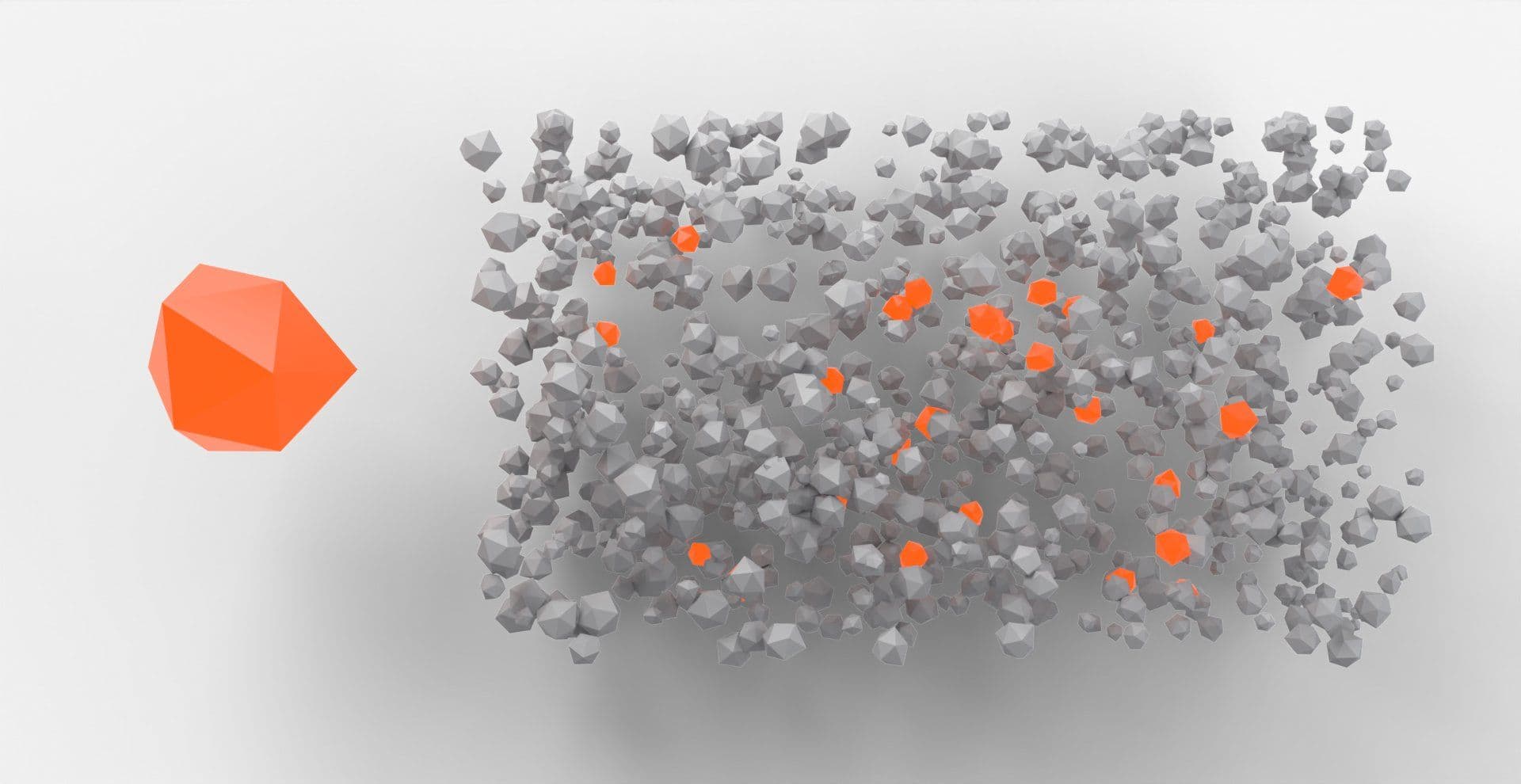
None of those properties decide whether the particle is rendered as a point. You could represent particles as Points, screen-facing quads, sprites, instanced planes, instanced 3D meshes, shader-generated marks, or another custom geometry.
That distinction becomes useful as soon as the visual moves beyond generic sparkles.
Three common particle architectures
At a practical level, particle systems usually fall into one of three broad update models.
CPU simulation with buffer updates keeps particle state in JavaScript or another CPU-side structure, updates positions or other attributes each frame, then marks the relevant buffers for upload. This is straightforward to reason about and works well when the population and simulation are manageable.
Shader-driven animation keeps more of the motion logic in the shader. Instead of sending every new position from the CPU each frame, you may send stable per-particle attributes such as seed, phase, origin, or speed, then derive motion from time inside the vertex shader. This can reduce CPU-side update pressure, but the work still exists on the GPU and remains dependent on shader complexity, vertex count, screen coverage, and device capability.
GPU-side simulation stores changing particle state in GPU resources and updates that state through render-target techniques, compute-style workflows, or other renderer-specific approaches. This can move large simulation workloads away from JavaScript and repeated CPU-to-GPU uploads, but it introduces its own memory, compatibility, synchronization, and implementation costs.
The useful question is which part of the update path is currently expensive and whether moving that work actually helps the target scene.
Point-like particles
Sparks, dust, stars, distant snow, mist samples, or tiny abstract particles often work well as point-based systems. The visual identity comes from motion, colour, density, blending, or shader behaviour rather than 3D shape.
Points can therefore be an excellent renderer for the particle simulation.
Billboard particles
Smoke puffs, soft snowflakes, glowing motes, and many VFX-style particles often need a textured plane that faces the camera rather than a raw WebGL point. In those cases, instanced quads or another billboard strategy can offer more control over shape and texture while retaining a data-oriented population.
Mesh particles
A particle system can also render real geometry. Think tumbling leaves, fragments of glass, confetti pieces, rocks from an explosion, butterflies, or stylised objects flying through a transition.
Their motion can still be particle-like because they spawn, move, rotate, decay, and respawn, but their appearance needs mesh geometry. That makes InstancedMesh a natural implementation option for the renderer while the particle system owns the behavioural state.
This is why “particles vs meshes” is not always a true either-or choice. Sometimes the system is particles and the renderer is meshes.
Crowds vs particle fields vs point clouds
The differences become clearer when you compare actual production scenarios rather than API names.
| Scene | Appearance requirement | Behaviour requirement | Strong starting strategy |
|---|---|---|---|
| 10,000 rigid crowd markers | Mesh silhouette and orientation | Position and movement | Mesh geometry + instancing |
| Independently animated character crowd | Mesh silhouette, skinning, pose variation | Per-character animation | Specialized crowd animation architecture |
| 50,000 sparks | Tiny marks, glow, density | Velocity, lifetime, emission | Particle system + points/billboards |
| 500,000 scan samples | Spatial positions and sampled colour | Usually minimal | Points |
| 5,000 tumbling glass fragments | 3D silhouette | Particle-like motion | Particle system + instanced meshes |
| 20,000 stars | Position, brightness, depth | Optional twinkle/drift | Points |
| 8,000 leaves | Shape and orientation | Wind-like movement | Instanced mesh geometry + simulation |
| Dense smoke field | Soft visual density | Continuous motion | Billboard or volumetric particle strategy |
| Mixed repeated props | Several mesh shapes | Mostly static or transform updates | Instancing groups or BatchedMesh |
This table separates appearance from behaviour because those are different decisions. A point cloud is mostly about spatial data, a crowd is mostly about object shape and animation, and a particle system is mostly about state and motion.
The renderer should follow that reality.
What actually gets expensive?
Once the representation is correct, performance work becomes much more useful. The main costs fall into a few recurring categories, and each one points toward a different optimization.
Draw calls
Thousands of separate meshes can produce thousands of render submissions. This is where InstancedMesh and batching can make a major difference because repeated objects do not need to be submitted as unrelated draws when they can share geometry and material.
Vertex and animation cost
Instancing does not reduce the number of vertices in the geometry itself. Ten thousand copies of a dense mesh still produce substantial vertex work. Character crowds can add skeletal or morph animation cost on top, which is why independently animated characters need more than simple transform instancing.
Fragment shading and overdraw
Particles often move the bottleneck away from geometry. Large translucent particles can overlap across the same pixels many times, so blending and fragment work may dominate even if the scene has only a handful of draw calls.
Simulation and uploads
Particle systems can spend significant CPU time updating velocity, noise, collisions, lifetime, spawning, and other state. Changing instance matrices or point buffers continuously also creates upload work. A static population and a fully dynamic population should not be treated as equivalent workloads.
Interaction
Dense populations become more complicated when every element is interactive. Picking 10,000 visual elements is a different problem from drawing 10,000 decorative ones, and sometimes the better optimization is reducing how many things need individual interaction.
DPR and screen-space cost
For fullscreen WebGL effects, pixel count matters. Rendering a large canvas at a high DPR can add substantial work even when the scene graph itself is modest, which is why reducing DPR can sometimes improve performance more than changing the rendering primitive.
Do not choose by a magic object count
There is no universal object count where meshes should suddenly become particles or points. Geometry complexity, material cost, transparency, simulation, update frequency, screen coverage, interaction, DPR, and target hardware all change the result.
Choose the representation that matches the visual, then profile the workload you actually built.
A practical profiling workflow
When a dense Three.js scene starts struggling, change one variable at a time so the result tells you which subsystem is actually expensive.
1. Freeze the scene
Stop particle simulation and object movement. If performance jumps, inspect update logic, animation, transform calculation, or buffer uploads. If nothing changes, the renderer may be the larger cost.
2. Inspect render statistics
Use renderer.info to inspect render calls and geometry statistics. If repeated meshes generate excessive draw calls, test instancing or batching.
Do not mistake these statistics for a full CPU/GPU profiler. They tell you what the renderer submitted, not every reason the frame took as long as it did.
3. Replace expensive materials temporarily
Swap complex materials or custom shaders for simpler ones. If the improvement is substantial, the problem is likely not object management alone.
4. Disable transparency and postprocessing
This is particularly useful for particle scenes because transparent overdraw and fullscreen postprocessing passes can dominate the GPU even when draw calls look excellent.
5. Reduce DPR
If the scene suddenly becomes much cheaper, screen-space rendering is a major part of the cost.
6. Disable interaction work
Pause raycasting, pointer tracking, hit testing, or other per-frame interaction logic. Dense visuals become a different workload when they are also interactive.
7. Test the actual target devices
A desktop development machine is not a mobile GPU, and a mobile GPU running cold is not necessarily the same device after sustained WebGL work. Measure the experience you intend to ship.
Production rules for React and Next.js
Dense rendering lives inside a real page with React state, routing, content, mobile layouts, user input, accessibility requirements, and browser lifecycle.
That means the renderer choice needs a production policy too.
Keep WebGL behind the correct client boundary
Browser APIs, canvas, measurements, pointer state, and animation loops belong on the client. In Next.js, that does not mean turning the entire page into a client component. Keep semantic page content where it belongs and isolate the WebGL implementation.
Dependencies should remain specific to the rendering approach you actually use. A scene may require Three.js, React Three Fiber, Drei, animation libraries, smooth-scroll tooling, or other packages, but those dependencies should follow the implementation rather than being added by default.
Stop rendering when rendering no longer earns anything
A decorative scene hidden below the fold does not always need to keep updating, and neither does a background in a hidden browser tab. Pause or reduce work when appropriate.
That matters especially for particle simulations, where the render loop may keep consuming CPU and GPU time even though nothing meaningful is visible.
Own and clean up resources deliberately
If your implementation creates geometries, materials, textures, render targets, event listeners, workers, or custom animation loops, make their ownership clear and release them when the component no longer needs them.
Declarative React Three Fiber code can manage parts of this lifecycle for you, but custom Three.js resources and imperative systems still need explicit attention.
Mobile deserves a deliberate version
A mobile fallback is not merely the desktop scene made smaller. You may need to lower DPR, reduce population density, simplify materials, cut postprocessing, reduce simulation complexity, remove expensive interaction, or use a static visual instead.
The correct choice depends on what the effect contributes to the page. Motion has to earn its place.
Reduced motion is not the entire accessibility plan
For decorative crowds, particles, or point fields, reduced motion may mean a static state, reduced simulation, or a poster-style fallback. Accessibility also includes semantic HTML, visible keyboard focus, non-pointer input, readable content outside canvas, and equivalent actions when the canvas contains meaningful interaction.
If the headline exists only inside WebGL, a reduced-motion toggle will not fix the larger accessibility problem. The canvas can carry atmosphere, depth, and interaction, but the page still needs to remain usable and understandable outside that rendering layer.
The layered decision model
The most useful way to think about dense scenes is to separate appearance, behaviour, and implementation rather than treating meshes, particles, and points as direct competitors.
| Layer | Questions to ask | Typical options |
|---|---|---|
| Appearance | Does each element need shape, silhouette, lighting, or only a mark? | Mesh geometry, points, billboards |
| Behaviour | Is it static, animated, emitted, simulated, or lifetime-driven? | Static transforms, animation, particle simulation |
| Rendering strategy | How should that visual data reach the GPU efficiently? | Mesh, InstancedMesh, Points, BatchedMesh, custom shader techniques |
| Update strategy | Where should changing state be calculated? | CPU updates, shader-driven animation, GPU-side simulation |
| Production policy | What happens on mobile, reduced motion, hidden tabs, or weak devices? | Quality tiers, static fallback, paused rendering, lower DPR |
This layered model is more useful than asking which primitive is universally fastest because each choice solves a different part of the scene.
The practical rule
If each element needs shape, start with mesh geometry. If each element needs behaviour, think in terms of a particle system. If each element is fundamentally a sample or point, start with Points.
Then combine those ideas where the visual demands it. A rigid crowd can use mesh geometry plus instancing. An independently animated crowd needs an additional animation architecture. A spark field can use a particle simulation plus Points. Flying leaves can use a particle-style simulation plus instanced meshes. A scanned face can use Points while animating those positions with shader-driven or particle-like behaviour.
The useful rendering decision is which part of the problem describes appearance, which part describes behaviour, and which implementation gives the renderer the least unnecessary work.
Inspect the rendering strategy before shipping the effect
Once you know what the scene should be made from, evaluating an existing WebGL effect becomes easier. Do not stop at the preview. Inspect whether the effect uses meshes, points, billboards, instancing, or another strategy; what state changes every frame; which dependencies it introduces; whether interaction requires raycasting or pointer tracking; how the effect behaves on mobile; what happens under reduced motion; whether owned resources and listeners are cleaned up; and whether it continues rendering when it is no longer visible.
Source access can make those decisions easier to inspect before integration. You can see whether an effect treats its population as mesh geometry, point data, a particle system, or some combination, then decide whether that architecture fits the page you are actually building.
Choose the representation from what the visual needs to be, then measure whether the implementation can afford that decision.