
Harsh Goyal
Developer
Category: Engineering
Harsh Goyal
Developer
A button changing color on hover asks very little of the browser. A custom cursor that follows the pointer, measures nearby elements, updates attraction targets, and drives a distortion effect asks considerably more. Both are interactive, but their performance costs have almost nothing in common.
When a pointer-reactive effect starts stuttering, the first instinct is often to throttle pointermove. It sounds reasonable: the browser delivers frequent events, so fewer callbacks should mean smoother animation. Sometimes that helps. In other cases, it only reduces how often an unnecessarily expensive operation runs.
To improve pointermove performance, keep event handlers small, avoid unnecessary React updates and repeated layout measurements, and schedule visual updates with requestAnimationFrame when a frame boundary helps consolidate application work. The right architecture depends on whether the interaction needs the latest pointer position, intermediate movement samples, or simply a change in hover state.
Organize the work into four decisions: Sample → Store → Resolve → Render. Sample input at the fidelity the interaction requires. Store only the information that matters. Resolve geometry and interaction state when necessary. Render when the visual output actually needs to change. A custom cursor, magnetic button, drag handle, and drawing canvas may all receive Pointer Events, but they should not automatically share a rendering strategy.
Why pointermove Can Become Expensive
The browser's pointermove event reports changes in pointer position and other pointer properties. Unlike the older mouse-specific event model, Pointer Events provide a common interface for mouse, pen, touch, and other pointing devices.
According to MDN's pointermove documentation, these events can fire at a very high rate depending on pointer movement, hardware, browser behavior, and other processing work. A 60 Hz display therefore does not imply exactly 60 pointer events per second. Input hardware and browser event delivery do not have to map one-to-one to rendered frames, and browsers may coalesce several movement updates into one dispatched event.
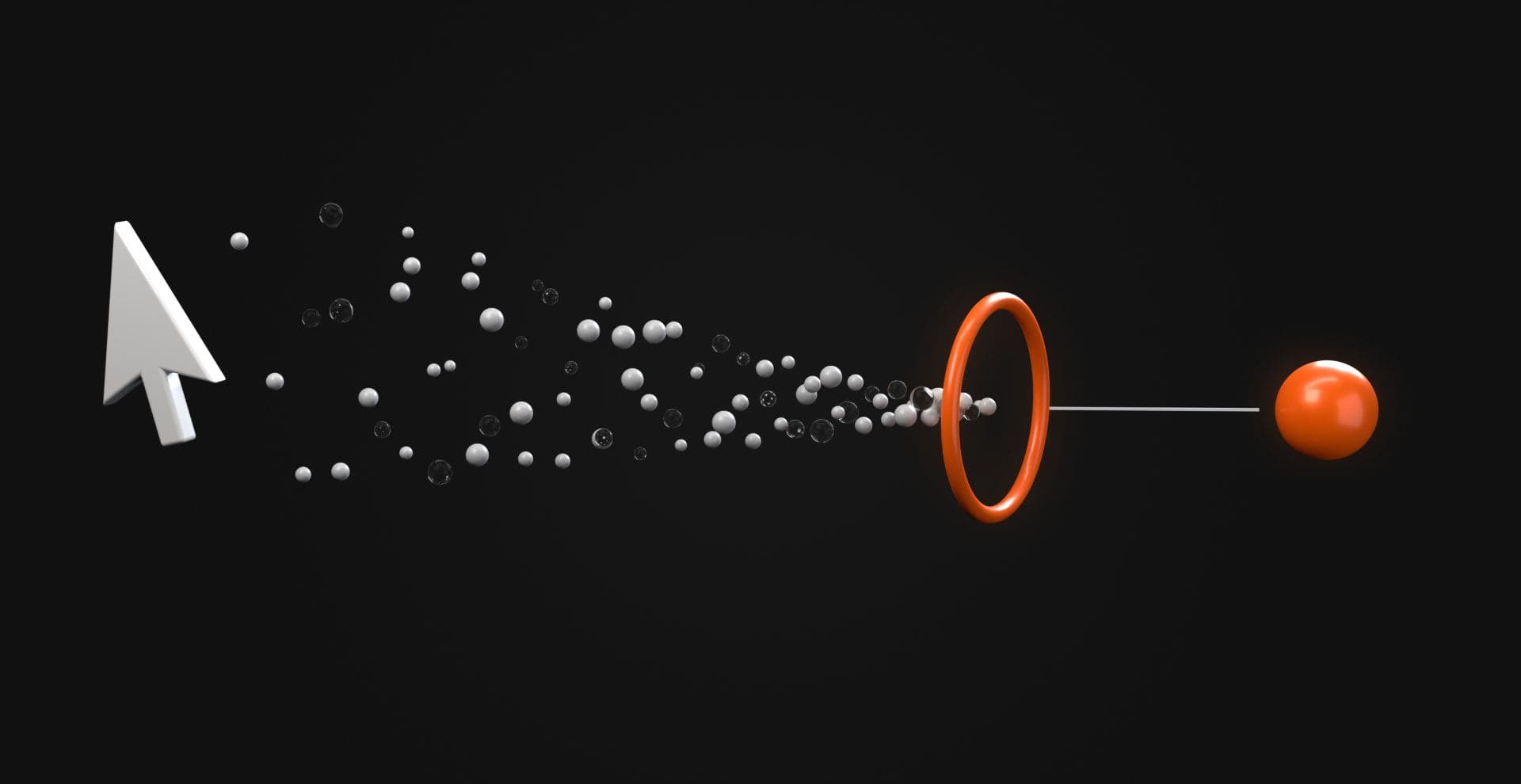
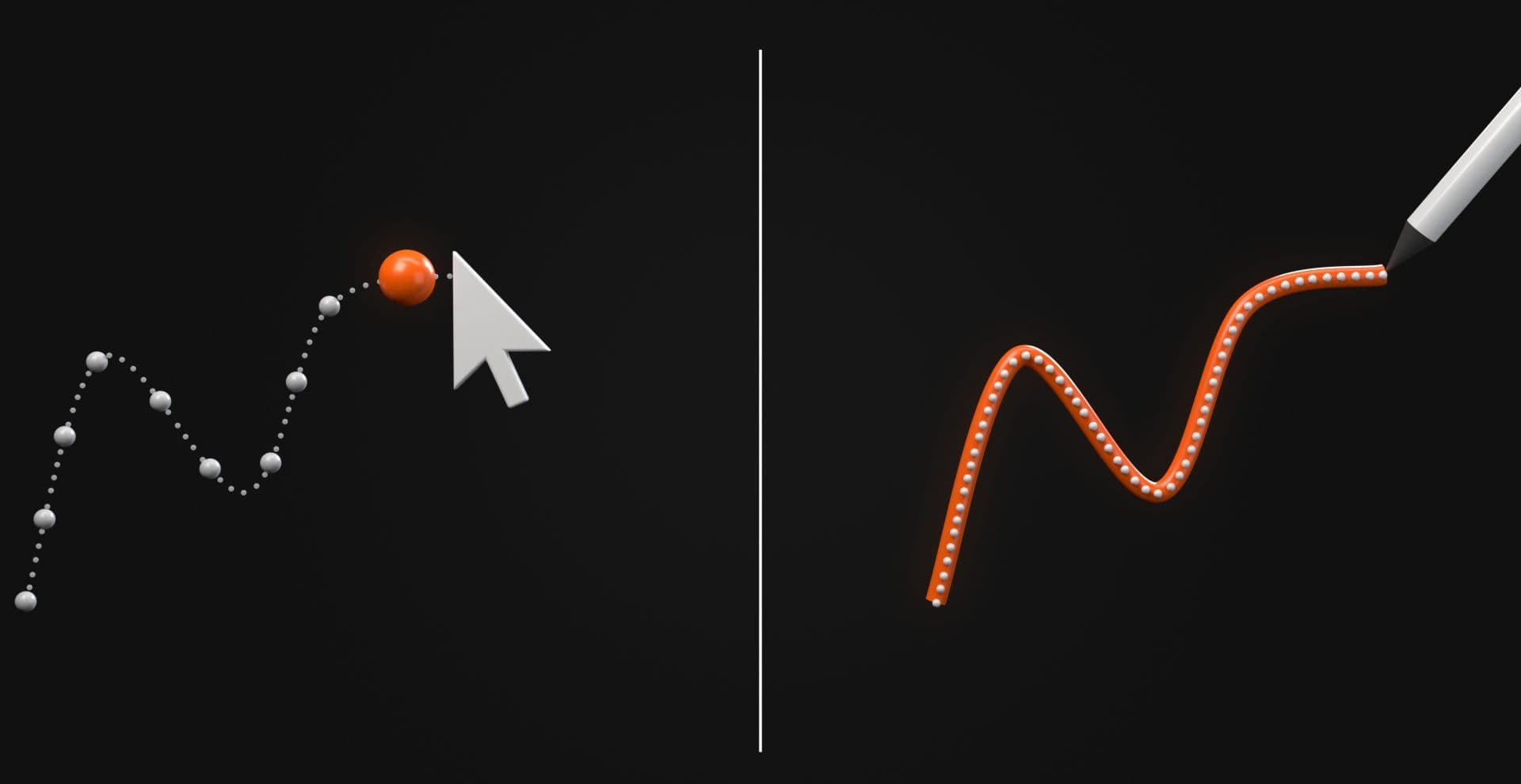
More importantly, one delivered event does not need to cause one complete visual update. Consider a cursor follower. If several useful pointer samples become available before the next presentation opportunity, the effect may need only the newest coordinate. Processing every intermediate point may contribute little to the visible result. A drawing surface has a different requirement because the intermediate path can affect the shape of a stroke. Throwing those samples away indiscriminately can reduce fidelity.
Performance work therefore starts before throttling. First decide which information the interaction can afford to lose.
The cost comes from the work each event triggers
These two handlers receive the same type of input:
function onPointerMove(event) { latestX = event.clientX; latestY = event.clientY;}Now compare that with a deliberately overloaded version:
function onPointerMove(event) { const rects = targets.map((target) => target.getBoundingClientRect() ); setPointer({ x: event.clientX, y: event.clientY, rects, }); cursor.style.transform = `translate3d(${event.clientX}px, ${event.clientY}px, 0)`;}The second handler can perform geometry reads, create objects, schedule a React update, and write a DOM style for every delivered event. These snippets illustrate different workloads rather than a controlled benchmark of scheduling strategies. The useful distinction is the amount and kind of work attached to each observation.
A cheap handler invoked frequently may be insignificant. A handler that repeatedly triggers expensive calculations, broad component updates, or layout-dependent work can consume time that the page needs elsewhere. On a creative landing page, the cursor may be running alongside scroll effects, video, animated typography, route transitions, Canvas rendering, or WebGL. A small visual element does not receive a private performance budget simply because the dot itself is twelve pixels wide.
Use requestAnimationFrame to Separate Input From Rendering
For a decorative follower, separate coordinate sampling from visual updates. The input handler stores the latest useful position, while a scheduled animation-frame callback applies the visual change.
requestAnimationFrame() asks the browser to invoke a callback before a future repaint. Its callback frequency generally follows the display refresh rate, which may be 60 Hz, 120 Hz, 144 Hz, or something else. Browsers also commonly pause RAF callbacks in background tabs or hidden frames.
That makes RAF a scheduling primitive rather than a fixed 60 FPS throttle. Browsers can already coalesce or align some continuous input around rendering, so adding your own RAF boundary does not automatically make every effect faster. Its value is architectural: it gives the application a deliberate place to consume input for presentation.
A minimal frame-alignment pattern
This snippet demonstrates only the scheduling boundary.
const latest = useRef({ x: 0, y: 0 });const frameId = useRef<number | null>(null); function render() { frameId.current = null; const { x, y } = latest.current; // Apply the visual update here.} function onPointerMove(event: PointerEvent) { latest.current.x = event.clientX; latest.current.y = event.clientY; if (frameId.current === null) { frameId.current = requestAnimationFrame(render); }}The first movement event schedules a callback. Additional events arriving before that callback update latest.current without creating more application-level RAF callbacks. When the callback runs, it consumes the newest coordinates available to the component.
For a simple follower, the latest position can be enough. A smoothing effect has a different lifecycle because it may need to continue requesting frames after pointer input stops, gradually moving its rendered position toward the stored target.
Building a Pointer Follower in React Without Per-Move Re-renders
A pointer follower makes the ownership decision easy to see. It needs coordinates, a rendered element, a capability policy, and cleanup. It does not inherently need React to reconcile part of the component tree every time the mouse changes position.
The following component stores transient coordinates in refs, keeps at most one pending frame callback, and writes the resulting transform directly to the cursor element. React state is reserved for whether the decoration should exist at all.
The example deliberately accepts mouse events only. That is an interaction-design policy for this cursor decoration. Pen-aware creative tools can make a different decision.
React implementation
"use client"; import { useEffect, useRef, useState } from "react"; const CURSOR_SIZE = 12;const OFFSET = CURSOR_SIZE / 2; type Position = { x: number; y: number;}; export function PointerFollower() { const cursorRef = useRef<HTMLDivElement>(null); const latest = useRef<Position>({ x: 0, y: 0, }); const frameId = useRef<number | null>(null); const [enabled, setEnabled] = useState(false); useEffect(() => { const pointerQuery = window.matchMedia( "(pointer: fine) and (hover: hover)" ); const motionQuery = window.matchMedia( "(prefers-reduced-motion: reduce)" ); const updateCapability = () => { setEnabled( pointerQuery.matches && !motionQuery.matches ); }; updateCapability(); pointerQuery.addEventListener( "change", updateCapability ); motionQuery.addEventListener( "change", updateCapability ); return () => { pointerQuery.removeEventListener( "change", updateCapability ); motionQuery.removeEventListener( "change", updateCapability ); }; }, []); useEffect(() => { if (!enabled) return; const cursor = cursorRef.current; if (!cursor) return; let hasPosition = false; const cancelFrame = () => { if (frameId.current !== null) { cancelAnimationFrame(frameId.current); frameId.current = null; } }; const hideCursor = () => { cancelFrame(); hasPosition = false; cursor.style.opacity = "0"; }; const render = () => { frameId.current = null; if (!hasPosition) return; const { x, y } = latest.current; cursor.style.transform = `translate3d(${x - OFFSET}px, ${y - OFFSET}px, 0)`; cursor.style.opacity = "1"; }; const onPointerMove = (event: PointerEvent) => { if (event.pointerType !== "mouse") { return; } latest.current.x = event.clientX; latest.current.y = event.clientY; hasPosition = true; if (frameId.current === null) { frameId.current = requestAnimationFrame(render); } }; const onPointerOut = (event: PointerEvent) => { if ( event.pointerType === "mouse" && event.relatedTarget === null ) { hideCursor(); } }; const onVisibilityChange = () => { if (document.hidden) { hideCursor(); } }; window.addEventListener( "pointermove", onPointerMove ); document.addEventListener( "pointerout", onPointerOut ); window.addEventListener( "blur", hideCursor ); document.addEventListener( "visibilitychange", onVisibilityChange ); return () => { window.removeEventListener( "pointermove", onPointerMove ); document.removeEventListener( "pointerout", onPointerOut ); window.removeEventListener( "blur", hideCursor ); document.removeEventListener( "visibilitychange", onVisibilityChange ); cancelFrame(); }; }, [enabled]); if (!enabled) { return null; } return ( <div ref={cursorRef} className="pointer-follower" aria-hidden="true" /> );}The CSS can remain deliberately small:.pointer-follower { position: fixed; top: 0; left: 0; width: 12px; height: 12px; border-radius: 50%; background: currentColor; color: #111; transform: translate3d(-100px, -100px, 0); opacity: 0; pointer-events: none; z-index: 9999;}For this fixed-size cursor, subtracting half its diameter centers the dot over the pointer coordinates. A cursor whose dimensions change by breakpoint or interaction state needs an offset derived from its actual rendered size.
There is also one positioning detail worth keeping explicit. clientX and clientY are viewport-relative coordinates, and this example expects the fixed-position cursor to share that coordinate space. Certain transformed, filtered, or perspective ancestors can establish a containing block for fixed-position descendants. A site-wide cursor is therefore safest when mounted near the application or document root rather than inside an arbitrarily transformed section.
This remains an illustrative component. Its event behavior, styling interactions, and performance need validation in the page that will actually ship.
Initial positioning and pointer departure
A cursor decoration should not flash at the top-left corner before it has a meaningful coordinate. This component starts invisible and does not reveal itself until the first accepted mouse position has been rendered.
Leaving the page is less tidy than receiving movement. The pointerout handler uses a mouse event with relatedTarget === null as one departure signal, while blur and visibilitychange cover cases where the document stops behaving like the active input surface.
That combination is a practical policy rather than an infallible viewport-exit detector. Embedded documents, browser chrome boundaries, pointer capture, and other event-target transitions can affect delivery. If the cursor belongs only to one hero or section, attaching movement and departure behavior to that interaction region can be clearer than maintaining page-wide listeners.
Why React state is limited to capability changes
The component stores enabled in React state because that value changes the rendered component tree. Coordinates have a different job. They are high-frequency presentation data consumed by one visual element, so refs are a reasonable place to keep them.
That distinction should not become a blanket rule that pointer coordinates never belong in state. If the coordinate changes a meaningful selection, accessible value, editing model, drag state, or some other piece of application truth, declarative state may be exactly where it belongs.
The useful boundary is between values the application needs to understand and transient values used only to present the next frame.
Cleanup is part of the performance model
The component installs media-query listeners, pointer listeners, visibility listeners, and potentially a pending animation-frame callback. All of those have ownership lifetimes.
When the cursor is disabled or the component unmounts, the effect removes its listeners and cancels the outstanding RAF callback. React's development Strict Mode deliberately re-runs Effect setup and cleanup to expose missing teardown logic, so this type of component is worth testing there.
An interaction can be inexpensive while mounted and still be badly engineered if stale global listeners survive navigation or component replacement.
Throttling, Debouncing, and RAF Solve Different Problems
Throttling, debouncing, RAF scheduling, coalesced samples, and native CSS state are sometimes grouped together as ways to reduce event work. They solve different scheduling and fidelity problems.
| Technique | What it does | Appropriate use |
|---|---|---|
| Throttle | Limits how often an operation runs | Rate-limited calculations or nonvisual sampling |
| Debounce | Waits until activity settles | Completion-style work |
| requestAnimationFrame | Schedules visual work before a repaint | Pointer followers and frame-conscious rendering |
| Coalesced events | Exposes intermediate movement samples | Drawing and precision-sensitive interaction |
| CSS hover | Responds to discrete interaction state | Color, border, opacity, and simple transforms |
Debouncing is usually a poor fit for a cursor that should visibly follow movement because its defining behavior is delayed until activity settles. A time-based throttle can reduce how frequently a calculation runs, but its interval is independent of rendering cadence.
RAF often fits visual presentation well because it provides a frame-oriented place to consume the latest state. If a geometry calculation costs several milliseconds, though, doing it once every frame still means spending those milliseconds every frame. The scheduler controls when work is eligible to run. The implementation still determines how much work happens.
Layout Measurement Is Often More Expensive Than Pointer Tracking
Reading clientX and clientY is not normally the interesting part of a magnetic interaction. Measuring a collection of DOM elements on every delivered movement event can be.
Magnetic buttons, attraction fields, proximity reveals, and cursor-reactive grids frequently use getBoundingClientRect(). The method itself is not automatically a performance bug. Problems become more likely when code repeatedly mixes layout-affecting writes with geometry reads that require the browser to provide current layout information.
The web.dev guide to layout thrashing describes the problematic pattern clearly: changing layout-relevant state and then synchronously requesting geometric information can force layout earlier than the browser would otherwise perform it. Repeating read-write cycles magnifies that cost.
Measure against a stable reference
A magnetic target can calculate pointer distance against a stored rectangle. This illustrative fragment assumes that targetWrapper is the stable reference element and button is the element being visually transformed.
let rect = null; function measureTarget() { rect = targetWrapper.getBoundingClientRect();} function onPointerEnter() { measureTarget();} function onPointerMove(event) { if (!rect) return; const centerX = rect.left + rect.width / 2; const centerY = rect.top + rect.height / 2; const dx = event.clientX - centerX; const dy = event.clientY - centerY; button.style.transform = `translate3d(${dx * 0.15}px, ${dy * 0.15}px, 0)`;}Using a separate reference element prevents an easy feedback problem. If the implementation measures the same transformed element it keeps moving, the next calculation can use geometry affected by the previous visual displacement. A stable attraction zone avoids making the interaction chase its own movement.
Invalidate cached geometry when the reference becomes unreliable
Cached geometry has a lifetime. A rectangle can become inaccurate when the page scrolls, the viewport changes, the target resizes, surrounding content changes layout, a parent moves, or an ancestor transform changes.
A simplified invalidation strategy could look like this:
let rect = null; function measure() { rect = targetWrapper.getBoundingClientRect();} const resizeObserver = new ResizeObserver(measure); resizeObserver.observe(targetWrapper); window.addEventListener("scroll", measure, { passive: true, capture: true,}); window.addEventListener("resize", measure); measure(); function cleanup() { resizeObserver.disconnect(); window.removeEventListener( "scroll", measure, true ); window.removeEventListener( "resize", measure );}This is a partial invalidation policy. ResizeObserver reports size changes to the observed element. It does not tell you that an unchanged target moved because a sibling expanded, a parent changed position, an unrelated layout region shifted it, or an ancestor transform changed.
Components with independent layout movement need invalidation signals from their own layout lifecycle. In many cases, remeasuring on pointer entry or immediately before the interaction becomes active is a useful additional boundary because it refreshes the geometry near the moment it will be used.
For more demanding interactions, resize, scroll, and application callbacks can simply mark the rectangle as dirty. The actual getBoundingClientRect() call can then happen in a controlled read phase before the next calculation that depends on it.
Cache geometry only until an event or layout change makes that reference unreliable.
React State and Pointer Coordinates Have Different Responsibilities
This code is perfectly valid React:
const [position, setPosition] = useState({ x: 0, y: 0,}); function onPointerMove(event: PointerEvent) { setPosition({ x: event.clientX, y: event.clientY, });}Whether it is a good architecture depends on what position controls. A tightly scoped component may update frequently without causing a meaningful problem, and pointer coordinates can legitimately participate in declarative application state.
The cost becomes easier to notice when transient coordinates are stored high in a component hierarchy, passed through unrelated descendants, or used to trigger React work for a visual element that could update locally.
In Next.js App Router, browser-dependent interaction also needs an appropriate client boundary. The official use client documentation describes the directive as the boundary for components that require client-side interactivity. A component using window, matchMedia, DOM measurement, pointer listeners, or RAF belongs on the client side of that boundary, and those browser APIs should still be accessed at lifecycle or interaction points rather than during server rendering.
When Higher-Fidelity Pointer Input Is Worth the Cost
A cursor follower usually wants the newest coordinate. A drawing surface may care about the entire path between dispatched movement events.
Pointer Events provide additional mechanisms for interactions where preserving more input information changes the useful result.
getCoalescedEvents() exposes intermediate samples
Browsers may merge multiple movement updates into one dispatched event. Where supported, getCoalescedEvents() exposes the intermediate samples that were combined.
This example assumes drawSample() is application-specific drawing logic rather than a browser API:
canvas.addEventListener( "pointermove", (event) => { const coalesced = event.getCoalescedEvents?.(); const samples = coalesced?.length ? coalesced : [event]; for (const sample of samples) { drawSample(sample); } });A complete drawing implementation also needs stroke state, coordinate conversion, device-pixel-ratio handling, pointer boundaries, and an explicit touch policy.
MDN currently marks getCoalescedEvents() as limited availability and notes secure-context requirements in supporting browsers. A production implementation should retain the fallback and check the browsers it actually intends to support.
For drawing, intermediate samples can improve the path data available to the renderer. For a decorative dot that only needs to appear near the latest pointer position, processing every available sample can add work without producing a useful visual difference.
pointerrawupdate is a specialized input path
pointerrawupdate is designed for cases that benefit from updates delivered more frequently and with less browser delay than ordinary pointermove may provide. MDN currently marks it as limited availability, and in supporting browsers it is restricted to secure contexts.
It should not be treated as a magically more accurate coordinate source. Its value is access to a higher-frequency input stream with less coalescing, which can matter for latency-sensitive drawing or manipulation and can also create more application work.
A decorative cursor usually has a weaker reason to pay that cost. More input is valuable when the output genuinely needs the additional information and the application can process it without compromising presentation.
Hover, Custom Cursors, and Dragging Need Different Architectures
A CSS hover effect describes a state. A cursor follower reacts to position continuously. A drag interaction needs movement plus ownership of an active pointer. A drawing surface may need far more of the input stream than any of them.
| Interaction | Information required | Useful implementation |
|---|---|---|
| Button hover color or scale | Active/inactive state | CSS :hover and :focus-visible |
| Tooltip or reveal | Entry, exit, and focus | Discrete pointer/focus events |
| Custom cursor | Latest pointer position | Ref + frame-scheduled visual update |
| Magnetic button | Position relative to geometry | Local pointer handling + cached reference |
| Drag interaction | Position and gesture ownership | Pointer Events + capture |
| Drawing surface | Detailed stroke path | Coalesced samples where justified |
| Touch-first interface | Tap and gesture semantics | Native behavior or deliberate touch alternative |
Ordinary hover rarely needs global tracking
A hover effect like this does not need a document-level pointer listener:
.card { transform: translateY(0); transition: transform 250ms ease;} @media (hover: hover) and (pointer: fine) { .card:hover { transform: translateY(-4px); }} .card:focus-visible { transform: translateY(-4px);}The browser already owns the hovered state. Tracking coordinates globally would introduce an input stream the visual behavior does not need.
A magnetic interaction is different because its output depends on where the pointer sits relative to a reference element. Continuous position is part of the feature.
Pointer capture manages ownership
During a drag, the active pointer may move outside the original handle. setPointerCapture() lets an element become the capture target for subsequent events from that pointer.
This fragment assumes handle is the element that owns the active drag:
function onPointerDown(event) { handle.setPointerCapture(event.pointerId);} function onPointerUp(event) { if (handle.hasPointerCapture(event.pointerId)) { handle.releasePointerCapture( event.pointerId ); }}A complete drag implementation also needs movement handling and a cancellation policy. pointercancel can end the gesture without an ordinary pointerup, and lostpointercapture is a useful lifecycle boundary for clearing drag state when capture ends. Component cleanup should also clear whatever local state represents the active gesture.
Touch handling deserves equal care. Custom drags sometimes need a scoped touch-action policy so browser scrolling and zoom behavior can coexist predictably with the custom gesture. Applying touch-action: none broadly across a scrolling region can remove useful native behavior simply to make one custom interaction easier to implement.
Pointer capture solves targeting and gesture ownership.
Likewise, pointer-events: none is useful on a decorative cursor overlay because the cursor should not block controls underneath it.
Disable Pointer-Specific Effects Where They Do Not Belong
A decorative cursor can make sense inside a portfolio hero and become irritating across a form-heavy application. One useful optimization is not to initialize it where the interaction adds little value.
Capability media features provide a useful starting point:
@media (hover: hover) and (pointer: fine) { /* Optional fine-primary-pointer interaction */}pointer and hover describe characteristics of the primary pointing device. A hybrid device can have another fine pointer available even when its primary input does not match those conditions. If the product intentionally wants to support any available mouse-like pointer, any-pointer and any-hover can be part of that policy, with the actual event's pointerType deciding which incoming device should control the effect.
The earlier React example deliberately chooses the narrower primary-pointer policy and then accepts mouse events only. A pen-aware cursor, drawing tool, or hybrid-device interaction can choose differently.
Reduced motion needs its own deliberate policy. Disabling a decorative follower for someone who prefers reduced motion is reasonable because the movement is nonessential. If pointer movement communicates information required to operate the interface, that information needs another accessible representation rather than simply disappearing.
An effect can be computationally efficient and still be the wrong interaction for the page.
How to Profile pointermove Performance Properly
Performance comparisons become unreliable when the implementations perform different jobs. A cursor measuring twenty target rectangles cannot fairly be compared with a cursor that only changes one transform and then have the difference attributed to RAF.
To understand an architectural choice, isolate it.
Test 1: Direct DOM updates versus frame-scheduled updates
Build two versions of the same cursor effect. Version A applies the transform directly from each delivered pointermove. Version B stores the latest coordinate and applies the same transform fromone pending RAF callback.
Keep cursor dimensions, styling, component structure, geometry requirements, and build configuration equivalent. Then inspect whether the RAF boundary actually reduces redundant application callbacks or scripting work under the tested input conditions.
Do not assume Version B must win. This is the experiment, not the conclusion.
Test 2: React state versus local presentation updates
A second experiment can compare a decorative cursor whose coordinates enter React state with an equivalent cursor whose transient coordinates update a local DOM transform.
Keep the visible behavior and component boundaries as similar as possible. Then inspect React renders and commits, especially in parts of the tree that have nothing to do with the cursor.
This test tells you something about the architecture you built. It is not proof that useRef is universally faster or that pointer coordinates should never enter state.
Test 3: Geometry measurement during movement
For a magnetic interaction, compare repeated geometry measurement against cached reference geometry with a credible invalidation strategy.
Look specifically for layout or style work created by read-write ordering. Repeat the test while scrolling, resizing, and moving surrounding content because a geometry cache that is fast but incorrect is not an optimization.
Record an actual browser trace
Use the browser's Performance tooling with a production build where possible. Record a stationary baseline, move through the interaction region, enter and leave targets, and then stop the trace. Repeat the procedure rather than treating one manual run as universal evidence.
When reproducibility matters, use controlled pointer automation where appropriate or report variation across several real-input traces.
A useful report can include:
| Measurement | What it reveals |
|---|---|
| Pointer callback count | How often application input handling runs |
| RAF callback count | Whether presentation callbacks are consolidated |
| JavaScript execution time | Handler and calculation cost |
| React renders and commits | Declarative work caused by input |
| Style recalculation and layout | Geometry and read/write bottlenecks |
| Paint and compositing | Cost of the chosen visual treatment |
| Frame timing and long tasks | Whether work delays presentation |
None of these numbers proves smoothness in isolation. Fewer callbacks do not necessarily produce better output, and lower JavaScript cost can be irrelevant if painting or GPU work dominates the interaction.
Avoid assigning a universal FPS improvement to any of these architectures without measuring the effect that actually ships.
Measure what disappears when the effect is disabled
Capability gating answers a different performance question. Compare the real page with the decorative effect enabled against the same page with the effect not initialized.
That measures the cost removed by omitting the feature. It does not demonstrate that the algorithm itself became more efficient.
On pages with several creative effects, deleting unnecessary work can be more useful than micro-optimizing a callback that was already cheap.
A Production Checklist for Pointer-Reactive Effects
Before shipping a custom cursor, magnetic button, drag surface, or pointer-driven visual, the relevant questions should have concrete answers.
| Concern | Production question |
|---|---|
| Input fidelity | Do we need the latest coordinate or intermediate samples? |
| Event scope | Is the listener attached at the narrowest useful boundary? |
| Scheduling | Does RAF actually reduce redundant work here? |
| React ownership | Do coordinates represent application state or only presentation? |
| Geometry | What invalidates cached measurements? |
| Rendering | Are transforms enough, or does the effect require paint, Canvas, or shader work? |
| Lifecycle | Are listeners, observers, and pending frames cleaned up? |
| Pointer capability | What happens with mouse, touch, pen, and hybrid devices? |
| Accessibility | Does the interaction remain usable without pointer motion? |
| Reduced motion | Can nonessential movement stop without removing required information? |
| Profiling | Has the effect been measured beside the real page workload? |
Not every effect deserves elaborate machinery. A simple hover transition should remain simple. A Canvas trail with numerous particles, textures, and continuous rendering deserves a more deliberate resource budget.
The architecture should follow the interaction's requirements rather than being copied wholesale from another pointer effect that happens to look similar.
Where Hyperiux Vault Fits
Pointer-reactive effects are a useful example of why implementation source matters. A preview can show the visible behavior, but production integration raises less glamorous questions: where listeners attach, how coordinates move through the component, whether geometry is measured repeatedly, which rendering path is active, and what happens on touch hardware or under reduced motion.
Hyperiux Vault provides creative interaction patterns for React and Next.js through a source-first workflow. Source can be inspected and adapted inside the project rather than treating the interaction as an opaque visual preset.
That matters for pointer work because the correct boundaries depend heavily on context. A developer can inspect where an effect listens for input, change how transient coordinates are stored, scope the interaction to one section, adjust its rendering behavior, or remove parts that do more work than the page requires.
Source access does not make every effect automatically performant. Performance is still a property of the implementation, its dependencies, the surrounding page, and the devices on which it runs.
Vault's Cursor Move is a relevant example. It is currently a Pro effect, so obtaining its source requires the applicable Vault access. Its published production guidance recommends RAF-based pointer updates, avoiding unnecessary React state updates for raw movement, cleaning up listeners, disabling cursor-specific behavior for coarse pointers, and providing reduced-motion behavior.
Those recommendations are useful implementation guidance, not an independent benchmark proving a fixed performance result. The wider cursor category can also include different implementation models and dependencies. A DOM follower, GSAP-driven interaction, Canvas effect, and Three.js cursor should not be assumed to carry the same CPU, layout, paint, compositing, or GPU costs merely because all of them react to a pointer.
The useful production workflow is to preview the effect, obtain its source through the applicable access path, inspect its requirements, adapt its input and rendering boundaries, and profile it on the actual page where the interaction has to coexist with everything else.
The Cost of Interaction Depends on What Each Update Does
Pointer movement becomes expensive when each observation is allowed to trigger more work than the visual result requires. A custom cursor may need only the latest coordinates and one transform update. A magnetic element needs a stable geometry reference and an invalidation strategy. A drawing surface may justify processing intermediate samples. An ordinary hover state may need no JavaScript at all.
The Sample → Store → Resolve → Render model keeps those decisions separate. Sample only at the fidelity the interaction requires. Store the information that survives beyond the event. Resolve geometry and state when their inputs have actually changed. Render when the output needs another presentation update. Then use browser profiling to find out whether the architecture is cheap enough in the context where it runs.
High-frequency input is normal in interactive interfaces. The engineering task is to make sure every movement does not receive permission to reorganize the rest of the page.