
Harsh Goyal
Developer
Category: Engineering
Harsh Goyal
Developer
Interruptible animations respond to a new user action before the current animation finishes, without forcing the old motion to complete first. They may reverse, retarget, cancel, snap to a new state, or deliberately finish, depending on what the interaction means and how the interface should respond.
Open a menu, then close it before the panel finishes moving. Hover a button, leave halfway through the transition, then move back in. Hit Next on a carousel twice before the first slide settles. Grab something that is still returning to rest. None of these are edge cases. They are normal input arriving faster than animation completes.
That makes interruptibility less of a timing problem than a state ownership problem. The animation is still moving toward an old target while the application has already accepted a new one. For most interactive UI, the latest valid intent should win. Motion exists to communicate the interface's state, not hold that state hostage until a 300 ms sequence finishes. The implementation question is what should happen to the animation already in flight.
What Is an Interruptible Animation?
An interruptible animation can respond coherently when its target changes before the current movement completes. The important word is coherently. Stopping an animation midway technically interrupts it, but leaving a panel stranded at 43% opacity is rarely useful.
Imagine a disclosure moving from closed to open over 300 ms. After 120 ms, the user presses Close. The application now wants the closed state, but the rendered panel is somewhere between its endpoints. There are three different things to reason about: where the interaction started, what is visibly on screen now, and where the interface needs to end up. The implementation needs to preserve the distinction between those states.
Logical state is not current visual state
Application state can be beautifully binary:
isOpen = true;
A moment later:
isOpen = false;
Pixels are less obedient. When isOpen flips back to false, the panel might still be only 40% through its opening movement. If the close logic assumes it has already reached its fully open endpoint, the animation can jump, restart from the wrong place, or spend an entire closing duration travelling a fraction of the distance.
For interactive components, there is often another distinction too: is the partially visible content currently operable?
A panel can be logically closed while still animating out, so requested state, presentation phase, focusability, accessibility exposure, and final layout removal need a defined relationship rather than one boolean trying to represent all of them.
An animation can become stale before it finishes
Animation is often discussed as though finishing is inherently correct. For authored sequences, sometimes it is. A loader loop, staged intro, or cinematic reveal may have a meaningful progression. Interactive motion has a different obligation because it needs to stay synchronized with input.
If somebody asks a drawer to close, forcing it to finish opening before accepting the instruction protects the choreography at the expense of the interface. The animation remains tidy while the interaction becomes stale. Interruptibility is therefore broader than reversibility. It is the ability to reconcile current presentation with current intent.
Five Ways an Interface Can Respond to New Intent
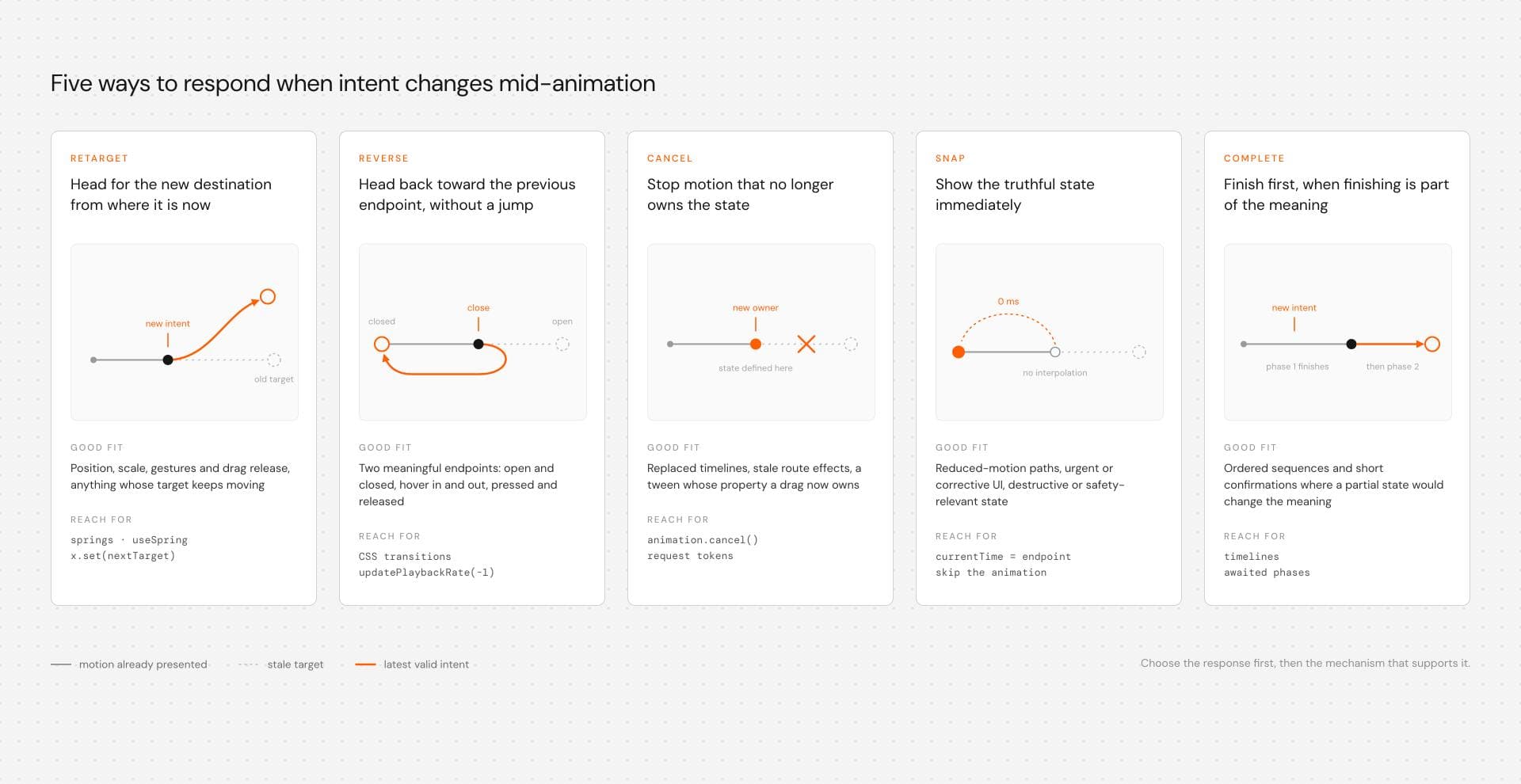
Five responses cover most interruption decisions: retarget, reverse, cancel, snap, or complete. This is a practical model for avoiding the vague instruction to "make the animation interruptible."
| Response | What happens | Good fit |
|---|---|---|
| Retarget | Motion heads toward a new destination from its current presented state | Position, scale, gestures, springs |
| Reverse | The current path heads back toward its previous endpoint | Open/close, hover in/out |
| Cancel | Obsolete motion stops because it no longer owns the state | Replaced timelines, stale route effects |
| Snap | State updates immediately without preserving motion continuity | Reduced-motion paths, urgent or corrective UI |
| Complete | Existing animation finishes before another phase starts | Ordered sequences where partial completion changes meaning |
Then choose the mechanism that supports that response. CSS transitions already handle many reversals between property values. WAAPI becomes useful when the component needs direct playhead control. Springs are a natural fit when a target can keep moving. Timelines help when several authored phases or property writers need explicit coordination. Choosing the response first keeps the animation API from quietly making the interaction decision for you.
Retarget when the destination can keep changing
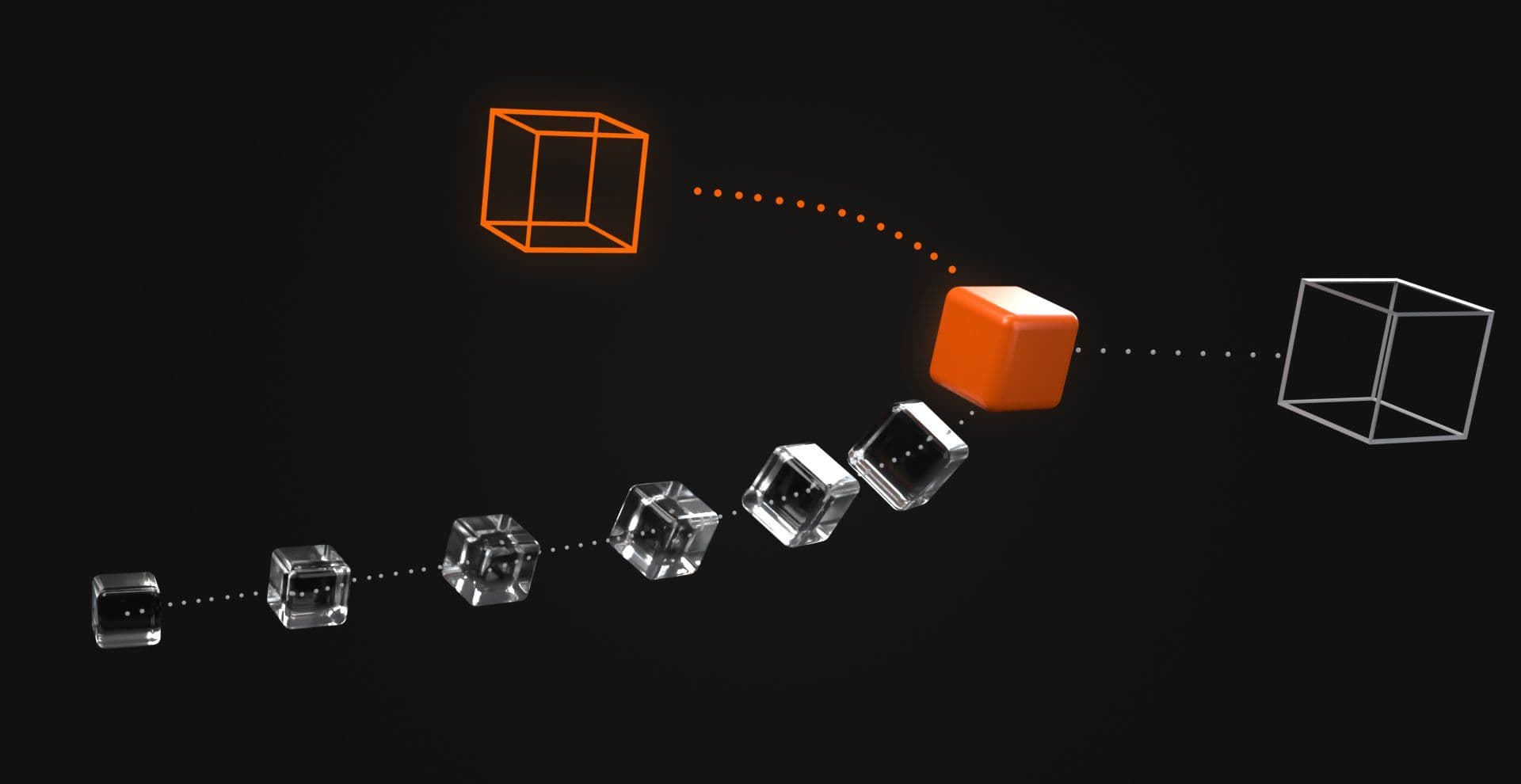
Retargeting works naturally for continuously changing values. A draggable object is moving toward x = 300; the user changes direction and the new target becomes x = 80. There is no reason to pretend the object reached 300 first because the current presented position can become the starting point for the next movement.
This is especially useful for gesture-driven and physics-based interactions because they are not really moving forward or backward through one fixed clip. They are following a target.
Reverse when the user genuinely wants the previous state
Reversal fits interactions with two meaningful endpoints such as hover in/out, pressed/released, or open/closed. A disclosure can reverse from partially open toward closed without jumping to either endpoint first.
Reversal does not necessarily mean starting the same 300 ms animation again backwards. CSS Transitions defines specific interrupted-reversal behavior, including shortening mechanics intended to prevent a small remaining distance from taking an awkwardly long time to travel. You rarely need to calculate that yourself, but you do need to stop reasoning about interactive transitions as clips that must always play from frame one to frame last.
Cancel when the old animation has lost ownership
Sometimes the old motion no longer means anything. A route transition for a navigation choice that has already been replaced, or a tween controlling properties now owned by a drag interaction, may need to stop rather than finish politely in the background.
Cancellation is still only an implementation operation. The product needs a defined state afterward.
Snap when continuity matters less than truth
Not every state change deserves visible interpolation. A reduced-motion path may update immediately, corrective UI may need to reflect a changed state now, and a destructive or safety-relevant action should not wait for ornamental choreography before its state becomes clear.
Continuity earns its place until it starts competing with comprehension.
Complete only when completion carries meaning
Some sequences should finish. A short confirmation state or deliberately ordered visual phase can depend on completion before another phase begins. The distinction is intent. Finishing because the sequence communicates something is a design decision, while finishing because isAnimating ignores every click until onComplete fires is an implementation accident.
CSS Transitions Already Know How to Be Interrupted
CSS transitions are unusually good at ordinary state interpolation because they are based on changes between property values. Change the destination while a transition is running and the browser can transition from the currently presented value toward the new one. The user does not need to wait for the previous destination to become real first.
.card { transform: scale(1); transition: transform 300ms ease;} .card:hover,.card:focus-visible { transform: scale(1.05);}If the pointer leaves after 100 ms, the browser can head back toward scale(1) from wherever the element currently is. That makes transitions a strong default for known-state interactions such as hover feedback, focus treatment, opacity, simple transforms, and straightforward open/closed states.
The CSS Transitions specification explicitly covers interruption and reversal behavior. You usually get a useful interruption model without constructing a JavaScript queue around it.
Rapid hover-out should not wait for hover-in
The browser already has a new destination, so adding JavaScript that disables hover changes until transitionend fires often removes useful native behavior in exchange for a control system the interaction never needed. Simple state deserves simple machinery.
A useful comparison is a transition-driven card beside a version that locks input until transitionend. Move the pointer in and out quickly and the cost of protecting stale animation state becomes obvious. One responds to the new destination immediately. The other waits for an animation the user has already superseded.
CSS Keyframes Solve a Different Problem
Keyframes are not a worse version of transitions. They describe a different kind of motion. A transition says, roughly, that a property changed from one value to another and should be interpolated. Keyframes can describe an authored sequence with internal staging, intermediate values, pauses, overshoot, repetition, and choreography.
That makes them excellent for loaders, loops, decorative sequences, and motion whose internal progression matters. The difference becomes important under rapid state change.
React Aria's animation guidance documents one example involving keyframe-based overlay animations where rapid open and close changes can behave differently from CSS transitions, including appearing to reach an ending state before the next animation starts.
That does not mean CSS keyframes are universally non-interruptible. They can be paused, replaced, cancelled, or controlled through other APIs. The narrower production point is more useful: a fixed authored sequence does not automatically behave like state interpolation. An endlessly spinning loader rarely cares, while a navigation panel receiving Open, Close, Open very much does.
When CSS is Not Enough, Control the Active Playhead
When the interface needs to inspect, pause, seek, or reverse an animation that is already running, another CSS class may not express the control it needs. The Web Animations API exposes an Animation object with access to its playhead, playback rate, cancellation, and completion state.
That extra control comes with extra responsibility. WAAPI gives the component animation primitives. React should still own what the interface currently means, while the animation object owns how the visible presentation moves toward that state.
An interruption-safe React disclosure
The following example keeps four concerns distinct. isOpen is the latest requested state, phase describes the current presentation phase, WAAPI controls visual playback, and focus, accessibility exposure, and layout follow an explicit close policy.
"use client"; import { useEffect, useId, useLayoutEffect, useRef, useState,} from "react"; type Phase = "closed" | "opening" | "open" | "closing"; const DURATION = 300;const REDUCED_MOTION_QUERY = "(prefers-reduced-motion: reduce)"; function playToward( animation: Animation, wantsOpen: boolean) { animation.updatePlaybackRate(wantsOpen ? 1 : -1); animation.play();} export function InterruptibleDisclosure() { const panelId = useId(); const buttonRef = useRef<HTMLButtonElement>(null); const panelRef = useRef<HTMLDivElement>(null); const animationRef = useRef<Animation | null>(null); const requestedOpenRef = useRef(false); const [isOpen, setIsOpen] = useState(false); const [phase, setPhase] = useState<Phase>("closed"); const [motionPreferenceVersion, setMotionPreferenceVersion] = useState(0); useEffect(() => { const media = window.matchMedia( REDUCED_MOTION_QUERY ); const handlePreferenceChange = () => { setMotionPreferenceVersion((value) => value + 1); }; media.addEventListener( "change", handlePreferenceChange ); return () => { media.removeEventListener( "change", handlePreferenceChange ); }; }, []); useLayoutEffect(() => { const panel = panelRef.current; if (!panel) return; const animation = panel.animate( [ { opacity: 0, transform: "translateY(-8px)", }, { opacity: 1, transform: "translateY(0)", }, ], { duration: DURATION, easing: "ease-out", fill: "both", } ); animation.pause(); animation.currentTime = 0; const handleFinish = () => { const wantsOpen = requestedOpenRef.current; const time = Number(animation.currentTime ?? 0); const atOpen = time >= DURATION - 0.5; const atClosed = time <= 0.5; if (wantsOpen && atOpen) { animation.pause(); animation.currentTime = DURATION; setPhase("open"); return; } if (!wantsOpen && atClosed) { animation.pause(); animation.currentTime = 0; setPhase("closed"); return; } playToward(animation, wantsOpen); }; animation.addEventListener( "finish", handleFinish ); animationRef.current = animation; return () => { animation.removeEventListener( "finish", handleFinish ); animation.cancel(); animationRef.current = null; }; }, []); useLayoutEffect(() => { const animation = animationRef.current; if (!animation) return; requestedOpenRef.current = isOpen; const reduceMotion = window.matchMedia( REDUCED_MOTION_QUERY ).matches; if (reduceMotion) { animation.pause(); animation.currentTime = isOpen ? DURATION : 0; setPhase(isOpen ? "open" : "closed"); return; } const time = Number(animation.currentTime ?? 0); if (isOpen) { if (time >= DURATION) { animation.pause(); animation.currentTime = DURATION; setPhase("open"); return; } setPhase("opening"); playToward(animation, true); return; } if (time <= 0) { animation.pause(); animation.currentTime = 0; setPhase("closed"); return; } setPhase("closing"); playToward(animation, false); }, [isOpen, motionPreferenceVersion]); function requestOpenState(nextOpen: boolean) { requestedOpenRef.current = nextOpen; if ( !nextOpen && panelRef.current?.contains( document.activeElement ) ) { buttonRef.current?.focus(); } setIsOpen(nextOpen); } const isFullyClosed = phase === "closed"; return ( <div className="disclosure"> <button ref={buttonRef} type="button" aria-expanded={isOpen} aria-controls={panelId} onClick={() => requestOpenState(!isOpen) } > {isOpen ? "Close details" : "Open details"} </button> <div id={panelId} ref={panelRef} hidden={isFullyClosed} aria-hidden={!isOpen} inert={!isOpen} className="disclosure-panel" > <p> This panel can change direction before the previous movement completes. </p> <label> <input type="checkbox" /> Receive example updates </label> </div> </div> );}.disclosure { display: grid; gap: 12px; max-width: 34rem;} .disclosure-panel { transform-origin: top;}The amount of code is not an argument for using WAAPI everywhere. A CSS transition is preferable when CSS already provides the control model you need. This example is useful because it exposes the decisions that become unavoidable once JavaScript owns playback.
Preserve playhead position without promising spring-like continuity
The continuity goal here is specific. The component should not jump to an unrelated visual endpoint merely because the requested direction changes. It keeps one animation object, inspects its current playhead, and sends that animation toward the endpoint that matches the latest state.
Animation.updatePlaybackRate() is used for direction changes rather than assigning playbackRate directly. It provides a playback-rate update path designed to preserve the animation's current playback position while the effective rate changes.
That gives this example a stronger basis for position continuity, but it is not the same thing as velocity continuity. A fixed WAAPI animation reversing from 1 to -1 changes direction according to its authored timing. It does not preserve physical momentum in the way a spring or velocity-aware gesture system can.
If the panel is partway open and the user requests Close, the code sends the existing playhead toward the closed endpoint. If the user requests Open again during that close, the current playhead heads back toward the open endpoint. The component does not manufacture a fully open or fully closed starting point before responding.
Test rapid direction changes, endpoint completion, and a reversal triggered before ordinary playback has settled. The implementation is designed around a stable playhead, but browser scheduling and the particular properties being animated still deserve verification in the environment that will ship.
Requested state remains authoritative
isOpen changes when the user asks for a different state. The animation does not call setIsOpen() when it finishes, which prevents an obsolete completion from overwriting newer intent.
The finish handler may settle presentation bookkeeping by changing phase to open or closed, but only when the endpoint it reached still matches requestedOpenRef.current. If it does not match, that completion belongs to old work and the same animation is sent toward the endpoint the current state requires.
For animation systems whose promises or callbacks can survive independently, the same ownership rule can be expressed with a request token:
const requestIdRef = useRef(0); async function runAnimationForState( nextOpen: boolean) { const requestId = ++requestIdRef.current; await runAnimation(nextOpen); if (requestId !== requestIdRef.current) { return; } // This completion still belongs // to the latest request.}The mechanism varies, but the rule does not. Obsolete animation work should not commit newer application state.
Closing has a focus and operability policy
A visible exit animation creates an awkward interval because the panel is still on screen even though the application has already accepted Close. This example chooses a specific policy.
If focus is inside the disclosure when Close is requested, including on the checkbox in the example content, focus returns to the trigger before the outgoing panel becomes inert. aria-expanded then reflects the requested closed state, aria-hidden removes the closing content from the accessibility tree, and inert prevents its descendants from remaining interactive. The panel can remain visibly present while the exit animation runs because the element itself has not yet entered the fully closed presentation phase.
Only after the animation settles at the closed endpoint does phase become closed, which causes hidden to be applied. That avoids leaving an interactive descendant keyboard-operable inside UI the application already considers closed.
This is a disclosure-specific policy. Dialogs, menus, comboboxes, and navigation patterns have different focus contracts. The reusable principle is that focusability and accessibility exposure need an explicit relationship with the visual exit rather than being left to animation timing by accident.
Reduced motion is checked before playback
A reduced-motion path should not depend on a passive effect having completed before the first interaction occurs. The component therefore checks the current media query directly inside the layout effect that decides whether to play.
If the preference is active, the animation does not begin and then get corrected later. The playhead moves directly to the endpoint matching the latest requested state and the presentation phase settles at the same time.
The component still listens for runtime preference changes. Changing the operating system setting while the disclosure exists causes the playback decision to run again and reconcile with the current requested state. Opening still results in an open, operable panel, while closing still applies the same focus and operability policy. Only the motion path changes.
Reduced motion is a different presentation of the same interaction state.
Position continuity is not layout continuity
This example animates opacity and translateY. It does not animate panel height or preserve continuous movement of the surrounding document flow.
While the panel is opening or closing, it remains part of layout. When the final closed state applies hidden, the panel stops participating in ordinary layout. If nearby content needs to move smoothly as the disclosure expands or collapses, that is a separate animation problem and needs its own layout strategy.
That might mean animating an explicitly measured block size, using a grid-based expansion technique where appropriate, or choosing a different disclosure treatment altogether. It should not be smuggled into an opacity example and described as solved.
Also remember that author CSS can interfere with the browser's ordinary handling of hidden if it explicitly overrides the relevant display behavior. A production component should test its final stylesheet rather than assuming the attribute is immune to surrounding CSS.
The initial render stays safely closed
The initial phase is closed, so the markup gives the panel hidden before the animation object exists. WAAPI initialization then happens in useLayoutEffect, where the animation is created, paused, and placed at its closed endpoint.
React's useLayoutEffect is appropriate here for a specific reason: it synchronizes an imperative visual object with markup whose initial state is already defined. It is not a recommendation to move every animation effect into useLayoutEffect.
For a disclosure that needs to remain fully usable without client JavaScript, a native <details> foundation or another progressively enhanced pattern may be a better starting point. This example is deliberately about React plus imperative animation ownership.
Cleanup ends animation ownership with component ownership
WAAPI objects, listeners, timelines, and callbacks live outside React's render process. When the component disappears, they should disappear too.
The effect cleanup removes the finish listener and cancels the animation, which mirrors the setup and avoids an animation object continuing to act on UI it no longer owns. This deserves testing in React Strict Mode because development Strict Mode intentionally runs additional effect setup and cleanup cycles to expose lifecycle mistakes.
The same principle applies to GSAP timelines, observers, subscriptions, timers, and gesture listeners. Cleanup is part of defining who owns the animation work.
React Does Not Need Another isAnimating Gate
A common response to mid-animation state changes is:
if (isAnimating) return;
It works in the narrowest possible sense because nothing can race if the user is forbidden from doing anything until the animation finishes. For menus, disclosures, toggles, and similar controls, that is usually solving the wrong problem.
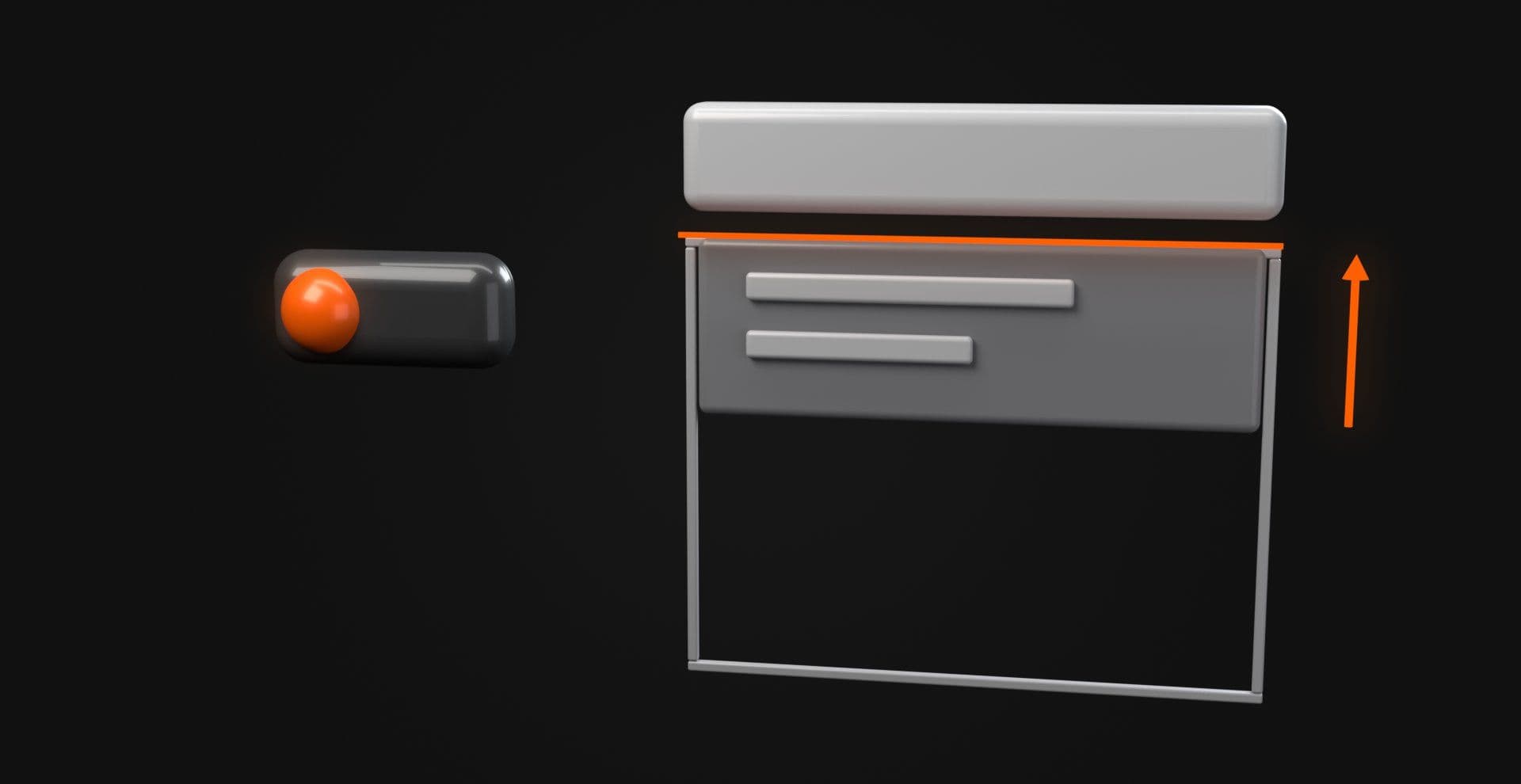
React should be allowed to accept the latest valid state, then the motion layer should reconcile its current presentation with that state. An isAnimating flag can still be useful for diagnostics, ordered choreography, or genuinely non-interruptible operations, but it should not casually become a mutex around ordinary interaction.
The same applies to exit behavior. If React wants an element gone while an exit animation still needs it rendered, something has to own that temporary disagreement, whether that is a presentation phase, presence abstraction, transition wrapper, or explicit state machine. The DOM disappearing before onComplete is not an interruption strategy.
Springs and Timelines Interrupt Differently
Different animation systems expose different interruption semantics, and that matters more than whether they can all make something move left.
Springs naturally accept changing targets
Motion's useSpring works well when a value should keep resolving toward whichever target is current.
"use client"; import { motion, useSpring,} from "motion/react"; export function RetargetingDot() { const x = useSpring(0, { stiffness: 320, damping: 28, }); return ( <div> <button onClick={() => x.set(0)}> Left </button> <button onClick={() => x.set(240)}> Right </button> <motion.div style={{ x, width: 24, height: 24, borderRadius: "50%", background: "currentColor", }} /> </div> );}Press Right, then Left before the dot arrives. The spring receives another target and keeps resolving from its current state, which makes this model a natural fit for drag release, follow behavior, and other interactions whose destination can change repeatedly.
That does not mean every interruptible animation needs spring physics. A dropdown fading out does not require a tiny dynamics paper.
Timelines need conflict rules as well as product rules
GSAP addresses another problem: overlapping tweens and explicit timelines. Its Tween documentation describes overwrite: "auto" as a mechanism for resolving conflicting active property tweens while preserving non-conflicting portions.
That is useful, but overwrite behavior answers which animation gets to write a property. It does not answer whether the interaction should reverse, retarget, cancel, snap, or finish. Libraries provide control primitives, while the product still needs interruption semantics.
For the broader choice between native CSS and animation libraries, see CSS vs React Animation Libraries: When Native CSS Is Enough. The question here is narrower: when state changes mid-flight, does the chosen motion model provide the control the interaction requires?
Make Interruption Visible
A useful way to compare interruption models is to put three versions of the same compact disclosure beside each other. The first can use a plain CSS transition between states, the second a fixed keyframe sequence, and the third the controlled WAAPI model above. Give each version the same Open and Close controls, then trigger Open, Close, Open with short gaps between commands.
The useful comparison is what happens to requested state, presentation phase, operability, and final endpoint while input arrives faster than the movement can settle. CSS transitions should look appropriately simple where they solve the problem. A fixed sequence should reveal its trade-offs only where those trade-offs actually appear. The WAAPI version should make its extra state ownership visible rather than presenting imperative animation as sophistication for its own sake.
Reduced-motion testing needs one extra distinction. A custom demo switch does not change the operating system's prefers-reduced-motion media query by itself, so a demo-level switch needs to be wired as an explicit override of the demo's animation behavior. Testing the real media query still requires changing the browser or operating system preference.
Keyboard testing belongs in the same comparison. Put focus inside the disclosure before triggering Close and confirm that focus follows the component's contract while the outgoing visual state is still on screen.
Test the Interaction Before the Animation Is Ready
Animation demos tend to receive very courteous input. Someone clicks, waits, admires the easing, and clicks again. Production interfaces do not receive that courtesy, so interruptibility should be tested by deliberately sending the next command too early.
| Interaction | Abuse test | Pass condition |
|---|---|---|
| Disclosure/menu | Open, Close, Open | Final state, endpoint, ARIA state, focusability and layout agree |
| Hover/focus | Enter, Leave, Enter | Effect changes direction without waiting for stale motion |
| Carousel | Next, Next, Previous | Final index matches the latest accepted command |
| Drag | Release, Re-grab | Pointer input takes ownership from settle motion |
| Page transition | Navigate again mid-transition | Obsolete route motion cannot restore stale UI |
| Toggle | Click repeatedly | Semantic state and visible endpoint converge |
For an animated disclosure, opacity is one of the least interesting things to inspect. Close while focus is inside the panel and verify that focus does not remain stranded in content that becomes inert. Change the reduced-motion preference while the component is moving. Unmount the component mid-animation, run development Strict Mode, and trigger Open, Close, Open close enough together that an earlier completion has every opportunity to arrive at an inconvenient moment.
Browser testing should also separate position continuity from motion feel. Confirm that a direction change does not produce a visual jump to an unrelated endpoint, then judge whether the reversal speed and easing still feel appropriate. A technically continuous playhead can still produce an interaction whose pacing feels wrong.
The important invariant is that when everything settles, the interface represents the latest valid command rather than whichever animation happened to start first. An interaction that only works when users wait for it behaves more like a fixed sequence than a responsive control.
Where Interruptibility Matters in Vault Effects
Interruptibility matters most when motion lives inside an active input loop, including navigation, toggles, carousels, gesture-driven components, interactive text or cursor behavior, and page transitions. That is where source-level control matters because the component needs to decide which input owns the next state rather than simply replay a visual preset.
Hyperiux Vault provides interaction patterns as source you can inspect and adapt inside React and Next.js projects. Vault does not impose one interruption model across every effect, and it should not. A hover treatment, navigation sequence, and WebGL scene have different state models, dependencies, and runtime costs.
The Expanding Navbar is a relevant navigation example to inspect. It is currently a Pro effect and lists GSAP and Lucide React among its dependencies, so obtaining and adapting its source requires the applicable Vault access rather than assuming every visitor can copy that particular implementation immediately.
Its value in this article is not as proof that every interruption case has already been solved for you. The production question is what happens after that source enters your page. Open the navigation, close it halfway through, open it again, change routes, use the keyboard, test responsive behavior, check reduced motion, and watch what happens to focus. Those results depend on the adapted implementation and the context around it.
The useful Vault workflow is to preview the pattern, obtain the source through the applicable access path, inspect its state and animation ownership, tune the interruption behavior, test it under real input, and then ship it in the environment where it actually has to behave.
Browse Vault interaction effects
Motion Should Follow the Latest Valid Intent
The useful question is what state the interface is responsible for communicating now.
If a target changes continuously, retargeting is usually the right model. If the user returns to the previous binary state, reversing often makes sense. If the old timeline no longer represents valid work, cancel it. If motion adds little value or reduced motion calls for less of it, move directly to the truthful state. Let a sequence complete when completion itself carries meaning.
| Situation | Usually prefer |
|---|---|
| Target changes continuously | Retarget |
| User returns to prior binary state | Reverse |
| Previous motion no longer owns the state | Cancel |
| Continuity adds little value | Snap |
| Sequence completion carries meaning | Complete |
The implementation might use CSS, WAAPI, Motion, GSAP, or another system entirely. The requirement stays the same: requested state, current presentation, input, focus, accessibility state, layout behavior, and animation ownership need to agree about where the interface is going next. When they do, interruption feels less like an animation system recovering from a problem and more like an interface responding properly to the person using it.