
Vidushi Saxena
Developer
Category: Engineering
Vidushi Saxena
Developer
A smooth cursor trail usually starts by storing the real pointer position and moving a rendered follower toward it on each animation frame. Lerp controls how position approaches a target. Velocity measures how that position changes over time. Inertia carries velocity forward while it decays. Springs add a restoring force and damping.
They can look similar for half a second. They stop behaving similarly the moment the pointer accelerates, reverses direction, stops abruptly, or lands on a display running at a different refresh rate.
That distinction matters because cursor motion is usually tuned by feel. Someone asks for “more inertia,” another person lowers the lerp value, and suddenly several different motion models are being treated as one mysterious smoothness knob. If the mathematical model underneath the interaction does not match the behaviour you want, no heroic amount of decimal-point nudging will make it behave cleanly.
A Cursor Trail Has Two Positions, Not One
The useful mental model is simple: the pointer position and the rendered cursor position are separate values. When a pointermove event fires, capture the latest coordinates as a target:
const target = { x: 0, y: 0 } window.addEventListener("pointermove", (event) => { target.x = event.clientX target.y = event.clientY})If a visual element is assigned directly to those coordinates, it feels locked to the hardware pointer. There is no trailing behaviour because there is no meaningful state between input and output.
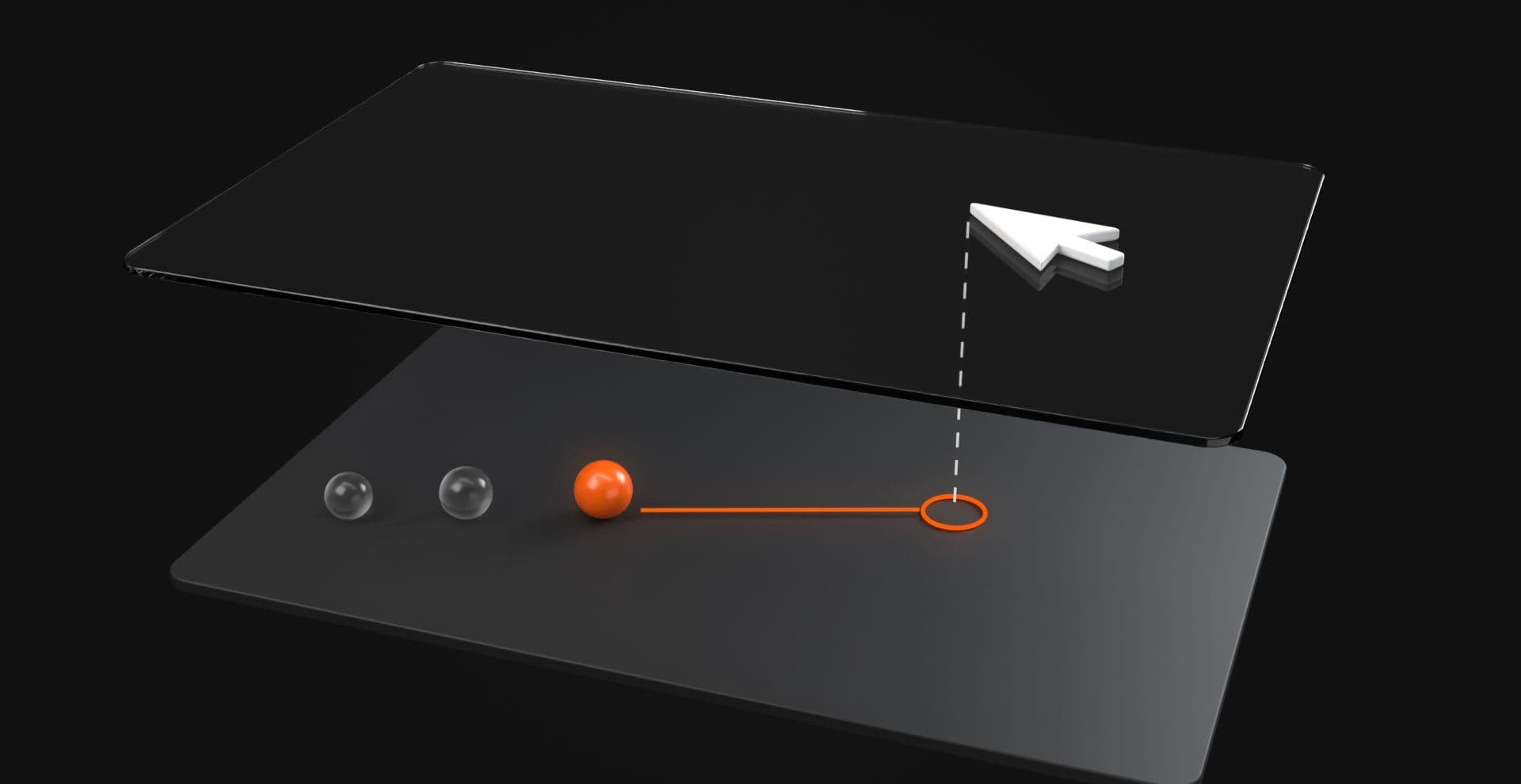
A smooth follower introduces another position:
const current = { x: 0, y: 0 }Now the input layer says where the pointer is, while the animation layer decides where the visual should be this frame. In a production implementation, the first useful pointer sample should usually seed both positions so the follower does not animate into view from {0, 0}.
The separation also gives input and rendering clearer jobs. Pointer events update the target. requestAnimationFrame advances the visual state before browser repaint. Its callback frequency generally follows the display refresh rate, and MDN explicitly warns against assuming a fixed frame interval when animation progress depends on time.
The pointer event should capture input, not become the animation clock.
Lerp Creates Lag by Closing Part of the Remaining Gap
The classic cursor follower uses linear interpolation:
lerp(a, b, t) = a + (b - a) × tFor pointer coordinates:
current.x += (target.x - current.x) * 0.15current.y += (target.y - current.y) * 0.15The interpolation factor controls how much of the remaining gap is closed in one update. A value near 1 tracks aggressively. A smaller value creates a softer, slower response. Three.js exposes the same basic lerp(x, y, t) relationship in MathUtils.
The important distinction is that one lerp operation is just interpolation; repeatedly applying it to a moving target creates the familiar asymptotic follower.
Suppose the current position is 0, the target is 100, and the factor is 0.1. The first update moves 10 units. The second does not move another fixed 10; it moves 10% of the remaining 90, so 9. Then 8.1. Then 7.29.
The relevant quantity is the remaining error:
error = target - current
Each update removes a fraction of that error. The follower moves quickly while the gap is large and progressively slows as it closes.
That is why repeated lerp feels soft without requiring a full physics simulation. It is also why calling the result “inertia” creates confusion. The follower moves because a target still exists somewhere else. It does not possess independent velocity state.
Vault’s current Cursor Move implementation exposes a lerp control specifically for mouse-follow smoothing; lower documented values produce slower, smoother following while higher values track faster. Dotted Trail likewise uses a separately eased head and chained interpolation through its trail nodes. That is interpolation-based following. It is not automatically inertia just because it arrives late.
The Hidden Problem With “0.1 Per Frame”
A fixed interpolation factor has a production wrinkle that small demos hide rather well. A frame is not a unit of time.
If you remove 10% of the remaining error once per rendered frame, a display producing more frames each second gets more opportunities to remove that error. The same 0.1 describes an update rule, not a consistent time-based response.
A 120Hz display can run that calculation roughly twice as often as a 60Hz display. Frames can also arrive unevenly under load. requestAnimationFrame does not promise 60 FPS; MDN lists 75Hz, 120Hz and 144Hz alongside the common 60Hz case and recommends using timestamps when progress should remain time-based.
For a decorative follower, fixed-per-frame interpolation may be perfectly adequate if its variation is tested and acceptable. But when a tuning parameter should mean approximately the same thing across frame rates, include elapsed time.
One common form is exponential damping:
const alpha = 1 - Math.exp(-lambda * dt) current.x += (target.x - current.x) * alphacurrent.y += (target.y - current.y) * alphaHere dt is elapsed time in seconds and lambda controls responsiveness. Higher values settle toward the target more quickly.
Three.js exposes MathUtils.damp(x, y, lambda, dt) for this kind of delta-time-aware smoothing.
It still looks like smooth target following. The difference is that lambda now describes a time-based response rather than a fraction applied once per rendered frame. That matters across high-refresh displays, dropped frames, and uneven frame timing.
Velocity Tells You How the Pointer is Moving, Not Just Where it is
Position answers one question: where is the pointer? Velocity answers another: how fast is it moving, and in which direction?
For two samples:
vx = (x₂ - x₁) / Δtvy = (y₂ - y₁) / ΔtTheir magnitude gives speed:
speed = √(vx² + vy²)That signal is useful even when velocity never directly controls the follower position. You can use it to rotate imagery into the direction of travel, alter trail spacing, stretch a blob, change particle energy, or increase an effect’s response during a quick flick while leaving slow movement restrained.
The important detail is the division by time. Distance between two events is not automatically velocity because event timing can vary.
Motion makes the same conceptual separation with useVelocity: a numerical motion value can produce another motion value representing its velocity, which can then drive other visual behaviour independently.
This is often the useful middle ground for creative cursor work. Keep position predictable with damping. Measure velocity separately. Use that velocity as an expressive signal. You do not need to turn the whole interaction into a physics engine because the design wants a livelier flick.
Lerp is Not Inertia
A lerped follower needs positional error. When the target and current position become equal, there is nothing left to resolve.
A minimal velocity-decay model might look like this:
position.x += velocity.x * dtposition.y += velocity.y * dt const decay = Math.exp(-drag * dt) velocity.x *= decayvelocity.y *= decayThe position continues changing because velocity still exists. Drag gradually removes that velocity. This creates a useful visual test: move quickly, then stop.
A damped follower continues toward the pointer’s final position because it still has a gap to close. An inertia-driven object can continue travelling because its stored velocity remains non-zero after the input stops.
Motion documents these behaviours separately. Its inertia transition decelerates a value from an initial velocity; its physics springs use stiffness, damping and mass.
Design conversations will still use “more inertia” as shorthand for “make it lag.” Fine. The implementation needs more precise language.
If the desired behaviour is simply a cursor that arrives slightly late, damping is the smaller and more predictable model. If spawned imagery should continue travelling after a flick, or an object should visibly coast, stored velocity and decay start earning their complexity.
Springs Add a Restoring Force
A spring behaves differently again. Instead of directly removing a fraction of positional error, displacement from the target produces a restoring force. Damping opposes velocity. For a simple one-dimensional model with mass m:
a = (k × (target - position) - c × velocity) / mHere k is spring stiffness and c is damping. Position and velocity are then integrated over time:
velocity += acceleration * dtposition += velocity * dtBecause the system carries velocity, it can accelerate toward its target, pass it, reverse direction and settle. Stiffness changes the strength of the restoring force. Damping removes oscillation. Mass changes how strongly the same force accelerates the object.
Motion’s current physics-based springs expose stiffness, damping and mass and can incorporate existing velocity; inertia remains a separate transition type.
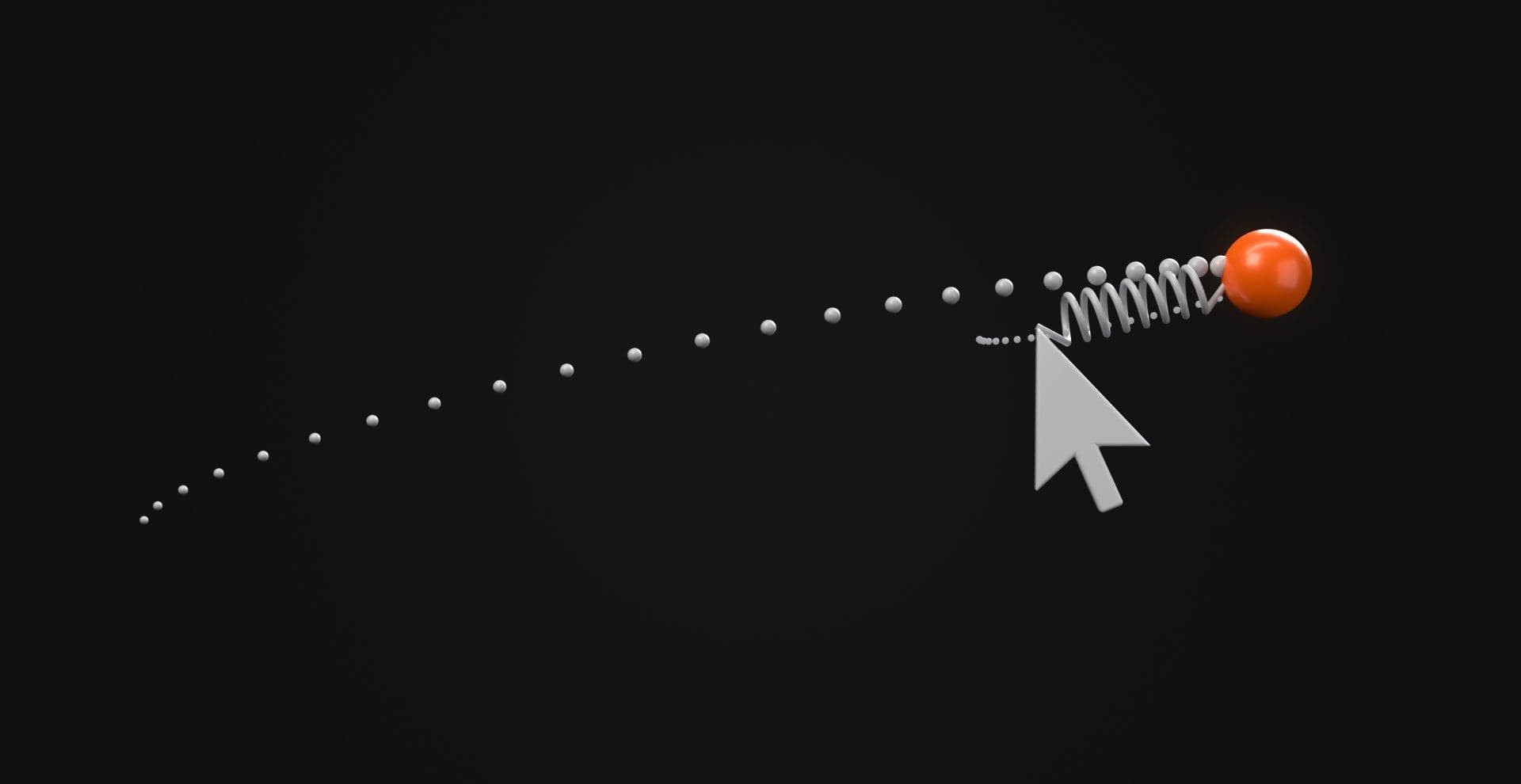
Springs are useful when an interaction should feel elastic, magnetic or physically attached. A subtle overshoot on a magnetic follower can communicate tension. A precision cursor bouncing past every control looks less like interaction design and more like a loose shopping trolley.
The model is not the aesthetic. The tuning is. And sometimes the correct spring configuration is no spring at all.
Which Motion Model Should a Cursor Trail Use?
Choose from the interaction behaviour, not from fashionable terminology.
| Desired behaviour | Strong starting model | What it gives you |
|---|---|---|
| Smooth follower without overshoot | Delta-time-aware damping | Controlled lag toward a target |
| Soft segmented trail | Chained damping / interpolation | Progressive delay through trail nodes |
| Visual response changes with flick speed | Damping + measured velocity | Stable following plus speed/direction as a signal |
| Spawned imagery keeps travelling after a flick | Inertia | Independent velocity that decays over time |
| Elastic or magnetic attachment | Spring | Restoring force with optional overshoot |
| Free-moving particles | Explicit velocity / acceleration | Independent movement per particle |
The quickest way to understand the difference is to feed the same pointer gesture into several models and pay attention to what happens when movement stops. A direct follower stops immediately. A damped follower keeps closing its positional error. An inertial object keeps moving from stored velocity. A spring may pass the target and settle back toward it.
That “stop moving” moment tells you more than ten minutes of dragging a smoothing slider.
The models can also be composed. A trail head can use damping while spawned particles inherit pointer velocity. A spring follower can map its own velocity into rotation. A chain of nodes can interpolate toward one another behind a separately controlled head.
Composition is useful, but state has a cost. Every additional velocity, spring, accumulator and listener is another thing to tune, test and clean up.
Building the Loop in React or Next.js Without Fighting React
Pointer coordinates can change too frequently to deserve a React render every time. That does not make React unsuitable. It means React should control lifecycle and configuration while mutable animation state handles the hot path. React’s useRef is designed for values that need to persist without triggering a re-render when current changes.
In the Next.js App Router, a component using event handlers and browser APIs such as window, matchMedia and requestAnimationFrame belongs behind the client boundary. Next.js documents 'use client' for interactive UI requiring event handling or browser APIs.
A minimal decorative follower can keep those boundaries explicit:
"use client" import { useEffect, useRef } from "react" export function CursorFollower() { const element = useRef(null) const target = useRef({ x: 0, y: 0 }) const current = useRef({ x: 0, y: 0 }) useEffect(() => { const node = element.current if (!node) return const pointerQuery = window.matchMedia( "(hover: hover) and (pointer: fine)" ) const motionQuery = window.matchMedia( "(prefers-reduced-motion: reduce)" ) let frame = 0 let previous = performance.now() let running = false let seeded = false const render = (time) => { if (!running) return const dt = Math.min((time - previous) / 1000, 0.05) previous = time if (seeded) { const alpha = 1 - Math.exp(-12 * dt) current.current.x += (target.current.x - current.current.x) * alpha current.current.y += (target.current.y - current.current.y) * alpha node.style.transform = `translate3d(current.current.xpx,`+`{current.current.y}px, 0) translate(-50%, -50%)` } frame = requestAnimationFrame(render) } const onPointerMove = (event) => { target.current.x = event.clientX target.current.y = event.clientY if (!seeded) { current.current.x = event.clientX current.current.y = event.clientY seeded = true node.style.opacity = "1" } } const stop = () => { if (!running) return running = false cancelAnimationFrame(frame) window.removeEventListener("pointermove", onPointerMove) node.style.opacity = "0" seeded = false } const start = () => { if (running) return running = true previous = performance.now() window.addEventListener("pointermove", onPointerMove, { passive: true, }) frame = requestAnimationFrame(render) } const syncCapabilities = () => { const shouldRun = pointerQuery.matches && !motionQuery.matches if (shouldRun) start() else stop() } pointerQuery.addEventListener("change", syncCapabilities) motionQuery.addEventListener("change", syncCapabilities) syncCapabilities() return () => { stop() pointerQuery.removeEventListener("change", syncCapabilities) motionQuery.removeEventListener("change", syncCapabilities) } }, []) return ( <div ref={element} aria-hidden="true" style={{ position: "fixed", left: 0, top: 0, width: 12, height: 12, borderRadius: "50%", pointerEvents: "none", opacity: 0, willChange: "transform", }} /> )}The component is illustrative; the reusable idea is the boundary between input, animation state and React lifecycle. Fast-changing coordinates live outside render state. One animation loop advances them. The first pointer sample seeds the follower. The decorative layer cannot intercept clicks. Capability and reduced-motion changes can start or stop the behaviour, and unmounting removes the listener and frame.
That architecture can drive a DOM transform, Canvas renderer or WebGL scene. The renderer changes. The separation of concerns does not.
Current Dotted Trail follows the same broad production logic rather than forcing pointer coordinates through React renders: its source is a client component, keeps runtime values in refs, uses one animation loop, listens to pointer movement, and cleans up its frame, observer, listeners and WebGL resources. With reduced motion active, the current implementation renders a static dot field instead of running the moving trail. Cleanup is not housekeeping after the animation work. It is part of the effect.
Smooth is a UX Constraint, Not Just a Math Problem
A mathematically elegant cursor interaction can still be the wrong interaction. Cursor effects assume an input environment where continuous pointer position means something. MDN’s pointer media feature describes the accuracy of the primary pointing device, while hover reports whether that primary input can conveniently hover. For a mouse-specific decorative effect, (hover: hover) and (pointer: fine) is a useful baseline; hybrid devices may require product-specific handling or checks such as any-pointer.
Do not interpret “works on mobile” as “simulate a mouse on touch.” If pointer proximity has no meaningful touch equivalent, remove the interaction or replace it with a static treatment.
Reduced motion deserves the same restraint. prefers-reduced-motion communicates that the user wants non-essential motion reduced, removed or replaced; MDN specifically notes that some panning and scaling animation can trigger discomfort for people with vestibular motion disorders.
For a decorative cursor trail, the appropriate fallback is often remarkably uncomplicated: do not continuously track the cursor.
The interface should remain intact without the effect. Links still click. Keyboard focus remains visible. Hover is not the only path to information. Decorative layers do not block hit testing. Removing the trail does not remove the hierarchy.
Performance also depends on the interaction class. One transformed DOM node does not carry the same cost profile as a full-screen WebGL field. A Canvas trail may care about redraw area and DPR. A WebGL implementation may care about shaders, texture work, resolution and continuous rendering. A DOM trail may care more about element count, layout measurement and style work.
“Smooth” is not a performance claim. Measure the thing you actually ship.
From the Math to Real Cursor Effects
Once the motion models are clear, cursor work becomes much easier to art-direct. Instead of “make it smoother,” you can decide whether the head needs slower damping, whether trail nodes should collapse more tightly, whether pointer velocity should drive scale or rotation, or whether the interaction genuinely needs inertial continuation. That is where editable source becomes useful.
Vault’s current Cursor Move exposes a lerp smoothing control. Current Dotted Trail uses a separately eased head plus chained trail interpolation inside a WebGL2 implementation, with its pointer handling, reduced-motion path, render loop and cleanup visible in the component source.
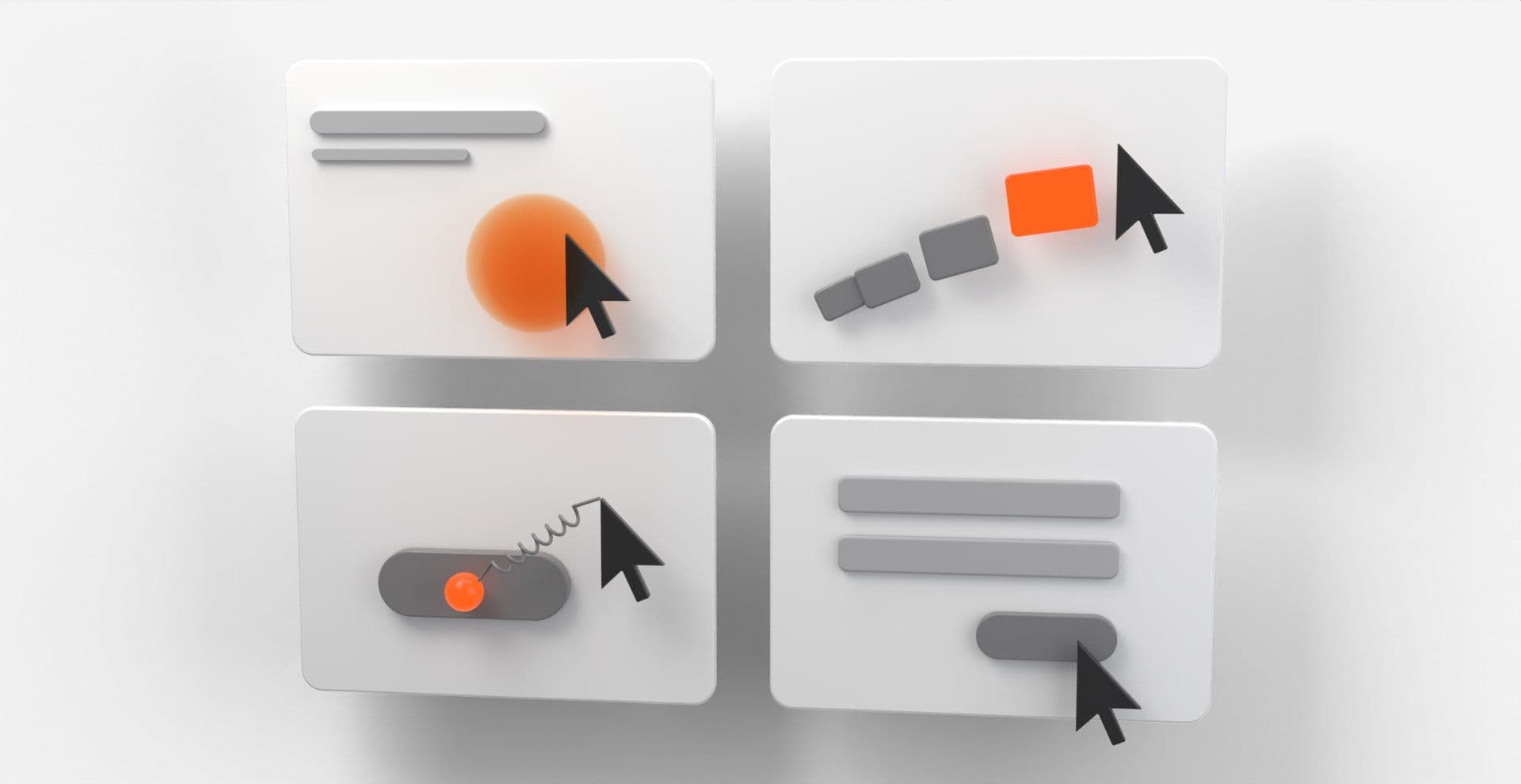
The point is not that every cursor should use those exact models. It is that you should be able to inspect the interaction, understand why it moves the way it does, and change the production decisions that do not fit your page.
A quiet product hero may need a damped glow with no overshoot. A portfolio may earn a velocity-reactive image trail. A magnetic interaction may want a spring. A checkout probably wants the native cursor and absolutely none of this.
Motion earns its place when it sharpens feedback, hierarchy, pacing or perception. The math simply helps you stop guessing.