


Grid Lift
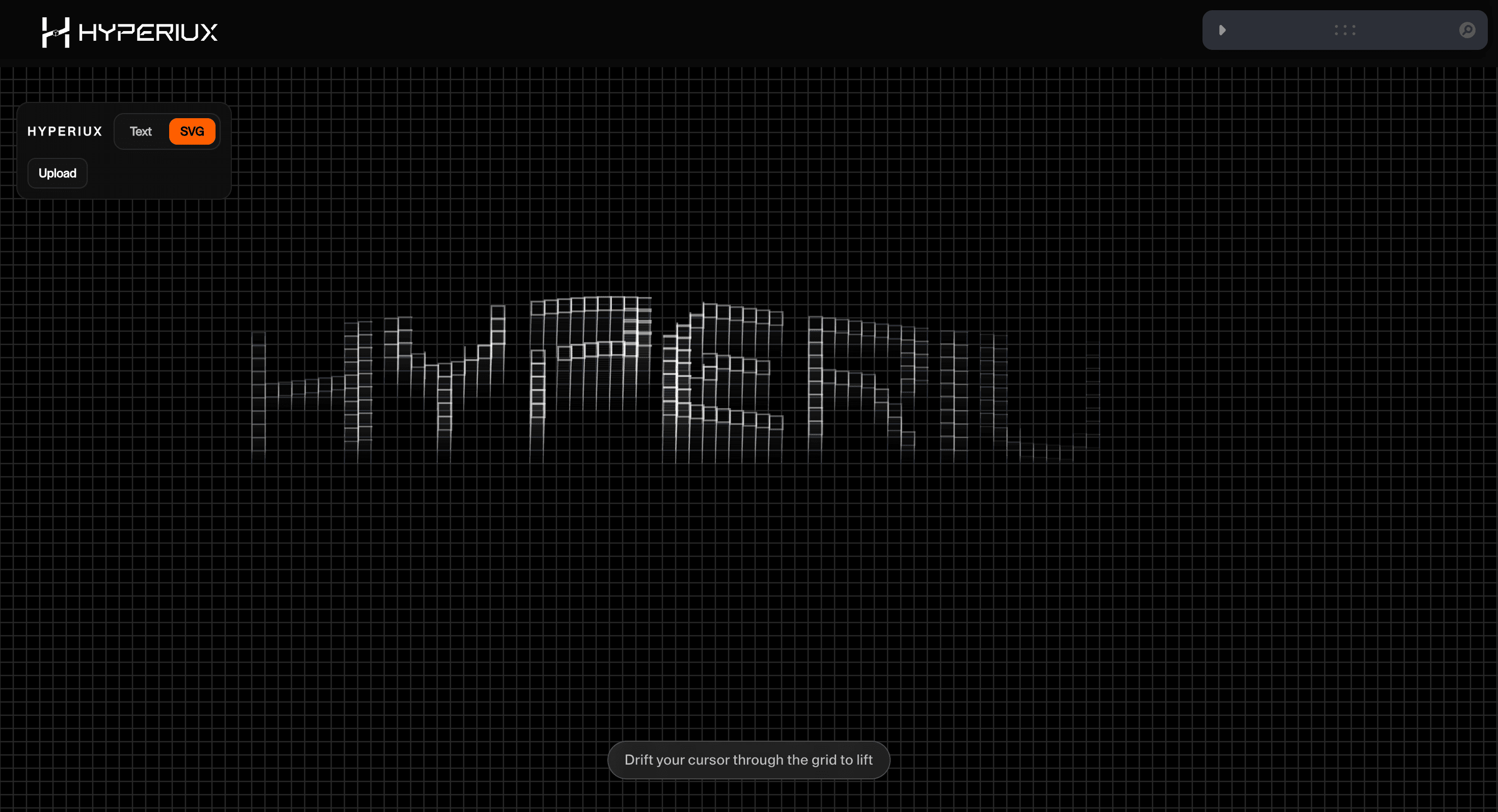
A structured WebGL grid effect that raises a technical surface into subtle depth for AI, developer-tool, and product hero sections.
Overview
Grid Lift raises a structured surface just enough to make the hero feel engineered without turning it into a 3D showroom.
Use it for technical brands, AI platforms, and developer-tool launches where structured motion should signal engineering taste. The page job is controlled lift: the grid adds depth while the copy stays in charge.
In production, the risk is jitter. Too many moving cells make the surface feel noisy, especially on lower-power devices.
Install Command
This is a Pro Effect.
You can preview it now. Upgrade to Pro for instant install access.
Usage Code
This is a Pro Effect.
You can preview it now. Upgrade to Pro for instant install access.
Component Code
This is a Pro Effect.
You can preview it now. Upgrade to Pro for instant install access.
This is a Pro Effect.
You can preview it now. Upgrade to Pro for instant install access.
Example Production Use Case
Use this as WebGL production guidance. Verify the shipped source, rendering stack, dependency list, shader assets, resource disposal, pause/offscreen behavior, DPR strategy, poster fallback, and reduced-motion state before relying on exact props, defaults, imports, or installation steps.
Best Used For
- Technical product heroes where grid structure supports the brand's engineering signal.
- AI and developer-tool launches where depth should feel precise, not cinematic.
- Portfolio surfaces where a disciplined grid adds motion without becoming a scene.
Not For
Not for low-power-first pages, dense content, dashboards, checkout, or routes where performance is the main conversion lever.
Performance Budget
Cap DPR at 1.0 on touch/mobile and up to 1.5 on mid-range desktop. Pause Grid Lift offscreen and in hidden tabs, reduce postprocessing before shipping, and keep texture sizes controlled.
Accessibility and Mobile
Keep meaningful content in HTML outside the canvas. On mobile, reduce shader quality and switch to a poster if the scene cannot hold frame rate.
Common Mistakes
- Animating too many cells at once and turning structure into jitter.
- Using the grid as the only visual hierarchy in the hero.
- Skipping a still frame fallback when the grid motion is decorative.
Changelog
v1.1.0
Jul 22, 2026v1.0.0
Jun 4, 2026Props
| Prop | Type | Default | Description |
|---|---|---|---|
maskScale | number | 1.08 | Scale applied to the text/SVG mask. |
fontSize | number | 350 | Base font size used to fit the text mask (Text mode only). |
fontWeight | number | 200 | Font weight used for the text mask (Text mode only). |
interactionRange | number | 120 | Distance from the mask shape at which cursor interaction starts registering. |
hoverRadius | number | 550 | Radius of cursor influence over grid cells. |
hoverFalloff | number | 1.55 | Falloff curve power applied across the hover radius. |
liftRotation | number | -88 | Direction, in degrees, that lifted cells are extruded toward. |
liftHeight | number | 58 | Maximum extrusion distance for lifted cells. |
liftSmoothness | number | 0.08 | Lerp smoothing factor applied to the lift animation. |
gridSpacing | number | 13 | Spacing between grid cells, in pixels. |
strokeSize | number | 1.15 | Line width for the grid strokes. |
baseOpacity | number | 1 | Opacity of the resting (unlifted) grid. |
hoverOpacity | number | 0.6 | Opacity of the lifted grid highlight. |
backgroundColor | color | #000000 | Canvas background color. |
gridColor | color | #272727 | Color of the resting grid lines. |
hoverColor | color | #ffffff | Color of the lifted grid highlight. |
Frequently Asked Questions
What GPU budget should Grid Lift use on mobile and desktop?
Lifting a grid into depth scales with the number of cells animated, so cap DPR at 1.0 on mobile and 1.5 on desktop and keep the grid density reasonable. Reduce cell count or motion on weaker devices. Measure with your real grid size rather than a sparse demo.
What poster fallback should replace Grid Lift when WebGL fails?
Show the grid in its flat, resting arrangement as a static image so the structure still reads without the lift. The surrounding HTML content is unaffected. The flat grid is a clean, honest substitute.
How should Grid Lift pause when offscreen or in a hidden tab?
Pause the lift animation and render loop when the canvas leaves the viewport or the tab is hidden, then resume on return. Use demand rendering once the grid settles. Don't keep animating a grid no one is looking at.
Which content should stay outside the Grid Lift canvas?
Any labels or links tied to grid items belong in the DOM, not in the rendered cells, so they stay readable and clickable. The lift is a visual flourish over real content. Keep interactive items as focusable elements.
When should I choose a static image instead of Grid Lift?
Use a static grid when the depth adds nothing functional, when optimizing for mobile, or when the cells carry information users must read precisely. If the lift is pure decoration, the flat layout is leaner. Reserve it for hero or feature moments.
Request a Custom WebGL Animation
Need a custom effect? Tell us what to create.


