Loading
Curved Plane
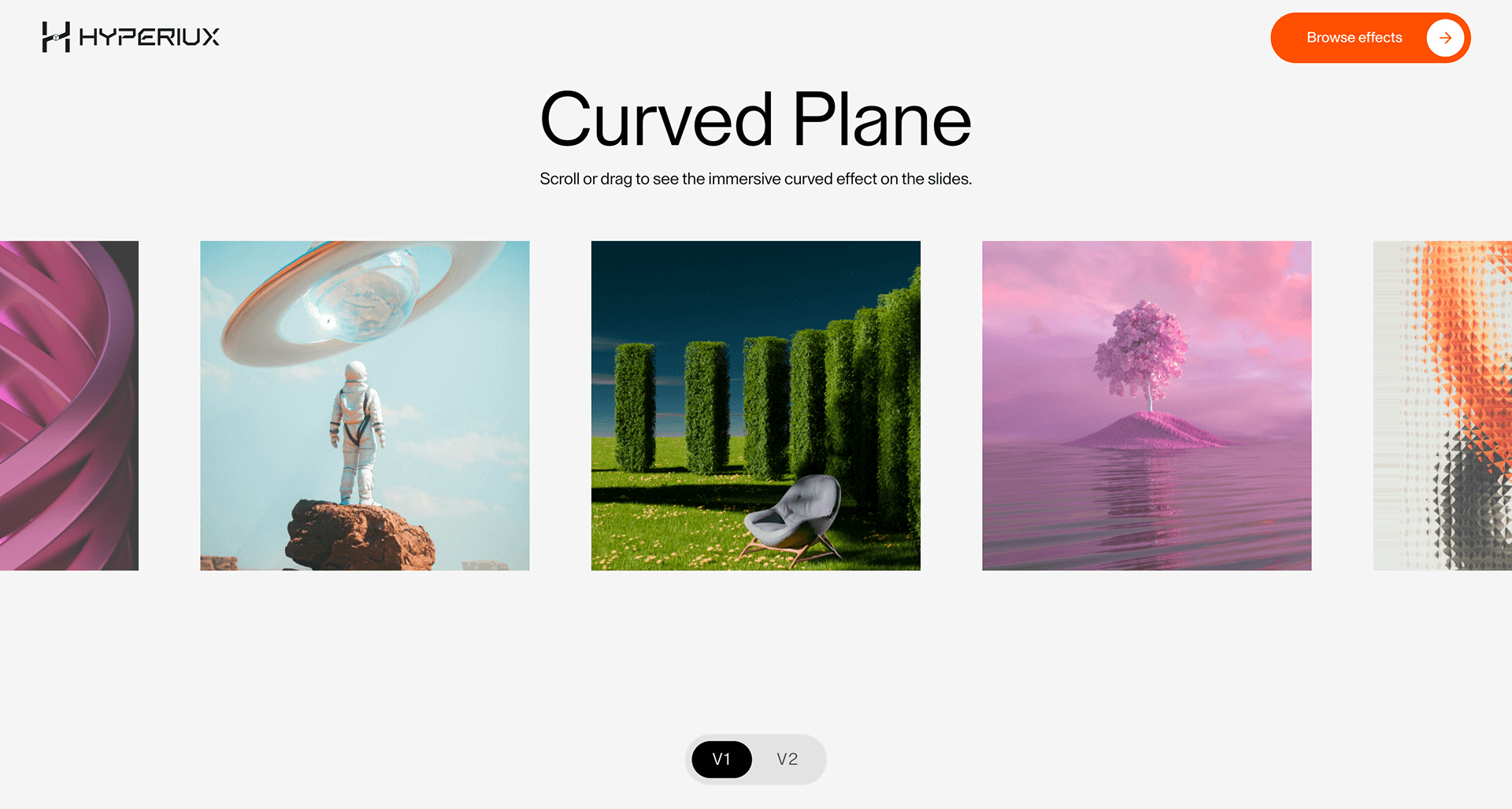
A WebGL image-surface effect that bends a hero visual or product image with subtle spatial depth.
Published On: June 4, 2026
Last Updated: August 17, 2026
Three.jsGSAP
Overview
Curved Plane bends the image surface so the hero holds spatial depth without needing a full 3D scene.
Use it where one image, product render, or portfolio visual deserves subtle dimensional treatment. The page job is controlled depth: the bend should make the image feel more authored, not turn the section into a showroom.
The thing to watch is over-art-direction. If the source image is weak, curvature will not rescue it. Keep the curve restrained, preserve readable foreground copy, and serve a flat image fallback.
Install Command
This is a Pro Effect.
You can preview it now. Upgrade to Pro for instant install access.
Usage Code
This is a Pro Effect.
You can preview it now. Upgrade to Pro for instant install access.
Component Code
This is a Pro Effect.
You can preview it now. Upgrade to Pro for instant install access.
This is a Pro Effect.
You can preview it now. Upgrade to Pro for instant install access.
This is a Pro Effect.
You can preview it now. Upgrade to Pro for instant install access.
This is a Pro Effect.
You can preview it now. Upgrade to Pro for instant install access.
Example Production Use Case
Use this as WebGL production guidance. Verify the shipped source, rendering stack, dependency list, shader assets, resource disposal, pause/offscreen behavior, DPR strategy, poster fallback, and reduced-motion state before relying on exact props, defaults, imports, or installation steps.
Best Used For
- Portfolio and product pages where subtle image-surface depth justifies the WebGL dependency.
- Case-study heroes where one strong visual needs premium treatment without full-scene complexity.
- Launch pages where spatial polish matters but the message still belongs in HTML.
Not For
Not for low-power-first pages, dense content, dashboards, checkout, or routes where performance is the main conversion lever.
Performance Budget
Cap DPR at 1.0 on touch/mobile and up to 1.5 on mid-range desktop. Pause Curved Plane offscreen and in hidden tabs, reduce postprocessing before shipping, and keep texture sizes controlled.
Accessibility and Mobile
Keep meaningful content in HTML outside the canvas. On mobile, reduce shader quality and switch to a poster if the scene cannot hold frame rate.
Common Mistakes
- Using surface bend to decorate weak imagery that should be replaced instead.
- Pushing curvature so far that the image becomes harder to read.
- Treating the plane as a content container instead of a visual surface behind real HTML.
Changelog
v1.0.1
Jul 21, 2026Add prefers-reduced-motion support
v1.0.0
Jul 20, 2026Initial release
Props
| Prop | Type | Default | Description |
|---|---|---|---|
speed | number | 1 | Drag, wheel, and inertia movement speed. |
curveValue | number | 1 | Multiplier for the image plane curvature deformation. |
gap | number | 1 | Spacing multiplier between image planes. |
imageSize | number | 1 | Image plane size multiplier. |
Frequently Asked Questions
What GPU budget should Curved Plane use on mobile and desktop?
A single bent plane is relatively light, but texture size dominates the cost, so cap DPR at 1.0 on mobile and 1.5 on desktop and serve appropriately sized images. Avoid uploading huge textures the curve doesn't need. It should run comfortably on mid-range hardware when textures are controlled.
What poster fallback should replace Curved Plane when WebGL fails?
Show the source image flat as the fallback, since the effect is essentially a curved presentation of a picture, the uncurved image is a clean, faithful substitute. The surrounding copy is HTML and unaffected. No information is lost when the plane flattens.
How should Curved Plane pause when offscreen or in a hidden tab?
If the curve is static there's little to pause, but any animation or pointer response should stop when the canvas is offscreen or the tab is hidden. Use demand rendering so a still curve isn't redrawn every frame. Resume interaction when it returns to view.
Which content should stay outside the Curved Plane canvas?
Captions, titles, and links belong in HTML beside the plane, not inside the texture, so they stay selectable and readable. The plane carries the image; the words carry the meaning. Keep any clickable area as a real DOM element.
When should I choose a static image instead of Curved Plane?
Choose the flat image when the curvature adds nothing to comprehension, when the page is performance-sensitive, or when precise image detail matters more than the 3D feel. The curve is a stylistic surface; if it doesn't serve the content, the plain image is better. Reserve it for hero or showcase visuals.
Request a Custom WebGL Animation
Need a custom effect? Tell us what to create.


