Loading
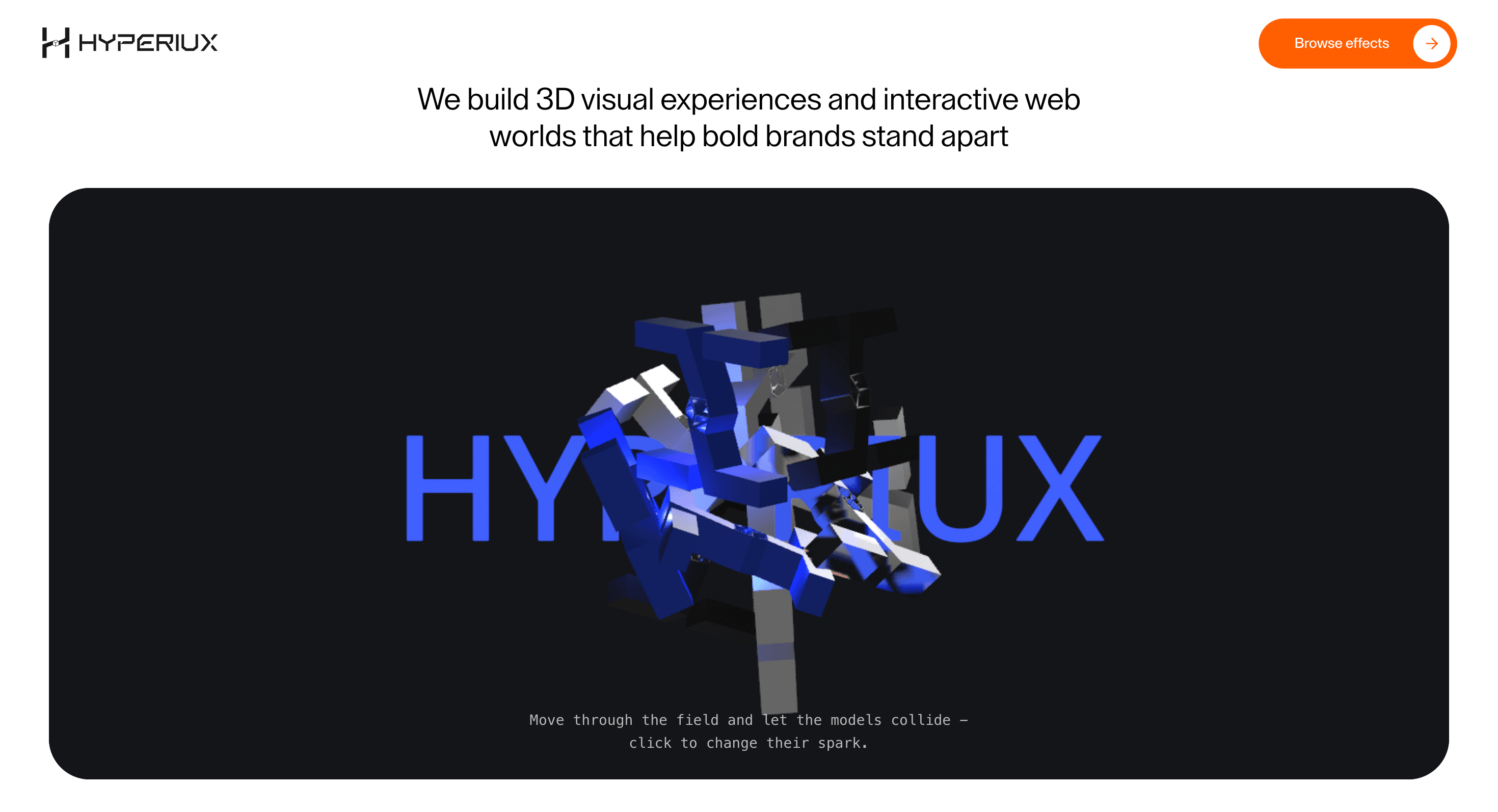
Colliding Models
Let 3D objects move, collide, and react inside a WebGL scene so the page feels kinetic instead of merely decorated.
Published On: June 4, 2026
Last Updated: August 17, 2026
Three.js@react-three/fiber@react-three/drei@react-three/rapier@react-three/postprocessingpostprocessingmaath
Overview
Colliding Models turns a WebGL scene into a field of physical interaction. Objects do not just float; they meet, bounce, and spark.
Use Colliding Models when a brand wants motion that feels kinetic rather than ornamental. It belongs on creative studio pages, 3D capability sections, AI/cyber launches, and experimental homepages where object interaction supports the message. The page job is energy: visitors should feel the system reacting without losing the headline or CTA.
The production risk is control. Physics scenes can become chaos if collision count, object scale, pointer force, and postprocessing are not kept in check. The scene should feel alive, not like a drawer of logos got thrown down a staircase.
Install Command
This is a Pro Effect.
You can preview it now. Upgrade to Pro for instant install access.
Usage Code
This is a Pro Effect.
You can preview it now. Upgrade to Pro for instant install access.
Component Code
This is a Pro Effect.
You can preview it now. Upgrade to Pro for instant install access.
This is a Pro Effect.
You can preview it now. Upgrade to Pro for instant install access.
Example Production Use Case
A creative technology studio can use Colliding Models on a capability page to show that the team builds interactive 3D systems, not just static scenes. Visitors move through the field, objects collide, and a click changes the spark. The outcome is energy: the page demonstrates interaction as the service promise.
Best Used For
- Creative studio and WebGL capability pages where interaction proves the point.
- Brand heroes that need kinetic objects rather than passive decorative shapes.
- Experimental pages where pointer or click input can safely enhance the scene.
Not For
Not for product flows, forms, documentation, checkout, or pages where users need quiet reading and precise clicking.
Not for large model sets without a strict physics and rendering budget.
Performance Budget
Use lightweight models, simple colliders, capped DPR, limited postprocessing, and offscreen pause. Keep physics bodies predictable and avoid simulating more objects than the page can justify.
Accessibility and Mobile
The 3D field should be optional. Keep the message, CTA, and navigation outside the canvas. On mobile, reduce physics, simplify interaction, or use a static poster. Reduced-motion users should not receive bouncing objects or collision bursts.
Common Mistakes
- Letting physics objects cover the CTA.
- Using detailed mesh colliders where simple collision shapes would do.
- Making click/tap interaction essential to understanding the page.
Changelog
v1.0.1
Jul 30, 2026Added a reduced-motion notice and wired connectorCount, gravity, modelScale, and backgroundColor into the live scene.
v1.0.0
Jun 4, 2026Initial release
Props
| Prop | Type | Default | Description |
|---|---|---|---|
connectorCount | number | 8 | Number of connecting shapes or joints. |
gravity | number | 0 | Physics gravity strength. |
modelScale | number | 1 | Scale applied to the 3D model. |
backgroundColor | string | #141518 | Canvas background color. |
Frequently Asked Questions
When should I use Colliding Models?
Use it when a WebGL page needs physical interaction, collisions, and object energy to support a brand or capability message.
Does Colliding Models need real 3D assets?
Yes, if the scene is model-led. Keep assets optimized, compressed, and built with collision needs in mind rather than importing heavy showcase models blindly.
How should the physics stay performant?
Use simple colliders, limited object counts, capped DPR, paused offscreen simulation, and cleanup on route change. Physics should enhance the scene, not become the product.
What should click or tap do?
Click or tap can change color, spark, material, or impulse, but it should remain optional. Core content must stay available without interacting with the scene.
What is the reduced-motion fallback?
Pause physics and show a static or gently composed 3D poster state. Avoid bouncing, collision bursts, and continuous camera motion.
Can Hyperiux adapt Colliding Models for a real brand system?
Yes. A custom version should define model style, collision behavior, interaction rules, render budget, fallback design, source handoff, and implementation notes.
Request a Custom WebGL Animation
Need a custom effect? Tell us what to create.


