Loading
Donut Particles
Turn particles into a sculptural WebGL centerpiece for bold hero sections that need presence before the first scroll.
Published On: July 21, 2026
Last Updated: August 17, 2026
Three.js@react-three/fiber
Overview
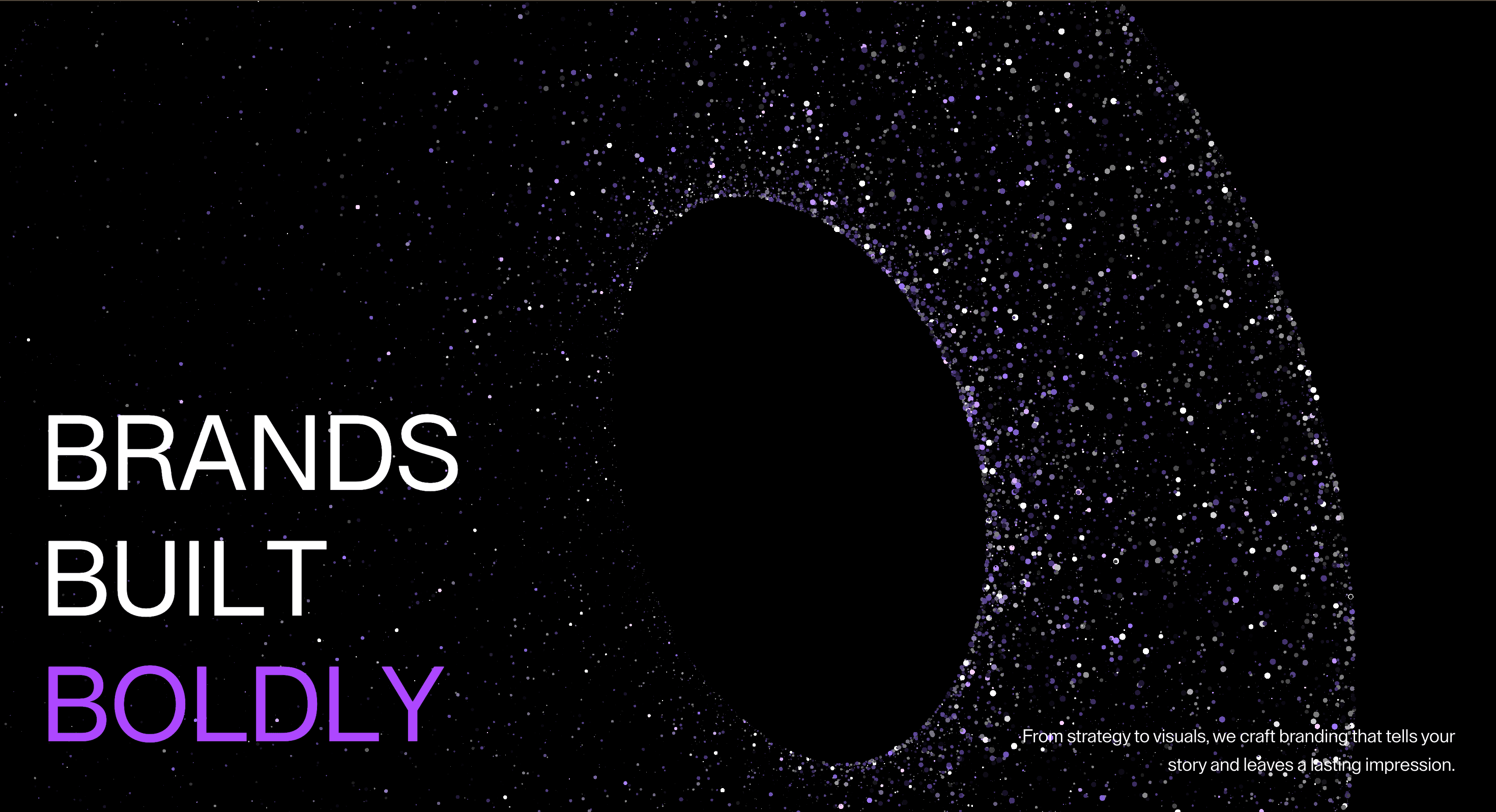
Donut Particles turns a particle field into a sculptural brand object. It is the “yes, this site has a GPU budget” moment, used carefully.
Use Donut Particles when a hero needs one bold visual center rather than a decorative background. Brand launches, creative studios, AI pages, and campaign microsites can use it when the particle form supports the message. The page job is presence: the object should make the brand feel more tangible before the visitor reads the supporting copy.
The production risk is excess. Particle sculptures can cost more than they communicate if density, rotation, postprocessing, and pointer behavior all compete at once. The scene needs a clear focal role, a static fallback, and a strict performance budget.
Install Command
This is a Pro Effect.
You can preview it now. Upgrade to Pro for instant install access.
Usage Code
This is a Pro Effect.
You can preview it now. Upgrade to Pro for instant install access.
Component Code
This is a Pro Effect.
You can preview it now. Upgrade to Pro for instant install access.
This is a Pro Effect.
You can preview it now. Upgrade to Pro for instant install access.
Example Production Use Case
A brand launch page can place Donut Particles beside a short hero claim to create a memorable first screen. The torus-like form moves slowly while the copy stays sharp and clickable. The outcome is presence: the brand has a visual object instead of another gradient blob.
Best Used For
- Bold brand heroes where one particle sculpture can carry the visual identity.
- AI, creative, or technical launches that need a memorable WebGL centerpiece.
- Desktop-first hero sections where the 3D object enhances copy instead of replacing it.
Not For
Not for text-heavy pages, dashboards, checkout flows, dense product sections, or mobile-first routes where the particle scene becomes the page’s heaviest asset.
Not for brands that need calm clarity more than a sculptural first impression.
Performance Budget
Cap DPR, tune particle count, avoid expensive materials, pause the render loop offscreen, and dispose of buffers and materials on route change. Test on a mid-range laptop, not only on the machine that wrote the code.
Accessibility and Mobile
Treat the particle object as decorative unless it communicates a real state. Hide decorative canvas content from assistive technology. On mobile and reduced motion, use a static poster, lower particle count, or simplified geometry.
Common Mistakes
- Making the particle object brighter than the CTA.
- Using too many particles before checking frame rate.
- Letting the WebGL scene carry the only visual meaning of the page.
Changelog
v1.0.1
Jul 21, 2026Add prefers-reduced-motion support
v1.0.0
Jul 20, 2026Initial release
Props
| Prop | Type | Default | Description |
|---|---|---|---|
particleSize | number | 1 | Scale multiplier applied to every particle's rendered size. |
donutScale | number | 3.5 | Scale applied to the particle donut. |
cameraFov | number | 50 | Camera field of view. |
particleColor | color | #9973ff | Base color used for the particle glow cycle. |
mouseInteraction | boolean | true | Enables cursor-driven particle flow on desktop viewports. |
speed | number | 1 | Playback speed multiplier for rotation and particle motion. |
intensity | number | 1 | Strength multiplier for particle glow and cursor interaction force. |
Frequently Asked Questions
When should I use Donut Particles?
Use it when a launch page or brand hero needs one sculptural WebGL particle object as the visual center.
How many particles are safe?
There is no universal number. Start low, measure on real devices, and raise density only if the object still renders smoothly with the full page around it.
Should Donut Particles be interactive?
It can respond gently to pointer movement, but interaction should remain optional. The visitor should not need to play with the object to understand the page.
What should happen on mobile?
Reduce particle count, simplify materials, slow motion, or replace the scene with a static poster. The hero must still read without live WebGL.
Is Donut Particles good for product pages?
Only for short brand-led sections. For product explanation, use screenshots, diagrams, or feature sections where the product remains the focus.
Can Hyperiux adapt Donut Particles for a real brand system?
Yes. A custom version should define shape language, particle behavior, color system, performance budget, fallback design, source handoff, and implementation notes.
Request a Custom WebGL Animation
Need a custom effect? Tell us what to create.


