Loading
Book Flip
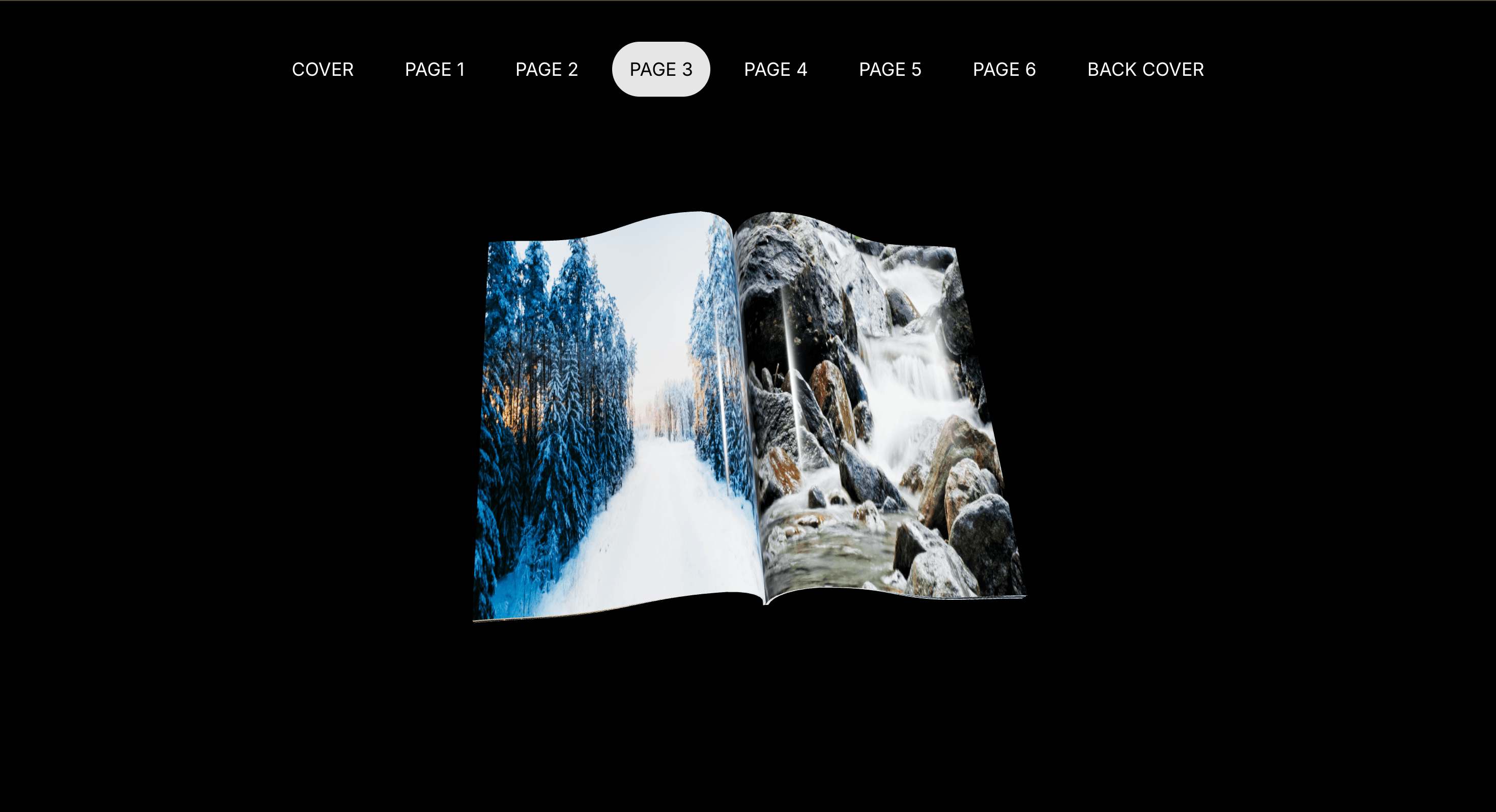
Present stories, portfolios, or lookbooks as a tactile page-turn experience where each screen feels like part of a designed object.
Published On: June 4, 2026
Last Updated: August 17, 2026
Three.js@react-three/fiber@react-three/drei
Overview
Book Flip turns a sequence into an object. The visitor does not just move through pages; they turn them.
Use Book Flip when the content has a natural editorial metaphor: a lookbook, story, manifesto, case study, product booklet, brand guideline, or campaign narrative. The page job is tactility: the interaction should make the sequence feel held, not merely clicked through.
The production risk is readability. A 3D page is charming until the text is too small, the hit area is unclear, or mobile users are forced to fight a tiny digital book. The fallback should be a normal, readable sequence of pages or sections.
Install Command
This is a Pro Effect.
You can preview it now. Upgrade to Pro for instant install access.
Usage Code
This is a Pro Effect.
You can preview it now. Upgrade to Pro for instant install access.
Component Code
This is a Pro Effect.
You can preview it now. Upgrade to Pro for instant install access.
This is a Pro Effect.
You can preview it now. Upgrade to Pro for instant install access.
This is a Pro Effect.
You can preview it now. Upgrade to Pro for instant install access.
This is a Pro Effect.
You can preview it now. Upgrade to Pro for instant install access.
This is a Pro Effect.
You can preview it now. Upgrade to Pro for instant install access.
This is a Pro Effect.
You can preview it now. Upgrade to Pro for instant install access.
This is a Pro Effect.
You can preview it now. Upgrade to Pro for instant install access.
Example Production Use Case
A fashion campaign can use Book Flip as a digital lookbook where visitors turn through a curated set of images, campaign notes, and product moments. The outcome is tactility: the content feels like a designed object rather than another carousel.
Best Used For
- Editorial portfolios, campaign lookbooks, and visual stories with a natural page metaphor.
- Brand books, manifestos, or case-study sequences where turning pages supports the concept.
- Short, curated narratives where each page earns its place.
Not For
Not for documentation, pricing, forms, dashboards, long text, or anything that needs fast scanning.
Not for mobile-first pages unless the book collapses into a clear stacked or swipeable version.
Performance Budget
Compress page textures, keep page count controlled, avoid heavy real-time shadows, cap DPR, and load only what the experience needs. Dispose of textures and geometry when leaving the route.
Accessibility and Mobile
Provide button controls, keyboard access, labelled page state, and a readable fallback. On mobile, use swipe or stacked pages rather than forcing precise 3D page clicks. Reduced-motion users should get instant page changes or a static sequence.
Common Mistakes
- Putting important copy only on a texture inside the 3D book.
- Making page navigation depend on tiny click targets.
- Using a book metaphor for content that should simply be a page.
Changelog
v1.1.0
Jul 22, 2026added reduced-motion
v1.0.0
Jun 4, 2026Initial release
Props
| Prop | Type | Default | Description |
|---|---|---|---|
pageSpeed | number | 0.8 | Speed of the page flip animation. |
bookScale | number | 1 | Overall scale of the 3D book. |
Frequently Asked Questions
When should I use Book Flip?
Use it when the content genuinely benefits from a book, lookbook, or editorial page-turn metaphor.
Should Book Flip use buttons as well as page clicks?
Yes. Page clicks are playful, but visible navigation controls make the interaction predictable and easier to use.
Can text live only inside the 3D page texture?
Avoid that for important content. Key headings, captions, and CTAs should exist as readable HTML or have an accessible equivalent.
How many pages should a Book Flip experience include?
Keep it short. A handful of pages works for a campaign or lookbook; a long document should become a normal reader or page layout.
What should happen on reduced motion?
Disable dramatic page bending and show instant page changes, a flat slider, or a stacked readable sequence.
Can Hyperiux adapt Book Flip for a real brand system?
Yes. A custom version should define page design, controls, accessible content strategy, mobile fallback, performance budget, source handoff, and implementation notes.
Request a Custom WebGL Animation
Need a custom effect? Tell us what to create.


