The Hidden Complexity of Page Transitions in the Next.js App Router
Next.js page transitions look simple until routing, Suspense, layouts and accessibility collide. Learn what App Router transitions actually require in production.

Vidushi Saxena
Developer
Category: Engineering
The animation is usually the easy part.
A fade, wipe, shared-element morph or full-screen mask can look finished in an isolated demo within an afternoon. The trouble begins when that animation has to survive a real Next.js App Router application: layouts persist, destination content can suspend, prefetched routes behave differently from uncached ones, browser history does not automatically carry the directional context you attached to a clicked link, and the visual transition layer can briefly sit above the interface the user is trying to operate.
That is why production Next.js App Router page transitions are better understood as navigation systems than animation effects. A route change, React render, asynchronous content handoff and visual transition have related timing, but they are not one lifecycle. Your job is to make them cooperate without manufacturing latency, losing useful interaction or making the no-motion path feel like a fallback nobody tested.
Short answer: modern App Router projects can use React <ViewTransition> directly. React 19.3 made View Transitions stable, and the current Next.js 16.3.6 guide documents App Router View Transitions without additional configuration. Native View Transitions are a strong fit for shared elements, route-aware movement and Suspense reveals; Motion, GSAP or a route-transition layer still make sense when the branded choreography needs more explicit sequencing or leave/enter control. The framework can coordinate snapshots. It does not decide whether your animation deserves to exist.
A Page Transition Is Really Four Systems Meeting at Once
A useful mental model is Route → Render → Transition → Restore.
User intent
↓
Route - navigation begins, history changes, destination work starts
↓
Render - layouts persist, route content changes, Suspense may expose a shell
↓
Transition - old and new visual states are related, animated or deliberately left static
↓
Restore - interaction, focus, scrolling and destination state remain usable
Those stages overlap, which is where simplistic implementations start to crack. Imagine a portfolio index leading to a project detail page. The header might live inside a persistent layout.tsx; the project content belongs to a changing page; the hero image may already be available because the route was prefetched, or the destination may first resolve to a loading shell while uncached content streams behind Suspense. A shared image morph works when React can match the old and new named elements in the relevant commit. If the destination suspends first, that pair does not form in the same way, so the visual handoff becomes a loading-state problem rather than a straightforward shared-element morph.
The component boundaries matter because App Router deliberately gives them different lifecycles. Current Next.js documentation says layouts are cached and reused during navigation rather than rerendered, while templates receive route-level keys and remount when their own segment changes. That means a URL change alone does not tell you which component entered, exited or persisted. Before choosing an easing curve, establish which part of the tree actually represents the navigation change. Otherwise the timeline may be impeccable while attached to the wrong lifecycle.
Before navigation                 After navigation

<RootLayout>                      <RootLayout>        ← persists
  <Header />                        <Header />
  <ProjectIndex />    →             <ProjectPage />   ← route content changes
</RootLayout>                     </RootLayout>

Optional template boundary:

<Layout>
  <Template key="/projects">      → <Template key="/projects/alpha">
    ...
  </Template>                        ...
                                    </Template>
</Layout>
Why the Old “Animate the Component Leaving the DOM” Model Breaks Down
A large amount of page-transition advice begins with a familiar model: keep the old page mounted long enough to animate it out, wait for the exit to finish, then mount the destination and animate it in. That can still be a useful animation model in the right architecture. It is not a safe assumption about the App Router tree.
Layouts persist across navigation. Templates remount according to their segment boundary. Pages represent changing route content. Suspense can introduce another intermediate visual state before the destination content is ready. Those differences are enough to break recipes copied from older _app.js, Pages Router or generic AnimatePresence examples because the animation code is reasoning about a lifecycle the framework is no longer providing in the same form.
This does not make Motion or GSAP unsuitable. It means an animation engine is not a router. Motion can describe an exit elegantly. GSAP can sequence masks, SVG strokes or dozens of staggered elements with fine control. Neither library changes which App Router boundary persists, remounts or suspends. That integration still belongs to the application.
The least convincing workaround is artificial delay:
Animation-driven navigation

Click
  ↓
Play 800ms cover
  ↓
Start navigation
  ↓
Wait for route/data
  ↓
Reveal destination


Route-driven navigation

Click
  ↓
Start navigation immediately
  ↓
Show ready destination or useful fallback
  ↓
Animate the real handoff
  ↓
Reveal final content when it actually arrives
A transition should explain a wait that exists, not manufacture one because the timeline needs somewhere to finish. An 800ms curtain in front of a route that was already ready is not polish. It is a toll booth with nice easing.
React View Transitions Change the Architecture, Not the UX Responsibility
React’s <ViewTransition> changes the mechanics considerably because React can coordinate state changes with the browser’s View Transitions API instead of requiring developers to preserve duplicate page trees purely for animation. React categorizes View Transition changes such as enter, exit, update and share, while named elements allow an object to establish visual continuity when it disappears in one place and appears in another. React 19.3 made <ViewTransition> and addTransitionType stable. In App Router navigation, Next.js already performs React transitions, so View Transition animations can activate as part of navigation rather than through a separate manual snapshot routine.
A shared project image can therefore stay relatively small:
import { ViewTransition } from 'react'
import Image from 'next/image'
import Link from 'next/link'

export function ProjectCard({ project }) {
  return (
    <Link
      href={`/projects/${project.slug}`}
      transitionTypes={['nav-forward']}
    >
      <ViewTransition
        name={`project-image-${project.slug}`}
        share="project-morph"
        default="none"
      >
        <Image
          src={project.image}
          alt={project.title}
          width={720}
          height={480}
        />
      </ViewTransition>
    </Link>
  )
}

The destination uses the same name and shared-transition class:
<ViewTransition
  name={`project-image-${project.slug}`}
  share="project-morph"
  default="none"
>
  <Image
    src={project.image}
    alt={project.title}
    width={1440}
    height={960}
  />
</ViewTransition>
The default="none" detail matters. Current Next.js guidance notes that named <ViewTransition> elements can otherwise participate in unrelated transitions. When you disable the default animation on a named pair, retain an explicit share value if you still want that pair to morph; default="none" without a shared animation class can silently remove the effect you intended.
The important part is not that an image moves. It is that the movement communicates identity. A thumbnail becoming a project hero says, “this is the object you selected, now seen in detail.” A full-screen branded wipe performs a different job. Treating both as generic page-transition decoration hides the design decision underneath the API.
Version-gate the setup
This is one place where publishing date matters.
transitionTypes arrived on App Router <Link> in Next.js 16.2.0, where each supplied type is passed into React.addTransitionType during navigation. The current Next.js documentation checked for this article is 16.3.6 and says View Transitions work in the App Router with no additional configuration. Unsupported browsers continue with normal application behavior without the transition animation.
That makes older examples using an experimental configuration flag version-specific rather than universal setup instructions. If a project is pinned to an earlier framework release, use documentation that matches that release instead of copying the newest snippet- or a two-year-old snippet- into the repository and hoping version history is feeling charitable.
The rule is simple: pin setup instructions to the framework version, not the age of the tutorial.
Shared elements and full-page transitions are different jobs
A shared-element morph establishes continuity. It earns its place when a visitor selects an object and that same object remains conceptually present on the destination: a product card becomes a product hero, a project thumbnail becomes a case-study image, a media tile becomes a player.
A full-screen transition is broader. It temporarily makes navigation itself the subject. That can fit portfolios, campaign sites, launches and editorial experiences where route changes participate in the brand language. It is much harder to defend in search, checkout, documentation or high-frequency application flows where navigation speed is itself part of usability.
Motion earns its place by communicating something. “We already had GSAP installed” is not communication.
Suspense Is Where “Simple” Page Transitions Become Navigation Systems
The cleanest transition demo assumes the destination arrives as one complete frame. Real Next.js applications frequently do not.
Imagine two project-detail navigations. The first destination is prefetched and its useful UI can render with the navigation. The second route needs uncached CMS data and first exposes a Suspense fallback. If both routes are forced through an identical cover-wait-reveal timeline, the transition erases a meaningful difference in application state. The fast route becomes artificially slow to imitate the slow route, while the slow route hides whether anything useful is actually happening behind the mask.
Current React and Next.js guidance is much more useful here. React recommends allowing fallbacks to appear immediately, animating the transition from fallback to resolved content, and avoiding unnecessary animation for cached UI that would otherwise appear instantly. Next.js documents the same distinction for route transitions: a prefetched destination can produce the shared-element pair during navigation, while a destination that suspends first instead renders its fallback and later produces a separate reveal when content arrives.
That gives a page transition at least two possible visual jobs: navigation feedback and asynchronous content reveal. They should not automatically share one timeline.
import { Suspense, ViewTransition } from 'react'

export default function ProjectPage({ params }) {
  return (
    <Suspense
      fallback={
        <ViewTransition exit="loading-out" default="none">
          <ProjectSkeleton />
        </ViewTransition>
      }
    >
      <ViewTransition enter="content-in" default="none">
        <ProjectContent params={params} />
      </ViewTransition>
    </Suspense>
  )
}
Prefetched / immediately ready
Click → route transition → destination content
Suspended destination
Click → useful fallback → data resolves → content reveal
If a useful shell exists, show it. If the final content was already cached, do not force the user to sit through loading choreography for something that was not loading.
That restraint is interaction design, not a missing animation.
The Transition Can Become a Toll Booth
Full-page motion has unusual power because it sits directly between intent and destination. Abuse that position and even beautiful motion becomes friction.
Duration is one risk. Interaction blocking is another. During a browser View Transition, the ::view-transition overlay sits above the live page and captures pointer events. Current Next.js guidance recommends allowing events to pass through when continued interaction matters:
::view-transition {
  pointer-events: none;
}
That restores interaction for unnamed live content, but there is an important edge case: hit-testing still skips named transition participants while the transition is active. A header, card or other frequently clicked element can therefore become briefly unavailable if you make it part of the named snapshot. Keep transitions short, and be suspicious of naming controls that users may try to operate twice in quick succession.
Direction creates a separate state problem. transitionTypes can identify a clicked link as nav-forward or nav-back, but Next.js does not invent those semantics for you. The application decides what “forward” means in its information architecture. Browser-initiated back navigation- through the browser button or a swipe gesture - also does not carry your custom transition type, so the directional slide does not automatically play. A matching shared-element morph can still occur if the old and new pages contain the same named element.
That asymmetry is worth respecting. A wrong directional cue is not harmless ornament. It gives the visitor false spatial information about where they moved.
There is also a performance distinction between transition classes. A small shared-element morph, a short opacity reveal and a full-screen grid dissolve do not carry the same rendering cost. Native View Transitions create visual snapshots that the browser animates; custom masks can add large painted areas, filters or complex pseudo-element work; library-driven branded effects may add significant DOM volume, layout measurement or animation timelines. Test the effect you are actually shipping instead of compressing every page transition into the sentence “it runs on the GPU.” That sentence has ruined enough meetings.
Accessibility Is Part of the Transition Lifecycle
Reduced motion is the obvious requirement, but it is not the entire accessibility story.
Start with motion sensitivity. Large directional movement across most of the viewport can be much more intrusive than a modest crossfade or local shared-element morph. Current Next.js guidance shows one straightforward reduced-motion treatment: remove View Transition animation duration so content swaps using the browser’s ordinary behavior. A more nuanced implementation may retain a small opacity change while removing positional movement, depending on the experience.
@media (prefers-reduced-motion: reduce) {
  ::view-transition-old(*),
  ::view-transition-new(*),
  ::view-transition-group(*) {
    animation-duration: 0s !important;
    animation-delay: 0s !important;
  }
}
Then test navigation itself. After a route change, does keyboard focus remain sensible? Does reading order still make sense with every animation disabled? Can an interrupted transition leave an overlay or client-side state behind? Does a keyboard user still understand that navigation occurred? Those questions are more useful than assuming every animated route change should programmatically throw focus at the first heading.
The framework behavior is also version-sensitive. Next.js 16.2 introduced an experimental App Router scroll/focus handler that changes previous behavior by blurring the active element after navigation, closer to normal browser navigation, instead of automatically focusing the first focusable descendant it encounters. That is a good reason not to publish “always focus the destination heading” as universal framework advice. Verify the version you deploy; if your interaction genuinely requires explicit focus management, choose a predictable target and test it against the framework’s native navigation behavior rather than fighting it by reflex.
The static path remains the baseline. The transition is an enhancement layered onto understandable navigation.
Native View Transitions, Motion, GSAP or a Route-Transition Layer?
The right choice depends on the lifecycle and visual requirement, not library allegiance.
| Approach | Strong fit | What you still own |
|---|---|---|
| React + browser View Transitions | Shared elements, crossfades, route direction, Suspense reveals and transitions that map naturally to snapshots | Motion language, transition scoping, unsupported-browser fallback, reduced motion, pointer behavior, destination UX and testing |
| Motion or GSAP | Custom choreography, SVG/mask animation, complex transforms, branded sequencing and effects whose visual logic exceeds simple snapshot interpolation | Correct App Router boundaries, async route state, cleanup, accessibility and any routing lifecycle the animation engine does not provide |
| Route-transition lifecycle layer + animation engine | Full-screen effects that genuinely need explicit leave/enter coordination around navigation | Cancellation, real route readiness, interruption behavior, dependency lifecycle, focus/reduced-motion decisions and effect-specific testing |
The mistake is choosing by fandom. A product-image morph does not need a theatrical routing abstraction if the browser-native shared transition already communicates the relationship. A full-screen pixel dissolve with many animated cells is a different interaction class. GSAP or another orchestration layer may be justified because the visual system genuinely requires sequencing that goes beyond a straightforward old-state/new-state morph.
Native does not automatically mean better. A larger animation stack does not automatically mean more premium. The practical question is: what application state must this motion coordinate with, and what does the visitor learn from seeing it?
Where Vault Fits: Start From a Transition System, Not an Empty Timeline
Once the routing model is understood, there is still a sizeable gap between deciding that a branded transition is appropriate and wanting to construct its animation, lifecycle integration, fallbacks and tuning from an empty file.
That is where Hyperiux Vault’s Page Transitions category fits. Vault uses a source-first workflow: selected effect files are added to the project so the team can inspect, edit and adapt the implementation instead of treating the interaction layer as an opaque runtime abstraction. Vault documentation also makes dependencies effect-specific rather than applying one animation engine to every pattern.
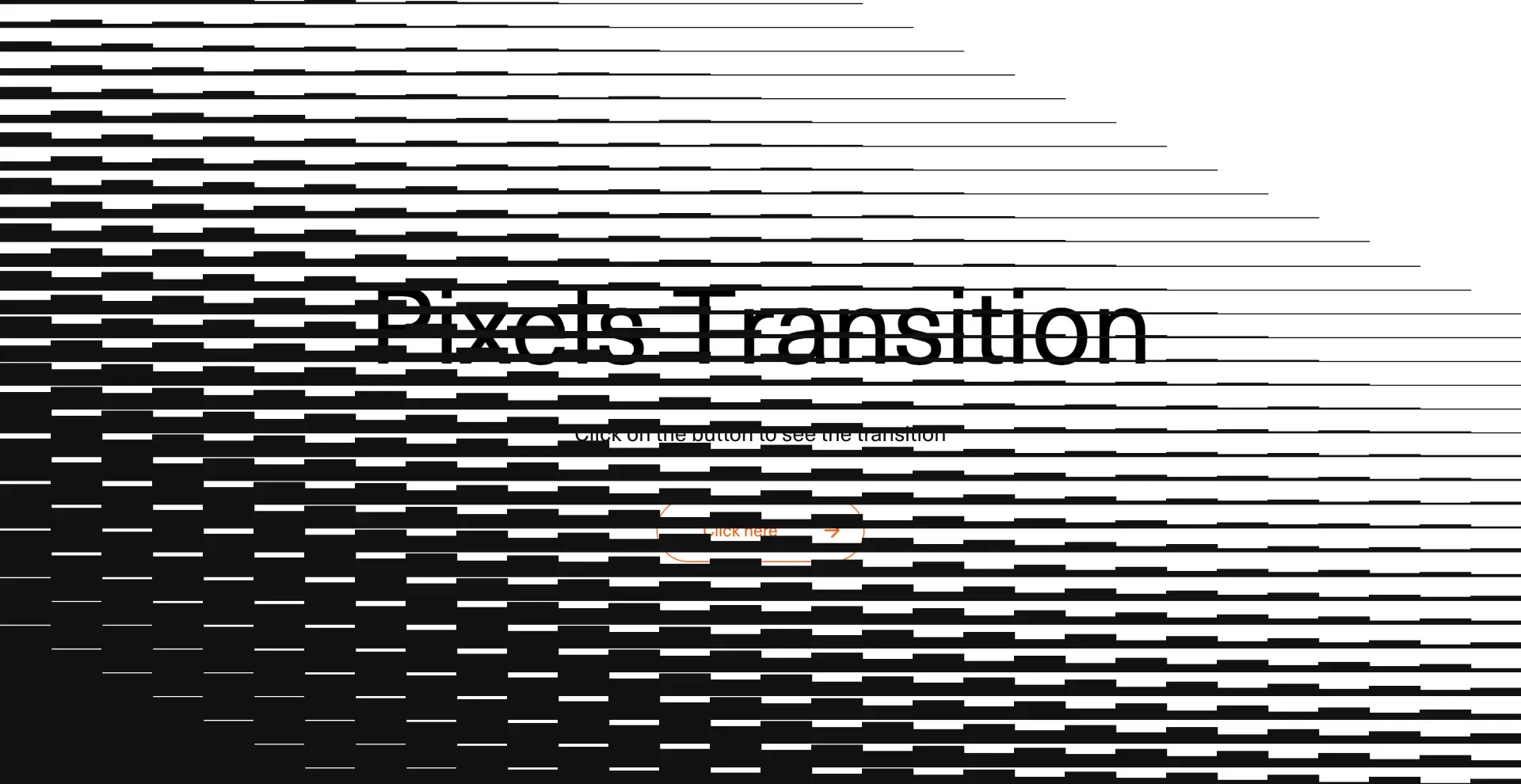
The distinction matters particularly for page transitions because different visual jobs need different machinery. The current Pixel Transition and SVG Brush Transition pages, for example, document GSAP plus next-transition-router and scope those implementations to the Next.js App Router. That describes those effects, not a category-wide dependency rule. Verify the selected effect against the project and framework version you intend to ship rather than assuming every transition shares one engine or routing strategy.
The workflow is closer to preview → install or copy → inspect → tune → test in the real page → ship. You still own the integration decisions because the source lives in the project. For an agency campaign, portfolio or editorial build where navigation genuinely needs brand character, starting from a composed transition system can be considerably more useful than opening an empty animation timeline and solving route coordination after the art direction is already approved.
Browse Page Transitions when that is the problem you have. Use the category as a starting point, not evidence that every route deserves an intermission.
Production Checklist: What Must Still Work When the Animation Is Gone
Before shipping, test the system without being distracted by how satisfying the easing feels:
- Start real navigation promptly. Do not delay a route merely to complete an exit animation. Compare immediately available destinations with routes that expose a Suspense fallback.
- Mount motion at the correct boundary. Know which
layout.tsx,template.tsxandpage.tsxnodes persist or remount. For directional enter/exit transitions, current Next.js guidance places participating wrappers in changing page content rather than a persistent layout. - Treat Suspense as its own visual state. A loading shell becoming final content is not automatically the same interaction as route A becoming route B.
- Interrupt it deliberately. Click twice, press back, use swipe-back where available and operate another control before the animation finishes. Confirm the transition cannot leave stale overlays, timelines or navigation state behind.
- Test pointer behavior. If native transitions use named elements, verify what can and cannot be clicked while the snapshot overlay is active.
- Provide a real reduced-motion path. Remove or substantially reduce large positional movement rather than merely making an elaborate full-screen animation slightly faster.
- Verify keyboard and post-navigation behavior. Do not assume one universal focus recipe. Test the exact framework version and interaction path you deploy.
- Test unsupported-browser fallback. Navigation should remain understandable when View Transition animation does not run. Current Next.js guidance explicitly treats the transition as progressive enhancement.
- Run production builds on real devices. Next.js automatic prefetching runs in production, so navigation timing can differ materially from what you saw during development. Test both ready and streamed routes under realistic conditions.
- Know when to remove the effect. Search, checkout, documentation and frequently navigated application flows often benefit more from immediate static navigation than from a branded route ceremony.
The successful page transition is not the one with the most motion. It is the one that preserves orientation, reflects the real state of navigation, expresses the right relationship between screens and disappears the moment its job is finished.