Loading
Hero Banner Animated
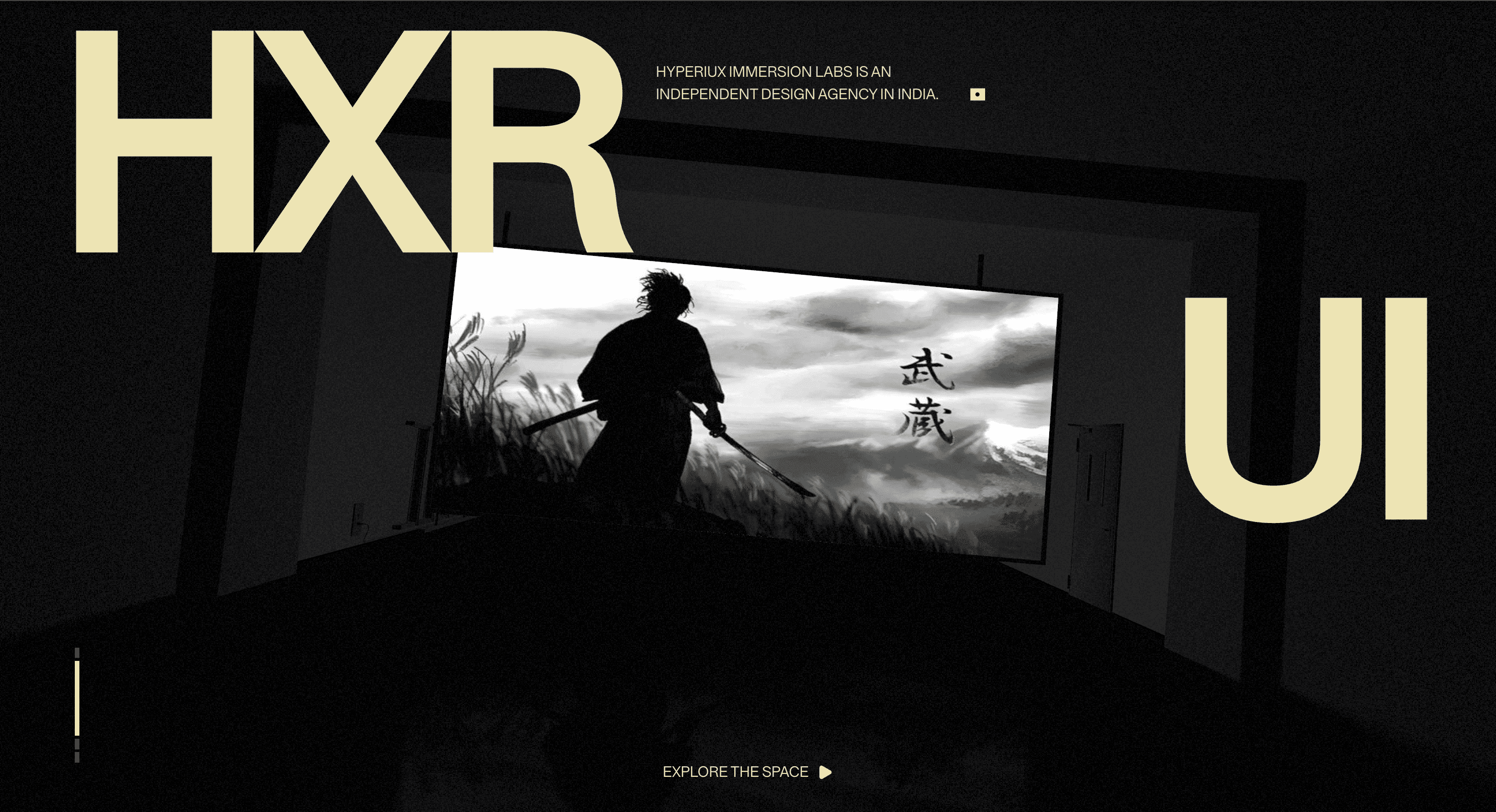
A layered WebGL hero banner that gives launch pages, brand debuts, and portfolio first screens a crafted animated opening.
Published On: June 4, 2026
Last Updated: August 17, 2026
GSAPThree.jsmotionlucide-reactpostprocessing@react-three/drei@react-three/fiber@react-three/postprocessing
Overview
Animated Hero Banner turns the first screen into the brand argument. Layered motion carries the launch before the body copy begins.
Use it for launch pages, brand debuts, campaign microsites, and portfolio heroes where the first screen must prove craft immediately. The page job is arrival: the visitor should understand that the brand has taste before they scroll.
In production, the risk is attention drift. Keep the headline, subhead, and CTA in HTML, let the motion support the opening beat, then quiet it before it competes with the offer.
Install Command
This is a Pro Effect.
You can preview it now. Upgrade to Pro for instant install access.
Usage Code
This is a Pro Effect.
You can preview it now. Upgrade to Pro for instant install access.
Component Code
This is a Pro Effect.
You can preview it now. Upgrade to Pro for instant install access.
This is a Pro Effect.
You can preview it now. Upgrade to Pro for instant install access.
This is a Pro Effect.
You can preview it now. Upgrade to Pro for instant install access.
This is a Pro Effect.
You can preview it now. Upgrade to Pro for instant install access.
This is a Pro Effect.
You can preview it now. Upgrade to Pro for instant install access.
This is a Pro Effect.
You can preview it now. Upgrade to Pro for instant install access.
Example Production Use Case
Use this as WebGL production guidance. Verify the shipped source, rendering stack, dependency list, shader assets, resource disposal, pause/offscreen behavior, DPR strategy, poster fallback, and reduced-motion state before relying on exact props, defaults, imports, or installation steps.
Best Used For
- Launch and brand-debut pages where the first screen must prove craft within the opening second.
- Portfolio heroes where motion supports the central claim rather than becoming the claim.
- Campaign pages that need a memorable opening without hiding the CTA.
Not For
Not for low-power-first pages, dense content, dashboards, checkout, or routes where performance is the main conversion lever.
Performance Budget
Cap DPR at 1.0 on touch/mobile and up to 1.5 on mid-range desktop. Pause Animated Hero Banner offscreen and in hidden tabs, reduce postprocessing before shipping, and keep texture sizes controlled.
Accessibility and Mobile
Keep meaningful content in HTML outside the canvas. On mobile, reduce shader quality and switch to a poster if the scene cannot hold frame rate.
Common Mistakes
- Letting layered hero motion compete with the headline after the first impression has landed.
- Baking the primary message or CTA into the canvas instead of HTML.
- Shipping the animated state without a still poster that feels intentionally composed.
Changelog
v1.1.0
Jul 22, 2026added reduced-motion
v1.0.0
Jun 4, 2026Initial release
Props
| Prop | Type | Default | Description |
|---|---|---|---|
mouseMovement | boolean | true | Enables the cursor-tracked point light. |
intensity | number | 3 | Peak brightness of the cursor-tracked point light when the scene is not zoomed. |
lerp | number | 0.1 | Smoothing factor for the point light following the cursor; higher values follow faster. |
accentColor | string | #ECE4B4 | Accent color for hero text, markers, links, and icon highlights. |
Frequently Asked Questions
What GPU budget should Animated Hero Banner use on mobile and desktop?
Keep DPR at 1.0 on touch and up to 1.5 on capable desktops, and simplify the layered motion on the lower tier so the banner stays smooth. Budget for the fact that a hero runs immediately on load, competing with everything else initializing. Measure first-load cost, not just steady-state frame rate.
What poster fallback should replace Animated Hero Banner when WebGL fails?
Use a high-quality still of the composed banner so the first screen still carries the brand when WebGL is unavailable. Because the hero copy and CTA are HTML, the message survives without the animation. Treat the poster as the guaranteed baseline experience.
How should Animated Hero Banner pause when offscreen or in a hidden tab?
Render on demand and pause once the banner scrolls past or the tab loses focus, then resume on return. A hero loop left running after the user scrolls down is wasted work. Visibility-based pausing keeps the rest of the page responsive.
Which content should stay outside the Animated Hero Banner canvas?
Headline, supporting line, and primary CTA stay in the DOM layered above the canvas, never baked into the render. The animation sets tone; it must not be the sole carrier of the offer. Keep the CTA a real, focusable button.
When should I choose a static image instead of Animated Hero Banner?
Pick a static hero when load performance is critical, when most visitors are on mobile, or when the motion is purely ornamental. If a crafted still delivers the same impression, it's the safer default. Use the animated banner only where motion is part of the story you're telling.
Request a Custom WebGL Animation
Need a custom effect? Tell us what to create.


