Loading
File Encryption
A security visualization component that animates file protection states for cybersecurity, privacy, and trust sections.
Published On: June 4, 2026
Last Updated: August 17, 2026
GSAP
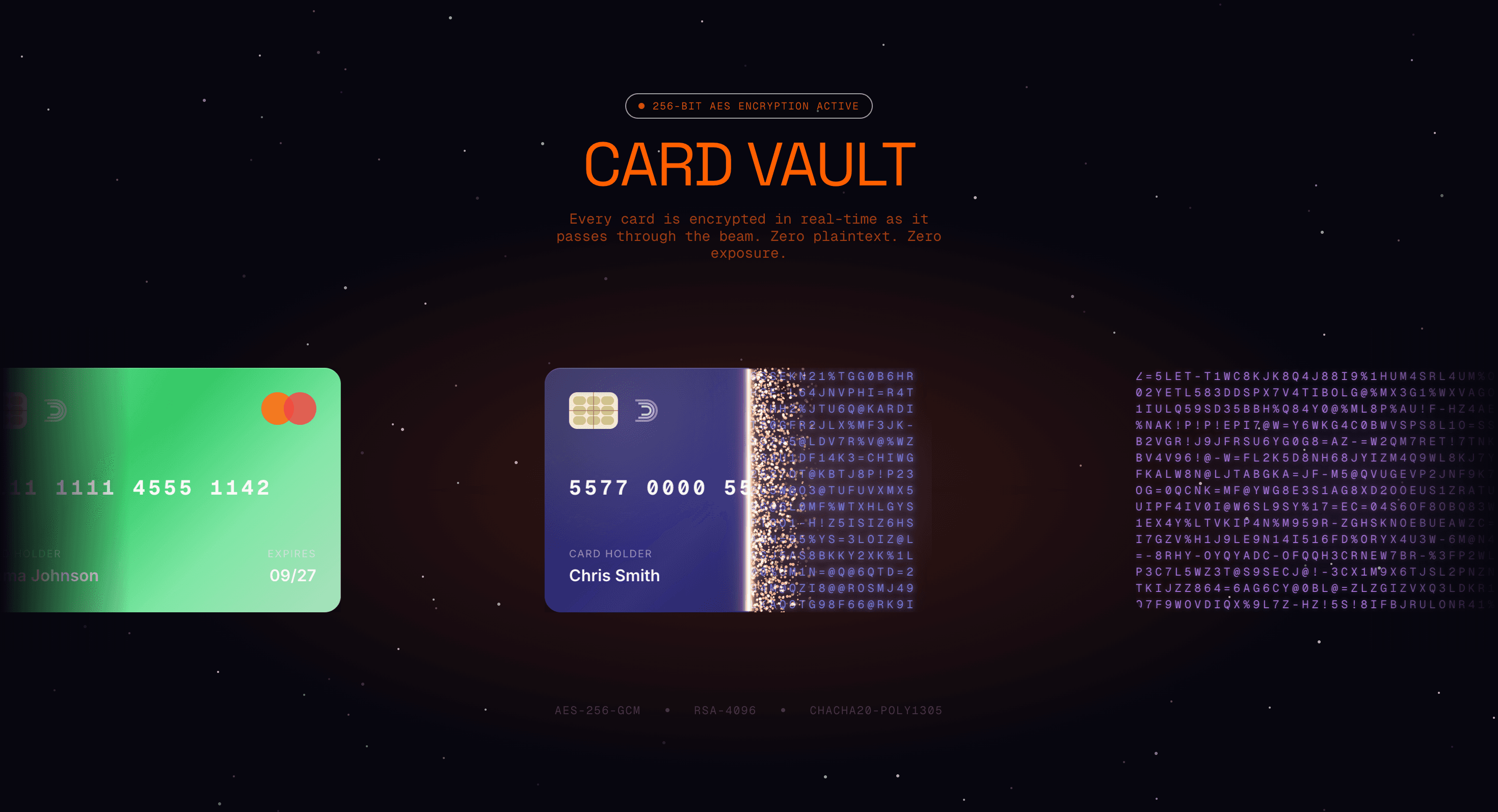
Overview
File Encryption adds motion to a component that already has a job: security motion visualizes protection.
Use File Encryption when a cybersecurity, privacy, or infrastructure page needs a visual metaphor for protection beside clear copy. The animation should make a security idea easier to understand, not make the claim by itself.
The production risk is overclaiming security. Motion can illustrate a protected state, but the surrounding text must carry the actual security promise and any compliance nuance.
Install Command
This is a Pro Effect.
You can preview it now. Upgrade to Pro for instant install access.
Usage Code
This is a Pro Effect.
You can preview it now. Upgrade to Pro for instant install access.
Component Code
This is a Pro Effect.
You can preview it now. Upgrade to Pro for instant install access.
This is a Pro Effect.
You can preview it now. Upgrade to Pro for instant install access.
This is a Pro Effect.
You can preview it now. Upgrade to Pro for instant install access.
This is a Pro Effect.
You can preview it now. Upgrade to Pro for instant install access.
Example Production Use Case
A cybersecurity product page can use File Encryption to visualize a file moving from exposed to protected state beside a plain-language security claim. The animation builds trust only because the copy explains what is protected.
Best Used For
- Cybersecurity and privacy sections where protection needs a clear visual metaphor beside real copy.
- Product pages that need to show secure handling without turning trust into vague animation.
- Security storytelling sections where the visual supports, not replaces, the trust claim.
Not For
Not for security claims that the product cannot prove, or for pages where animation substitutes for clear privacy, compliance, or encryption copy.
Performance Budget
Keep the file motion short and lightweight, avoid continuous loops near long copy, and pause or simplify the animation offscreen.
Accessibility and Mobile
Treat decorative encryption motion as visual support. Keep the actual security meaning in text and make the sequence understandable when motion is disabled.
Common Mistakes
- Letting the animation make an unsupported security promise.
- Hiding the explanation inside the moving file graphic.
- Running the protection loop constantly on mobile.
Changelog
v1.0.1
Jul 21, 2026Add prefers-reduced-motion support
v1.0.0
Jul 20, 2026Initial release
Props
| Prop | Type | Default | Description |
|---|---|---|---|
accentColor | string | #ff5f00 | Beam, particle, and heading accent color. |
backgroundColor | string | #07060f | Scene and marquee background color. |
speed | number | 1 | Marquee, particle, and scramble animation speed. |
cardSize | number | 1 | Credit card size multiplier. |
Frequently Asked Questions
When should I use File Encryption?
Use it when a security or privacy product needs motion that makes protection visible.
How should File Encryption stay trustworthy and accessible?
Keep the security claim in normal text beside the visual. The animation can illustrate encrypted or protected state, but it must not be the only place where the promise is explained.
How should File Encryption simplify on mobile?
Reduce movement, shorten the sequence, or show a static protected-state visual. The security claim should stay readable without requiring users to watch the full animation.
Can File Encryption improve trust on security pages?
Yes, when it clarifies a real protection moment already explained in copy. It damages trust when it implies security guarantees the product cannot support.
What should reduced motion do for File Encryption?
Show the final protected state or a static before/after visual without looping file movement.
Request a Custom WebGL Animation
Need a custom effect? Tell us what to create


