Loading
Stack Loader
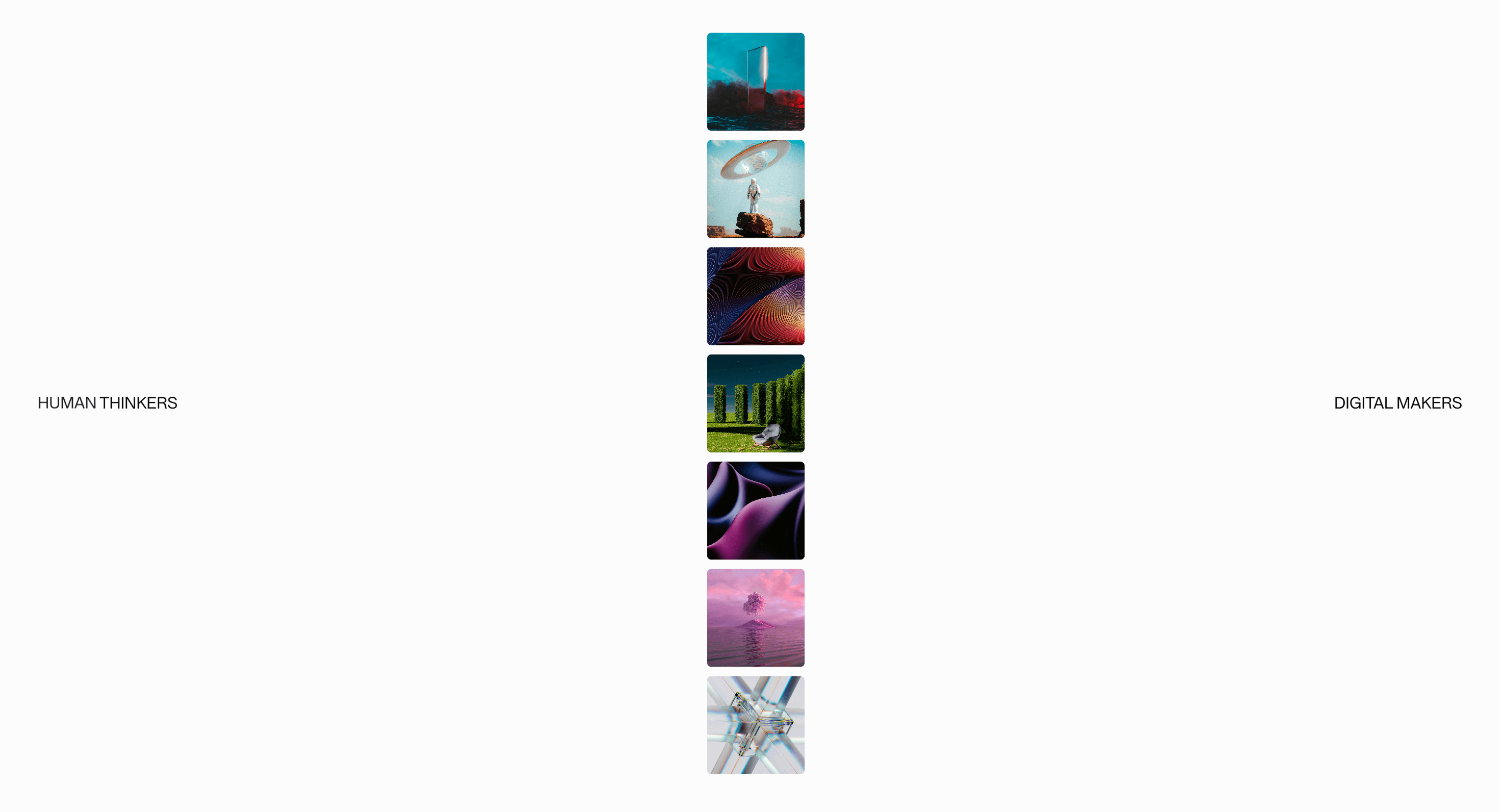
A stacked-panel loader that covers real route, asset, upload, or WebGL waits with branded motion tied to actual loading state.
Published On: June 4, 2026
Last Updated: August 17, 2026
GSAP
Overview
Stack Loader gives a real wait a visible state: panels stack during a real transition.
Use it for route latency, upload progress, asset warm-up, data loading, or WebGL initialization. Do not add a fake preloader to a fast page just to make it feel designed.
The thing to watch is dishonesty. Bind the loader to real state, use aria-busy where the region is updating, and never let a progress number claim completion before the content is ready.
Install Command
npx hyperiux add stack-loaderUsage Code
page.jsx
import StackLoader from "@/components/effects/stack-loader";

export default function Page() {
  return <StackLoader />;
}
Component Code
index.jsx
// Built using Hyperiux Vault: https://vault.hyperiux.com
"use client";
import { forwardRef, useCallback, useEffect, useId, useLayoutEffect, useRef, useState, } from "react";
import gsap from "gsap";
import { SplitText } from "gsap/dist/SplitText";
gsap.registerPlugin(SplitText);
const INTRO_EASE = "cubic-bezier(0.25,1,0.5,1)";
const IMAGE_ENTRY_Y_PERCENT = 500;
const TEXT_ROTATE_X_START = 90;
const TEXT_TRANSFORM_PERSPECTIVE = 1000;
const IMAGE_Z_INDEX_DURATION = 0.1;
const IMAGE_Z_INDEX_STAGGER = 0.2;
const TEXT_STAGGER = 0.08;
const STACK_SCALE_STEP = 0.15;
const STACK_Y_PERCENT_STEP = 20;
const SPREAD_Y_PERCENT_STEP = 110;
const IMAGE_FADE_STAGGER = 0.08;
const STACK_IMAGE_SOURCES = [
    "https://pub-8abee449136941f5b0a1cd2c014534e9.r2.dev/vault-listing-images/assets-images/v-01.jpg",
    "https://pub-8abee449136941f5b0a1cd2c014534e9.r2.dev/vault-listing-images/assets-images/v-02.jpg",
    "https://pub-8abee449136941f5b0a1cd2c014534e9.r2.dev/vault-listing-images/assets-images/v-03.jpg",
    "https://pub-8abee449136941f5b0a1cd2c014534e9.r2.dev/vault-listing-images/assets-images/v-04.jpg",
    "https://pub-8abee449136941f5b0a1cd2c014534e9.r2.dev/vault-listing-images/assets-images/v-05.jpg",
    "https://pub-8abee449136941f5b0a1cd2c014534e9.r2.dev/vault-listing-images/assets-images/v-06.jpg",
    "https://pub-8abee449136941f5b0a1cd2c014534e9.r2.dev/vault-listing-images/assets-images/v-07.jpg",
];
function clampNumber(value, min, max, fallback) {
    const numericValue = Number(value);
    if (!Number.isFinite(numericValue)) {
        return fallback;
    }
    return Math.min(max, Math.max(min, numericValue));
}
const StackToSpreadIntro = forwardRef(function StackToSpreadIntro({ imageSize = 1, duration = 1, fadeOutDuration = 0.8, backgroundColor = "#fcfcfc", onComplete, }, ref) {
    const uid = useId().replace(/:/g, "");
    const loaderWrapperId = `loader-wrapper-${uid}`;
    const imgsWrapperId = `imgs-wrapper-${uid}`;
    const rootRef = useRef(null);
    const imagesRef = useRef([]);
    const text1Ref = useRef(null);
    const text2Ref = useRef(null);
    const descriptionTextRef = useRef(null);
    const onCompleteRef = useRef(onComplete);
    const safeImageSize = clampNumber(imageSize, 0.5, 2.5, 1);
    const safeDuration = clampNumber(duration, 0.25, 3, 1);
    const safeFadeOutDuration = clampNumber(fadeOutDuration, 0.1, 3, 0.8);
    useEffect(() => {
        onCompleteRef.current = onComplete;
    }, [onComplete]);
    useLayoutEffect(() => {
        const reduceMotion = window.matchMedia?.("(prefers-reduced-motion: reduce)")?.matches ??
            false;
        // Reduced-motion: images already in a vertical line — smooth opacity only.
        if (reduceMotion) {
            const ctx = gsap.context(() => {
                const imageElements = imagesRef.current.filter(Boolean);
                const sideText = [text1Ref.current, text2Ref.current].filter(Boolean);
                const description = descriptionTextRef.current;
                const totalImages = imageElements.length;
                const totalSpread = totalImages > 1 ? SPREAD_Y_PERCENT_STEP * (totalImages - 1) : 0;
                gsap.set(`#${imgsWrapperId}`, { yPercent: 0, opacity: 1 });
                gsap.set(imageElements, {
                    opacity: 0,
                    scale: 1,
                    zIndex: (index) => index,
                    yPercent: (index) => totalImages === 1
                        ? 0
                        : -totalSpread / 2 + index * SPREAD_Y_PERCENT_STEP,
                });
                gsap.set(sideText, { opacity: 0, rotateX: 0 });
                if (description)
                    gsap.set(description, { opacity: 0, rotateX: 0 });
                const tl = gsap.timeline({
                    defaults: { ease: "power2.inOut" },
                    onComplete: () => {
                        gsap.set(rootRef.current, { display: "none" });
                        onCompleteRef.current?.();
                    },
                });
                tl.timeScale(1 / safeDuration);
                // Smooth opacity in (already laid out vertically).
                tl.to(imageElements, {
                    opacity: 1,
                    duration: 0.7,
                    stagger: { each: 0.06, from: "center" },
                });
                tl.to(sideText, { opacity: 1, duration: 0.55 }, "-=0.35");
                if (description) {
                    tl.to(description, { opacity: 1, duration: 0.55 }, "<");
                }
                tl.to([...sideText, description].filter(Boolean), { opacity: 0, duration: 0.5 }, "+=0.55");
                tl.to(imageElements, {
                    opacity: 0,
                    duration: safeFadeOutDuration,
                    stagger: { each: 0.04, from: "edges" },
                }, "-=0.15");
                tl.to(rootRef.current, { opacity: 0, duration: safeFadeOutDuration }, "-=0.2");
            }, rootRef);
            return () => ctx.revert();
        }
        const ctx = gsap.context(() => {
            const imageElements = imagesRef.current.filter(Boolean);
            const text1 = SplitText.create(text1Ref.current, {
                type: "words",
            });
            const text2 = SplitText.create(text2Ref.current, {
                type: "words",
            });
            const descriptionText = SplitText.create(descriptionTextRef.current, {
                type: "words,lines",
            });
            const animatedTextTargets = [
                text1.words,
                text2.words,
                descriptionText.lines,
            ];
            gsap.set(animatedTextTargets, {
                rotateX: TEXT_ROTATE_X_START,
                opacity: 0,
                transformPerspective: TEXT_TRANSFORM_PERSPECTIVE,
                transformOrigin: "50% 100%",
                willChange: "transform",
            });
            gsap.set(imageElements, {
                opacity: 0,
            });
            gsap.set(descriptionTextRef.current, {
                opacity: 1,
            });
            const tl = gsap.timeline();
            tl.timeScale(1 / safeDuration);
            tl.fromTo(`#${imgsWrapperId}`, {
                yPercent: IMAGE_ENTRY_Y_PERCENT,
                opacity: 0,
            }, {
                yPercent: 0,
                opacity: 1,
                duration: 0.5,
                ease: INTRO_EASE,
            });
            tl.set([text1Ref.current, text2Ref.current], { opacity: 1 }, "<");
            tl.to(imageElements, {
                opacity: 1,
                duration: 0.5,
                ease: INTRO_EASE,
            }, "<");
            tl.to(animatedTextTargets, {
                rotateX: 0,
                opacity: 1,
                stagger: TEXT_STAGGER,
                ease: INTRO_EASE,
            }, "<+0.5");
            imageElements.forEach((imageElement, index) => {
                tl.to(imageElement, {
                    zIndex: index,
                    duration: IMAGE_Z_INDEX_DURATION,
                    ease: INTRO_EASE,
                }, index * IMAGE_Z_INDEX_STAGGER);
            });
            tl.to(imageElements, {
                scale: (index) => 1 + index * STACK_SCALE_STEP,
                yPercent: (index) => -(index * STACK_Y_PERCENT_STEP),
                duration: 1,
                stagger: {
                    each: 0.01,
                    from: "end",
                },
                ease: "power3.inOut",
            }, "<");
            tl.to(imageElements, {
                scale: 1,
                yPercent: (index, _target, elements) => {
                    const totalImages = elements.length;
                    if (totalImages === 1)
                        return 0;
                    const totalSpread = SPREAD_Y_PERCENT_STEP * (totalImages - 1);
                    return -totalSpread / 2 + index * SPREAD_Y_PERCENT_STEP;
                },
                duration: 1,
                stagger: {
                    each: 0.01,
                    from: "end",
                },
                ease: "power3.inOut",
            }, "+=0.2");
            tl.to(descriptionText.lines, {
                rotateX: TEXT_ROTATE_X_START,
                transformOrigin: "top center",
                opacity: 0,
                duration: 1,
                stagger: TEXT_STAGGER,
                ease: INTRO_EASE,
            }, "<-0.1");
            tl.to(`#${imgsWrapperId}`, {
                yPercent: 0,
                ease: INTRO_EASE,
            }, "<");
            tl.to([text1.words, text2.words], {
                opacity: 0,
                duration: 0.5,
                rotateX: TEXT_ROTATE_X_START,
                transformOrigin: "top center",
                stagger: TEXT_STAGGER,
                ease: INTRO_EASE,
            });
            tl.to(imageElements, {
                opacity: 0,
                duration: safeFadeOutDuration,
                stagger: {
                    each: IMAGE_FADE_STAGGER,
                    from: "end",
                },
                onComplete: () => {
                    gsap.to(rootRef.current, {
                        opacity: 0,
                        duration: safeFadeOutDuration,
                        ease: INTRO_EASE,
                        onComplete: () => {
                            gsap.set(rootRef.current, {
                                display: "none",
                            });
                            onCompleteRef.current?.();
                        },
                    });
                },
            }, "<+0.2");
            return () => {
                text1.revert();
                text2.revert();
                descriptionText.revert();
            };
        }, rootRef);
        return () => ctx.revert();
    }, [imgsWrapperId, safeDuration, safeFadeOutDuration]);
    return (<section ref={(element) => {
            rootRef.current = element;
            if (typeof ref === "function") {
                ref(element);
            }
            else if (ref) {
                ref.current = element;
            }
        }} id={loaderWrapperId} className="flex h-screen w-full items-center justify-center px-[2.5vw] text-black max-[1025px]:px-[5vw] max-md:px-[6vw]" style={{ backgroundColor }}>
      <div className="flex w-full items-center justify-between max-[1025px]:flex-col max-[1025px]:justify-center max-[1025px]:gap-[33vh] max-md:gap-[70vw]">
        <p ref={text1Ref} className="opacity-0 max-[1025px]:text-[2.8vw] max-md:text-[5vw]">
          HUMAN THINKERS
        </p>

        <div id={imgsWrapperId} className="relative max-[1025px]:z-99" style={{
            width: `clamp(4rem, ${6.5 * safeImageSize}vw, 18rem)`,
            height: `clamp(4rem, ${6.5 * safeImageSize}vw, 18rem)`,
        }}>
          {STACK_IMAGE_SOURCES.map((src, index) => (<div key={`${src}-${index}`} ref={(element) => {
                imagesRef.current[index] = element;
            }} className="absolute top-0 left-0 size-full overflow-hidden rounded-sm opacity-0">
              <img src={src} width={1000} height={1000} className="h-full w-full object-cover" alt="loader-img"/>
            </div>))}
        </div>

        <p ref={text2Ref} className="opacity-0 max-[1025px]:text-[2.8vw] max-md:text-[4vw]">
          DIGITAL MAKERS
        </p>
      </div>

      <p ref={descriptionTextRef} className="absolute bottom-[3vw] left-1/2 w-[40vw] -translate-x-1/2 text-center leading-[1.1] text-black opacity-0 max-[1025px]:bottom-[3vw] max-[1025px]:w-[68vw] max-[1025px]:text-[2.4vw] max-md:bottom-[6vw] max-md:w-[90%] max-md:text-[3.5vw]">
        Hyperiux Vault
      </p>
    </section>);
});
export default function StackLoader({ imageSize = 1, duration = 1, fadeOutDuration = 0.8, backgroundColor = "#fcfcfc", }) {
    const uid = useId().replace(/:/g, "");
    const demoUiId = `demo-ui-${uid}`;
    const [isLoaderComplete, setIsLoaderComplete] = useState(false);
    const [introInstance, setIntroInstance] = useState(0);
    const stackToSpreadIntroRef = useRef(null);
    const previousRemixerPropsRef = useRef(null);
    const handleLoaderComplete = useCallback(() => {
        setIsLoaderComplete(true);
    }, []);
    const handleReplay = useCallback(() => {
        setIsLoaderComplete(false);
        setIntroInstance((currentInstance) => currentInstance + 1);
    }, []);
    useEffect(() => {
        const remixerProps = {
            imageSize,
            duration,
            fadeOutDuration,
            backgroundColor,
        };
        if (!previousRemixerPropsRef.current) {
            previousRemixerPropsRef.current = remixerProps;
            return;
        }
        const previousRemixerProps = previousRemixerPropsRef.current;
        const hasChanged = Object.keys(remixerProps).some((key) => previousRemixerProps[key] !== remixerProps[key]);
        if (!hasChanged)
            return;
        previousRemixerPropsRef.current = remixerProps;
        setIsLoaderComplete(false);
        setIntroInstance((currentInstance) => currentInstance + 1);
    }, [backgroundColor, duration, fadeOutDuration, imageSize]);
    return (<div id={demoUiId} className="relative h-screen w-screen overflow-hidden bg-zinc-900">
      <p className={`absolute top-1/2 left-1/2 -translate-x-1/2 -translate-y-1/2 text-4xl font-bold text-neutral-300 transition-opacity duration-300 text-center ${isLoaderComplete ? "opacity-100" : "opacity-0"}`}>
        HYPERIUX VAULT
      </p>

     <button type="button" onClick={handleReplay} className={`absolute top-[calc(50%+4.5rem)] left-1/2 -translate-x-1/2 -translate-y-1/2
    rounded-full border border-white/15 bg-white/5 px-5 py-2
    text-sm font-medium text-white backdrop-blur-md

    transition-all duration-300 cursor-pointer
    hover:scale-105 hover:border-white/30 hover:bg-white/10
    active:scale-95
    ${isLoaderComplete
            ? "opacity-100"
            : "pointer-events-none opacity-0"}`}>
  ↻ Replay
    </button>

      <StackToSpreadIntro key={introInstance} ref={stackToSpreadIntroRef} imageSize={imageSize} duration={duration} fadeOutDuration={fadeOutDuration} backgroundColor={backgroundColor} onComplete={handleLoaderComplete}/>
    </div>);
}
Example Production Use Case
Use this as loading-state implementation guidance. Verify the shipped progress model, aria-busy behavior, live-region text, timer cleanup, skeleton fallback, and reduced-motion state before relying on exact props, defaults, imports, or installation steps. Determinate progress must be tied to a real signal.
Best Used For
- Route and asset waits where a short branded cover is honest and state-driven.
- Experiences where the loader disappears as soon as the real task completes.
- Stack Loader makes real waiting visible without manufacturing delay.
Not For
Not for fast pages, fake progress, manufactured waits, or loaders that hide usable content.
Performance Budget
Tie animation to real load state, clean up timers, and avoid blocking first paint.
Accessibility and Mobile
Use aria-busy on loading regions and concise status text. On mobile and reduced motion, prefer static progress text or skeletons.
Common Mistakes
- Using Stack Loader on a page that already loads quickly.
- Faking determinate progress.
- Announcing every animation frame to assistive technology.
Changelog
v1.0.1
Jul 21, 2026Add prefers-reduced-motion support
v1.0.0
Jul 20, 2026Initial release
Props
| Prop | Type | Default | Description |
|---|---|---|---|
imageSize | number | 1 | Scale multiplier for the loader image stack. |
duration | number | 1 | Global duration multiplier for the loader animation. |
fadeOutDuration | number | 0.8 | Duration of the final image and loader fade-out. |
backgroundColor | string | #fcfcfc | Loader background color. |
Frequently Asked Questions
When should I use Stack Loader?
Use it when a real route or asset wait needs a short branded cover of stacking panels.
Should Stack Loader show real progress?
Determinate loaders should always map to real progress. Fake progress damages trust.
How should Stack Loader be announced?
Use aria-busy on the loading region and concise status text in a polite live region when useful.
When is a skeleton better than Stack Loader?
Use skeletons when the layout is known and content streams into place.
What should reduced motion do for Stack Loader?
Use static progress text, a simple bar, or skeleton content instead of looping motion.
Request a Custom Loader Animation
Need a custom effect? Tell us what to create.


