Loading
Drop Text
A gravity-led text animation for headlines, intros, and brand moments where the words should feel physical before they become fully readable.
Published On: August 17, 2026
Last Updated: August 18, 2026
GSAP
Overview
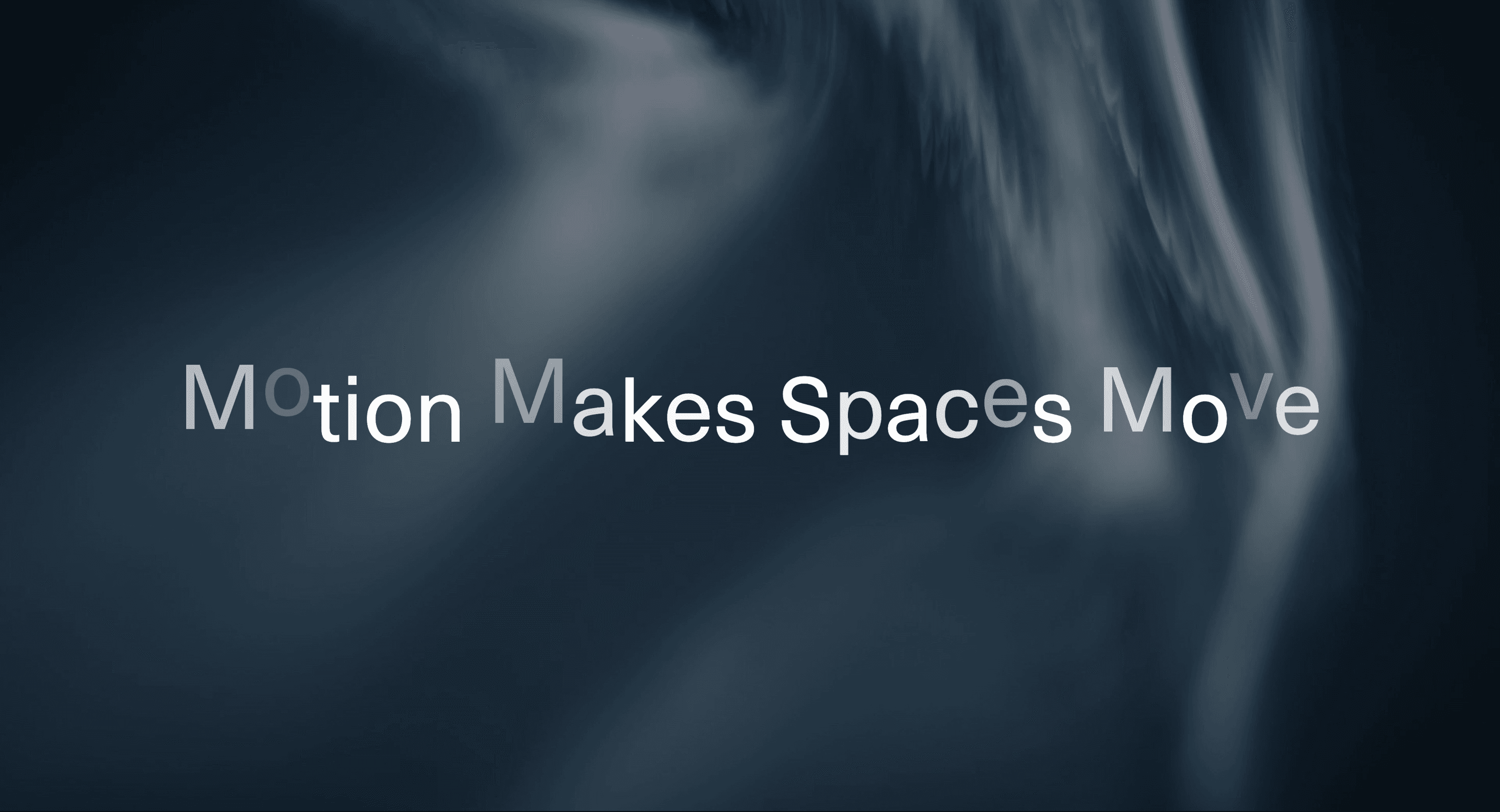
Drop Text turns a short phrase into a physical typographic moment.
Characters separate from their usual position, move with a drop-like motion, and resolve back into a stable line of text. The effect gives the words weight. It feels playful, kinetic, and slightly imperfect in the right way, while still preserving the final phrase as readable copy.
Use Drop Text when a headline needs more personality than a fade, blur, or simple slide. It works for creative portfolios, studio pages, campaign intros, interactive hero sections, and playful product moments where typography can carry a little gravity.
The page job is arrival. The visitor should notice the phrase, understand it, and continue. The animation can make the text feel alive, but it cannot become a reading obstacle.
Install Command
npx hyperiux add drop-textUsage Code
page.jsx
import DropText from "@/components/effects/drop-text";

const page = () => {
  return (
    <>
    <DropText />
</>
  )
}
Component Code
index.jsx
// Built using Hyperiux Vault: https://vault.hyperiux.com
"use client";
import { useCallback, useEffect, useMemo, useRef, useState } from "react";
import { gsap } from "gsap";
const DEFAULT_TEXT = "Motion Makes Spaces Move";

function mapStaggerFrom(staggerFrom) {
  if (staggerFrom === "left") return "start";
  if (staggerFrom === "right") return "end";
  return staggerFrom;
}
function splitText(text, splitBy) {
  if (splitBy === "lines") {
    return text.split(/
/).map((line, index, lines) => ({
      value: line,
      separator: index < lines.length - 1 ? "
" : "",
    }));
  }
  if (splitBy === "words") {
    const matches = text.match(/\S+\s*/g);
    return (matches ?? [text]).map((word) => ({
      value: word.trimEnd(),
      separator: word.endsWith(" ") ? "\u00a0" : "",
    }));
  }
  return Array.from(text).map((character) => ({
    value: character === " " ? "\u00a0" : character,
    separator: "",
  }));
}
export default function DropText({
  text = DEFAULT_TEXT,
  variant = "drop",
  splitBy = "characters",
  staggerFrom = "random",
  xOffset = 0,
  yOffset = -115,
  rotate = 0,
  blur = 0,
  scaleFrom = 1,
  startOpacity = 0,
  fontSize = 6,
  fontColor = "#ffffff",
  textAlign = "center",
  lineHeight = 1,
  letterSpacing = 0,
  backgroundColor = "#101113",
  duration = 0.5,
  delay = 0,
  stagger = 0.05,
  ease = "power2.out",
  animateOnScroll = false,
  className = "",
}) {
  const sectionRef = useRef(null);
  const containerRef = useRef(null);
  const segments = useMemo(() => splitText(text, splitBy), [text, splitBy]);
  const [prefersReducedMotion, setPrefersReducedMotion] = useState(false);
  const initialPieceStyle = prefersReducedMotion
    ? {}
    : {
        opacity: startOpacity,
        filter: `blur(${blur}px)`,
        transform: [
          `translate3d(${xOffset}px, ${yOffset}px, ${variant === "perspective" ? -420 : 0}px)`,
          `rotate(${rotate}deg)`,
          `rotateX(${variant === "perspective" ? 68 : 0}deg)`,
          `scale(${scaleFrom})`,
        ].join(" "),
      };
  useEffect(() => {
    const mediaQuery = window.matchMedia?.("(prefers-reduced-motion: reduce)");
    if (!mediaQuery) return;
    setPrefersReducedMotion(mediaQuery.matches);
    const onReduceMotionChange = (event) => {
      setPrefersReducedMotion(event.matches);
    };
    mediaQuery.addEventListener?.("change", onReduceMotionChange);
    return () => {
      mediaQuery.removeEventListener?.("change", onReduceMotionChange);
    };
  }, []);
  const playAnimation = useCallback(() => {
    if (!containerRef.current) return;
    const pieces = containerRef.current.querySelectorAll("[data-drop-piece]");
    gsap.killTweensOf(pieces);
    if (prefersReducedMotion) {
      gsap.set(pieces, {
        x: 0,
        y: 0,
        z: 0,
        rotate: 0,
        rotateX: 0,
        scale: 1,
        opacity: 1,
        filter: "blur(0px)",
      });
      return;
    }
    gsap.fromTo(
      pieces,
      {
        x: xOffset,
        y: yOffset,
        z: variant === "perspective" ? -420 : 0,
        rotate,
        rotateX: variant === "perspective" ? 68 : 0,
        scale: scaleFrom,
        opacity: startOpacity,
        filter: `blur(${blur}px)`,
      },
      {
        x: 0,
        y: 0,
        z: 0,
        rotate: 0,
        rotateX: 0,
        scale: 1,
        opacity: 1,
        filter: "blur(0px)",
        duration,
        delay,
        stagger: {
          each: stagger,
          from: mapStaggerFrom(staggerFrom),
        },
        ease,
      },
    );
  }, [
    blur,
    delay,
    duration,
    ease,
    prefersReducedMotion,
    rotate,
    scaleFrom,
    stagger,
    staggerFrom,
    startOpacity,
    variant,
    xOffset,
    yOffset,
  ]);
  useEffect(() => {
    let frame = 0;
    let cancelled = false;
    const playAfterPaint = () => {
      const fontsReady =
        "fonts" in document ? document.fonts.ready : Promise.resolve();
      fontsReady.finally(() => {
        if (cancelled) return;
        frame = requestAnimationFrame(() => {
          if (!cancelled) playAnimation();
        });
      });
    };
    if (!animateOnScroll) {
      playAfterPaint();
      return () => {
        cancelled = true;
        cancelAnimationFrame(frame);
        if (!containerRef.current) return;
        const pieces =
          containerRef.current.querySelectorAll("[data-drop-piece]");
        gsap.killTweensOf(pieces);
      };
    }
    if (!sectionRef.current) return;
    const observer = new IntersectionObserver(
      ([entry]) => {
        if (entry?.isIntersecting) {
          playAfterPaint();
        }
      },
      { threshold: 0.45 },
    );
    observer.observe(sectionRef.current);
    return () => {
      cancelled = true;
      cancelAnimationFrame(frame);
      observer.disconnect();
      if (!containerRef.current) return;
      const pieces = containerRef.current.querySelectorAll("[data-drop-piece]");
      gsap.killTweensOf(pieces);
    };
  }, [animateOnScroll, playAnimation, segments]);
  return (
    <section
      ref={sectionRef}
      className={`flex min-h-screen w-full items-center justify-center overflow-hidden px-5 py-16 ${className}`}
      style={{
        backgroundColor,
        backgroundPosition: "center",
        backgroundRepeat: "no-repeat",
        backgroundSize: "cover",
        perspective: variant === "perspective" ? "900px" : undefined,
      }}
    >
      <h2
        ref={containerRef}
        className="m-0 block w-full select-none whitespace-pre-wrap"
        style={{
          color: fontColor,
          fontSize: `${fontSize}vw`,
          fontWeight: 400,
          letterSpacing: `${letterSpacing}em`,
          lineHeight,
          textAlign,
          transformStyle: variant === "perspective" ? "preserve-3d" : undefined,
        }}
      >
        {segments.map((segment, index) => (
          <span
            key={`${segment.value}-${index}`}
            data-drop-piece
            className={splitBy === "lines" ? "block" : "inline-block"}
            style={{
              ...initialPieceStyle,
              backfaceVisibility:
                variant === "perspective" ? "hidden" : undefined,
              transformStyle:
                variant === "perspective" ? "preserve-3d" : undefined,
            }}
          >
            {segment.value}
            {segment.separator}
          </span>
        ))}
      </h2>
    </section>
  );
}
Example Production Use Case
A creative studio can use Drop Text on a homepage intro where the brand wants the first line to feel playful and built by hand. The words drop into place, settle, and stay readable before the visitor reaches the CTA.
The outcome is character. The headline feels more memorable without turning the page into a typographic obstacle course.
Best Used For
- Short hero headlines where character motion supports the brand tone.
- Campaign intros that need a playful, physical text reveal.
- Portfolio and studio pages where motion craft is part of the selling point.
- One-line statements that can resolve quickly into stable readable text.
Not For
Not for body copy, labels, error messages, legal copy, instructions, pricing details, or any text users must read immediately.
Not for long paragraphs. Gravity is charming for a headline; it is irritating for a contract.
Performance Budget
Keep the animated phrase short, reserve the final text space, avoid layout reads during every character movement, and limit replay behavior. Animate transform and opacity rather than layout properties.
Accessibility and Mobile
Expose the full phrase once as readable text. Do not make screen readers hear each character as it drops. On mobile, reduce distance, rotation, and stagger. For reduced motion, show the settled phrase immediately or use a short fade.
Common Mistakes
- Using Drop Text on long copy blocks.
- Removing the readable phrase from the DOM.
- Letting character movement cause layout shift.
- Replaying the drop animation every time the user scrolls slightly.
- Making the letters unreadable for longer than the sentence deserves.
Changelog
v1.0.0
Aug 14, 2026Initial release
Props
| Prop | Type | Default | Description |
|---|---|---|---|
variant | string | drop | Animation style used for the text entrance. |
splitBy | string | characters | Text unit used for the drop animation. |
staggerFrom | string | random | Origin used for the staggered drop sequence. |
yOffset | number | -30 | Starting vertical offset in pixels. Negative values rise from above, positive values drop from below. |
xOffset | number | 0 | Starting horizontal offset in pixels. |
rotate | number | 0 | Starting rotation in degrees. |
blur | number | 0 | Starting blur in pixels. |
scaleFrom | number | 1 | Starting scale before the text settles into place. |
startOpacity | number | 0 | Starting opacity before the text animates in. |
duration | number | 0.4 | Animation duration in seconds. |
stagger | number | 0.02 | Delay between each animated text unit. |
ease | string | power2.out | GSAP easing used by the drop animation. |
animateOnScroll | boolean | false | Runs the animation when the component enters the viewport. |
fontSize | number | 6 | Font size in vw units. |
fontColor | string | #ffffff | Text color. |
textAlign | string | center | Text alignment. |
lineHeight | number | 1 | Text line height. |
letterSpacing | number | 0 | Letter spacing in em units. |
Frequently Asked Questions
What is Drop Text?
Drop Text is a React text animation where characters fall, scatter, or settle into place before resolving into a readable phrase.
When should I use Drop Text?
Use it for short headlines, hero statements, campaign intros, and playful brand moments where typography can carry motion without hurting readability.
Is Drop Text good for paragraphs?
No. Use it on short phrases. Paragraphs need reading speed, not falling letters.
How do I keep Drop Text accessible?
Keep the final phrase available as real text and expose it once to assistive technology. Hide duplicated animated character spans when needed.
Does Drop Text affect SEO?
Not when the final phrase renders as real HTML. Avoid putting the only meaningful text inside canvas, SVG paths, or client-only decorative spans.
What should reduced motion do for Drop Text?
Show the final readable phrase immediately or with a very short fade. Remove character drops, rotation, stagger, and repeated motion.
Can Hyperiux adapt Drop Text for a real brand system?
Yes. A custom version should define character behavior, timing, easing, typography rules, layout reservation, accessibility handling, reduced-motion fallback, source handoff, and implementation notes.
Request a Custom Text Animation
Need a custom effect? Tell us what to create.


