Loading
Card Drift
A subtle card-motion component that adds slow independent drift to proof grids, feature rows, logo walls, and portfolio tiles.
Published On: June 4, 2026
Last Updated: August 17, 2026
GSAPLucide-react
Overview
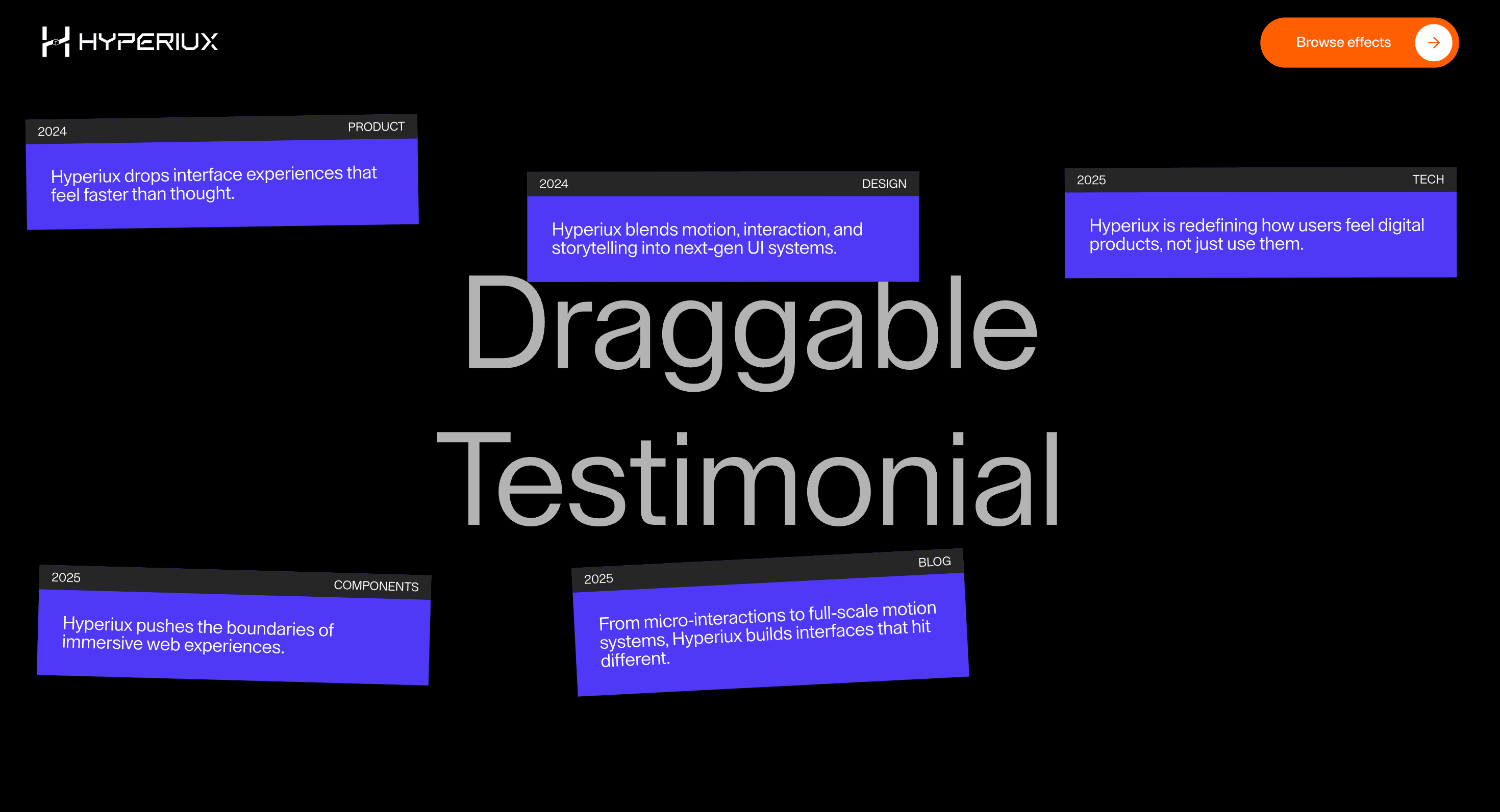
Card Drift gives a set of cards a slow, low-amplitude drift so a proof grid or feature row feels alive without asking for attention.
Use Card Drift on testimonial walls, logo or feature grids, and portfolio tiles where a hint of independent motion adds life to otherwise static cards. The drift should earn its place through state clarity, semantics, and task usefulness, not decoration.
In production, the risk is distraction. The drift has to stay subtle, pause when the section is offscreen or motion is reduced, and never pull focus from the card content or its links, and every state change should remain clear under keyboard, mobile, and reduced-motion conditions.
Install Command
This is a Pro Effect.
You can preview it now. Upgrade to Pro for instant install access.
Usage Code
This is a Pro Effect.
You can preview it now. Upgrade to Pro for instant install access.
Component Code
This is a Pro Effect.
You can preview it now. Upgrade to Pro for instant install access.
This is a Pro Effect.
You can preview it now. Upgrade to Pro for instant install access.
Example Production Use Case
A SaaS landing page can use Card Drift on a row of customer-proof cards so the section feels considered rather than static, while every logo, quote, and link stays readable and clickable.
Best Used For
- Proof and testimonial grids where gentle motion makes a static section feel intentional.
- Feature or logo rows that would otherwise sit flat, where drift adds life without hiding content.
- Portfolio and case-study tiles where subtle independent movement signals craft on the first screen.
Not For
Not for pricing, comparison, or dense reading sections where cards need to stay perfectly still for scanning.
Performance Budget
Keep drift slow and low-amplitude, pause offscreen, animate transform only, and avoid per-card effects that repaint the full grid.
Accessibility and Mobile
Do not move focused cards unpredictably. On mobile and reduced motion, freeze the cards or use a static grid.
Common Mistakes
- Letting decorative drift pull attention away from the proof copy.
- Animating cards while a keyboard user is focused inside them.
- Using drift to compensate for weak card content.
Changelog
v1.0.1
Jul 30, 2026Added reduced-motion support and configurable visual and motion controls.
v1.0.0
Jul 24, 2026Initial release
Props
| Prop | Type | Default | Description |
|---|---|---|---|
backgroundColor | color | #000000 | Background color for the draggable card field. |
backgroundTextColor | color | #ffffff | Color of the large background label. |
cardColor | color | #4f46e5 | Background color for each draggable card. |
cardTextColor | color | #ffffff | Text color for each draggable card. |
barColor | color | #262626 | Background color for each card's tag bar. |
driftAmount | number | 30 | Initial scatter and drag throw distance for cards. |
smoothness | number | 0.7 | Release and scale smoothing duration for each dragged card. |
Frequently Asked Questions
When should I use Card Drift?
Use it when a creative content group needs cards drifting just enough to feel alive without harming readability.
How should Card Drift stay readable and focus-safe?
Keep each drifting card as normal HTML with visible headings, text, links, and focus states. Pause or freeze movement while a user is focused inside the card.
How should Card Drift simplify on mobile?
Use a static grid or a very subtle transform-free layout. Card movement should not make small touch targets or proof copy harder to use.
Can Card Drift improve proof or feature grids?
Yes, when a light drift makes proof cards feel alive without competing with the message. It hurts when it becomes motion for weak content.
What should reduced motion do for Card Drift?
Freeze the cards in a clean grid and keep all content, links, and focus states unchanged.
Request a Custom Creative Component Animation
Need a custom effect? Tell us what to create.


