Loading
Circular Split Roll
A spatial slider that moves related items around a central focus point for product groups, service clusters, and curated showcases.
Published On: February 10, 2026
Last Updated: August 17, 2026
GSAPLenis
Overview
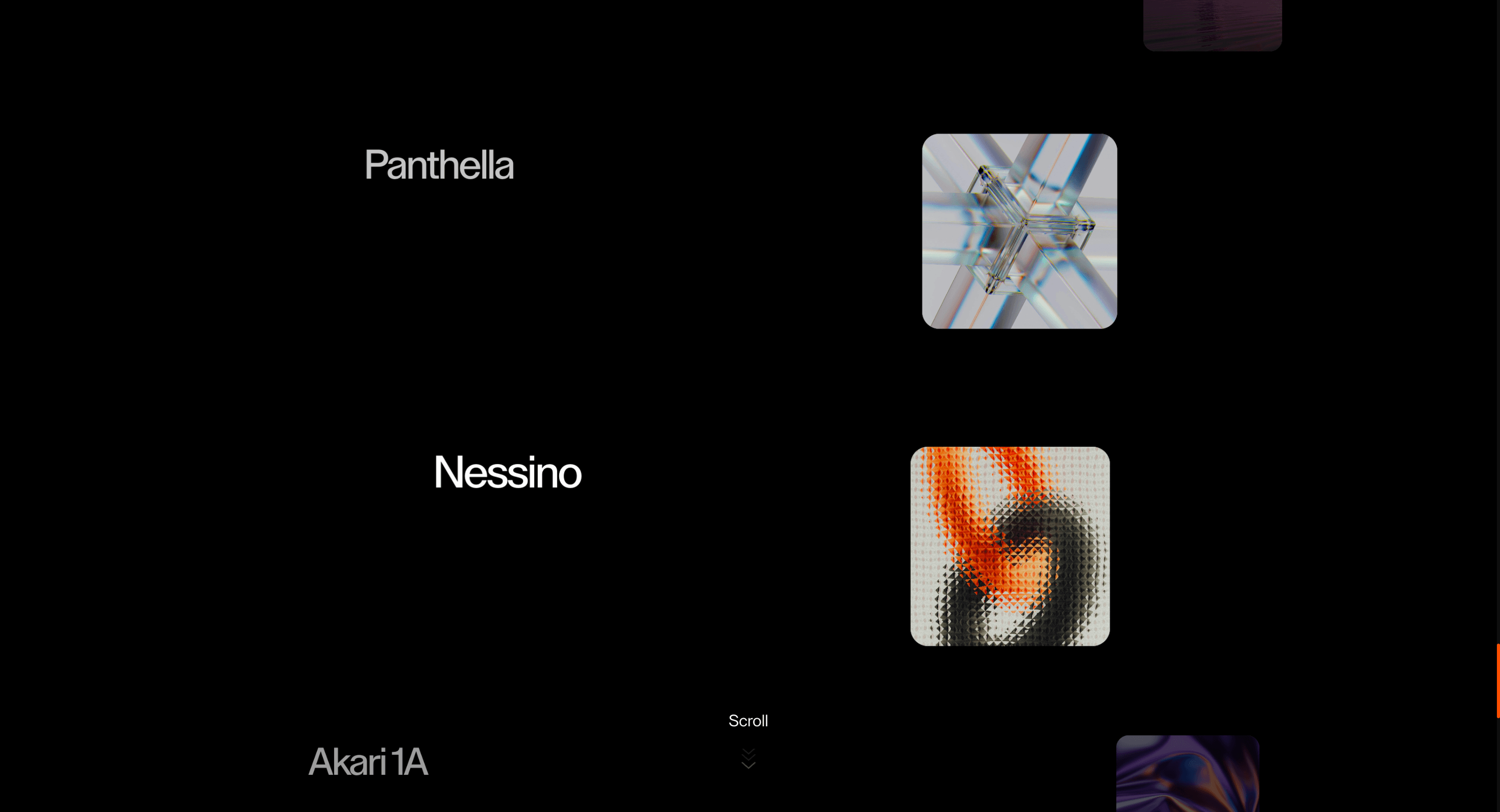
Circular Split Roll moves items around a center of attention. It is useful when the work should feel collected, not scattered.
Use Circular Split Roll when content should rotate through focus instead of sliding in a straight line. Portfolio and product showcases can use it when the relationship between items matters as much as the active item. The page job is hierarchy: the current item takes focus while the surrounding set remains visible.
The risk in production is orientation. Orbit motion can confuse users if the active item, controls, and reading order are not obvious after each rotation.
Install Command
npx hyperiux add circular-split-rollUsage Code
page.jsx
import CircularSplitRoll from "@/components/effects/circular-split-roll";

export default function Page() {
  return (
    <>
      <CircularSplitRoll />
    </>
  );
}
Component Code
index.jsx
// Built using Hyperiux Vault: https://vault.hyperiux.com
"use client";
import React, { useEffect, useState } from "react";
import { ReactLenis } from "lenis/react";
import { CircularSplitRollComp } from "./CircularSplitRollComp";
const TABLET_BREAKPOINT = 1024;
const ROLL_CONFIG = {
    sectionHeight: 100,
    leftRadiusX: 500,
    leftRadiusY: 500,
    rightRadiusX: 500,
    rightRadiusY: 500,
    imageCardWidth: 205,
    imageCardHeight: 205,
    scrub: 1.2,
    textCenterScale: 1,
    textSideScale: 0.68,
    textSideOpacity: 0.18,
    imageCenterScale: 1,
    imageSideScale: 0.58,
    imageSideOpacity: 0.14,
};
const showcaseItems = [
    {
        title: "Vuelta",
        image: "https://pub-8abee449136941f5b0a1cd2c014534e9.r2.dev/vault-listing-images/assets-images/v-01.jpg",
        alt: "Vuelta lamp",
    },
    {
        title: "JH42",
        image: "https://pub-8abee449136941f5b0a1cd2c014534e9.r2.dev/vault-listing-images/assets-images/v-02.jpg",
        alt: "JH42 lamp",
    },
    {
        title: "Hay",
        image: "https://pub-8abee449136941f5b0a1cd2c014534e9.r2.dev/vault-listing-images/assets-images/v-03.jpg",
        alt: "Hay product",
    },
    {
        title: "Teresa",
        image: "https://pub-8abee449136941f5b0a1cd2c014534e9.r2.dev/vault-listing-images/assets-images/h-08.jpg",
        alt: "Teresa lamp",
    },
    {
        title: "Tahiti",
        image: "https://pub-8abee449136941f5b0a1cd2c014534e9.r2.dev/vault-listing-images/assets-images/h-14.jpg",
        alt: "Tahiti lamp",
    },
    {
        title: "Akari 1A",
        image: "https://pub-8abee449136941f5b0a1cd2c014534e9.r2.dev/vault-listing-images/assets-images/v-06.jpg",
        alt: "Akari 1A lamp",
    },
    {
        title: "Nessino",
        image: "https://pub-8abee449136941f5b0a1cd2c014534e9.r2.dev/vault-listing-images/assets-images/v-07.jpg",
        alt: "Nessino lamp",
    },
    {
        title: "Panthella",
        image: "https://pub-8abee449136941f5b0a1cd2c014534e9.r2.dev/vault-listing-images/assets-images/v-08.jpg",
        alt: "Panthella lamp",
    },
    {
        title: "Bellhop",
        image: "https://pub-8abee449136941f5b0a1cd2c014534e9.r2.dev/vault-listing-images/assets-images/h-01.jpg",
        alt: "Bellhop lamp",
    },
    {
        title: "Flowerpot",
        image: "https://pub-8abee449136941f5b0a1cd2c014534e9.r2.dev/vault-listing-images/assets-images/h-06.jpg",
        alt: "Flowerpot lamp",
    },
];
function useIsDesktop() {
    const [isDesktop, setIsDesktop] = useState(false);
    const [hasMounted, setHasMounted] = useState(false);
    useEffect(() => {
        const updateViewport = () => {
            setIsDesktop(window.innerWidth > TABLET_BREAKPOINT);
            setHasMounted(true);
        };
        updateViewport();
        window.addEventListener("resize", updateViewport);
        return () => {
            window.removeEventListener("resize", updateViewport);
        };
    }, []);
    return hasMounted && isDesktop;
}
export default function CircularSplitRoll({ radius = 500, cardSize = 205, textSideScale = 0.68, textSideOpacity = 0.18, }) {
    const isDesktop = useIsDesktop();
    return (<ReactLenis root options={{
            infinite: isDesktop,
        }}>
      <main>
        <CircularSplitRollComp items={showcaseItems} sectionHeight={ROLL_CONFIG.sectionHeight} leftRadiusX={radius} leftRadiusY={radius} rightRadiusX={radius} rightRadiusY={radius} imageCardWidth={cardSize} imageCardHeight={cardSize} scrub={ROLL_CONFIG.scrub} textCenterScale={ROLL_CONFIG.textCenterScale} textSideScale={textSideScale} textSideOpacity={textSideOpacity} imageCenterScale={ROLL_CONFIG.imageCenterScale} imageSideScale={ROLL_CONFIG.imageSideScale} imageSideOpacity={ROLL_CONFIG.imageSideOpacity}/>
      </main>

    </ReactLenis>);
}
CircularSplitRollComp.jsx
"use client";
import React, { useEffect, useMemo, useRef, useState } from "react";
import gsap from "gsap";
import { ScrollTrigger } from "gsap/ScrollTrigger";
function usePrefersReducedMotion() {
const [prefersReducedMotion, setPrefersReducedMotion] = useState(false);
useEffect(() => {
const mediaQuery = window.matchMedia("(prefers-reduced-motion: reduce)");
const update = () => setPrefersReducedMotion(mediaQuery.matches);
update();
mediaQuery.addEventListener("change", update);
return () => mediaQuery.removeEventListener("change", update);
}, []);
return prefersReducedMotion;
}
const DESKTOP_WIDTH = 1200;
const TABLET_MIN_WIDTH = 768;
const LEFT_DEPTH_MAX = 30;
const RIGHT_DEPTH_MAX = 40;
const DEPTH_MIN = -1;
const DEPTH_MAX = 1;
const Z_INDEX_MIN = 1;
const LEFT_ANGLE_OFFSET = Math.PI;
const RIGHT_ANGLE_OFFSET = -Math.PI * 0.08;
gsap.registerPlugin(ScrollTrigger);
function wrapProgress(value) {
let wrappedValue = value % 1;
if (wrappedValue < 0) {
wrappedValue += 1;
}
return wrappedValue;
}
function getCircularPosition(progress, radiusX, radiusY, angleOffset = 0) {
const angle = progress * Math.PI * 2 + angleOffset;
return {
angle,
x: Math.sin(angle) * radiusX,
y: Math.cos(angle) * radiusY,
verticalDepth: Math.cos(angle),
horizontalDepth: Math.sin(angle),
};
}
function getStrength(value) {
return gsap.utils.clamp(0, 1, gsap.utils.mapRange(DEPTH_MIN, DEPTH_MAX, 0, 1, value));
}
function shapeFocus(strength, start = 0.42, power = 2.8) {
const normalized = gsap.utils.clamp(0, 1, (strength - start) / (1 - start));
return Math.pow(normalized, power);
}
export function CircularSplitRollComp({ items = [], className = "", sectionHeight = 260, leftRadiusX = 220, leftRadiusY = 220, rightRadiusX = 400, rightRadiusY = 400, imageCardWidth = 190, imageCardHeight = 210, titleSize = "clamp(28px, 3vw, 56px)", pinSpacing = true, scrub = 1.2, textCenterScale = 1, textSideScale = 0.68, textCenterOpacity = 1, textSideOpacity = 0.18, imageCenterScale = 1, imageSideScale = 0.58, imageCenterOpacity = 1, imageSideOpacity = 0.14, textFocusStart = 0.42, textFocusPower = 2.6, imageFocusStart = 0.45, imageFocusPower = 3.2, gridImageClassName = "", gridCardClassName = "", gridTitleClassName = "", }) {
const rootRef = useRef(null);
const stickyRef = useRef(null);
const progressRef = useRef(0);
const reducedMotion = usePrefersReducedMotion();
const safeItems = useMemo(() => {
return items.map((item, index) => ({
id: item.id ?? index,
title: item.title ?? `Item ${index + 1}`,
image: item.image ?? "",
alt: item.alt ?? item.title ?? `Item ${index + 1}`,
}));
}, [items]);
useEffect(() => {
if (!rootRef.current || !stickyRef.current)
return;
const mm = gsap.matchMedia();
mm.add("(min-width: 769px)", () => {
const ctx = gsap.context(() => {
const leftNodes = gsap.utils.toArray(".circular-scroll-showcase__left-item");
const rightNodes = gsap.utils.toArray(".circular-scroll-showcase__right-item");
const total = safeItems.length;
if (!total)
return;
gsap.set([...leftNodes, ...rightNodes], { opacity: 1 });
const render = (scrollProgress) => {
progressRef.current = scrollProgress;
const width = typeof window !== "undefined" ? window.innerWidth : DESKTOP_WIDTH;
let factor = 1;
if (width < DESKTOP_WIDTH && width >= TABLET_MIN_WIDTH) {
factor = width / DESKTOP_WIDTH;
}
const leftRadiusScaledX = leftRadiusX * factor;
const leftRadiusScaledY = leftRadiusY * factor;
const rightRadiusScaledX = rightRadiusX * factor;
const rightRadiusScaledY = rightRadiusY * factor;
if (rootRef.current) {
rootRef.current.style.setProperty("--css-card-width", `${imageCardWidth * factor}px`);
rootRef.current.style.setProperty("--css-card-height", `${imageCardHeight * factor}px`);
}
leftNodes.forEach((node, index) => {
const localProgress = wrapProgress(index / total - scrollProgress);
const position = getCircularPosition(localProgress, leftRadiusScaledX, leftRadiusScaledY, LEFT_ANGLE_OFFSET);
const rawStrength = getStrength(position.horizontalDepth);
const focusStrength = shapeFocus(rawStrength, textFocusStart, textFocusPower);
const scale = gsap.utils.interpolate(textSideScale, textCenterScale, focusStrength);
const opacity = gsap.utils.interpolate(textSideOpacity, textCenterOpacity, focusStrength);
const zIndex = Math.round(gsap.utils.interpolate(Z_INDEX_MIN, LEFT_DEPTH_MAX, focusStrength));
gsap.set(node, {
x: position.x,
y: position.y,
scale,
opacity,
zIndex,
transformOrigin: "50% 50%",
});
});
rightNodes.forEach((node, index) => {
const localProgress = wrapProgress(index / total - scrollProgress);
const position = getCircularPosition(localProgress, rightRadiusScaledX, rightRadiusScaledY, RIGHT_ANGLE_OFFSET);
const rawStrength = getStrength(-position.horizontalDepth);
const focusStrength = shapeFocus(rawStrength, imageFocusStart, imageFocusPower);
const scale = gsap.utils.interpolate(imageSideScale, imageCenterScale, focusStrength);
const opacity = gsap.utils.interpolate(imageSideOpacity, imageCenterOpacity, focusStrength);
const zIndex = Math.round(gsap.utils.interpolate(Z_INDEX_MIN, RIGHT_DEPTH_MAX, focusStrength));
gsap.set(node, {
x: position.x,
y: position.y,
scale,
opacity,
zIndex,
transformOrigin: "50% 50%",
});
});
};
render(0);
const scrollTrigger = ScrollTrigger.create({
trigger: rootRef.current,
start: "top top",
end: `+=${sectionHeight * safeItems.length}%`,
pin: stickyRef.current,
scrub,
pinSpacing,
invalidateOnRefresh: true,
onUpdate: (self) => {
render(self.progress);
},
});
const onResize = () => {
render(progressRef.current);
scrollTrigger.refresh();
};
window.addEventListener("resize", onResize);
return () => {
window.removeEventListener("resize", onResize);
scrollTrigger.kill();
};
}, rootRef);
return () => ctx.revert();
});
return () => mm.revert();
}, [
safeItems,
scrub,
pinSpacing,
sectionHeight,
leftRadiusX,
leftRadiusY,
rightRadiusX,
rightRadiusY,
imageCardWidth,
imageCardHeight,
textCenterScale,
textSideScale,
textCenterOpacity,
textSideOpacity,
imageCenterScale,
imageSideScale,
imageCenterOpacity,
imageSideOpacity,
textFocusStart,
textFocusPower,
imageFocusStart,
imageFocusPower,
]);
return (<section ref={rootRef} className={`relative min-h-screen w-full overflow-clip bg-black text-white ${className}`} style={{
"--css-title-size": titleSize,
"--css-card-width": `${imageCardWidth}px`,
"--css-card-height": `${imageCardHeight}px`,
}}>
<div ref={stickyRef} className="relative h-screen w-full overflow-hidden max-[1025px]:hidden">
<div className="relative mx-auto flex h-full w-full">
<div className="relative flex h-full w-[50vw] translate-x-[-60%] items-center justify-center">
<div className="relative h-[78vh]">
{safeItems.map((item) => (<div key={item.id} className="circular-scroll-showcase__left-item pointer-events-none absolute left-1/2 top-1/2 w-full origin-center whitespace-nowrap text-center text-(length:--css-title-size,clamp(28px,3vw,56px)) font-medium leading-none tracking-[-0.04em] opacity-0 will-change-[transform,opacity]">
{item.title}
</div>))}
</div>
</div>
<div className="relative flex h-full w-[50vw] translate-x-[50%] items-center justify-center">
<div className="relative h-[78vh]">
{safeItems.map((item) => (<div key={item.id} className="circular-scroll-showcase__right-item absolute left-1/2 top-1/2 ml-[calc(var(--css-card-width,210px)*-0.5)] mt-[calc(var(--css-card-height,210px)*-0.5)] h-(--css-card-height,210px) w-(--css-card-width,210px) origin-center opacity-0 will-change-[transform,opacity]">
<div className="relative h-full w-full overflow-hidden rounded-[18px] bg-[#f5f2eb] shadow-[0_30px_60px_rgba(0,0,0,0.28),0_8px_20px_rgba(0,0,0,0.16)]">
<img src={item.image} alt={item.alt} className="pointer-events-none block h-full w-full select-none object-cover absolute inset-0" draggable="false"/>
</div>
</div>))}
</div>
</div>
</div>
</div>
<div className="hidden w-full px-5 py-10 max-[1025px]:block max-md:px-4 max-md:py-8">
<div className="mx-auto grid w-full max-w-5xl grid-cols-3 gap-5 max-md:grid-cols-2 max-md:gap-4">
{safeItems.map((item) => (<article key={item.id} className={`w-full ${gridCardClassName}`}>
<div className={`relative aspect-square w-full overflow-hidden rounded-[18px] bg-[#f5f2eb] shadow-[0_18px_38px_rgba(0,0,0,0.28)] max-md:rounded-[14px] ${gridImageClassName}`}>
<img src={item.image} alt={item.alt} className="block h-full w-full object-cover absolute inset-0" draggable="false"/>
</div>
<h3 className={`mt-3 text-center text-[clamp(18px,4vw,30px)] font-medium leading-none tracking-[-0.04em] text-white max-md:mt-2 max-md:text-[clamp(16px,5vw,24px)] ${gridTitleClassName}`}>
{item.title}
</h3>
</article>))}
</div>
</div>
{reducedMotion && (<div aria-live="polite" className="pointer-events-none fixed bottom-6 right-6 z-60 w-fit max-w-[min(90vw,26rem)] rounded-md border border-black/10 bg-white p-6 text-center shadow-sm">
<h2 className="text-[1.15vw] max-[1025px]:text-[2vw] max-md:text-[3.5vw] leading-none text-black">
This effect can't be reduced.
</h2>
<p className="mx-auto mt-4 text-sm leading-6 text-black">
Reduced motion is enabled, but this effect relies on continuous
rotation around a circular path as you scroll, and can't be
simplified to a fade without losing the effect entirely.
</p>
</div>)}
</section>);
}
export default CircularSplitRollComp;
Example Production Use Case
A product showcase page grouping related modules: Circular Split Roll keeps the active module in focus while showing the surrounding set as context. The outcome is hierarchy: visitors see what matters now without losing the system around it.
Best Used For
- Small product or service groups where one active item should stay framed by its surrounding context.
- Small groups of related services or products gathered around a theme.
- Circular Split Roll creates a concrete scroll outcome that a static section would not deliver.
Not For
Not for large product sets, pricing choices, or items that users need to compare side by side.
Not for product groups where orbiting motion makes hierarchy less obvious.
Performance Budget
Animate transform and opacity, avoid layout reads in scroll handlers, pre-size media, and clean up timelines/listeners when the route changes.
Accessibility and Mobile
The animated sequence must match DOM order. On mobile, replace pinned or horizontal mechanics with stacked sections, native swipe, or static cards.
Common Mistakes
- Creating an orbit without a meaningful center.
- Letting surrounding items obscure the active item.
- Using circular motion for content that needs fast scanning.
Changelog
v1.0.1
Jul 24, 2026Added reduced motion support.
v1.0.0
Feb 10, 2026Initial release
Props
| Prop | Type | Default | Description |
|---|---|---|---|
radius | number | 500 | Radius of both rotating rings. |
cardSize | number | 205 | Size of the right-rail image cards. |
textSideScale | number | 0.68 | Title scale away from the center. |
textSideOpacity | number | 0.18 | Title opacity away from the center. |
Frequently Asked Questions
What makes Circular Split Roll different from a standard scroll reveal?
Items move around a shared center of attention, so the set feels collected around a focal point rather than listed. Circular implies orbit, relationship and gravity. Use it when work should feel gathered, not scattered.
How should Circular Split Roll simplify on mobile devices?
Circular arrangements crowd a small screen, so collapse the orbit into a linear, swipeable sequence. Keep one item clearly primary at a time. Reduced-motion users see the items as a static ordered set.
What should developers test before shipping Circular Split Roll?
Confirm the rotation doesn't disturb focus order, that orbiting items don't overlap illegibly, and that the effect cleans up on navigation. Test with the real number of items. Verify the linear fallback is complete.
Which content structure works best with Circular Split Roll?
A small group of related items that share a theme; services around a value, products around a hero. It's wrong for long or unrelated lists. Keep the center meaningful so the orbit has a reason.
When should I avoid Circular Split Roll even if the preview looks good?
Avoid it for many items, for content that must be scanned quickly, or where the circular motion competes with reading. If there's no genuine center to orbit, the layout is just spinning. Skip it on utility pages.
Request a Custom Scroll Effect
Need a custom effect? Tell us what to create.


