Loading
Dot Transition
A dot-matrix text animation for logo reveals, technical intros, loading-adjacent moments, and digital brand sections where typography should feel constructed from a grid.
canvas
Overview
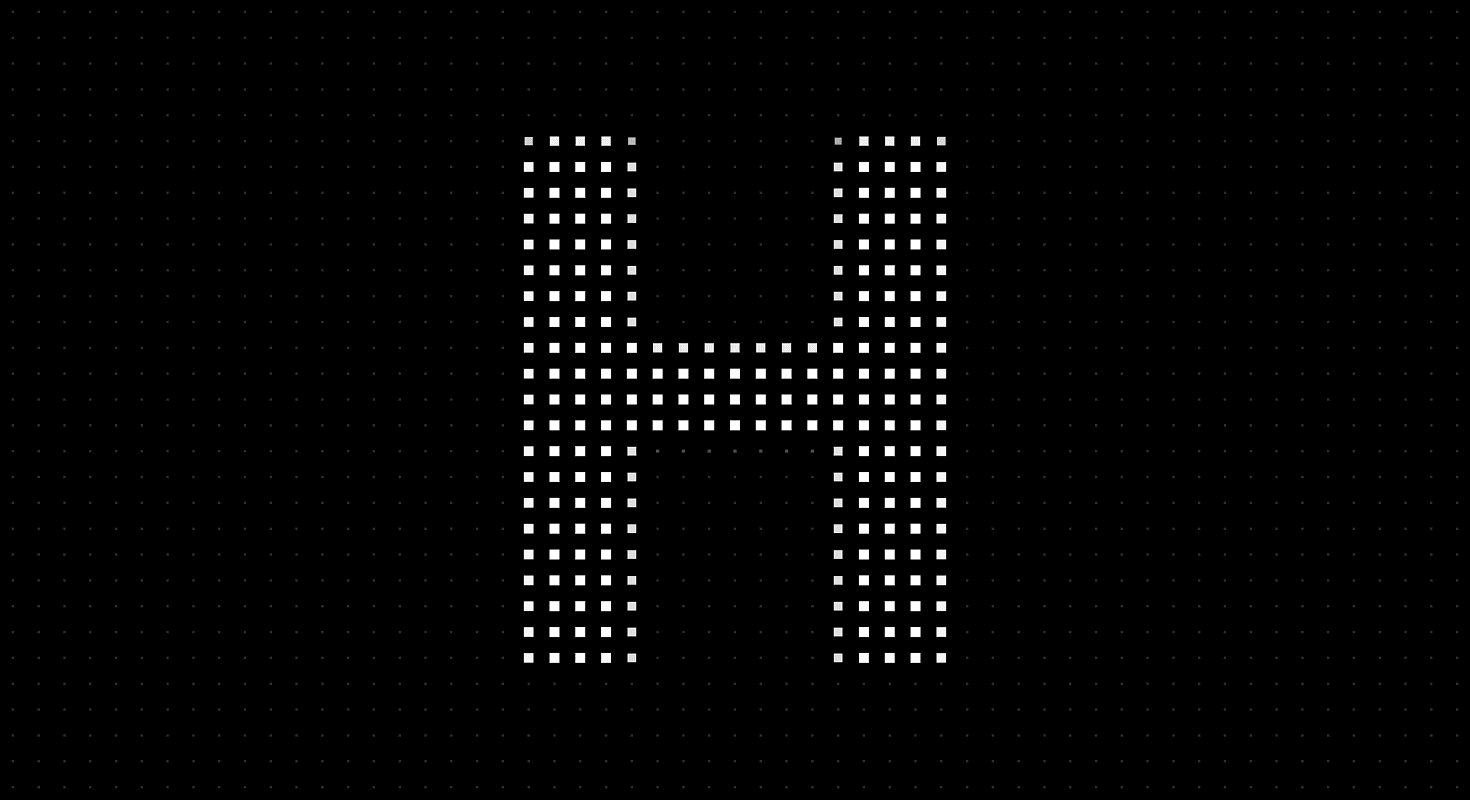
Dot Transition turns text into a grid-based reveal.
Dots grow, shrink, brighten, and settle to form letters or short symbols. The surrounding grid can remain visible as a quiet technical surface while selected dots become the active letterform. The result feels mechanical, computational, and precise without requiring a full canvas-heavy scene.
Use Dot Transition when a brand mark, initial, product name, or short word should appear through a structured digital system. It fits AI products, developer tools, cybersecurity pages, infrastructure brands, data products, technical portfolios, and launch screens where a dot grid already belongs to the visual language.
The page job is formation. The visitor should feel the letter being built from smaller units, then read the result immediately. The effect should create a moment of assembly, not a puzzle where the user waits for dots to finish discussing their career options.
Install Command
npx hyperiux add dot-transitionUsage Code
page.jsx
import DotTransition from '@/components/effects/dot-transition'

const page = () => {
 return (
 <div>
 <DotTransition/>
 </div>
 )
}

export default page
Component Code
index.jsx
// Built using Hyperiux Vault: https://vault.hyperiux.com
"use client";
import { useEffect, useRef } from "react";
const DEFAULT_ROOT_MARGIN = "256px";
function resolveElement(root) {
    if (!root)
        return null;
    if (typeof root === "function")
        return root() ?? null;
    if (typeof root === "object" && "current" in root)
        return root.current ?? null;
    return root;
}
function createVisibilityGate({ root = null, rootMargin = DEFAULT_ROOT_MARGIN, threshold = 0, observeTab = true, observeOffscreen = true, onChange, } = {}) {
    let tabVisible = typeof document === "undefined" ? true : !document.hidden;
    // Match border-beam: assume onscreen until the observer reports otherwise.
    let onscreen = true;
    let destroyed = false;
    let observer = null;
    const isActive = () => {
        if (destroyed)
            return false;
        if (observeTab && !tabVisible)
            return false;
        if (observeOffscreen && resolveElement(root) && !onscreen)
            return false;
        return true;
    };
    let lastActive = isActive();
    const emit = () => {
        if (destroyed)
            return;
        const next = isActive();
        if (next === lastActive)
            return;
        lastActive = next;
        onChange?.(next);
    };
    const onVisibilityChange = () => {
        tabVisible = !document.hidden;
        emit();
    };
    if (observeTab && typeof document !== "undefined") {
        document.addEventListener("visibilitychange", onVisibilityChange);
    }
    const bindObserver = () => {
        if (!observeOffscreen || typeof IntersectionObserver === "undefined") {
            return;
        }
        const el = resolveElement(root);
        if (!el)
            return;
        observer = new IntersectionObserver((entries) => {
            for (const entry of entries) {
                onscreen = entry.isIntersecting;
            }
            emit();
        }, { rootMargin, threshold });
        observer.observe(el);
    };
    bindObserver();
    return {
        /** Whether the animation should currently run. */
        get isActive() {
            return isActive();
        },
        /**
         * Re-bind IntersectionObserver after the root element mounts late
         * (e.g. ref not ready on first call). Safe to call multiple times.
         */
        observe(nextRoot) {
            if (destroyed)
                return;
            if (nextRoot != null)
                root = nextRoot;
            if (observer) {
                observer.disconnect();
                observer = null;
            }
            onscreen = true;
            bindObserver();
            emit();
        },
        destroy() {
            if (destroyed)
                return;
            destroyed = true;
            if (observeTab && typeof document !== "undefined") {
                document.removeEventListener("visibilitychange", onVisibilityChange);
            }
            if (observer) {
                observer.disconnect();
                observer = null;
            }
        },
    };
}
/**
 * Owns a requestAnimationFrame loop that auto-pauses when the tab is hidden
 * or the root element is offscreen.
 */
function createSuspendedRaf({ onFrame, root = null, rootMargin = DEFAULT_ROOT_MARGIN, threshold = 0, observeTab = true, observeOffscreen = true, }) {
    if (typeof onFrame !== "function") {
        throw new TypeError("createSuspendedRaf: onFrame is required");
    }
    let rafId = null;
    let running = false;
    let destroyed = false;
    const stopRaf = () => {
        if (rafId != null) {
            cancelAnimationFrame(rafId);
            rafId = null;
        }
    };
    const tick = (time) => {
        rafId = null;
        if (destroyed || !running || !gate.isActive)
            return;
        onFrame(time);
        if (!destroyed && running && gate.isActive) {
            rafId = requestAnimationFrame(tick);
        }
    };
    const sync = () => {
        if (destroyed)
            return;
        if (running && gate.isActive) {
            if (rafId == null) {
                rafId = requestAnimationFrame(tick);
            }
        }
        else {
            stopRaf();
        }
    };
    const gate = createVisibilityGate({
        root,
        rootMargin,
        threshold,
        observeTab,
        observeOffscreen,
        onChange: sync,
    });
    return {
        /** Start (or resume) the loop when visibility allows. */
        start() {
            if (destroyed)
                return;
            running = true;
            sync();
        },
        /** Stop requesting frames (visibility listeners stay attached until destroy). */
        stop() {
            running = false;
            stopRaf();
        },
        /** Whether the caller has started the loop (may still be paused by visibility). */
        get isRunning() {
            return running;
        },
        /** Whether a frame is currently allowed to schedule. */
        get isActive() {
            return gate.isActive;
        },
        /** Re-attach offscreen observer to a (new) root element. */
        observe(nextRoot) {
            gate.observe(nextRoot);
            sync();
        },
        /** Tear down listeners and cancel any pending frame. */
        destroy() {
            if (destroyed)
                return;
            destroyed = true;
            running = false;
            stopRaf();
            gate.destroy();
        },
    };
}
export { createSuspendedRaf, createVisibilityGate, DEFAULT_ROOT_MARGIN, };
const DEFAULT_SPACING = 26;
const DEFAULT_DOT_SIZE = 2.4;
const DEFAULT_MAX_DOT_SIZE = 10;
const DEFAULT_GROW_DURATION = 1.8;
const DEFAULT_HOLD_DURATION = 0.05;
const DEFAULT_SHRINK_DURATION = 1.8;
const DEFAULT_GAP_DURATION = 0.2;
// Fixed, quick crossfade for prefers-reduced-motion - independent of
// growDuration/shrinkDuration so reduced motion always feels snappy.
const REDUCED_MOTION_FADE_DURATION = 0.7;
// How long a fully revealed shape stays on screen in reduced motion -
// independent of holdDuration, which defaults to a near-instant 0.05s.
const REDUCED_MOTION_HOLD_DURATION = 1.6;
const DEFAULT_DOT_COLOR = "#ffffff";
const DEFAULT_BACKGROUND_COLOR = "#000000";
// Where the reveal/collapse band is anchored, as a fraction of height -
// shapes grow upward+downward from this line and later drain back into it.
const DEFAULT_REVEAL_ANCHOR = 0.5;
const clamp01 = (v) => Math.max(0, Math.min(1, v));
const lerp = (a, b, t) => a + (b - a) * t;
const smoothstep = (e0, e1, v) => {
    const t = clamp01((v - e0) / (e1 - e0));
    return t * t * (3 - 2 * t);
};
const smootherstep = (e0, e1, v) => {
    const t = clamp01((v - e0) / (e1 - e0));
    return t * t * t * (t * (t * 6 - 15) + 10);
};
// Dots are painted via rgba() so alpha can be tweened per-frame - hex in,
// "r, g, b" out.
const hexToRgbTriplet = (hex) => {
    const normalized = hex.replace("#", "");
    const full = normalized.length === 3
        ? normalized.split("").map((c) => c + c).join("")
        : normalized;
    const num = parseInt(full, 16);
    return `${(num >> 16) & 255}, ${(num >> 8) & 255}, ${num & 255}`;
};
// Marks are drawn as fills, then downsampled onto the dot grid - only the
// silhouette matters, so any white-on-transparent artwork works here.
const toDataUri = (svg) => `data:image/svg+xml,${encodeURIComponent(svg)}`;
const letterMark = (letter) => toDataUri(`<svg xmlns="http://www.w3.org/2000/svg" viewBox="0 0 100 100"><text x="50" y="50" text-anchor="middle" dominant-baseline="central" font-family="Arial, Helvetica, sans-serif" font-weight="900" font-size="92" fill="#fff">${letter}</text></svg>`);
const DEFAULT_IMAGES = "HYPERIUX".split("").map(letterMark);
export default function DotTransition({ images = DEFAULT_IMAGES, spacing = DEFAULT_SPACING, dotSize = DEFAULT_DOT_SIZE, maxDotSize = DEFAULT_MAX_DOT_SIZE, growDuration = DEFAULT_GROW_DURATION, holdDuration = DEFAULT_HOLD_DURATION, shrinkDuration = DEFAULT_SHRINK_DURATION, gapDuration = DEFAULT_GAP_DURATION, revealAnchor = DEFAULT_REVEAL_ANCHOR, dotColor = DEFAULT_DOT_COLOR, backgroundColor = DEFAULT_BACKGROUND_COLOR, className = "", }) {
    const canvasRef = useRef(null);
    useEffect(() => {
        const canvas = canvasRef.current;
        const ctx = canvas.getContext("2d", { alpha: false });
        let width = 0;
        let height = 0;
        let dpr = Math.min(window.devicePixelRatio || 1, 2);
        let cols = 0;
        let rows = 0;
        let cellW = spacing;
        let cellH = spacing;
        let masks = [];
        let loadedCount = 0;
        let reduceMotion = window.matchMedia?.("(prefers-reduced-motion: reduce)")?.matches ?? false;
        const reduceMotionMq = window.matchMedia?.("(prefers-reduced-motion: reduce)");
        const handleReduceMotionChange = (event) => {
            reduceMotion = event.matches;
        };
        const offscreen = document.createElement("canvas");
        const offCtx = offscreen.getContext("2d", { willReadFrequently: true });
        const dotColorRgb = hexToRgbTriplet(dotColor);
        const imageEls = images.map(() => new window.Image());
        const buildMasks = () => {
            if (!cols || !rows || loadedCount < images.length)
                return;
            offscreen.width = cols;
            offscreen.height = rows;
            masks = imageEls.map((img) => {
                offCtx.clearRect(0, 0, cols, rows);
                if (img.naturalWidth && img.naturalHeight) {
                    const scale = Math.min(cols / img.naturalWidth, rows / img.naturalHeight);
                    const w = img.naturalWidth * scale;
                    const h = img.naturalHeight * scale;
                    offCtx.drawImage(img, (cols - w) / 2, (rows - h) / 2, w, h);
                }
                const data = offCtx.getImageData(0, 0, cols, rows).data;
                const mask = new Float32Array(cols * rows);
                for (let i = 0; i < cols * rows; i++) {
                    const r = data[i * 4];
                    const g = data[i * 4 + 1];
                    const b = data[i * 4 + 2];
                    const a = data[i * 4 + 3];
                    mask[i] = ((r + g + b) / (3 * 255)) * (a / 255);
                }
                return mask;
            });
        };
        images.forEach((src, i) => {
            const img = imageEls[i];
            img.crossOrigin = "anonymous";
            img.onload = () => {
                loadedCount++;
                buildMasks();
            };
            img.src = src;
        });
        const resize = () => {
            const rect = canvas.getBoundingClientRect();
            width = rect.width;
            height = rect.height;
            dpr = Math.min(window.devicePixelRatio || 1, 2);
            canvas.width = Math.floor(width * dpr);
            canvas.height = Math.floor(height * dpr);
            ctx.setTransform(dpr, 0, 0, dpr, 0, 0);
            cols = Math.max(1, Math.round(width / spacing));
            rows = Math.max(1, Math.round(height / spacing));
            cellW = width / cols;
            cellH = height / rows;
            buildMasks();
        };
        const state = {
            imageIndex: 0,
            phase: "grow",
            phaseStart: 0,
            shrinkStartProgress: 1,
        };
        // Progress as of the last drawn frame, so a click mid-grow can hand the
        // shrink a real starting point instead of assuming it was fully formed.
        let liveProgress = 0;
        const durationFor = (phase) => {
            if (phase === "grow")
                return growDuration;
            if (phase === "hold")
                return holdDuration;
            if (phase === "shrink")
                return shrinkDuration;
            return gapDuration;
        };
        const nextPhase = (phase) => {
            if (phase === "grow")
                return "hold";
            if (phase === "hold")
                return "shrink";
            if (phase === "shrink")
                return "gap";
            return "grow";
        };
        // Click advances things along rather than jumping straight to the next
        // letter - a visible shape leaves early, a hidden one (mid-gap) arrives
        // early - so nothing ever pops between states. The shrink it triggers
        // still plays at the normal shrinkDuration pace, it just starts right
        // away instead of waiting out the rest of grow/hold - and it starts from
        // wherever the shape actually was, not from "fully grown".
        const handleClick = () => {
            if (reduceMotion)
                return;
            if (state.phase === "grow" || state.phase === "hold") {
                state.shrinkStartProgress = liveProgress;
                state.phase = "shrink";
                state.phaseStart = 0;
            }
            else if (state.phase === "gap") {
                state.phase = "grow";
                state.phaseStart = 0;
                state.imageIndex = (state.imageIndex + 1) % images.length;
            }
        };
        const loop = createSuspendedRaf({
            root: canvas,
            onFrame: (ms) => {
                const time = ms * 0.001;
                ctx.fillStyle = backgroundColor;
                ctx.fillRect(0, 0, width, height);
                if (!cols || !rows || masks.length < images.length)
                    return;
                let progress;
                if (state.phaseStart === 0)
                    state.phaseStart = time;
                const elapsed = time - state.phaseStart;
                // Reduced motion skips the spatial grow/shrink wipe for a plain,
                // faster crossfade, and lingers longer on the fully revealed shape.
                const duration = reduceMotion
                    ? state.phase === "grow" || state.phase === "shrink"
                        ? REDUCED_MOTION_FADE_DURATION
                        : state.phase === "hold"
                            ? REDUCED_MOTION_HOLD_DURATION
                            : durationFor(state.phase)
                    : durationFor(state.phase);
                const t = duration > 0 ? clamp01(elapsed / duration) : 1;
                const eased = smootherstep(0, 1, t);
                if (state.phase === "grow")
                    progress = eased;
                else if (state.phase === "hold")
                    progress = 1;
                else if (state.phase === "shrink")
                    progress = lerp(state.shrinkStartProgress, 0, eased);
                else
                    progress = 0;
                if (elapsed >= duration) {
                    state.phaseStart = time;
                    const wasGap = state.phase === "gap";
                    state.phase = nextPhase(state.phase);
                    if (wasGap)
                        state.imageIndex = (state.imageIndex + 1) % images.length;
                    if (state.phase === "shrink") {
                        // Entered naturally from a full hold, so it's starting from
                        // fully grown - a click-triggered shrink sets this itself.
                        state.shrinkStartProgress = 1;
                    }
                }
                liveProgress = progress;
                const mask = masks[state.imageIndex];
                if (!mask)
                    return;
                // The reveal/collapse travels along y only: a band centered on the
                // anchor line grows outward (both up and down) as progress -> 1, and
                // drains back down onto the anchor as progress -> 0.
                const anchorPx = height * revealAnchor;
                const edgePx = Math.max(cellH * 2.6, 1);
                // Extra edgePx of headroom so the farthest row still lands inside the
                // fully-revealed zone at progress 1, instead of sitting on the fade.
                const maxExtentPx = Math.max(anchorPx, height - anchorPx) + cellH + edgePx;
                // Shifted so the front starts a full edge-width *behind* the anchor at
                // progress 0 - otherwise the front sits exactly on the anchor row and
                // the symmetric fade never drops below ~50% there, leaving a sliver
                // permanently visible instead of the shape fully disappearing.
                const bandRadius = progress * (maxExtentPx + edgePx) - edgePx;
                for (let ry = 0; ry < rows; ry++) {
                    const cy = cellH * (ry + 0.5);
                    // Reduced motion fades the whole shape uniformly instead of
                    // wiping it in/out from the anchor line.
                    const band = reduceMotion
                        ? progress
                        : 1 - smoothstep(bandRadius - edgePx, bandRadius + edgePx, Math.abs(cy - anchorPx));
                    for (let rx = 0; rx < cols; rx++) {
                        const active = mask[ry * cols + rx] * band;
                        const size = lerp(dotSize, maxDotSize, active);
                        const alpha = lerp(0.16, 1, active);
                        const cx = cellW * (rx + 0.5);
                        ctx.fillStyle = `rgba(${dotColorRgb}, ${alpha})`;
                        ctx.fillRect(cx - size / 2, cy - size / 2, size, size);
                    }
                }
            },
        });
        resize();
        window.addEventListener("resize", resize);
        reduceMotionMq?.addEventListener?.("change", handleReduceMotionChange);
        canvas.addEventListener("click", handleClick);
        loop.start();
        return () => {
            window.removeEventListener("resize", resize);
            reduceMotionMq?.removeEventListener?.("change", handleReduceMotionChange);
            canvas.removeEventListener("click", handleClick);
            imageEls.forEach((img) => {
                img.onload = null;
            });
            loop.destroy();
        };
    }, [images, spacing, dotSize, maxDotSize, growDuration, holdDuration, shrinkDuration, gapDuration, revealAnchor, dotColor, backgroundColor]);
    return (<section className={`relative h-screen w-full overflow-hidden ${className}`} style={{ backgroundColor }}>
      <canvas ref={canvasRef} className="block h-full w-full cursor-pointer"/>
    </section>);
}
Example Production Use Case
A developer-tool landing page can use Dot Transition as a product mark reveal near the hero or loading-adjacent intro. The letters form from a grid, hold briefly, then settle or hand off to the main headline.
The outcome is system identity. The brand feels technical because the typography behaves like it was generated from structure, not because someone added a random glow to a heading.
A cybersecurity page can use the same effect for access states, initials, short command labels, or section transitions where the grid language supports trust and precision.
Best Used For
- Logo initials, short brand marks, and compact product labels.
- AI, cybersecurity, developer-tool, infrastructure, and data product pages.
- Technical intros where text should form from a grid.
- Loading-adjacent moments where the animation is decorative, not fake progress.
- Dark interfaces where dot contrast can create a clean digital reveal.
Not For
Not for long words, paragraphs, documentation, legal text, pricing details, instructions, form labels, or critical messages.
Not for text that must be read instantly. Dot-matrix formation is atmospheric; it should not delay comprehension of important content.
Not for brands where the visual language is soft, editorial, luxury, or calm unless the dot system has been carefully styled to fit.
Performance Budget
Control grid density, dot size, and active dot count. Animate transform and opacity rather than layout properties. Cache grid positions where possible and avoid recalculating the whole matrix on every frame.
On lower-power devices, reduce spacing density, maximum dot scale, or transition frequency. A dot grid should feel engineered, not like it is mining cryptocurrency in the footer.
Accessibility and Mobile
Expose the actual character, word, or label as accessible text. Do not make assistive technology interpret decorative dots as content.
On mobile, reduce grid density, increase letter clarity, and shorten transition duration. For reduced motion, show the final readable text, static dot-letter state, or a non-animated mark without dot growth and shrink cycles.
Common Mistakes
- Using dot-matrix text for long copy.
- Making dots too small or too dense to read.
- Forgetting to provide a readable text equivalent.
- Animating too many dots at once without performance limits.
- Making the hold duration too short for the letter to register.
- Treating the dot grid as a real loading indicator when it is only decorative.
Changelog
v1.0.0
Aug 20, 2026Initial release
API Reference
| Prop | Type | Default | Description |
|---|---|---|---|
spacing | number | 26 | Distance between grid cells, in px. |
dotSize | number | 2.4 | Resting dot size, in px. |
maxDotSize | number | 10 | Fully "on" dot size, in px. |
growDuration | number | 1.8 | Seconds for a shape to grow in from the resting grid. |
holdDuration | number | 0.05 | Seconds a fully formed shape holds before shrinking away. |
shrinkDuration | number | 1.8 | Seconds for a shape to shrink back down to the resting grid. |
gapDuration | number | 0.2 | Seconds of plain resting grid between shrink and the next grow. |
revealAnchor | number | 0.5 | Where shapes grow from / collapse into, as a fraction of height (0 = top, 1 = bottom). |
dotColor | string | #ffffff | Hex color used for the dots. |
backgroundColor | string | #000000 | Background color behind the dot grid. |
Frequently Asked Questions
What is Dot Transition?
Dot Transition is a React text animation that forms letters, initials, or symbols from a grid of animated dots.
When should I use Dot Transition?
Use it for logo reveals, technical intros, short labels, brand initials, product marks, and digital sections where grid-based typography fits the visual system.
Is Dot Transition good for full sentences?
No. It works best for initials, short words, compact labels, and symbolic text. Full sentences become slow and hard to read.
Does Dot Transition require canvas?
It depends on the implementation. A dot grid can be built with DOM, SVG, or Canvas. Confirm the shipped component before assuming the rendering method.
How do I keep Dot Transition accessible?
Expose the meaningful letter or word as real text or an accessible label. Decorative dots should not be announced individually.
What should reduced motion do?
Reduced motion should show the final text or a static dot-letter state. Remove dot growth, shrink, repeated cycling, and long transition sequences.
Can Dot Transition be used as a loader?
Only if it is tied to a real loading state. Do not use it to imply fake progress. For decorative intros, describe it as a reveal, not a loader.
Can Hyperiux adapt Dot Transition for a real brand system?
Yes. A custom version should define grid density, dot size, character mapping, transition rhythm, contrast rules, mobile scaling, accessibility handling, reduced-motion fallback, source handoff, and implementation notes.
Request a Custom Background Animation
Need a custom effect? Tell us what to create.


