Loading
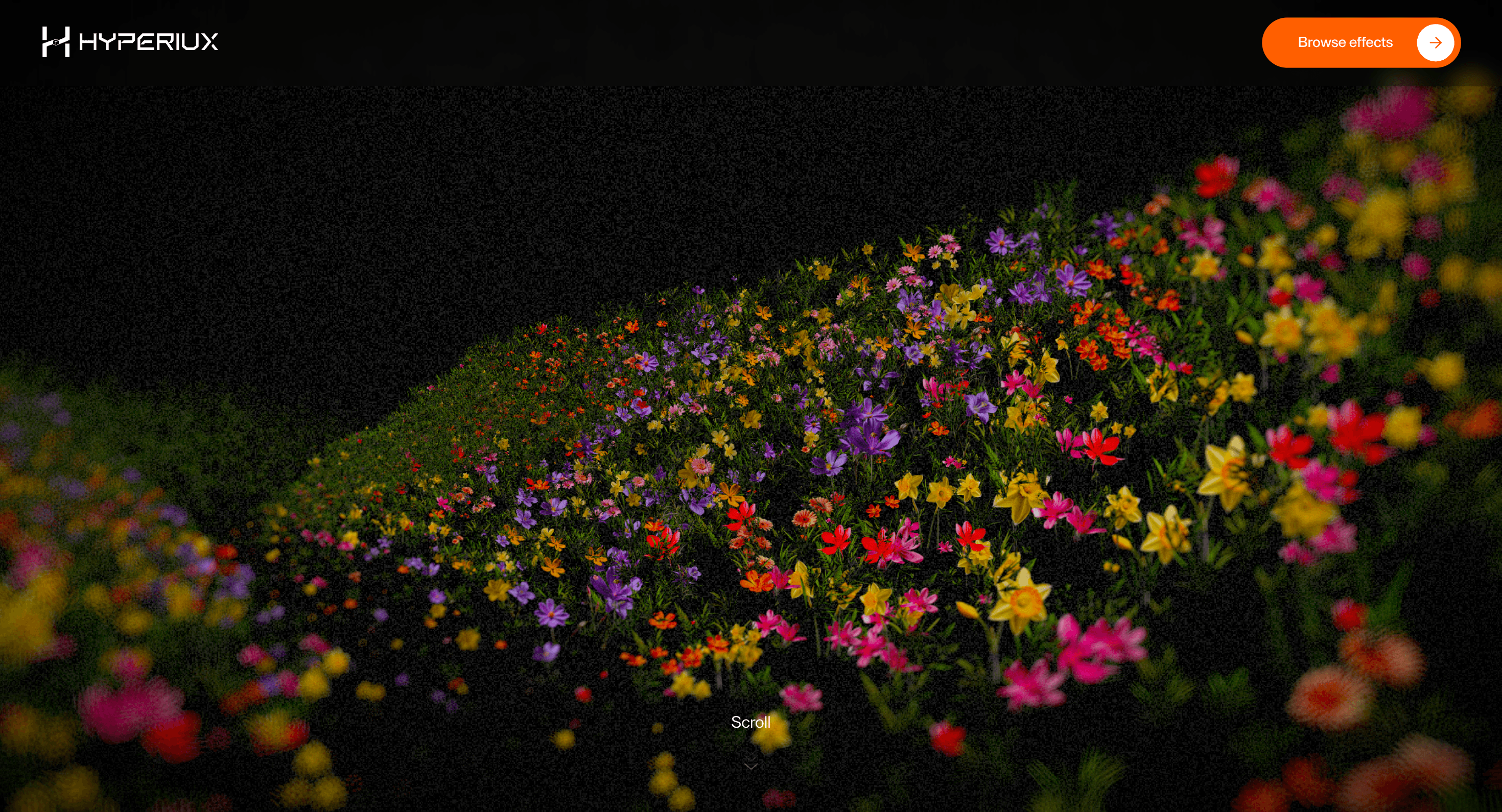
Progressive Bloom Valley
A WebGL hero effect with bloom, depth, and atmosphere for premium AI launches, product pages, and creative portfolio openings.
Published On: June 4, 2026
Last Updated: August 17, 2026
Three.jspostprocessing@react-three/drei@react-three/fiber@react-three/postprocessing
Overview
Some pages need to feel technically ambitious before the copy explains why. Progressive Bloom Valley is that first second.
Use it for premium heroes, AI/product launches, creative portfolios, and brand moments where the visual payoff justifies GPU work. It should make the site feel technically ambitious, not merely heavier.
The risk in production is budget. Keep meaningful content in HTML, cap DPR by device tier, reduce postprocessing on mobile, pause render loops offscreen, and ship a poster fallback that still feels intentional.
Install Command
This is a Pro Effect.
You can preview it now. Upgrade to Pro for instant install access.
Usage Code
This is a Pro Effect.
You can preview it now. Upgrade to Pro for instant install access.
Component Code
This is a Pro Effect.
You can preview it now. Upgrade to Pro for instant install access.
This is a Pro Effect.
You can preview it now. Upgrade to Pro for instant install access.
This is a Pro Effect.
You can preview it now. Upgrade to Pro for instant install access.
This is a Pro Effect.
You can preview it now. Upgrade to Pro for instant install access.
This is a Pro Effect.
You can preview it now. Upgrade to Pro for instant install access.
This is a Pro Effect.
You can preview it now. Upgrade to Pro for instant install access.
This is a Pro Effect.
You can preview it now. Upgrade to Pro for instant install access.
This is a Pro Effect.
You can preview it now. Upgrade to Pro for instant install access.
This is a Pro Effect.
You can preview it now. Upgrade to Pro for instant install access.
This is a Pro Effect.
You can preview it now. Upgrade to Pro for instant install access.
This is a Pro Effect.
You can preview it now. Upgrade to Pro for instant install access.
This is a Pro Effect.
You can preview it now. Upgrade to Pro for instant install access.
Example Production Use Case
Use this as WebGL production guidance. Verify the shipped source, rendering stack, dependency list, shader assets, resource disposal, pause/offscreen behavior, DPR strategy, poster fallback, and reduced-motion state before relying on exact props, defaults, imports, or installation steps.
Best Used For
- Premium AI or product-launch heroes where bloom and depth justify a real GPU budget.
- First screens that keep copy, CTA, poster fallback, and reduced-motion behaviour outside the canvas.
- Progressive Bloom Valley gives the hero a proof-of-craft surface while preserving HTML copy and fallback design.
Not For
Not for low-power-first pages, dense content, dashboards, checkout, or routes where performance is the main conversion lever.
Performance Budget
Cap DPR at 1.0 on touch/mobile and up to 1.5 on mid-range desktop. Pause Progressive Bloom Valley offscreen and in hidden tabs, reduce postprocessing before shipping, and keep texture sizes controlled.
Accessibility and Mobile
Keep meaningful content in HTML outside the canvas. On mobile, reduce shader quality and switch to a poster if the scene cannot hold frame rate.
Common Mistakes
- Making Progressive Bloom Valley the only place the message exists.
- Shipping high DPR and bloom-heavy settings on mobile without a lower tier.
- Forgetting poster fallback and render-loop pause.
Changelog
v1.0.1
Jul 23, 2026Added reduced-motion support.
v1.0.0
Jul 20, 2026Initial release
Props
| Prop | Type | Default | Description |
|---|---|---|---|
bloomStrength | number | 1.2 | Flower shader glow intensity. |
bloomRadius | number | 0.4 | Edge bloom softness radius. |
cameraSpeed | number | 1 | Camera movement speed through the scene. |
backgroundColor | string | #000000 | Scene background color. |
Frequently Asked Questions
What GPU budget should Progressive Bloom Valley use on mobile and desktop?
Bloom is fill-rate heavy, so cap device pixel ratio at 1.0 on touch and up to 1.5 on mid-range desktop, and lower the bloom/postprocessing intensity on the smaller tier. Treat the quality setting as the lever: lower it on mobile rather than rendering the full luminous pass everywhere. Profile on a real phone, since bloom that's smooth on a laptop can melt a handset.
What poster fallback should replace Progressive Bloom Valley when WebGL fails?
Ship a still frame captured from the scene at its most flattering moment, sized for the hero, so a context lost or unsupported GPU still presents an intentional image. The headline and CTA already live in HTML, so the page reads with or without the canvas. Make the poster the design baseline, not an afterthought.
How should Progressive Bloom Valley pause when offscreen or in a hidden tab?
Drive the render loop on demand and stop it when the canvas scrolls out of view or the tab is hidden, so a continuous bloom pass isn't burning the GPU in the background. Resume on visibility. A persistent loop here is the most common cause of a hot device and drained battery.
Which content should stay outside the Progressive Bloom Valley canvas?
All meaningful content the headline, subhead, CTA, and any copy stays in HTML over or beside the canvas, never painted into the scene. The valley is an atmosphere; it should never be the only place a message exists. Keep links and buttons as real DOM elements for accessibility and SEO.
When should I choose a static image instead of Progressive Bloom Valley?
Choose a static hero when the audience skews mobile, when the page must hit a strict performance budget, or when the bloom doesn't add meaning beyond decoration. If a still frame communicates the same premium feel, ship it and save the GPU. Reserve the live scene for pages where the first second of motion genuinely earns attention.
Can I adapt Progressive Bloom Valley to my brand and performance budget?
Yes, adaptation work tunes palette, bloom intensity, and the quality tiers to your art direction and a defined performance budget, with fallback design, source handoff, and implementation notes. You ship and own the component in your codebase.
Request a Custom WebGL Animation
Need a custom effect? Tell us what to create.


