Loading
Stacking Cards
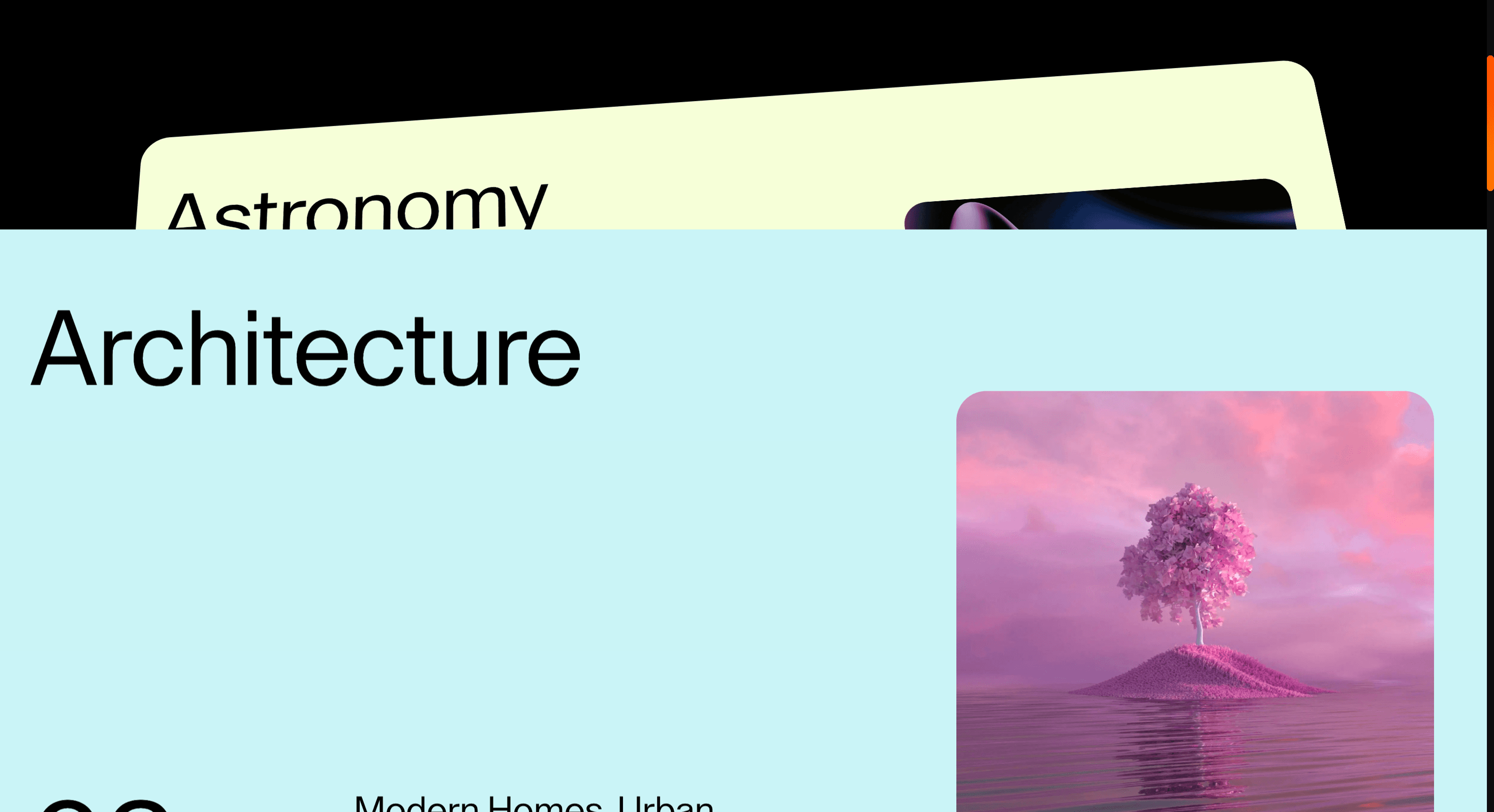
A scroll-based card stack effect where each card accumulates visually as the next item enters the section.
Published On: July 21, 2026
Last Updated: August 17, 2026
GSAP
Overview
Stacking Cards lets proof accumulate. Each card stays in the memory of the section while the next one arrives.
Use Stacking Cards when an ordered set should accumulate pressure as the visitor moves. SaaS teams and agency process pages are the best fit because the effect makes each step feel added to the last rather than replaced. The page job is momentum: the sequence should build confidence without hiding earlier context.
In production, the risk is card order. If pinning fails on older iOS Safari or reduced motion is enabled, the cards must still read in the intended order as normal content.
Install Command
This is a Pro Effect.
You can preview it now. Upgrade to Pro for instant install access.
Usage Code
This is a Pro Effect.
You can preview it now. Upgrade to Pro for instant install access.
Component Code
This is a Pro Effect.
You can preview it now. Upgrade to Pro for instant install access.
This is a Pro Effect.
You can preview it now. Upgrade to Pro for instant install access.
Example Production Use Case
An agency explaining a four-step delivery process: Stacking Cards lets each phase accumulate on the page so the method feels built, not merely listed. The outcome is trust: the process feels deliberate before the prospect reaches the CTA.
Best Used For
- Process, proof, and principle sections where each item should accumulate visual weight.
- Milestone, principle, or proof sequences where impressions should accumulate.
- Lets process steps or proof points accumulate, making the sequence feel heavier with every card.
Not For
Not for comparison grids, forms, or pages where accumulated cards would obscure the next action.
Not for card groups where hidden depth would make keyboard focus or link order confusing.
Performance Budget
Animate transform and opacity, avoid layout reads in scroll handlers, pre-size media, and clean up timelines/listeners when the route changes.
Accessibility and Mobile
The animated sequence must match DOM order. On mobile, replace pinned or horizontal mechanics with stacked sections, native swipe, or static cards.
Common Mistakes
- Stacking more cards than can remain legible.
- Letting overlap hide keyboard focus or link targets.
- Using accumulation for unrelated cards that do not build an argument.
Changelog
v1.0.1
Jul 22, 2026Added reduced motion support.
v1.0.0
Jul 21, 2026Initial release
Props
| Prop | Type | Default | Description |
|---|---|---|---|
imageZoomEnabled | boolean | true | Enables the image zoom-in effect during card reveals. |
tiltEnabled | boolean | true | Enables the outgoing card tilt, scale, and rotateX treatment. |
cardCornerRadius | string | 3vw | Corner radius applied to the outgoing card as it tilts away. |
stackPerspective | number | 1200 | Perspective depth applied to the stacked card scene. |
Frequently Asked Questions
What makes Stacking Cards different from a standard scroll reveal?
A reveal shows each card and lets it leave; stacking keeps earlier cards visible underneath as new ones arrive, so proof accumulates instead of scrolling away. The memory of the previous card is the point. Use it when the cumulative impression matters more than any single panel.
How should Stacking Cards simplify on mobile devices?
Deep stacks crowd a small viewport, so reduce the visible stack depth or fall back to a plain vertical list of the same cards. Keep the overlap shallow enough that headings stay readable. Reduced-motion users should see the cards laid out in order without the stacking transform.
What should developers test before shipping Stacking Cards?
Confirm the visual stack order matches DOM order, that z-index and transforms don't make earlier cards unreadable, and that the sequence cleans up on route change. Test with your real maximum card count, not three placeholders. Verify the flat fallback contains every card.
Which content structure works best with Stacking Cards?
Three to six items that build a case; milestones, principles, or proof points where seeing the prior card behind the current one reinforces the argument. It's weak for unrelated items that don't benefit from accumulation. Give each card one clear claim.
When should I avoid Stacking Cards even if the preview looks good?
Avoid it when cards are dense or text-heavy, when there are too many to stack legibly, or when users need to compare them side by side. If stacking hides information the reader needs, a plain grid serves better. Skip it where scanning speed outranks staged progression.
Request a Custom Scroll Effect
Need a custom effect? Tell us what to create.


