Loading
Block Transition
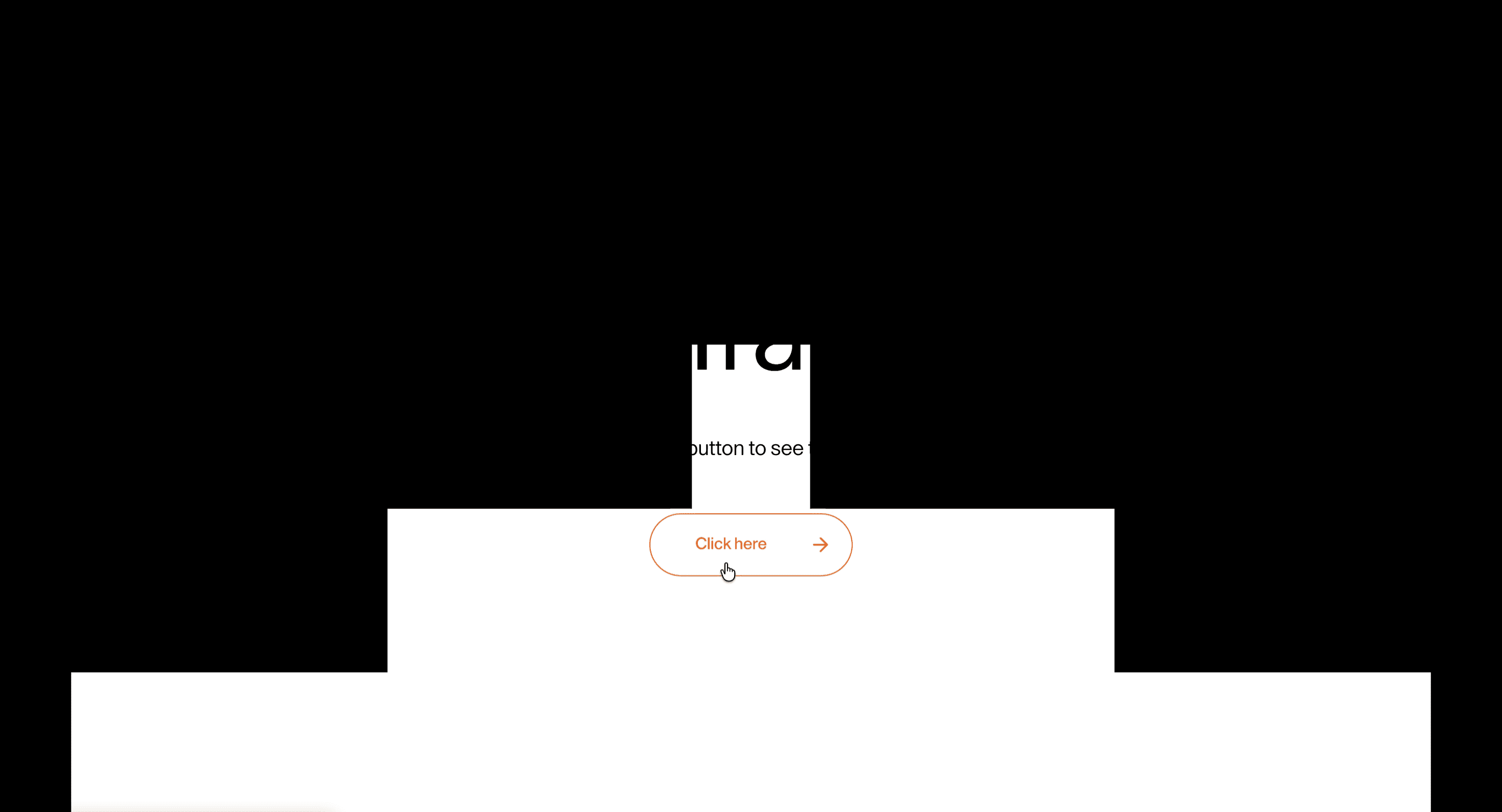
A page transition effect that uses moving blocks or panels to cover, reveal, and connect route changes.
Published On: February 10, 2026
Last Updated: August 17, 2026
GSAPnext-transition-router
Overview
Block Transition turns the cut between routes into a designed moment: blocks cover and reveal the next route.
Use it on brand sites, campaign pages, portfolios, and editorial journeys where route changes benefit from continuity. Avoid it in apps, docs, checkout, and search paths where navigation speed is the feature.
In production, the risk is delay. Mount the transition where route state actually changes, keep the duration short, restore focus after navigation, and give reduced-motion users an instant or nearly instant path.
(Next.js App Router only. Requires next-transition-router for route-transition lifecycle hooks and must be wrapped in its provider. This effect will not function in plain React or in the Next.js Pages Router.)
Install Command
npx hyperiux add block-transitionUsage Code
layout.jsx
import React from 'react'
import BlockTransition from '@/components/effects/block-transition'

export default function layout({ children }) {
 return (
 <BlockTransition>
 {children}
 </BlockTransition>
 )
}
Component Code
index.jsx
// Built using Hyperiux Vault: https://vault.hyperiux.com
"use client";
import { TransitionRouter } from "next-transition-router";
import React, { useLayoutEffect, useRef } from "react";
import gsap from "gsap";
function prefersReducedMotion() {
    if (typeof window === "undefined")
        return false;
    return window.matchMedia?.("(prefers-reduced-motion: reduce)")?.matches ?? false;
}
const ROWS = 5;
const COLOR = "#000000";
const STAGGER_DELAY = 0.12;
const COVER_DURATION = 0.72;
const REVEAL_DURATION = 0.68;
const BLOCK_OFFSET_PERCENT = 101;
const SHIFT_SCALE_OUT = 0.98;
const SHIFT_SCALE_IN = 1.02;
const SHIFT_BLUR = "4px";
const SHIFT_DURATION_OUT = 0.7;
const SHIFT_DURATION_IN = 0.8;
function clampNumber(value, min, max, fallback) {
    const next = Number(value);
    if (!Number.isFinite(next))
        return fallback;
    return Math.min(max, Math.max(min, next));
}
export default function BlockTransition({ children, enableContentShift = false, rows = ROWS, color = COLOR, duration = 1, }) {
    const wrapperRef = useRef(null);
    const rowRefs = useRef([]);
    const safeRows = Math.round(clampNumber(rows, 2, 12, ROWS));
    const safeDuration = clampNumber(duration, 0.25, 3, 1);
    const getRows = () => rowRefs.current.slice(0, safeRows).filter(Boolean);
    const buildRowsAnimation = (timeline, direction) => {
        const rows = getRows();
        const orderedRows = direction === "cover" ? rows : [...rows].reverse();
        orderedRows.forEach((row, index) => {
            const [leftBlock, rightBlock] = row.children;
            const delay = index * STAGGER_DELAY;
            if (direction === "cover") {
                timeline.set([leftBlock, rightBlock], { autoAlpha: 1 }, delay);
                timeline.to([leftBlock, rightBlock], {
                    xPercent: 0,
                    duration: COVER_DURATION * safeDuration,
                    ease: "power3.inOut",
                }, delay);
            }
            else {
                timeline.to(leftBlock, {
                    xPercent: -BLOCK_OFFSET_PERCENT,
                    duration: REVEAL_DURATION * safeDuration,
                    ease: "power3.inOut",
                }, delay);
                timeline.set(leftBlock, { autoAlpha: 0 }, delay + REVEAL_DURATION * safeDuration);
                timeline.to(rightBlock, {
                    xPercent: BLOCK_OFFSET_PERCENT,
                    duration: REVEAL_DURATION * safeDuration,
                    ease: "power3.inOut",
                }, delay);
                timeline.set(rightBlock, { autoAlpha: 0 }, delay + REVEAL_DURATION * safeDuration);
            }
        });
    };
    useLayoutEffect(() => {
        rowRefs.current = rowRefs.current.slice(0, safeRows);
        getRows().forEach((row) => {
            const [leftBlock, rightBlock] = row.children;
            if (!leftBlock || !rightBlock)
                return;
            gsap.set(leftBlock, {
                xPercent: -BLOCK_OFFSET_PERCENT,
                autoAlpha: 0,
            });
            gsap.set(rightBlock, {
                xPercent: BLOCK_OFFSET_PERCENT,
                autoAlpha: 0,
            });
        });
    }, [safeRows]);
    return (<TransitionRouter auto leave={(next) => {
            const timeline = gsap.timeline({ onComplete: next });
            if (prefersReducedMotion()) {
                timeline.to(wrapperRef.current, { opacity: 0, duration: 0.2, ease: "power1.out" }, 0);
                return () => timeline.kill();
            }
            if (enableContentShift) {
                timeline.fromTo(wrapperRef.current, { scale: 1, filter: "blur(0px)", opacity: 1 }, {
                    scale: SHIFT_SCALE_OUT,
                    filter: `blur(${SHIFT_BLUR})`,
                    opacity: 0.85,
                    duration: SHIFT_DURATION_OUT * safeDuration,
                    ease: "power2.inOut",
                }, 0);
            }
            buildRowsAnimation(timeline, "cover");
            return () => timeline.kill();
        }} enter={(next) => {
            const timeline = gsap.timeline({ onComplete: next });
            if (prefersReducedMotion()) {
                timeline.to(wrapperRef.current, { opacity: 1, duration: 0.2, ease: "power1.out", clearProps: "all" }, 0);
                return () => timeline.kill();
            }
            if (enableContentShift) {
                timeline.fromTo(wrapperRef.current, { scale: SHIFT_SCALE_IN, filter: `blur(${SHIFT_BLUR})`, opacity: 0.85 }, {
                    scale: 1,
                    filter: "blur(0px)",
                    opacity: 1,
                    duration: SHIFT_DURATION_IN * safeDuration,
                    ease: "power2.out",
                }, 0.08);
            }
            buildRowsAnimation(timeline, "reveal");
            return () => timeline.kill();
        }}>
      <div className="pointer-events-none fixed inset-0 z-999 overflow-hidden">
        {Array.from({ length: safeRows }).map((_, index) => (<div key={index} ref={(node) => {
                rowRefs.current[index] = node;
            }} className="absolute left-0 w-full overflow-hidden" style={{
                top: `${(index * 100) / safeRows}%`,
                height: `calc(${100 / safeRows}% + 2px)`,
            }}>
            <span className="absolute top-0 left-0 h-full w-[51%] will-change-transform" style={{
                backgroundColor: color,
                opacity: 0,
                visibility: "hidden",
            }}/>

            <span className="absolute top-0 right-0 h-full w-[51%] will-change-transform" style={{
                backgroundColor: color,
                opacity: 0,
                visibility: "hidden",
            }}/>
          </div>))}
      </div>

      <div className="relative h-full w-full">
        <div ref={wrapperRef} className="h-full w-full will-change-transform">
          {children}
        </div>
      </div>
    </TransitionRouter>);
}
Example Production Use Case
Use this as route-transition implementation guidance. Verify the shipped integration point, route-state behavior, focus restoration, cleanup, timing controls, and reduced-motion fallback before relying on exact props, defaults, imports, or installation steps.
Best Used For
- Graphic brand sites where a fast cover-and-reveal cut can make navigation feel intentional.
- Small route trees where transition timing stays short and destination focus is restored.
- Block Transition turns route change into a brief brand moment without delaying orientation.
Not For
Not for apps, docs, checkout, search, or frequently navigated product flows where delay harms completion.
Performance Budget
Keep duration short, avoid artificial route delays, and do not block interactivity after the destination route is ready.
Accessibility and Mobile
Move focus to the destination main region after navigation. On mobile and reduced motion, use instant transitions or short fades.
Common Mistakes
- Using Block Transition as a fake loading delay.
- Forgetting focus restoration after navigation.
- Running full-screen motion for reduced-motion users.
Changelog
v1.1.0
Jul 21, 2026Added reduced-motion route fallback with short opacity fades.
v1.0.0
Feb 10, 2026Initial release
Props
| Prop | Type | Default | Description |
|---|---|---|---|
enableContentShift | boolean | false | Adds content scale/blur during the transition. |
rows | number | 5 | Number of block rows. |
color | string | #000000 | Transition block color. |
duration | number | 1 | Duration multiplier for the cover and reveal block animations. |
Frequently Asked Questions
When should I use Block Transition?
Use it when a brand, portfolio, or campaign route change needs a fast block-based reveal without delaying navigation.
Where should Block Transition mount in the App Router?
Mount it where the route wrapper remounts on navigation, often a template or route-transition component rather than a persistent layout.
How long should Block Transition last?
Keep it short, usually 300–600ms. Longer transitions need a real loading reason.
How should focus work after Block Transition?
Move focus to the destination main region or heading after navigation completes.
What is the reduced-motion fallback for Block Transition?
Use instant navigation or a brief fade, not full-screen movement or masks.
Request a Custom Page Transition
Need a custom effect? Tell us what to create.


