Loading
Number Counter
Give important numbers a visible moment of arrival, so metrics feel noticed without becoming noisy or hard to trust.
Published On: February 10, 2026
Last Updated: August 17, 2026
GSAP
Overview
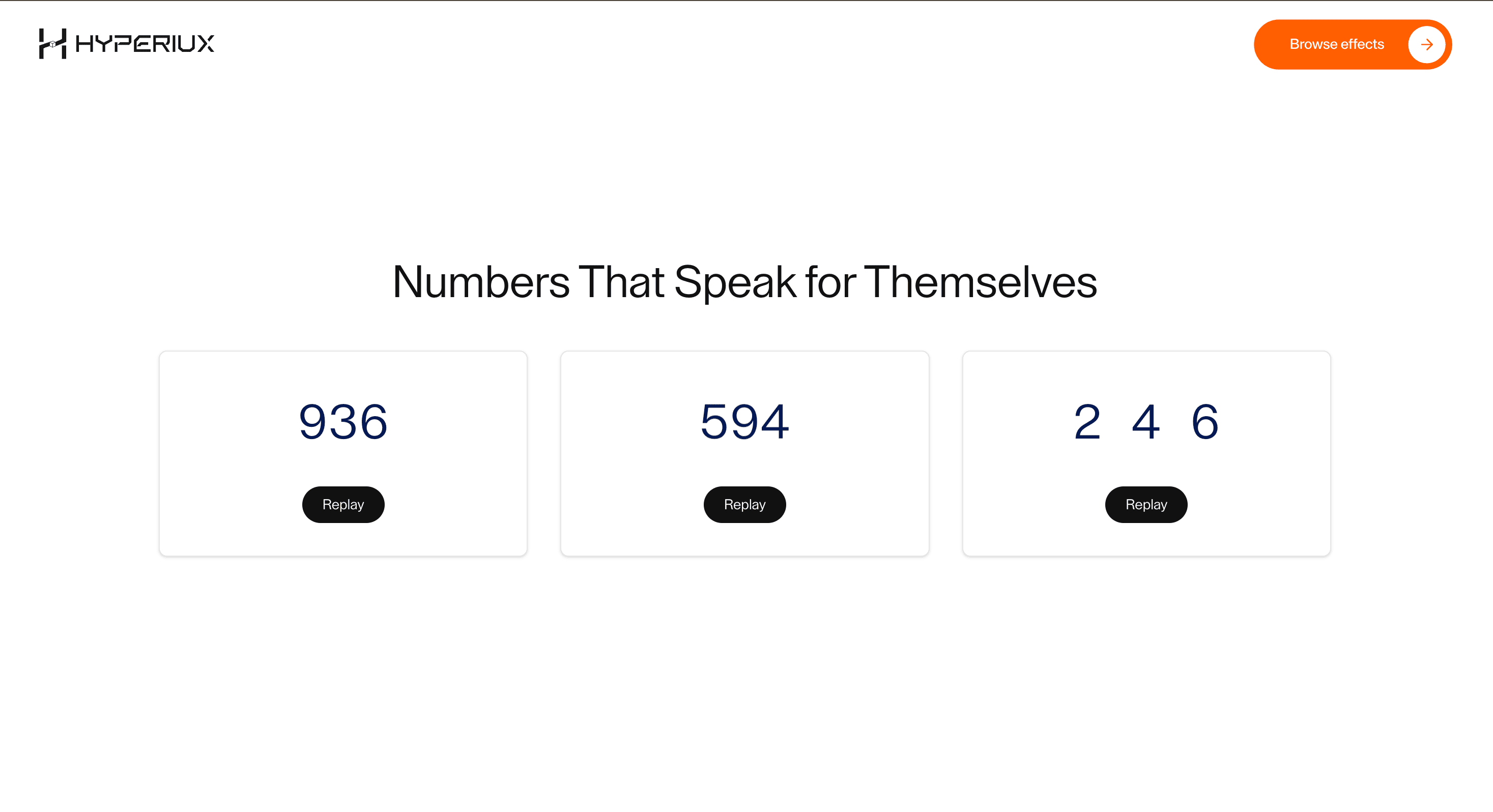
Number Counter gives numbers a moment of arrival. The metric does not just appear; it resolves into proof.
Use Number Counter when a number deserves attention: revenue lift, active users, conversion improvement, uptime, launch progress, speed gain, or product adoption. The page job is proof: the animation should make the figure feel noticed, not make it harder to read.
The production risk is credibility. A counter that spins too long, loops forever, or animates every number on the page starts to feel like theatre around evidence. The final value must settle quickly, remain readable as real text, and avoid pretending that decorative motion is data.
Install Command
npx hyperiux add number-counterUsage Code
page.jsx
import NumberCounter from '@/components/effects/number-counter';

const page = () => {
  return (
    <>
    <NumberCounter/>
    </>
  )
}
Component Code
index.jsx
// Built using Hyperiux Vault: https://vault.hyperiux.com
"use client";
import gsap from "gsap";
import { ScrollTrigger } from "gsap/dist/ScrollTrigger";
import React, { memo, useCallback, useEffect, useId, useRef, useState } from "react";
gsap.registerPlugin(ScrollTrigger);
const __NumberCounterOne_DIGITS = [...Array(10).keys()]; // [0..9]
const __NumberCounterOne_FONT_WEIGHTS = {
    normal: "font-normal",
    medium: "font-medium",
    semibold: "font-semibold",
    bold: "font-bold",
};
const __NumberCounterOne_DigitScroller = memo(({ digit, index, duration = 2, stagger = 0.1, color, trigger, reducedMotion = false }) => {
    const containerRef = useRef(null);
    useEffect(() => {
        if (reducedMotion || window.matchMedia?.("(prefers-reduced-motion: reduce)")?.matches)
            return;
        const ctx = gsap.context(() => {
            gsap.to(containerRef.current, {
                y: `-${parseInt(digit, 10) * 10}%`,
                duration,
                delay: index * stagger,
                ease: "power1.out",
                scrollTrigger: {
                    trigger,
                    start: "top 80%",
                },
            });
        });
        return () => ctx.revert();
    }, [digit, duration, index, stagger, reducedMotion, trigger]);
    if (reducedMotion) {
        return (<span style={{ color }} className="inline-block w-[0.64em] text-center leading-none">
 {digit}
 </span>);
    }
    return (<div style={{ color }} className="overflow-hidden h-[1em] leading-none inline-block relative w-[0.64em]">
 <div ref={containerRef} className="flex flex-col">
 {__NumberCounterOne_DIGITS.map((d) => (<span key={d} className="flex h-[1em] items-center justify-center leading-none">
 {d}
 </span>))}
 </div>
 </div>);
});
__NumberCounterOne_DigitScroller.displayName = "__NumberCounterOne_DigitScroller";
const renderDigits = (value, color, trigger, duration, stagger, reducedMotion) => value.split("").map((char, i) => /\d/.test(char) ? (<__NumberCounterOne_DigitScroller key={i} digit={char} index={i} duration={duration} stagger={stagger} color={color} trigger={trigger} reducedMotion={reducedMotion}/>) : (<span key={i} style={{ color }}>{char}</span>));
const StatItem = memo(({ stat, textColor, textSize, fontWeight, trigger, duration, stagger, reducedMotion }) => {
    const { prefix, value, suffix, superSuffix } = stat;
    return (<div className="flex gap-[2vw] h-fit w-fit max-[1025px]:gap-0 max-md:flex-col">
 <div className="flex flex-col items-center justify-start h-fit gap-[1vw] w-fit max-md:flex-row max-md:justify-between max-md:pl-[4vw] max-md:gap-[4vw]">
 <h3 dir="ltr" className={`${(fontWeight && __NumberCounterOne_FONT_WEIGHTS[fontWeight]) || "font-normal"} leading-[1.2] flex items-center max-[1025px]:text-[7vw] max-md:text-[12vw] ${textSize}`}>
 {prefix && <span style={{ color: textColor }}>{prefix}</span>}
 {renderDigits(value, textColor, trigger, duration, stagger, reducedMotion)}
 {suffix && <span style={{ color: textColor }}>{suffix}</span>}
 {superSuffix && <sup style={{ color: textColor }}>{superSuffix}</sup>}
 </h3>
 </div>
 </div>);
});
StatItem.displayName = "StatItem";
function NumberCounterOne({ stats = [], textColor = "black", textSize = "text-[5vw]", fontWeight = "normal", duration = 2, stagger = 0.1, reducedMotion = false, }) {
    const uid = useId().replace(/:/g, "");
    const sectionId = `stats-${uid}`;
    const trigger = `#${sectionId}`;
    const items = stats.slice(0, 3);
    return (<section id={sectionId} className="h-fit w-fit">
 <div className="p-[1vw]">
 <div className="flex text-center gap-[2vw] w-fit h-fit max-[1025px]:flex-wrap max-[1025px]:gap-x-0 max-[1025px]:gap-y-12 max-md:flex-col max-md:text-left">
 {items.map((stat, index) => (<StatItem key={index} stat={stat} textColor={textColor} textSize={textSize} fontWeight={fontWeight} trigger={trigger} duration={duration} stagger={stagger} reducedMotion={reducedMotion}/>))}
 </div>
 </div>
 </section>);
}
gsap.registerPlugin(ScrollTrigger);
const __NumberCounterTwo_DIGITS = [...Array(10).keys()].concat(0);
const __NumberCounterTwo_FONT_WEIGHTS = {
    normal: 'font-normal',
    medium: 'font-medium',
    semibold: 'font-semibold',
    bold: 'font-bold',
};
const __NumberCounterTwo_DigitScroller = memo(({ digit, index, duration = 1.5, stagger = 0.1, triggerRef, reducedMotion = false }) => {
    const digitRef = useRef(null);
    useEffect(() => {
        if (reducedMotion || window.matchMedia?.("(prefers-reduced-motion: reduce)")?.matches)
            return;
        if (!digitRef.current || !triggerRef.current)
            return;
        const digitIndex = parseInt(digit, 10);
        const ctx = gsap.context(() => {
            gsap.to(digitRef.current, {
                yPercent: -(digitIndex * 100),
                duration,
                ease: 'power2.inOut',
                delay: index * stagger,
                scrollTrigger: {
                    trigger: triggerRef.current,
                    start: 'top 85%',
                },
            });
        }, triggerRef);
        return () => ctx.revert();
    }, [digit, index, duration, stagger, reducedMotion, triggerRef]);
    if (reducedMotion) {
        return (<span className="inline-flex h-[1em] w-[0.64em] items-center justify-center leading-none">
 {digit}
 </span>);
    }
    return (<div className="relative inline-flex h-[1em] w-[0.64em] overflow-hidden align-baseline leading-none">
 <div ref={digitRef} className="flex flex-col will-change-transform">
 {__NumberCounterTwo_DIGITS.map((num, digitIndex) => (<span key={`${num}-${digitIndex}`} className="flex h-[1em] items-center justify-center leading-none">
 {num}
 </span>))}
 </div>
 </div>);
});
__NumberCounterTwo_DigitScroller.displayName = '__NumberCounterTwo_DigitScroller';
const NumberCounterTwo = ({ value = '0', textSize = 'text-[8vw] max-[1025px]:text-[7vw] max-md:text-[12vw]', color = '#111111', fontWeight = 'normal', duration = 1.5, stagger = 0.1, reducedMotion = false, }) => {
    const containerRef = useRef(null);
    const cleanValue = value.replace('+', '');
    return (<div ref={containerRef} className="flex items-end gap-[2vw] w-fit max-[1025px]:gap-0">
 <div className={`flex items-end font-display leading-none ${textSize} ${(fontWeight && __NumberCounterTwo_FONT_WEIGHTS[fontWeight]) || 'font-normal'}`} style={{ color }}>
 {cleanValue.split('').map((digit, index) => (<__NumberCounterTwo_DigitScroller key={`${digit}-${index}`} digit={digit} index={index} duration={duration} stagger={stagger} triggerRef={containerRef} reducedMotion={reducedMotion}/>))}

 {value.includes('+') && (<span className="inline-flex h-[1em] items-center justify-center leading-none">
 +
 </span>)}
 </div>
 </div>);
};
gsap.registerPlugin(ScrollTrigger);
const __NumberCounterThree_DigitScroller = memo(({ digit, index, duration = 1.5, stagger = 0.1, trigger, textColor, reducedMotion = false }) => {
    const containerRef = useRef(null);
    useEffect(() => {
        if (reducedMotion || window.matchMedia?.("(prefers-reduced-motion: reduce)")?.matches)
            return;
        if (!containerRef.current)
            return;
        const ctx = gsap.context(() => {
            const digitIndex = parseInt(digit, 10);
            gsap.to(containerRef.current, {
                y: `-${digitIndex * 10}%`,
                duration,
                delay: index * stagger,
                ease: 'power2.out',
                scrollTrigger: {
                    trigger: trigger || containerRef.current,
                    start: 'top 85%',
                },
            });
        }, containerRef);
        return () => ctx.revert();
    }, [digit, index, duration, stagger, reducedMotion, trigger]);
    if (reducedMotion) {
        return (<span className="inline-block w-[0.6em] leading-none" style={{ color: textColor }}>
 {digit}
 </span>);
    }
    return (<div className="overflow-hidden inline-block relative h-[1em] w-[0.6em]">
 <div ref={containerRef} className="flex flex-col">
 {Array.from({ length: 10 }, (_, i) => (<span key={i} className="leading-none" style={{ color: textColor }}>
 {i}
 </span>))}
 </div>
 </div>);
});
__NumberCounterThree_DigitScroller.displayName = '__NumberCounterThree_DigitScroller';
const NumberCounterThree = ({ value = '0', duration = 1.5, stagger = 0.1, fontWeight = 600, textColor = '#FF5100', textSize = 'text-[5vw] max-[1025px]:text-[7vw] max-md:text-[12vw]', trigger, suffix = '', reducedMotion = false, }) => {
    const renderDigits = (val) => {
        return val.split('').map((char, i) => {
            if (/\d/.test(char)) {
                return (<__NumberCounterThree_DigitScroller key={i} digit={char} index={i} duration={duration} stagger={stagger} trigger={trigger} textColor={textColor} reducedMotion={reducedMotion}/>);
            }
            // non-digit chars
            return (<span key={i} style={{ color: textColor }}>
 {char}
 </span>);
        });
    };
    return (<div className={`flex items-end gap-[0.05em] max-[1025px]:gap-0 ${textSize}`} style={{
            fontWeight,
            color: textColor,
        }}>
 {renderDigits(value)}

 {suffix && (<span style={{ color: textColor }} className="ml-1">
 {suffix}
 </span>)}
 </div>);
};
function usePrefersReducedMotion() {
    const [prefersReducedMotion, setPrefersReducedMotion] = useState(false);
    useEffect(() => {
        const mediaQuery = window.matchMedia('(prefers-reduced-motion: reduce)');
        const updatePreference = () => setPrefersReducedMotion(mediaQuery.matches);
        updatePreference();
        mediaQuery.addEventListener('change', updatePreference);
        return () => mediaQuery.removeEventListener('change', updatePreference);
    }, []);
    return prefersReducedMotion;
}
export default function NumberCounter({ duration = 1.5, stagger = 0.1, textColor = "#021A54", }) {
    const prefersReducedMotion = usePrefersReducedMotion();
    const [replayOneKey, setReplayOneKey] = useState(0);
    const [replayTwoKey, setReplayTwoKey] = useState(0);
    const [replayThreeKey, setReplayThreeKey] = useState(0);
    const handleReplayOne = useCallback(() => setReplayOneKey((k) => k + 1), []);
    const handleReplayTwo = useCallback(() => setReplayTwoKey((k) => k + 1), []);
    const handleReplayThree = useCallback(() => setReplayThreeKey((k) => k + 1), []);
    return (<>
            <div className="min-h-screen w-screen bg-white flex items-center justify-center p-10">
                <div className="w-full max-w-6xl max-md:pt-10 flex flex-col items-center gap-10">
                    <h1 className="text-[3vw] max-[1025px]:text-[4vw] max-md:text-[7vw] text-[#111111] text-center">
                        Numbers That Speak for Themselves
                    </h1>

                    <div className={`w-full flex flex-col md:flex-row items-stretch justify-center gap-8 ${prefersReducedMotion ? 'animate-[number-counter-static-fade_420ms_ease-out_both]' : ''}`}>
                        <div className="flex-1 min-w-65 rounded-md border border-black/10 bg-white shadow-sm p-8 flex flex-col items-center">
                            <div className="flex-1 w-full flex items-center justify-center">
                                <NumberCounterOne key={`${replayOneKey}-${duration}-${stagger}-${textColor}`} textColor={textColor} textSize="text-[5vw] md:text-[3.2vw]" fontWeight="normal" stats={[{ value: "936", suffix: "" }]} duration={duration} stagger={stagger} reducedMotion={prefersReducedMotion}/>
                            </div>
                            <button type="button" onClick={handleReplayOne} disabled={prefersReducedMotion} className="mt-6 px-5 py-2 rounded-full bg-[#111111] text-white text-sm max-md:text-sm max-[1025px]:text-lg cursor-pointer disabled:cursor-not-allowed disabled:opacity-45">
                                Replay
                            </button>
                        </div>

                        <div className="flex-1 min-w-[260px] rounded-md border border-black/10 bg-white shadow-sm p-8 flex flex-col items-center">
                            <div className="flex-1 w-full flex items-center justify-center">
                                <NumberCounterTwo key={`${replayTwoKey}-${duration}-${stagger}-${textColor}`} value="594" textSize="text-[5vw] max-[1025px]:text-[7vw] max-md:text-[12vw] md:text-[3.2vw]" color={textColor} fontWeight="normal" duration={duration} stagger={stagger} reducedMotion={prefersReducedMotion}/>
                            </div>
                            <button type="button" onClick={handleReplayTwo} disabled={prefersReducedMotion} className="mt-6 px-5 py-2 max-md:text-sm max-[1025px]:text-lg rounded-full bg-[#111111] text-white text-sm cursor-pointer disabled:cursor-not-allowed disabled:opacity-45">
                                Replay
                            </button>
                        </div>

                        <div className="flex-1 min-w-[260px] rounded-md border border-black/10 bg-white shadow-sm p-8 flex flex-col items-center">
                            <div className="flex-1 w-full flex items-center justify-center">
                                <NumberCounterThree key={`${replayThreeKey}-${duration}-${stagger}-${textColor}`} value="246" duration={duration} stagger={stagger} fontWeight="medium" textColor={textColor} textSize="text-[5vw] max-[1025px]:text-[7vw] max-md:text-[12vw] md:text-[3.2vw]" reducedMotion={prefersReducedMotion}/>
                            </div>
                            <button type="button" onClick={handleReplayThree} disabled={prefersReducedMotion} className="mt-6 px-5 py-2 max-md:text-sm max-[1025px]:text-lg rounded-full bg-[#111111] text-white text-sm cursor-pointer disabled:cursor-not-allowed disabled:opacity-45">
                                Replay
                            </button>
                        </div>
                    </div>
                    <style>{`
                        @keyframes number-counter-static-fade {
                            from { opacity: 0; }
                            to { opacity: 1; }
                        }
                    `}</style>
                </div>
            </div>
        </>);
}
Example Production Use Case
A SaaS landing page can use Number Counter in a proof band below the hero: onboarding lift, deployment time saved, and uptime. The outcome is credibility: the numbers get a controlled beat of attention before the visitor reaches the CTA.
Best Used For
- Metric bands where a small set of proof points needs emphasis.
- Launch pages where numbers support the claim without becoming the whole story.
- SaaS, AI, and developer-tool pages where quantitative proof deserves a visible arrival.
Not For
Not for financial dashboards, compliance tables, legal figures, or analytics screens where exact reading speed matters more than animation.
Not for pages where every number spins. That is not proof; that is a slot machine with a marketing degree.
Performance Budget
Limit animated counters to the numbers that matter, avoid continuous loops, reserve layout width for the final value, and stop animation once the metric has resolved.
Accessibility and Mobile
Expose the final number and label as readable text. Do not make screen readers listen to every intermediate digit. On mobile and reduced motion, show the final value immediately or use a very short opacity change.
Common Mistakes
- Animating every statistic on the page.
- Letting the number shift layout as digits change.
- Making the animation more memorable than the metric.
Changelog
v1.0.1
Jul 30, 2026Added reduced-motion support and configurable animation timing.
v1.0.0
Feb 10, 2026Initial release
API Reference
| Prop | Type | Default | Description |
|---|---|---|---|
duration | number | 1.5 | Digit roll duration in seconds for all three counters. |
stagger | number | 0.1 | Delay between digit columns in seconds for all three counters. |
textColor | string | #021A54 | Counter text color for all three counters. |
Frequently Asked Questions
When should I use Number Counter?
Use Number Counter when a small number of metrics needs a clear arrival moment: proof bands, launch stats, adoption numbers, or product outcomes.
Should Number Counter loop?
No. Metrics should resolve, settle, and stay readable. Looping proof figures makes them feel decorative instead of trustworthy.
How should Number Counter handle large values?
Format values clearly with suffixes, separators, or units. Reserve enough width for the final value so the layout does not jump during animation.
Does Number Counter affect SEO?
Not if the final number and label render as real HTML. Avoid hiding the only meaningful value inside client-only animation.
What should reduced motion do for Number Counter?
Show the final value immediately, or use a minimal fade. Do not roll digits, scramble values, or run a long count-up sequence.
Can Hyperiux adapt Number Counter for a real brand system?
Yes. A custom version should define number formatting, motion timing, proof hierarchy, accessibility behavior, reduced-motion fallback, source handoff, and implementation notes.
Request a Custom Text Animation
Need a custom effect? Tell us what to create.


