Loading
Variable Text Proximity
A cursor-reactive text animation for hero copy, editorial statements, portfolio intros, and technical landing pages where typography should feel responsive without losing readability.
Published On: August 18, 2026
Last Updated: August 18, 2026
Motion
Overview
Variable Text Proximity turns a paragraph into a responsive typographic surface.
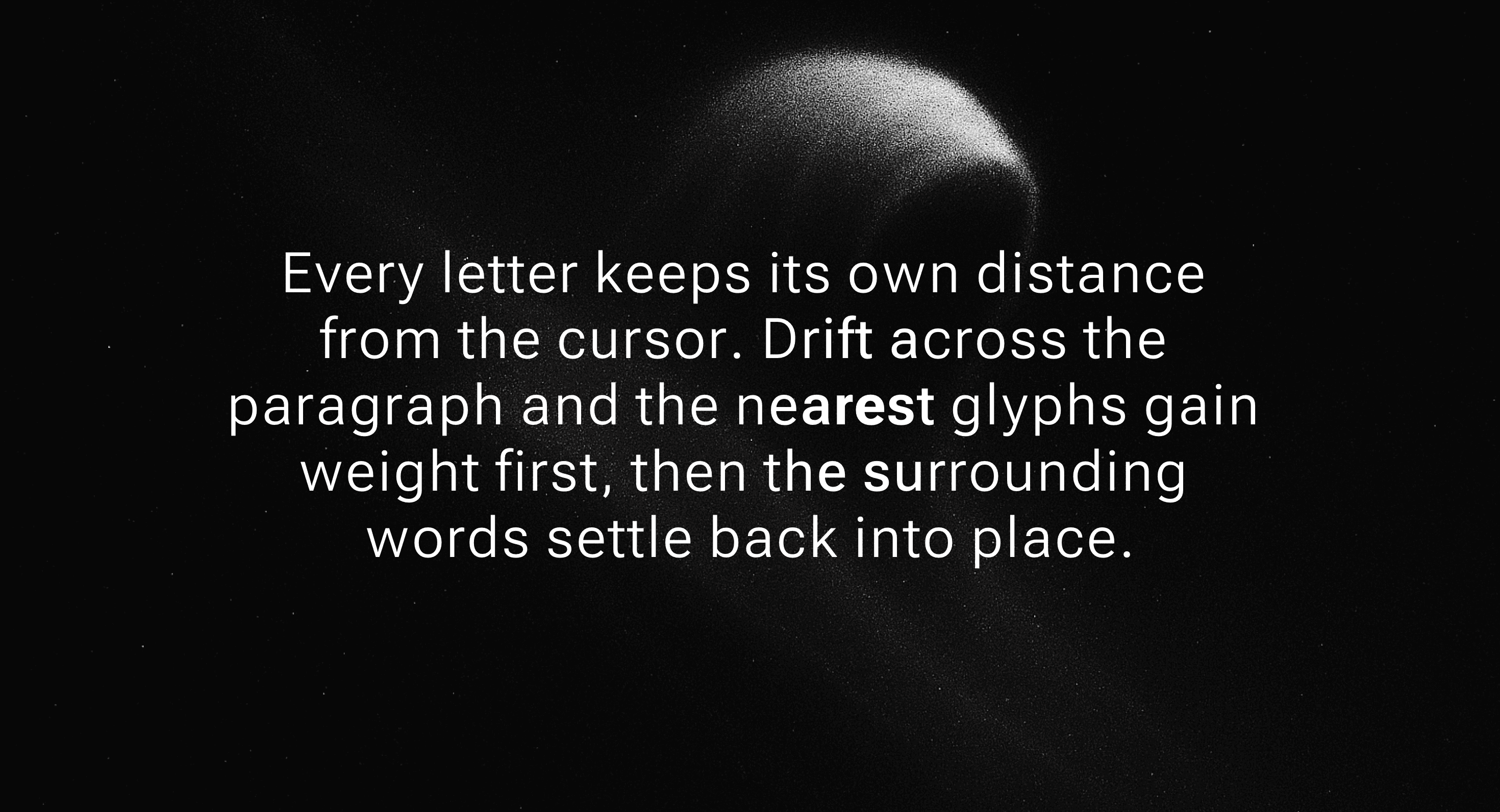
Each character reacts to its distance from the pointer. Letters closest to the cursor gain visual weight first, nearby glyphs respond with softer intensity, and the full line settles back when the pointer moves away. The effect makes the text feel alive without changing the words, breaking the sentence, or turning the paragraph into a decorative canvas.
Use Variable Text Proximity when the page needs a subtle interaction layer around important copy. It works for short hero statements, creative portfolio intros, technical brand lines, studio manifestos, experimental editorial blocks, and product pages where the typography should reward exploration.
The page job is tactile reading. The visitor should still read the message normally, but the text should feel like it knows where attention is moving. The interaction is not there to hide the copy. It is there to make the copy feel closer.
Install Command
npx hyperiux add variable-text-proximityUsage Code
page.jsx
import VariableTextProximity from "@/components/effects/variable-text-proximity";

const page = () => {
 return (
 <>
 <VariableTextProximity/>
 </>
 )
}


export default page
Component Code
index.jsx
"use client";
import { forwardRef, useMemo, useRef, useEffect, useState } from 'react';
import { motion } from 'motion/react';
import { Roboto_Flex } from 'next/font/google';
// Loaded via next/font so the variable font is self-hosted and inlined at
// build time - a runtime <link> to Google Fonts would flash the fallback
// font on every load and reflow the layout once the webfont arrived.
const robotoFlex = Roboto_Flex({ subsets: ['latin'], display: 'swap' });
function useAnimationFrame(callback) {
useEffect(() => {
let frameId;
const loop = () => {
callback();
frameId = requestAnimationFrame(loop);
};
frameId = requestAnimationFrame(loop);
return () => cancelAnimationFrame(frameId);
}, [callback]);
}
function useVaultPointerPositionRef(containerRef) {
const positionRef = useRef({ x: 0, y: 0 });
useEffect(() => {
const updatePosition = (x, y) => {
if (containerRef?.current) {
const rect = containerRef.current.getBoundingClientRect();
positionRef.current = { x: x - rect.left, y: y - rect.top };
}
else {
positionRef.current = { x, y };
}
};
const handleMouseMove = (ev) => updatePosition(ev.clientX, ev.clientY);
const handleTouchMove = (ev) => {
const touch = ev.touches[0];
updatePosition(touch.clientX, touch.clientY);
};
window.addEventListener('mousemove', handleMouseMove);
window.addEventListener('touchmove', handleTouchMove);
return () => {
window.removeEventListener('mousemove', handleMouseMove);
window.removeEventListener('touchmove', handleTouchMove);
};
}, [containerRef]);
return positionRef;
}
const VARIABLE_HOVER_COPY = 'Every letter keeps its own distance from the cursor. Drift across the paragraph and the nearest glyphs gain weight first, then the surrounding words settle back into place.';
const VariableProximityLetters = forwardRef((props, ref) => {
const { label, fromFontVariationSettings, toFontVariationSettings, containerRef, radius = 50, falloff = 'linear', className = '', onClick, style, ...restProps } = props;
const letterRefs = useRef([]);
const interpolatedSettingsRef = useRef([]);
const mousePositionRef = useVaultPointerPositionRef(containerRef);
const smoothedPositionRef = useRef({ x: 0, y: 0 });
const lastPositionRef = useRef({ x: null, y: null });
const reducedMotionRef = useRef(false);
const [fontReady, setFontReady] = useState(false);
useEffect(() => {
const mediaQuery = window.matchMedia('(prefers-reduced-motion: reduce)');
const updatePreference = () => {
reducedMotionRef.current = mediaQuery.matches;
};
updatePreference();
mediaQuery.addEventListener('change', updatePreference);
return () => mediaQuery.removeEventListener('change', updatePreference);
}, []);
useEffect(() => {
let cancelled = false;
document.fonts.ready.then(() => {
if (!cancelled)
setFontReady(true);
});
return () => {
cancelled = true;
};
}, []);
useEffect(() => {
if (!fontReady)
return;
letterRefs.current.forEach(letterRef => {
if (!letterRef)
return;
const prevSettings = letterRef.style.fontVariationSettings;
letterRef.style.fontVariationSettings = fromFontVariationSettings;
const fromWidth = letterRef.getBoundingClientRect().width;
letterRef.style.fontVariationSettings = toFontVariationSettings;
const toWidth = letterRef.getBoundingClientRect().width;
letterRef.style.fontVariationSettings = prevSettings;
letterRef.style.display = 'inline-block';
letterRef.style.textAlign = 'center';
letterRef.style.width = `${Math.max(fromWidth, toWidth)}px`;
});
}, [fromFontVariationSettings, toFontVariationSettings, label, fontReady]);
const parsedSettings = useMemo(() => {
const parseSettings = (settingsStr) => new Map(settingsStr
.split(',')
.map(s => s.trim())
.map(s => {
const [name, value] = s.split(' ');
return [name.replace(/['"]/g, ''), parseFloat(value)];
}));
const fromSettings = parseSettings(fromFontVariationSettings);
const toSettings = parseSettings(toFontVariationSettings);
return Array.from(fromSettings.entries()).map(([axis, fromValue]) => ({
axis,
fromValue,
toValue: toSettings.get(axis) ?? fromValue
}));
}, [fromFontVariationSettings, toFontVariationSettings]);
const calculateDistance = (x1, y1, x2, y2) => Math.sqrt((x2 - x1) ** 2 + (y2 - y1) ** 2);
const calculateFalloff = (distance) => {
const norm = Math.min(Math.max(1 - distance / radius, 0), 1);
switch (falloff) {
case 'exponential':
return norm ** 2;
case 'gaussian':
return Math.exp(-((distance / (radius / 2)) ** 2) / 2);
case 'linear':
default:
return norm;
}
};
useAnimationFrame(() => {
if (!containerRef?.current)
return;
const target = mousePositionRef.current;
const smoothed = smoothedPositionRef.current;
if (reducedMotionRef.current) {
smoothed.x = target.x;
smoothed.y = target.y;
}
else {
const lerpFactor = 0.18;
smoothed.x += (target.x - smoothed.x) * lerpFactor;
smoothed.y += (target.y - smoothed.y) * lerpFactor;
}
if (lastPositionRef.current.x !== null &&
Math.abs(smoothed.x - lastPositionRef.current.x) < 0.01 &&
Math.abs(smoothed.y - lastPositionRef.current.y) < 0.01) {
return;
}
lastPositionRef.current = { x: smoothed.x, y: smoothed.y };
const containerRect = containerRef.current.getBoundingClientRect();
letterRefs.current.forEach((letterRef, index) => {
if (!letterRef)
return;
const rect = letterRef.getBoundingClientRect();
const letterCenterX = rect.left + rect.width / 2 - containerRect.left;
const letterCenterY = rect.top + rect.height / 2 - containerRect.top;
const distance = calculateDistance(smoothed.x, smoothed.y, letterCenterX, letterCenterY);
if (distance >= radius) {
letterRef.style.fontVariationSettings = fromFontVariationSettings;
return;
}
const falloffValue = calculateFalloff(distance);
const newSettings = parsedSettings
.map(({ axis, fromValue, toValue }) => {
const interpolatedValue = fromValue + (toValue - fromValue) * falloffValue;
return `'${axis}' ${interpolatedValue}`;
})
.join(', ');
interpolatedSettingsRef.current[index] = newSettings;
letterRef.style.fontVariationSettings = newSettings;
});
});
const words = label.split(' ');
let letterIndex = 0;
return (<span ref={ref} onClick={onClick} style={{
display: 'inline',
...style
}} className={`${robotoFlex.className} ${className}`} {...restProps}>
{words.map((word, wordIndex) => (<span key={wordIndex} className="hv-variable-word">
{word.split('').map(letter => {
const currentLetterIndex = letterIndex++;
return (<motion.span key={currentLetterIndex} ref={el => {
letterRefs.current[currentLetterIndex] = el;
}} className="hv-variable-letter" style={{
fontVariationSettings: interpolatedSettingsRef.current[currentLetterIndex]
}} aria-hidden="true">
{letter}
</motion.span>);
})}
{wordIndex < words.length - 1 && <span className="hv-variable-space"> </span>}
</span>))}
<span className="sr-only">{label}</span>
</span>);
});
export default function VariableTextProximity({ radius = 100, falloff = 'linear', baseWeight = 300, hoverWeight = 800, baseOpticalSize = 9, hoverOpticalSize = 40, backgroundColor = '#080808', textColor = '#ffffff', fontSize = 55, lineHeight = 1.18, minWidth = 920, maxWidth = 1040, italic = false, className = '', }) {
const stageRef = useRef(null);
const fromFontVariationSettings = `'wght' ${baseWeight}, 'opsz' ${baseOpticalSize}, 'slnt' 0`;
const toFontVariationSettings = `'wght' ${hoverWeight}, 'opsz' ${hoverOpticalSize}, 'slnt' ${italic ? -10 : 0}`;
const demoStyle = {
'--hv-variable-bg': backgroundColor,
'--hv-variable-color': textColor,
'--hv-variable-font-size': `${fontSize}px`,
'--hv-variable-line-height': lineHeight,
'--hv-variable-min-width': `${minWidth}px`,
'--hv-variable-max-width': `${maxWidth}px`,
};
return (<section className={`hv-variable-root relative flex min-h-screen w-full items-center justify-center overflow-hidden px-6 ${className}`} style={demoStyle}>
<div ref={stageRef} className="hv-variable-stage relative z-10 mx-auto text-center">
<VariableProximityLetters label={VARIABLE_HOVER_COPY} fromFontVariationSettings={fromFontVariationSettings} toFontVariationSettings={toFontVariationSettings} containerRef={stageRef} radius={radius} falloff={falloff} className="hv-variable-heading"/>
</div>
<style>{`
.hv-variable-root {
background: var(--hv-variable-bg);
color: var(--hv-variable-color);
}
.hv-variable-stage {
width: min(var(--hv-variable-max-width), calc(100vw - 2rem));
min-width: min(var(--hv-variable-min-width), var(--hv-variable-max-width), calc(100vw - 2rem));
max-width: min(var(--hv-variable-max-width), calc(100vw - 2rem));
}
.hv-variable-heading {
position: relative;
z-index: 1;
color: var(--hv-variable-color);
font-size: var(--hv-variable-font-size);
line-height: var(--hv-variable-line-height);
letter-spacing: 0;
}
.hv-variable-word {
display: inline-block;
white-space: nowrap;
}
.hv-variable-letter,
.hv-variable-space {
display: inline-block;
}
@media (max-width: 900px) {
.hv-variable-heading {
font-size: min(var(--hv-variable-font-size), 38px);
}
}
@media (max-width: 560px) {
.hv-variable-heading {
font-size: min(var(--hv-variable-font-size), 30px);
}
}
`}</style>
</section>);
}
Example Production Use Case
A creative studio homepage can use Variable Text Proximity on a short manifesto line. As the visitor moves across the copy, the nearest words gain weight and settle back, making the statement feel physically responsive.
The outcome is attention with touch. The visitor experiences craft at the typography level without losing the sentence, the CTA, or the page structure.
A developer-tool or AI product page can use the same effect for a short technical claim, especially when the brand wants the interface to feel precise, reactive, and engineered rather than simply animated.
Best Used For
- Hero statements where the copy should feel responsive to the visitor’s attention.
- Creative portfolio intros where typographic interaction is part of the brand signal.
- Developer-tool, AI, and technical pages where proximity behavior supports a precise interface mood.
- Editorial sections where one short paragraph can carry a tactile interaction.
- Brand manifestos where the words need subtle motion without becoming unreadable.
Not For
Not for long body copy, documentation, legal text, pricing details, error messages, form labels, instructions, or dense educational content.
Not for mobile-first pages where pointer proximity cannot be reproduced meaningfully.
Not for weak copy. Variable text can make a sentence feel alive; it cannot make a vague sentence worth reading.
Performance Budget
Keep the text block short, throttle pointer work with requestAnimationFrame, avoid React state updates for every character on every pointer event, and clean up listeners on unmount. Cache character positions and recalculate only when layout changes.
Avoid applying proximity calculations to long paragraphs or multiple large text blocks in the same viewport. Every letter does not need its own gym membership.
Accessibility and Mobile
Expose the full sentence once as readable text. Do not make screen readers read every individually wrapped character. Maintain text selection, contrast, focus visibility, and normal reading order.
On touch devices, use a static final text state, a tap-safe simplified interaction, or disable proximity behavior entirely. For reduced motion, remove pointer-reactive changes and render the normal readable text without weight shifting.
Common Mistakes
- Splitting every character without preserving accessible text.
- Using the effect on long paragraphs where reading speed matters.
- Updating layout-heavy state on every pointer move.
- Choosing a font that does not support the intended variable axis.
- Making letters change so dramatically that the sentence becomes harder to read.
- Forgetting that touch users do not have cursor proximity.
Changelog
v1.0.0
Aug 18, 2026Initial release
Props
| Prop | Type | Default | Description |
|---|---|---|---|
radius | number | 100 | Pointer influence radius. |
falloff | string | linear | How quickly the font variation fades with distance. |
baseWeight | number | 300 | Font weight away from the pointer. |
hoverWeight | number | 800 | Font weight nearest the pointer. |
baseOpticalSize | number | 9 | Optical size away from the pointer. |
hoverOpticalSize | number | 40 | Optical size nearest the pointer. |
textColor | string | #ffffff | Text color. |
fontSize | number | 55 | Paragraph font size in pixels. |
lineHeight | number | 1.18 | Paragraph line height. |
maxWidth | number | 1040 | Maximum paragraph width in pixels. |
minWidth | number | 920 | Minimum paragraph width in pixels. |
italic | boolean | false | Slant nearby letters toward italic on pointer proximity. |
Frequently Asked Questions
What is Variable Text Proximity?
Variable Text Proximity is a React text animation where letters respond to cursor distance, often by changing variable-font weight, width, grade, or optical size.
When should I use Variable Text Proximity?
Use it for short hero copy, editorial statements, portfolio intros, technical brand lines, and interactive typography moments where the text should react to attention.
Does Variable Text Proximity require a variable font?
It works best with a variable font because the weight or width can interpolate smoothly. Without one, the effect may need a simpler font-weight, scale, opacity, or class-based fallback.
Is Variable Text Proximity good for paragraphs?
Only short display paragraphs. It is not meant for long reading, documentation, policy copy, or dense product explanations.
How do I keep Variable Text Proximity accessible?
Keep the complete phrase available as readable text and expose it once to assistive technology. If characters are individually wrapped for animation, hide decorative duplicates or provide a clean accessible label.
How should it behave on mobile?
Disable cursor proximity, show a stable text state, or use a simplified tap-safe version. Do not force desktop pointer behavior onto touch screens.
What should reduced motion do?
Remove pointer-reactive weight shifting and show the normal readable text. A static variable-font setting is fine; continuous proximity motion should be disabled.
Can Hyperiux adapt Variable Text Proximity for a real brand system?
Yes. A custom version should define font selection, variable axes, proximity radius, weight range, smoothing, layout constraints, accessibility handling, mobile fallback, reduced-motion behavior, source handoff, and implementation notes.
Request a Custom Text Animation
Need a custom effect? Tell us what to create.


