Loading
Glowing Text
A sequential glow text animation for technical intros, product-status messages, AI interfaces, security pages, and premium landing sections where copy should feel like it is being transmitted, verified, or unlocked.
Published On: August 17, 2026
Last Updated: August 18, 2026
CSS
Overview
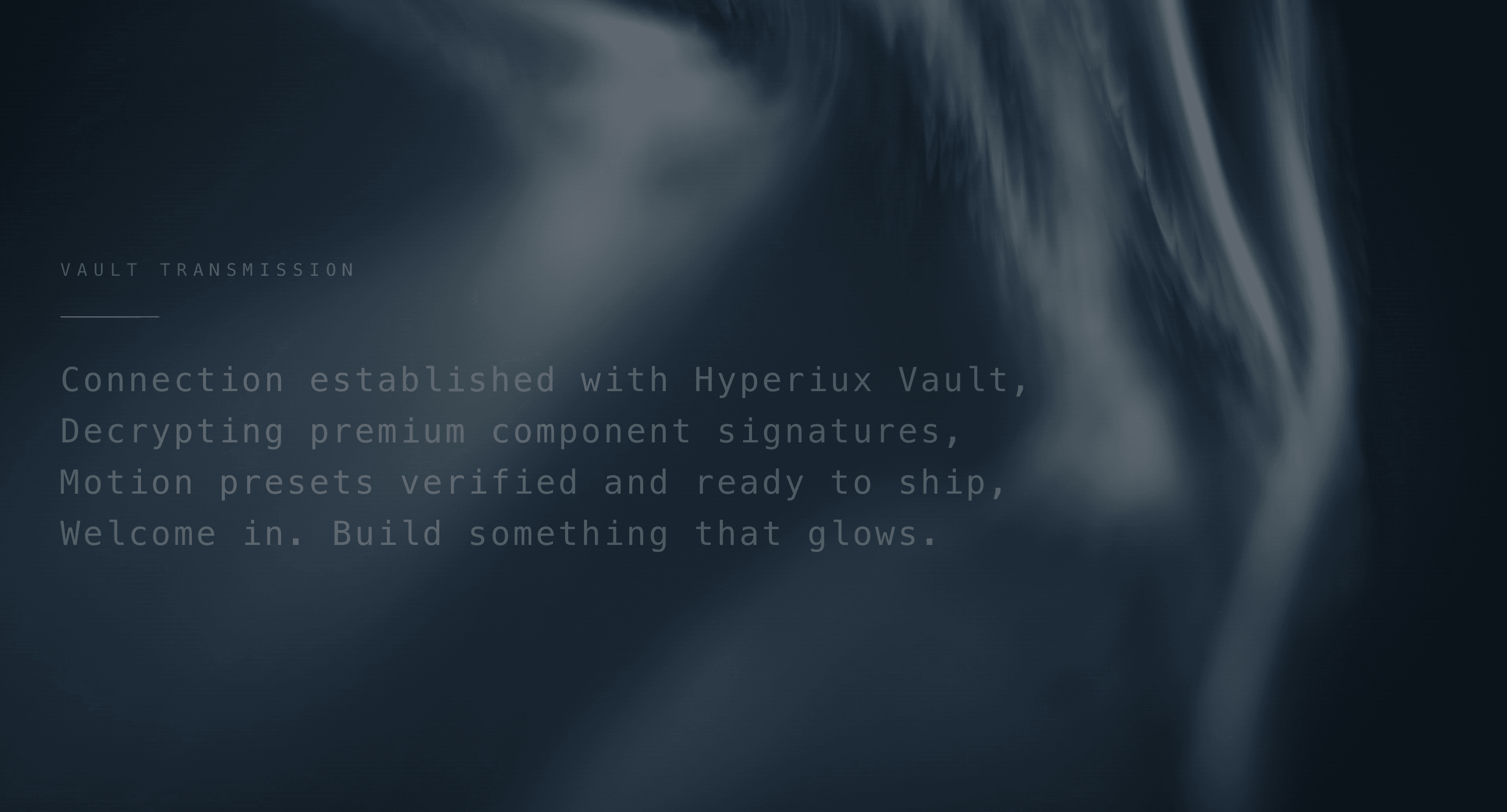
Glowing Text turns a line of copy into a controlled word-by-word reveal. Characters appear in sequence, the active word carries a soft glow while it forms, and the sentence resolves into a stable readable state.
Use it when a short message needs to feel transmitted, activated, or unlocked without becoming a fake loader. It fits technical intros, AI product sections, cybersecurity pages, private-beta moments, and dark hero panels where the text should arrive with rhythm.
The page job is controlled anticipation. The visitor should feel the message arriving with intent, but the final copy still needs to land quickly, remain readable, and stop moving once the idea has been delivered.
Install Command
npx hyperiux add glowing-textUsage Code
page.jsx
import GlowingText from "@/components/effects/glowing-text";

const page = () => {
 return (
 <>
 <GlowingText/>
 </>
 )
}


export default page
Component Code
index.jsx
// Built using Hyperiux Vault: https://vault.hyperiux.com
"use client";
import { useMemo } from "react";
const DEFAULT_EYEBROW = "VAULT TRANSMISSION";
const DEFAULT_TEXT =
  "Connection established with Hyperiux Vault,
Decrypting premium component signatures,
Motion presets verified and ready to ship,
Welcome in. Build something that glows.";
const SETTLED_WEIGHT = 300;

function withAlpha(color, alpha) {
  if (/^#[0-9a-f]{6}$/i.test(color)) {
    const red = Number.parseInt(color.slice(1, 3), 16);
    const green = Number.parseInt(color.slice(3, 5), 16);
    const blue = Number.parseInt(color.slice(5, 7), 16);
    return `rgba(${red}, ${green}, ${blue}, ${alpha})`;
  }
  return color;
}
function tokenizeWithOffsets(value) {
  const matches = value.match(/\s+|\S+/g) ?? [];
  let offset = 0;
  return matches.map((text) => {
    const start = offset;
    offset += Array.from(text).length;
    return { text, isSpace: /^\s/.test(text), start };
  });
}
export default function GlowingText({
  eyebrow = DEFAULT_EYEBROW,
  text = DEFAULT_TEXT,
  textColor = "#d8d8d8",
  glowColor = "#ffffff",
  backgroundColor = "#0b0d0e",
  fontSize = 2.2,
  letterSpacing = 0.08,
  lineHeight = 1.55,
  glowIntensity = 0.7,
  characterStagger = 0.045,
  revealDuration = 0.5,
  lineGap = 0.15,
  className = "",
}) {
  const glowSoft = withAlpha(glowColor, Math.min(0.48, glowIntensity * 0.48));
  const glowHard = withAlpha(glowColor, Math.min(0.9, glowIntensity * 0.9));
  const dimEnd = withAlpha(textColor, 0.4);
  const stagger = Math.max(characterStagger, 0.01);
  const duration = Math.max(revealDuration, 0.1);
  const eyebrowTokens = useMemo(() => tokenizeWithOffsets(eyebrow), [eyebrow]);
  const lineTokens = useMemo(
    () => text.split("
").map(tokenizeWithOffsets),
    [text],
  );
  const lineCharDelays = useMemo(() => {
    let elapsed = 0;
    return lineTokens.map((tokens) => {
      const charCount = tokens.reduce(
        (total, token) => total + Array.from(token.text).length,
        0,
      );
      const delays = Array.from(
        { length: charCount },
        (_, index) => elapsed + index * stagger,
      );
      const lineDuration =
        charCount > 0 ? (charCount - 1) * stagger + duration : 0;
      elapsed += lineDuration + Math.max(lineGap, 0);
      return delays;
    });
  }, [lineTokens, stagger, duration, lineGap]);
  const renderTokens = (tokens, keyPrefix, delayFor) =>
    tokens.map((token, tokenIndex) => {
      if (token.isSpace) {
        return (
          <span key={`${keyPrefix}-space-${tokenIndex}`}>{token.text}</span>
        );
      }
      return (
        <span
          key={`${keyPrefix}-word-${tokenIndex}`}
          className="glowing-text-word"
        >
          {Array.from(token.text).map((character, charIndex) => (
            <span
              key={`${keyPrefix}-char-${tokenIndex}-${charIndex}`}
              aria-hidden="true"
              className="glowing-text-char"
              style={{
                "--char-delay": `${delayFor(token.start + charIndex)}s`,
                "--char-duration": `${duration}s`,
              }}
            >
              {character}
            </span>
          ))}
        </span>
      );
    });
  return (
    <section
      className={`glowing-text-root relative flex min-h-screen w-full items-center overflow-hidden px-6 py-24 ${className}`}
      style={{
        "--glow-text": textColor,
        "--glow-text-dim-end": dimEnd,
        "--glow-soft": glowSoft,
        "--glow-hard": glowHard,
        "--glow-settled-weight": SETTLED_WEIGHT,
        backgroundColor,
        backgroundPosition: "center",
        backgroundRepeat: "no-repeat",
        backgroundSize: "cover",
      }}
    >
      <div className="pointer-events-none absolute inset-0 opacity-70">
        <div className="absolute inset-0 bg-[linear-gradient(115deg,transparent_0%,rgba(255,255,255,0.03)_28%,transparent_46%),linear-gradient(165deg,rgba(255,255,255,0.05)_0%,transparent_30%)]" />
        <div className="absolute inset-0 bg-[repeating-linear-gradient(0deg,rgba(255,255,255,0.035)_0px,rgba(255,255,255,0.035)_1px,transparent_1px,transparent_5px)] opacity-20" />
      </div>

      <div className="relative z-10 mx-auto w-full max-w-[92vw]">
        <div
          className="glowing-text-eyebrow mb-8 font-mono uppercase"
          aria-label={eyebrow}
          style={{
            fontSize: `clamp(0.9rem, ${fontSize * 0.52}vw, 2.1rem)`,
            letterSpacing: `${letterSpacing + 0.28}em`,
          }}
        >
          {renderTokens(
            eyebrowTokens,
            "eyebrow",
            (charIndex) => charIndex * stagger,
          )}
        </div>

        <div className="mb-9 h-px w-24 bg-[var(--glow-text)] opacity-60 shadow-[0_0_18px_var(--glow-soft)]" />

        <div
          className="glowing-text-copy font-mono"
          style={{
            fontSize: `clamp(1.25rem, ${fontSize}vw, 4.75rem)`,
            letterSpacing: `${letterSpacing}em`,
            lineHeight,
          }}
        >
          {lineTokens.map((tokens, lineIndex) => (
            <div key={`line-${lineIndex}`} className="glowing-text-line">
              {renderTokens(
                tokens,
                `line-${lineIndex}`,
                (charIndex) => lineCharDelays[lineIndex][charIndex],
              )}
            </div>
          ))}
        </div>
      </div>

      <style>{`
        .glowing-text-root {
          color: var(--glow-text);
        }

        .glowing-text-word {
          display: inline-block;
          white-space: nowrap;
        }

        .glowing-text-char {
          display: inline-block;
          color: var(--glow-text);
          opacity: 0;
          font-weight: var(--glow-settled-weight);
          text-shadow: none;
          animation: glowing-char-reveal var(--char-duration) ease-out var(--char-delay) forwards;
        }

        @keyframes glowing-char-reveal {
          0% {
            color: var(--glow-text);
            opacity: 0;
            font-weight: var(--glow-settled-weight);
            text-shadow: none;
          }

          55% {
            color: var(--glow-text);
            opacity: 1;
            font-weight: var(--glow-settled-weight);
            text-shadow:
              0 0 7px var(--glow-hard),
              0 0 18px var(--glow-hard),
              0 0 34px var(--glow-hard);
          }

          80% {
            font-weight: var(--glow-settled-weight);
          }

          100% {
            color: var(--glow-text-dim-end);
            opacity: 0.72;
            font-weight: var(--glow-settled-weight);
            text-shadow: none;
          }
        }

        @media (prefers-reduced-motion: reduce) {
          .glowing-text-char {
            color: var(--glow-text-dim-end);
            font-weight: var(--glow-settled-weight);
            text-shadow: none;
            animation: glowing-char-fade-in 0.4s ease-out forwards;
          }
        }

        @keyframes glowing-char-fade-in {
          from {
            opacity: 0;
          }

          to {
            opacity: 0.72;
          }
        }
      `}</style>
    </section>
  );
}
Example Production Use Case
A cybersecurity landing page can use Glowing Text in a hero panel to introduce a short trust sequence: connection established, policy verified, assets protected, access granted. The animation makes the copy feel procedural without replacing the actual security explanation.
The outcome is signal. The product feels technical and composed before the visitor reaches the main CTA, but the message still resolves into clear readable copy.
A developer-tool page can use the same pattern to introduce CLI setup or component readiness. The glow gives the system voice a premium edge without needing a heavy WebGL scene.
Best Used For
- Developer-tool and AI pages where system-style messaging fits the product language.
- Product launch sections where a short message should arrive with rhythm and atmosphere.
- Dark hero panels where a soft glow can create focus without overpowering the headline.
- Onboarding, private-beta, or access-state moments where the copy can feel transmitted or verified.
Not For
Not for body copy, documentation, legal text, form labels, error messages, checkout flows, pricing details, or long explanations.
Not for fake security, fake loading, fake encryption, or fake verification claims. A glowing word does not make a weak claim more credible. It only makes the weakness easier to see.
Performance Budget
Keep the animated copy short, reserve the final text area, avoid layout shifts as characters appear, and clean up timers or intervals when the component unmounts. Limit glow blur and shadow intensity, especially on dark pages where large text-shadow values can become expensive.
Avoid looping long sequences near conversion areas. Once the message has arrived, let it rest.
Accessibility and Mobile
Expose the completed message once to assistive technology. Do not announce every character as it appears. If the animation uses decorative character spans, mark duplicates as hidden where needed.
On mobile, reduce glow radius, character delay, and line count. Long terminal-style lines should wrap predictably and remain readable. For reduced motion, render the final text immediately or use a brief fade without character-by-character arrival or glowing word progression.
Common Mistakes
- Treating the glow as selective keyword emphasis instead of sequential arrival behavior.
- Typing too much copy one character at a time.
- Making screen readers hear every animated character.
- Letting the glow blur the word until it becomes harder to read.
- Looping the transmission beside a CTA forever.
- Using system-style language for a product section that is not technical, secure, procedural, or command-led.
Changelog
v1.0.0
Aug 14, 2026Initial release
Props
| Prop | Type | Default | Description |
|---|---|---|---|
textColor | string | #d8d8d8 | Base text color. |
glowColor | string | #ffffff | Glow and scan color. |
fontSize | number | 2.2 | Body text size in vw units. |
letterSpacing | number | 0.08 | Letter spacing in em units. |
lineHeight | number | 1.55 | Body line height. |
glowIntensity | number | 0.7 | Glow strength. |
characterStagger | number | 0.045 | Delay between each character starting its reveal. |
revealDuration | number | 0.5 | How long each character takes to fade in and settle. |
lineGap | number | 0.15 | Extra pause after a line's last word before the next line starts. |
Frequently Asked Questions
What is Glowing Text?
Glowing Text is a React text animation where letters appear sequentially and the active word glows while it is being formed.
Is Glowing Text the same as Typing Text?
Not exactly. Typing Text focuses on the character-by-character typewriter rhythm. Glowing Text adds a word-level visual glow during arrival, making the reveal feel more atmospheric and premium.
When should I use Glowing Text?
Use it for short technical intros, launch messages, AI or cybersecurity hero panels, product-status sequences, and dark landing-page moments where copy should feel transmitted or verified.
Should Glowing Text highlight only important words?
No. The glow is part of the reveal behavior, not a selective emphasis system. If specific keywords need emphasis, use a different text treatment or combine the final state with a clear typographic hierarchy.
How do I keep Glowing Text accessible?
Render the final message as real text and expose it once. Hide decorative character or glow layers from assistive technology where needed, and avoid announcing every animated letter.
Does Glowing Text affect SEO?
Not if the final copy renders as real HTML. Avoid trapping the meaningful text inside canvas, images, or client-only decorative fragments.
What should reduced motion do for Glowing Text?
Show the final readable message immediately or with a short fade. Remove character sequencing, glow progression, cursor blinking, and repeated loops.
Can Hyperiux adapt Glowing Text for a real brand system?
Yes. A custom version should define message structure, character timing, word glow behavior, typography rules, accessibility handling, mobile tuning, reduced-motion fallback, source handoff, and implementation notes.
Request a Custom Text Animation
Need a custom effect? Tell us what to create.


