Loading
Focus Text
A focused text reveal for hero statements, editorial intros, product claims, and brand pages where copy should move from atmosphere into clarity.
Published On: August 17, 2026
Last Updated: August 18, 2026
GSAP
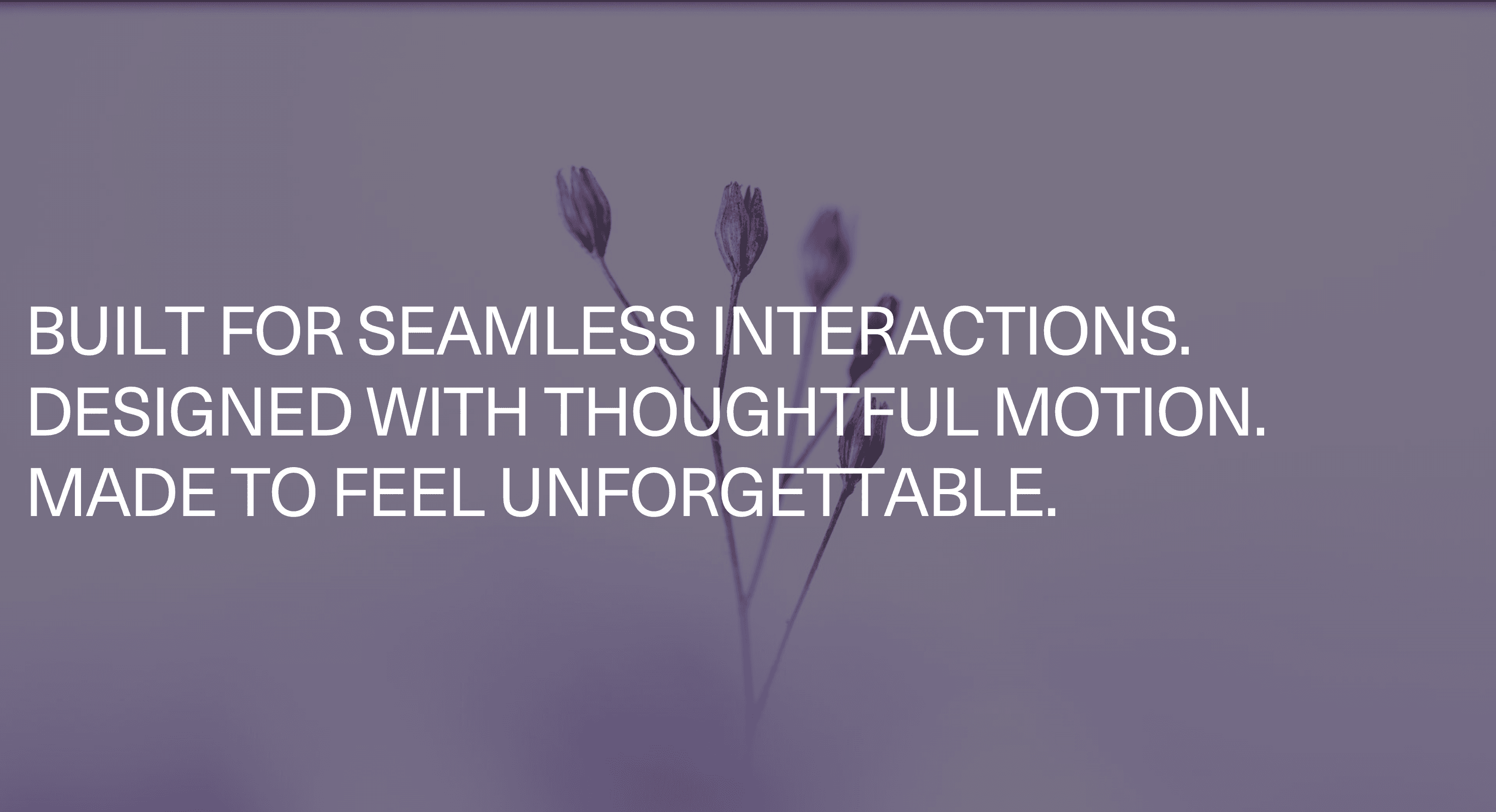
Overview
Focus Text turns a stacked message into a controlled reading sequence.
Each line begins softened, blurred, or visually held back. As the animation progresses, the active line sharpens into full clarity, then the next line receives the same treatment. The result is a quiet progression of attention: one thought comes into focus, then the next, then the complete statement resolves.
Use Focus Text when a page needs to slow the eye without slowing the user. It works for hero copy, campaign statements, portfolio intros, product positioning, studio manifestos, launch lines, and brand-led sections where the writing deserves a measured arrival.
The page job is clarity. The animation should help the visitor read the message in the intended order. It should not turn a simple sentence into a vision test with typography.
Install Command
npx hyperiux add focus-textUsage Code
page.jsx
import FocusText from "@/components/effects/focus-text";

const page = () => {
 return (
 <>
 <FocusText/>
 </>
 )
}


export default page
Component Code
index.jsx
// Built using Hyperiux Vault: https://vault.hyperiux.com
"use client";
import { useEffect, useMemo, useRef, useState } from "react";
import gsap from "gsap";
import { ScrollTrigger } from "gsap/ScrollTrigger";
import { CustomEase } from "gsap/CustomEase";
gsap.registerPlugin(ScrollTrigger, CustomEase);
const FOCUS_EASE = CustomEase.create("focusTextEase", "0.16,1,0.3,1");
const DEFAULT_TEXT =
  "Built for seamless interactions.
Designed with thoughtful motion.
Made to feel unforgettable.";
const DEFAULT_CHARACTER_STAGGER = 0.05;
const REDUCED_MOTION_DURATION = 0.3;
export default function FocusText({
  text = DEFAULT_TEXT,
  className = "",
  fontSize = 4.5,
  characterStagger = DEFAULT_CHARACTER_STAGGER,
  revealDuration = 3.2,
  startScale = 0.4,
  blurAmount = 18,
  holdDuration = 1.2,
  loop = false,
  scrub = false,
  scrollStart = "top 80%",
  scrollEnd = "bottom 20%",
  backgroundColor = "#000000",
  textColor = "#ffffff",
  showReplayButton = true,
}) {
  const sectionRef = useRef(null);
  const tweenRef = useRef(null);
  const [isPlaying, setIsPlaying] = useState(true);
  const lines = useMemo(
    () =>
      text.split("
").map((line) => {
        const words = line.split(" ");
        return words.map((word) => Array.from(word));
      }),
    [text],
  );
  const totalCharacterCount = useMemo(
    () =>
      lines.reduce(
        (lineTotal, words) =>
          lineTotal +
          words.reduce((wordTotal, word) => wordTotal + word.length, 0),
        0,
      ),
    [lines],
  );
  const totalRevealDuration = useMemo(
    () =>
      revealDuration +
      DEFAULT_CHARACTER_STAGGER * Math.max(totalCharacterCount - 1, 0),
    [revealDuration, totalCharacterCount],
  );
  const effectiveRevealDuration = useMemo(
    () =>
      Math.max(
        0.12,
        totalRevealDuration -
          characterStagger * Math.max(totalCharacterCount - 1, 0),
      ),
    [characterStagger, totalCharacterCount, totalRevealDuration],
  );
  useEffect(() => {
    const section = sectionRef.current;
    if (!section) return;
    const prefersReducedMotion =
      typeof window.matchMedia === "function" &&
      window.matchMedia("(prefers-reduced-motion: reduce)").matches;
    const ctx = gsap.context(() => {
      const characters = Array.from(
        section.querySelectorAll("[data-focus-char]"),
      );
      if (!characters.length) return;
      // The heading renders at opacity 0 to avoid a flash of unstyled
      // characters before GSAP applies the from-state.
      gsap.set(section.querySelector("[data-focus-heading]"), { opacity: 1 });
      if (prefersReducedMotion) {
        // No scale, no blur, no per-character stagger, no loop and never
        // tied to scroll position - just a short fade to the final state.
        tweenRef.current = gsap.fromTo(
          characters,
          { opacity: 0 },
          {
            opacity: 1,
            duration: REDUCED_MOTION_DURATION,
            ease: "none",
            onStart: () => setIsPlaying(true),
            onComplete: () => setIsPlaying(false),
          },
        );
        return;
      }
      tweenRef.current = gsap.fromTo(
        characters,
        {
          opacity: 0,
          scale: startScale,
          filter: `blur(${blurAmount}px)`,
        },
        {
          opacity: 1,
          scale: 1,
          filter: "blur(0px)",
          duration: effectiveRevealDuration,
          stagger: characterStagger,
          ease: FOCUS_EASE,
          // Scrubbing hands playback to the scroll position, so looping and
          // the hold between cycles no longer apply.
          repeat: !scrub && loop ? -1 : 0,
          repeatDelay: holdDuration,
          onStart: () => setIsPlaying(true),
          onRepeat: () => setIsPlaying(true),
          onComplete: () => setIsPlaying(false),
          scrollTrigger: scrub
            ? {
                trigger: section,
                start: scrollStart,
                end: scrollEnd,
                scrub: true,
              }
            : undefined,
        },
      );
    }, section);
    return () => {
      ctx.revert();
      tweenRef.current = null;
    };
  }, [
    lines,
    characterStagger,
    effectiveRevealDuration,
    startScale,
    blurAmount,
    holdDuration,
    loop,
    scrub,
    scrollStart,
    scrollEnd,
  ]);
  const handleReplay = () => {
    tweenRef.current?.restart(false, false);
  };
  return (
    <section
      ref={sectionRef}
      className={`relative flex min-h-screen w-full items-center overflow-hidden px-6 ${className}`}
      style={{
        backgroundColor,
        backgroundPosition: "center",
        backgroundRepeat: "no-repeat",
        backgroundSize: "cover",
      }}
    >
      <h1
        data-focus-heading
        className="m-0 w-full font-sans font-black uppercase leading-none tracking-tight opacity-0"
        style={{
          fontSize: `clamp(2rem, ${fontSize}vw, 8rem)`,
          color: textColor,
        }}
      >
        {lines.map((words, lineIndex) => (
          <span key={`line-${lineIndex}`} className="block">
            {words.map((word, wordIndex) => (
              <span key={`line-${lineIndex}-word-${wordIndex}`}>
                <span className="inline-block whitespace-nowrap">
                  {word.map((character, charIndex) => (
                    <span
                      key={`${lineIndex}-${wordIndex}-${charIndex}`}
                      data-focus-char
                      className="inline-block"
                      style={{
                        willChange: "transform, filter, opacity",
                        transformOrigin: "50% 50%",
                        backfaceVisibility: "hidden",
                      }}
                    >
                      {character}
                    </span>
                  ))}
                </span>
                {wordIndex < words.length - 1 ? (
                  <span aria-hidden="true" className="whitespace-pre">
                    {" "}
                  </span>
                ) : null}
              </span>
            ))}
          </span>
        ))}
      </h1>

      {showReplayButton && !scrub && (
        <button
          type="button"
          onClick={handleReplay}
          className="absolute inset-x-0 bottom-8 mx-auto inline-flex w-fit items-center justify-center rounded-full border border-white/20 bg-white/8 px-5 py-2.5 font-mono text-[11px] uppercase tracking-[0.28em] text-white transition hover:border-white/40 hover:bg-white/14"
        >
          Replay animation
        </button>
      )}
    </section>
  );
}
Example Production Use Case
A product landing page can use Focus Text in the hero to introduce a three-line positioning statement. The first line sharpens, the second follows, and the final line resolves the argument before the visitor reaches the CTA.
The outcome is pacing. The message feels intentional without needing a loud transition, a heavy 3D scene, or a full-screen animation that steals attention from the copy.
A creative studio can use the same pattern for a manifesto-style section where each line carries one part of the brand promise: craft, motion, and commercial clarity.
Best Used For
- Hero statements where each line should land in sequence.
- Campaign and editorial intros where the writing has a clear rhythm.
- Portfolio and studio pages where typography needs controlled atmosphere.
- Product positioning sections where the final statement should resolve from several short claims.
- Dark or minimal layouts where focus, blur, and timing can carry the visual treatment.
Not For
Not for body copy, legal text, documentation, error messages, form labels, pricing details, or instructions.
Not for long paragraphs. If every line needs time to focus, the page is not cinematic. It is slow.
Not for copy that is weak without motion. Focus Text can pace a good statement; it cannot make a vague one meaningful.
Performance Budget
Keep the animated text short, reserve the final text area, animate opacity, transform, and blur with restraint, and avoid repeated replay on minor scroll changes. Large blur values across big text can become expensive, especially on low-power devices.
Let the animation finish and rest. A focused message should not keep breathing beside the CTA like it is nervous.
Accessibility and Mobile
Expose the complete message once to assistive technology. Do not announce line fragments, duplicate layers, or intermediate blur states. On mobile, reduce blur distance, stagger length, and scale movement so the text remains easy to read.
For reduced motion, render the final clear text immediately or use a short fade. Remove blur travel, line sequencing, scale movement, and repeated replay.
Common Mistakes
- Using Focus Text on long paragraphs.
- Making blurred lines too hard to read for too long.
- Letting line breaks change mid-animation across breakpoints.
- Duplicating text layers without hiding decorative copies from assistive technology.
- Replaying the focus sequence every time the user scrolls near it.
- Treating focus motion as a substitute for clear writing.
Changelog
v1.0.0
Aug 17, 2026Initial release
Props
| Prop | Type | Default | Description |
|---|---|---|---|
textColor | string | #ffffff | Text color. |
fontSize | number | 4.5 | Text size in vw units. |
characterStagger | number | 0.05 | Delay between each character reveal. |
revealDuration | number | 3.2 | Duration of each character reveal. |
startScale | number | 0.4 | Starting scale before characters settle. |
blurAmount | number | 18 | Initial blur amount in pixels. |
holdDuration | number | 1.2 | Pause duration after the full reveal completes. |
loop | boolean | false | Automatically replay the animation on a loop. |
showReplayButton | boolean | true | Shows the built-in replay button inside the component. |
Frequently Asked Questions
What is Focus Text?
Focus Text is a React text animation that brings lines of copy into clarity one by one using blur, opacity, scale, or focus-style motion.
When should I use Focus Text?
Use it when a short stacked statement needs a controlled reading sequence: hero copy, campaign intros, product claims, studio positioning, or editorial section openers.
Is Focus Text the same as Blur Text?
Not exactly. Blur Text usually reveals a phrase or group of words through a soft blur-in. Focus Text is more sequential: it guides attention line by line as each part of the message sharpens.
How much copy should Focus Text include?
Keep it short. Two to four lines work best. More than that starts to feel like the user is waiting for the page to read itself.
How do I keep Focus Text accessible?
Render the full message as real text and expose it once. Hide decorative duplicate layers from assistive technology where needed, and avoid making screen readers experience the animation sequence.
Does Focus Text affect SEO?
Show the final readable text immediately or with a minimal fade. Remove blur travel, staggered focus movement, scaling, and repeated loops.
What should reduced motion do for Focus Text?
Show the final readable text immediately or with a minimal fade. Remove blur travel, staggered focus movement, scaling, and repeated loops.
Can Hyperiux adapt Focus Text for a real brand system?
Yes. A custom version should define line structure, blur intensity, timing, typography rules, trigger behavior, accessibility handling, mobile tuning, reduced-motion fallback, source handoff, and implementation notes.
Request a Custom Text Animation
Need a custom effect? Tell us what to create.


