Pro
GSAP
Morphing Dock
Navigation
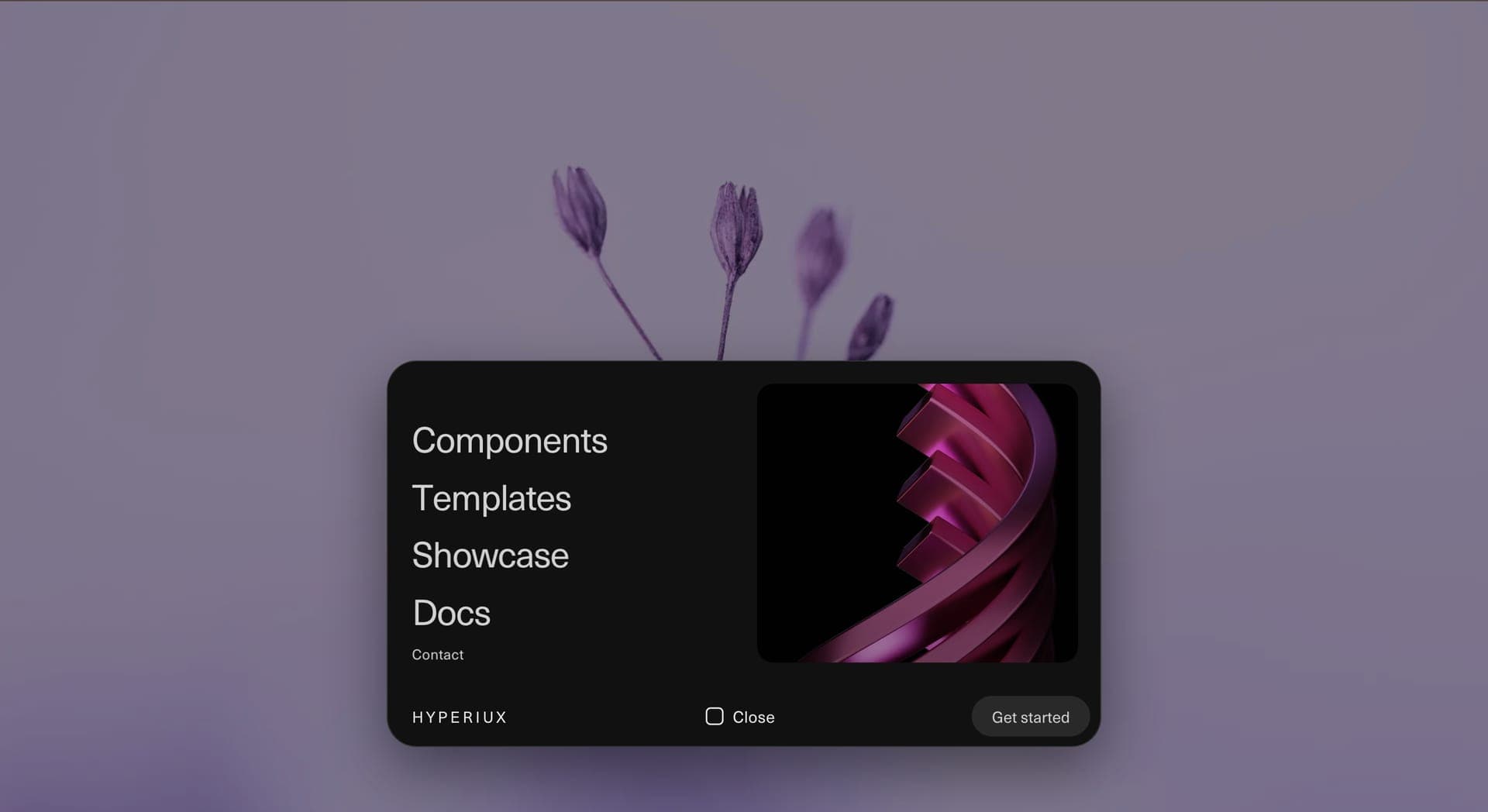
An animated navigation component for portfolios, agency websites, product ecosystems, creative studios, and brand-led interfaces where the menu should feel spatial, editorial, and deliberate.
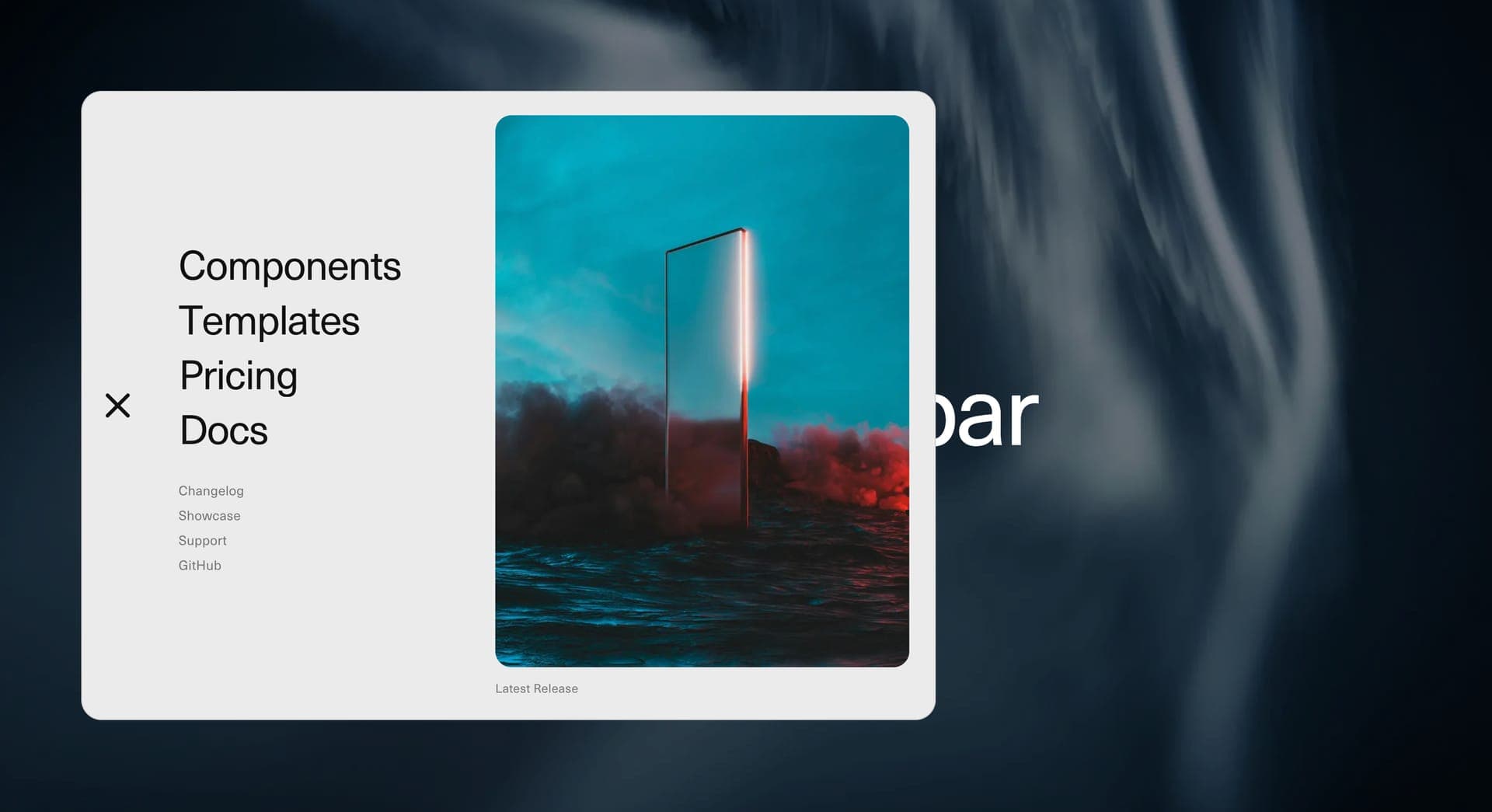
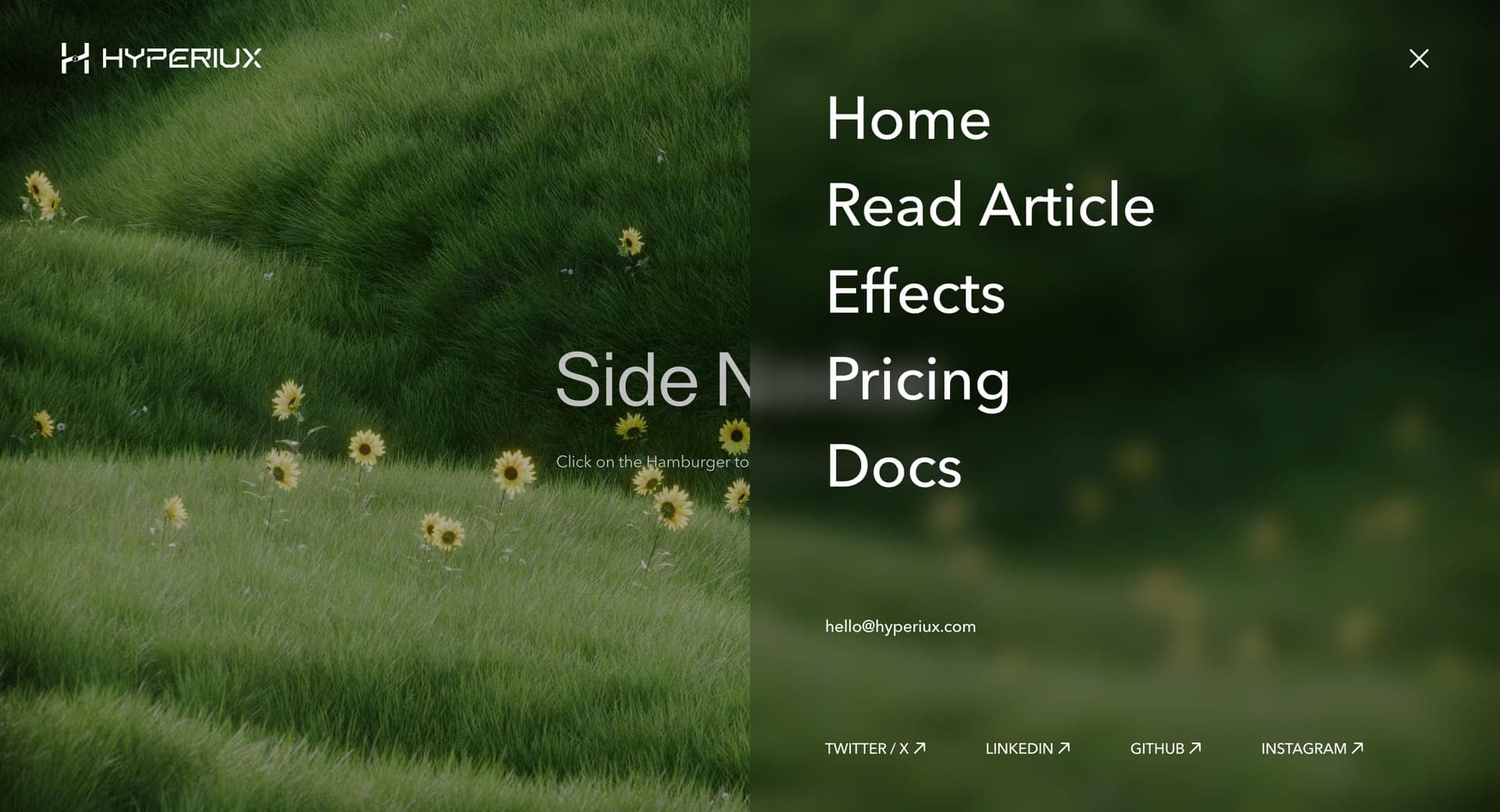
Displacement Navbar turns a simple menu trigger into a full navigation composition.
The component opens a large menu surface that visually displaces the page state, giving primary routes more room to breathe. Large navigation links can sit on one side, secondary routes can occupy a quieter column, and preview media or contextual imagery can respond to selected items. The result feels closer to an editorial navigation layer than a standard dropdown.
Use Displacement Navbar when navigation is part of the brand experience. It works for creative studios, portfolio sites, SaaS product ecosystems, template libraries, agency pages, campaign microsites, and design-led product websites where routes need hierarchy, not just placement.
The page job is orientation with presence. The user should immediately understand the primary routes, see supporting options without confusion, and close the menu without friction. The displacement motion should make the menu feel connected to the page, not like a dark panel arrived from another website.
import DisaplacementNavbar from '@/components/effects/displacement-navbar' const page = () => { return ( <DisaplacementNavbar/> )}A creative studio can use Displacement Navbar to turn a minimal header into a strong editorial menu. The compact state keeps the page clean, while the expanded state gives the studio space for Work, Services, About, Journal, Contact, and selected preview imagery.
The outcome is navigation with brand memory. The menu helps users move through the site while reinforcing the studio’s visual language.
A product ecosystem can use the same component to organize Components, Templates, Showcase, Docs, Pricing, and Changelog inside one composed navigation layer. The menu gives each route a clear place without forcing a heavy header onto every page.
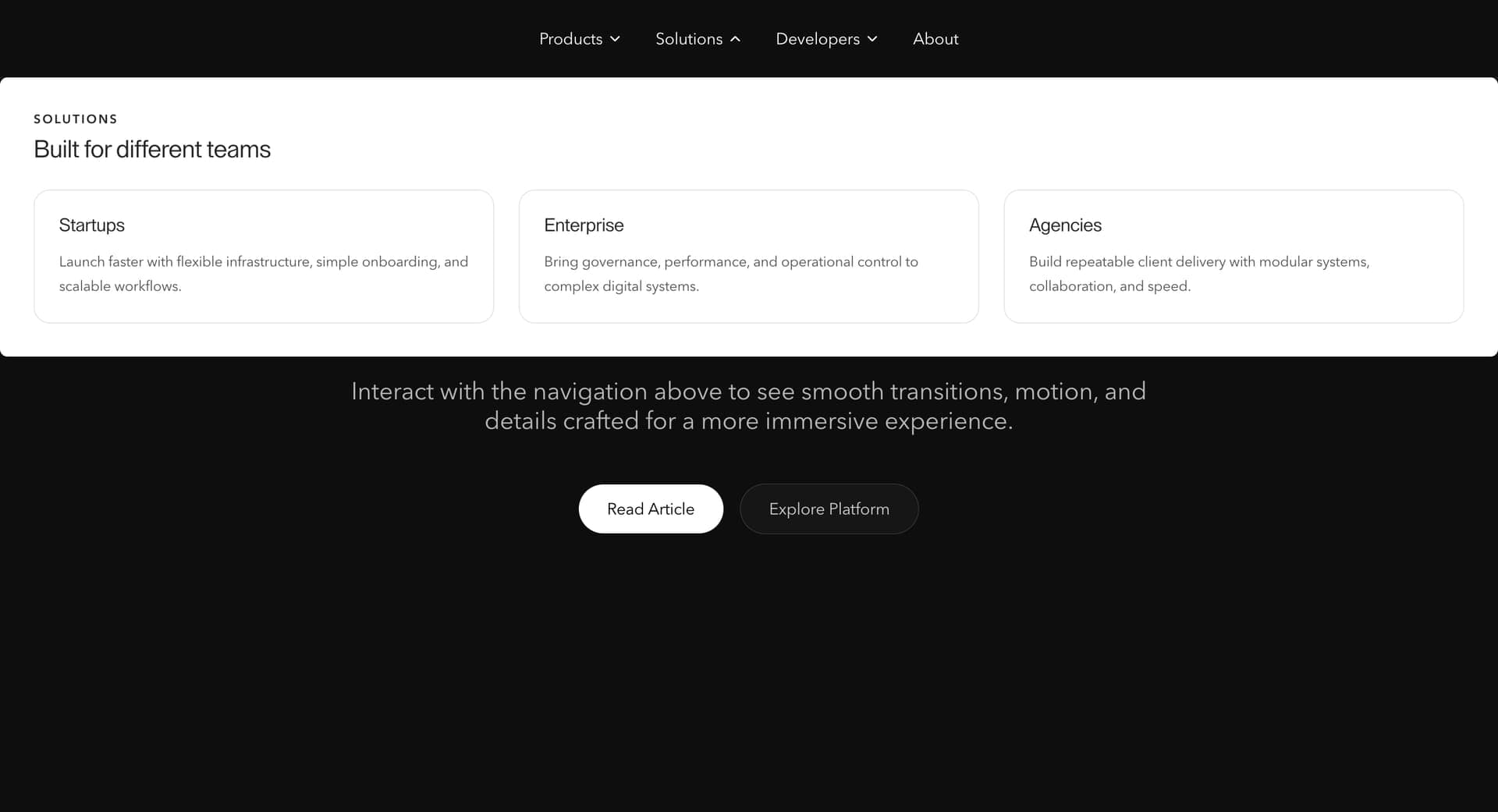
Not for complex enterprise navigation with deep nesting, admin dashboards, ecommerce mega menus, dense documentation sidebars, or workflows where users need instant utilitarian navigation.
Not for menus with unclear route labels. Motion can make navigation memorable, but it cannot make vague labels useful.
Not for pages where the preview image becomes louder than the route structure. Navigation is not a moodboard with escape-key support.
Keep the menu animation lightweight. Animate transform, opacity, clip-path, or height with restraint. Avoid layout-heavy transitions across too many nested elements. Optimise preview images and avoid loading every large media asset before the menu is opened.
If preview media changes on hover, preload carefully or use small optimized images. Clean up event listeners, outside-click handlers, scroll locks, timers, and animation instances when the component unmounts.
Avoid long stagger chains. Navigation should feel polished, not delayed.
Use a semantic navigation landmark, real links, and button controls. The menu trigger should have a clear accessible label and expanded state. Support keyboard access, visible focus states, Escape-to-close behavior, and focus return to the trigger.
If the menu behaves like an overlay, prevent unsafe background interaction while it is open and keep the focus order predictable. Hover-preview behavior should also work through keyboard focus.
On mobile, simplify the layout into a full-screen menu, stacked panel, or bottom-sheet style pattern. Reduce preview media, increase tap target size, and keep the close control visible. For reduced motion, remove displacement travel, long stagger, preview motion, and panel shifts. Open the menu instantly or with a minimal fade.
| Prop | Type | Default | Description |
|---|---|---|---|
openDuration | number | 0.65 | Page displacement and bar/mark open duration, in seconds. |
closeDuration | number | 0.65 | Page displacement and bar/mark close duration, in seconds. Matches openDuration by default so the close mirrors the open. |
contentStagger | number | 0.055 | Delay between each shelf content item fading in on open, and out again on close in reverse order. |
imageSwapDuration | number | 0.5 | Duration of the figure image cross-swap on link hover, in seconds. Needs Show Media on. |
showMedia | boolean | true | Shows the figure image panel next to the primary links. |
shelfBackground | string | #151515 | Shelf and header background color. |
pageGradientFrom | string | #0D47A1 | Start color of the displaced page's gradient. |
pageGradientTo | string | #E3F2FD | End color of the displaced page's gradient. |
linkColor | string | #f4f3f1 | Primary and info link text color. |
mutedColor | string | rgba(244,243,241,0.38) | Index numerals, captions, and dimmed-state color. |
hairlineColor | string | rgba(244,243,241,0.14) | Bar seam and footer divider color. |
charStagger | number | 0.01 | Per-character reveal delay on link hover, in seconds. |
showLinkUnderline | boolean | true | Shows the underline draw-in under hovered links. |
dimInactiveLinks | boolean | true | Dims sibling primary links while one is hovered. |
Displacement Navbar is a React navigation component that opens a large animated menu surface where links, secondary routes, and preview media shift into a composed layout.
Use it for portfolios, agency sites, SaaS products, component libraries, template directories, campaign microsites, and brand-led websites where navigation should feel more designed than a standard dropdown.
Not exactly. A full-screen menu simply covers the page. Displacement Navbar uses spatial layout and motion to make the menu feel connected to the page state.
Yes. Preview images work well when they clarify or reinforce the selected route. Keep them optimized and avoid making them more important than the navigation itself.
If the menu opens as a large overlay, scroll locking is usually useful. If it opens as an inline header expansion, scroll locking may not be necessary.
Reduced motion should remove large displacement travel, staggered route motion, preview movement, and panel shifts. The menu should open instantly or with a minimal fade.
Need a custom effect? Tell us what to create.
Navigation
Navigation
Navigation
Navigation