Loading
Phantom Image Trail
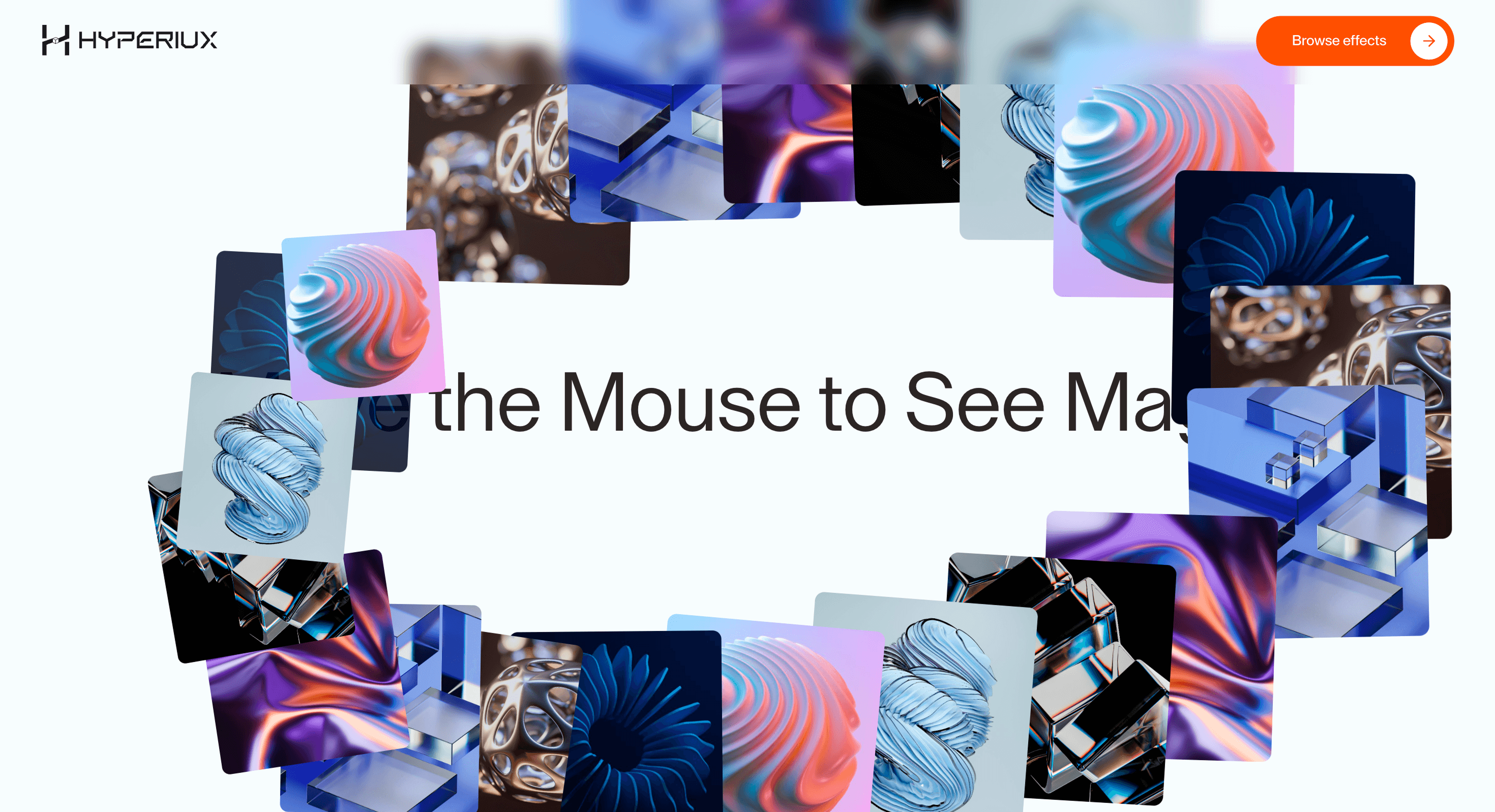
A fading image trail cursor effect where ghosted visuals follow the pointer and dissolve across the page.
Published On: June 4, 2026
Last Updated: August 17, 2026
GSAP
Overview
Phantom Image Trail turns pointer movement into atmosphere: images ghost behind the cursor path.
It belongs on creative homepages, portfolios, campaign pages, and brand-led experiments where the cursor can become part of the visual language. It does not belong on dashboards, checkout, forms, or utility-heavy product screens.
The risk in production is precision. The cursor layer must stay disposable, disable on coarse pointers, preserve visible focus, and never hide click intent. If removing the effect breaks the page, the cursor has been promoted past its pay grade.
Install Command
npx hyperiux add phantom-image-trailUsage Code
page.jsx
import PhantomImageTrail from "@/components/effects/phantom-image-trail";

const page = () => {
    return (
        <>
        <div className="w-screen h-screen relative  bg-[#f8fdfe]">
             <PhantomImageTrail
                images={images}
                enableRotation={true}
                idleSpawn={false}
                idleDelay={300}
                cursorOffsetX={-12}
                cursorOffsetY={-12}
                popOutDuration={0.8}
                fadeOutDuration={0.5}
                idlePopOutMultiplier={2.2}
                idleFadeMultiplier={1.8}
                imageMultiplier={3}
            />
        </div>
        </>
    );
};

export default page;


const images = [
  { src: "https://pub-8abee449136941f5b0a1cd2c014534e9.r2.dev/vault-listing-images/assets-images/h-11.jpg", alt: "Gradient 1" },
  { src: "https://pub-8abee449136941f5b0a1cd2c014534e9.r2.dev/vault-listing-images/assets-images/h-12.jpg", alt: "Gradient 2" },
  { src: "https://pub-8abee449136941f5b0a1cd2c014534e9.r2.dev/vault-listing-images/assets-images/h-13.jpg", alt: "Gradient 3" },
  { src: "https://pub-8abee449136941f5b0a1cd2c014534e9.r2.dev/vault-listing-images/assets-images/h-14.jpg", alt: "Gradient 4" },
  { src: "https://pub-8abee449136941f5b0a1cd2c014534e9.r2.dev/vault-listing-images/assets-images/h-15.jpg", alt: "Gradient 5" },
  { src: "https://pub-8abee449136941f5b0a1cd2c014534e9.r2.dev/vault-listing-images/assets-images/h-01.jpg", alt: "Gradient 6" },
  { src: "https://pub-8abee449136941f5b0a1cd2c014534e9.r2.dev/vault-listing-images/assets-images/h-02.jpg", alt: "Gradient 7" },
];
Component Code
index.jsx
// Built using Hyperiux Vault: https://vault.hyperiux.com
"use client";
import React, { useCallback, useEffect, useMemo, useRef, useState } from "react";
import { gsap, Expo } from "gsap";
import { useMouse } from "./useMouse";
import { createSuspendedRaf } from "./createSuspendedRaf";
function usePrefersReducedMotion() {
const [prefersReducedMotion, setPrefersReducedMotion] = useState(false);
useEffect(() => {
const mediaQuery = window.matchMedia("(prefers-reduced-motion: reduce)");
const update = () => setPrefersReducedMotion(mediaQuery.matches);
update();
mediaQuery.addEventListener("change", update);
return () => mediaQuery.removeEventListener("change", update);
}, []);
return prefersReducedMotion;
}
const MOBILE_POINTER_QUERY = "(pointer: coarse)";
const OFFSCREEN_POSITION = -9999;
const DEFAULT_IDLE_DISTANCE_THRESHOLD = 2;
const DEFAULT_TRIGGER_DISTANCE_THRESHOLD = 100;
const INITIAL_Z_INDEX = 1;
const DEFAULT_IMAGES = [
{
src: "https://pub-8abee449136941f5b0a1cd2c014534e9.r2.dev/vault-listing-images/assets-images/h-11.jpg",
alt: "Gradient 1",
},
{
src: "https://pub-8abee449136941f5b0a1cd2c014534e9.r2.dev/vault-listing-images/assets-images/h-12.jpg",
alt: "Gradient 2",
},
{
src: "https://pub-8abee449136941f5b0a1cd2c014534e9.r2.dev/vault-listing-images/assets-images/h-13.jpg",
alt: "Gradient 3",
},
{
src: "https://pub-8abee449136941f5b0a1cd2c014534e9.r2.dev/vault-listing-images/assets-images/h-14.jpg",
alt: "Gradient 4",
},
{
src: "https://pub-8abee449136941f5b0a1cd2c014534e9.r2.dev/vault-listing-images/assets-images/h-15.jpg",
alt: "Gradient 5",
},
{
src: "https://pub-8abee449136941f5b0a1cd2c014534e9.r2.dev/vault-listing-images/assets-images/h-01.jpg",
alt: "Gradient 6",
},
{
src: "https://pub-8abee449136941f5b0a1cd2c014534e9.r2.dev/vault-listing-images/assets-images/h-02.jpg",
alt: "Gradient 7",
},
];
function normalizeImages(images) {
if (!Array.isArray(images) || images.length === 0) {
return DEFAULT_IMAGES;
}
const validImages = images
.map((image, index) => {
if (typeof image === "string") {
return {
src: image,
alt: `Trail ${index + 1}`,
};
}
if (image?.src) {
return {
src: image.src,
alt: image.alt || `Trail ${index + 1}`,
};
}
return null;
})
.filter(Boolean);
return validImages.length > 0 ? validImages : DEFAULT_IMAGES;
}
export function PhantomImageTrail({ images, className = "", imageClassName = "", imageMultiplier = 3, enableRotation = true, minStartRotation = -35, maxStartRotation = 35, minExitRotation = -15, maxExitRotation = 15, idleSpawn = true, idleDelay = 300, idleDistanceThreshold = DEFAULT_IDLE_DISTANCE_THRESHOLD, triggerDistance = DEFAULT_TRIGGER_DISTANCE_THRESHOLD, cursorOffsetX = -12, cursorOffsetY = -12, popOutDuration = 1, fadeOutDuration = 0.7, idlePopOutMultiplier = 1.8, idleFadeMultiplier = 1.5, startScale = 0.2, endScale = 1, exitScale = 0, smoothMouse = true, lerpFactor = 0.1, disableOnMobile = false, enableMobileTap = true, popEase = Expo.easeOut, idlePopEase = "power1.out", fadeEase = "power4.inOut", onImageShow, }) {
const prefersReducedMotion = usePrefersReducedMotion();
const resolvedImages = useMemo(() => normalizeImages(images), [images]);
const safeImageMultiplier = Math.max(1, Number(imageMultiplier) || 1);
const totalImages = resolvedImages.length * safeImageMultiplier;
const imagesRef = useRef([]);
const containerRef = useRef(null);
const idleTimerRef = useRef(null);
const isMobileRef = useRef(false);
const lastTriggerPositionRef = useRef({
x: 0,
y: 0,
});
const lastIdleSpawnPositionRef = useRef({
x: OFFSCREEN_POSITION,
y: OFFSCREEN_POSITION,
});
const zIndexRef = useRef(INITIAL_Z_INDEX);
const imageIndexRef = useRef(0);
const { mouse, smoothMouse: smoothedMouse } = useMouse({
smooth: smoothMouse,
lerpFactor,
});
useEffect(() => {
imagesRef.current = imagesRef.current.slice(0, totalImages);
imageIndexRef.current = totalImages
? imageIndexRef.current % totalImages
: 0;
zIndexRef.current = INITIAL_Z_INDEX;
}, [totalImages, resolvedImages]);
const getMouseDistance = useCallback(() => {
const currentMouse = mouse.current;
const lastTriggerPosition = lastTriggerPositionRef.current;
return Math.hypot(currentMouse.x - lastTriggerPosition.x, currentMouse.y - lastTriggerPosition.y);
}, [mouse]);
const getIdleDistance = useCallback(() => {
const currentMouse = mouse.current;
const lastIdleSpawnPosition = lastIdleSpawnPositionRef.current;
return Math.hypot(currentMouse.x - lastIdleSpawnPosition.x, currentMouse.y - lastIdleSpawnPosition.y);
}, [mouse]);
const getCenteredPosition = useCallback((width, height, useSmoothedMouse = false) => {
const mouseSource = useSmoothedMouse ? smoothedMouse.current : mouse.current;
return {
x: mouseSource.x - width / 2 + cursorOffsetX,
y: mouseSource.y - height / 2 + cursorOffsetY,
};
}, [cursorOffsetX, cursorOffsetY, mouse, smoothedMouse]);
const showNextImage = useCallback(({ lockToCursor = false, isIdle = false, overridePosition = null } = {}) => {
if (!totalImages)
return;
const image = imagesRef.current[imageIndexRef.current];
if (!image)
return;
const width = image.offsetWidth;
const height = image.offsetHeight;
gsap.killTweensOf(image);
const startRotation = enableRotation
? gsap.utils.random(minStartRotation, maxStartRotation)
: 0;
const exitRotation = enableRotation
? gsap.utils.random(minExitRotation, maxExitRotation)
: 0;
let startPosition;
let endPosition;
if (overridePosition) {
startPosition = {
x: overridePosition.x - width / 2 + cursorOffsetX,
y: overridePosition.y - height / 2 + cursorOffsetY,
};
endPosition = startPosition;
}
else {
startPosition = lockToCursor
? getCenteredPosition(width, height)
: getCenteredPosition(width, height, true);
endPosition = getCenteredPosition(width, height);
}
const finalPopOutDuration = isIdle
? popOutDuration * idlePopOutMultiplier
: popOutDuration;
const finalFadeOutDuration = isIdle
? fadeOutDuration * idleFadeMultiplier
: fadeOutDuration;
gsap
.timeline()
.set(image, {
opacity: 1,
scale: startScale,
rotateZ: startRotation,
zIndex: zIndexRef.current,
x: startPosition.x,
y: startPosition.y,
pointerEvents: "none",
})
.to(image, {
ease: isIdle ? idlePopEase : popEase,
rotateZ: 0,
opacity: 1,
scale: endScale,
duration: finalPopOutDuration,
x: endPosition.x,
y: endPosition.y,
})
.to(image, {
ease: fadeEase,
opacity: 0,
rotateZ: exitRotation,
duration: finalFadeOutDuration,
delay: -finalFadeOutDuration,
scale: exitScale,
});
onImageShow?.({
index: imageIndexRef.current,
element: image,
isIdle,
});
zIndexRef.current += 1;
imageIndexRef.current = (imageIndexRef.current + 1) % totalImages;
}, [
totalImages,
enableRotation,
minStartRotation,
maxStartRotation,
minExitRotation,
maxExitRotation,
cursorOffsetX,
cursorOffsetY,
getCenteredPosition,
popOutDuration,
idlePopOutMultiplier,
fadeOutDuration,
idleFadeMultiplier,
startScale,
endScale,
exitScale,
idlePopEase,
popEase,
fadeEase,
onImageShow,
]);
const scheduleIdleSpawn = useCallback(function scheduleIdleSpawn() {
if (!idleSpawn || disableOnMobile && isMobileRef.current)
return;
if (idleTimerRef.current) {
clearTimeout(idleTimerRef.current);
}
idleTimerRef.current = setTimeout(() => {
if (getIdleDistance() < idleDistanceThreshold) {
showNextImage({
lockToCursor: true,
isIdle: true,
});
}
lastIdleSpawnPositionRef.current = { ...mouse.current };
scheduleIdleSpawn();
}, idleDelay);
}, [
idleSpawn,
disableOnMobile,
getIdleDistance,
idleDistanceThreshold,
showNextImage,
mouse,
idleDelay,
]);
const runAnimationLoop = useCallback(function runAnimationLoop() {
if (disableOnMobile && isMobileRef.current) {
return;
}
if (isMobileRef.current) {
return;
}
if (getMouseDistance() > triggerDistance) {
showNextImage();
lastTriggerPositionRef.current = { ...mouse.current };
lastIdleSpawnPositionRef.current = { ...mouse.current };
if (idleSpawn) {
scheduleIdleSpawn();
}
}
const allImagesInactive = imagesRef.current.every((image) => {
return image && !gsap.isTweening(image) && image.style.opacity === "0";
});
if (allImagesInactive) {
zIndexRef.current = INITIAL_Z_INDEX;
}
}, [
disableOnMobile,
getMouseDistance,
triggerDistance,
showNextImage,
mouse,
idleSpawn,
scheduleIdleSpawn,
]);
const onTap = useCallback((event) => {
if (!enableMobileTap || !isMobileRef.current)
return;
const touch = event.changedTouches?.[0] || event;
const tapPosition = {
x: touch.clientX,
y: touch.clientY,
};
showNextImage({
overridePosition: tapPosition,
});
}, [enableMobileTap, showNextImage]);
useEffect(() => {
const updatePointerType = () => {
isMobileRef.current =
typeof window !== "undefined" &&
window.matchMedia(MOBILE_POINTER_QUERY).matches;
};
updatePointerType();
const mediaQuery = typeof window !== "undefined"
? window.matchMedia(MOBILE_POINTER_QUERY)
: null;
mediaQuery?.addEventListener?.("change", updatePointerType);
const loop = createSuspendedRaf({
root: containerRef.current,
onFrame: runAnimationLoop,
});
loop.start();
if (idleSpawn && !(disableOnMobile && isMobileRef.current)) {
scheduleIdleSpawn();
}
return () => {
loop.destroy();
if (idleTimerRef.current) {
clearTimeout(idleTimerRef.current);
}
mediaQuery?.removeEventListener?.("change", updatePointerType);
imagesRef.current.forEach((image) => {
if (image) {
gsap.killTweensOf(image);
}
});
};
}, [
idleSpawn,
disableOnMobile,
runAnimationLoop,
scheduleIdleSpawn,
]);
return (<div ref={containerRef} className={`relative h-screen w-full overflow-hidden ${className}`} onClick={onTap} onTouchStart={onTap}>
{Array.from({ length: totalImages }).map((_, index) => {
const baseImageIndex = index % resolvedImages.length;
const image = resolvedImages[baseImageIndex];
return (
// eslint-disable-next-line @next/next/no-img-element
<img key={`${image.src}-${index}`} ref={(element) => {
if (element) {
imagesRef.current[index] = element;
}
}} src={image.src} alt={image.alt} draggable={false} className={`pointer-events-none absolute left-0 top-0 h-[18vw] w-[17vw] max-w-none rounded-[0.7vw] object-cover opacity-0 will-change-[transform,opacity] max-[1025px]:h-[24vh] max-[1025px]:w-[24vw] max-[1025px]:rounded-[1.2vw] max-md:size-[38vw] max-md:rounded-[3vw] ${imageClassName}`}/>);
})}
{prefersReducedMotion && (<div aria-live="polite" className="pointer-events-none fixed bottom-4 right-4 z-500 w-fit max-w-65 rounded-md border border-black/10 bg-white p-3 text-center max-[1025px]:hidden">
<h2 className="text-sm leading-none text-black">
The trail keeps spawning.
</h2>
<p className="mt-2 text-xs leading-5 text-black">
Phantom Image Trail spawns images as the cursor moves. The
motion is the effect itself, so there's no static
fallback for reduced motion preferences.
</p>
</div>)}
</div>);
}
export default PhantomImageTrail;
useMouse.jsx
// Built using Hyperiux Vault: https://vault.hyperiux.com

"use client";
import { useEffect, useRef } from "react";
import { createSuspendedRaf } from "./createSuspendedRaf";
const lerp = (a, b, n) => (1 - n) * a + n * b;
export const useMouse = ({ smooth = true, lerpFactor = 0.1, } = {}) => {
    const mouse = useRef({ x: 0, y: 0 });
    const lastMouse = useRef({ x: 0, y: 0 });
    const smoothMouse = useRef({ x: 0, y: 0 });
    // Per-frame movement metrics. Kept in a ref - not state - so the frame
    // loop never re-renders the consuming component.
    const movement = useRef({ dx: 0, dy: 0, distance: 0 });
    useEffect(() => {
        const handleMouseMove = (e) => {
            mouse.current = {
                x: e.clientX,
                y: e.clientY,
            };
        };
        const loop = createSuspendedRaf({
            root: null,
            observeOffscreen: false,
            onFrame: () => {
                const { x, y } = mouse.current;
                const { x: lx, y: ly } = lastMouse.current;
                const dx = x - lx;
                const dy = y - ly;
                movement.current.dx = dx;
                movement.current.dy = dy;
                movement.current.distance = Math.hypot(dx, dy);
                // Smooth interpolation
                if (smooth) {
                    smoothMouse.current.x = lerp(smoothMouse.current.x, x, lerpFactor);
                    smoothMouse.current.y = lerp(smoothMouse.current.y, y, lerpFactor);
                }
                else {
                    smoothMouse.current.x = x;
                    smoothMouse.current.y = y;
                }
                lastMouse.current = { x, y };
            },
        });
        window.addEventListener("mousemove", handleMouseMove);
        loop.start();
        return () => {
            window.removeEventListener("mousemove", handleMouseMove);
            loop.destroy();
        };
    }, [lerpFactor, smooth]);
    return {
        // Snapshot values - read once per render, NOT reactive. Use the refs
        // below inside rAF/GSAP loops for live per-frame values.
        x: mouse.current.x,
        y: mouse.current.y,
        smoothX: smoothMouse.current.x,
        smoothY: smoothMouse.current.y,
        dx: movement.current.dx,
        dy: movement.current.dy,
        distance: movement.current.distance,
        // REFS (for performance-heavy GSAP usage)
        mouse,
        smoothMouse,
        movement,
    };
};
createSuspendedRaf.jsx
// Built using Hyperiux Vault: https://vault.hyperiux.com

const DEFAULT_ROOT_MARGIN = "256px";
function resolveElement(root) {
    if (!root)
        return null;
    if (typeof root === "function")
        return root() ?? null;
    if (typeof root === "object" && "current" in root)
        return root.current ?? null;
    return root;
}
function createVisibilityGate({ root = null, rootMargin = DEFAULT_ROOT_MARGIN, threshold = 0, observeTab = true, observeOffscreen = true, onChange, } = {}) {
    let tabVisible = typeof document === "undefined" ? true : !document.hidden;
    // Match border-beam: assume onscreen until the observer reports otherwise.
    let onscreen = true;
    let destroyed = false;
    let observer = null;
    const isActive = () => {
        if (destroyed)
            return false;
        if (observeTab && !tabVisible)
            return false;
        if (observeOffscreen && resolveElement(root) && !onscreen)
            return false;
        return true;
    };
    let lastActive = isActive();
    const emit = () => {
        if (destroyed)
            return;
        const next = isActive();
        if (next === lastActive)
            return;
        lastActive = next;
        onChange?.(next);
    };
    const onVisibilityChange = () => {
        tabVisible = !document.hidden;
        emit();
    };
    if (observeTab && typeof document !== "undefined") {
        document.addEventListener("visibilitychange", onVisibilityChange);
    }
    const bindObserver = () => {
        if (!observeOffscreen || typeof IntersectionObserver === "undefined") {
            return;
        }
        const el = resolveElement(root);
        if (!el)
            return;
        observer = new IntersectionObserver((entries) => {
            for (const entry of entries) {
                onscreen = entry.isIntersecting;
            }
            emit();
        }, { rootMargin, threshold });
        observer.observe(el);
    };
    bindObserver();
    return {
        /** Whether the animation should currently run. */
        get isActive() {
            return isActive();
        },
        /**
         * Re-bind IntersectionObserver after the root element mounts late
         * (e.g. ref not ready on first call). Safe to call multiple times.
         */
        observe(nextRoot) {
            if (destroyed)
                return;
            if (nextRoot != null)
                root = nextRoot;
            if (observer) {
                observer.disconnect();
                observer = null;
            }
            onscreen = true;
            bindObserver();
            emit();
        },
        destroy() {
            if (destroyed)
                return;
            destroyed = true;
            if (observeTab && typeof document !== "undefined") {
                document.removeEventListener("visibilitychange", onVisibilityChange);
            }
            if (observer) {
                observer.disconnect();
                observer = null;
            }
        },
    };
}
/**
 * Owns a requestAnimationFrame loop that auto-pauses when the tab is hidden
 * or the root element is offscreen.
 */
function createSuspendedRaf({ onFrame, root = null, rootMargin = DEFAULT_ROOT_MARGIN, threshold = 0, observeTab = true, observeOffscreen = true, }) {
    if (typeof onFrame !== "function") {
        throw new TypeError("createSuspendedRaf: onFrame is required");
    }
    let rafId = null;
    let running = false;
    let destroyed = false;
    const stopRaf = () => {
        if (rafId != null) {
            cancelAnimationFrame(rafId);
            rafId = null;
        }
    };
    const tick = (time) => {
        rafId = null;
        if (destroyed || !running || !gate.isActive)
            return;
        onFrame(time);
        if (!destroyed && running && gate.isActive) {
            rafId = requestAnimationFrame(tick);
        }
    };
    const sync = () => {
        if (destroyed)
            return;
        if (running && gate.isActive) {
            if (rafId == null) {
                rafId = requestAnimationFrame(tick);
            }
        }
        else {
            stopRaf();
        }
    };
    const gate = createVisibilityGate({
        root,
        rootMargin,
        threshold,
        observeTab,
        observeOffscreen,
        onChange: sync,
    });
    return {
        /** Start (or resume) the loop when visibility allows. */
        start() {
            if (destroyed)
                return;
            running = true;
            sync();
        },
        /** Stop requesting frames (visibility listeners stay attached until destroy). */
        stop() {
            running = false;
            stopRaf();
        },
        /** Whether the caller has started the loop (may still be paused by visibility). */
        get isRunning() {
            return running;
        },
        /** Whether a frame is currently allowed to schedule. */
        get isActive() {
            return gate.isActive;
        },
        /** Re-attach offscreen observer to a (new) root element. */
        observe(nextRoot) {
            gate.observe(nextRoot);
            sync();
        },
        /** Tear down listeners and cancel any pending frame. */
        destroy() {
            if (destroyed)
                return;
            destroyed = true;
            running = false;
            stopRaf();
            gate.destroy();
        },
    };
}
export { createSuspendedRaf, createVisibilityGate, DEFAULT_ROOT_MARGIN, };
Example Production Use Case
Use this as cursor-system implementation guidance. Verify the shipped component export, pointer-tracking model, coarse-pointer disablement, z-index behavior, focus safety, cleanup, and reduced-motion handling before relying on exact props, defaults, imports, or installation steps.
Best Used For
- Creative portfolios where ghosted previews can build momentum before case-study selection.
- Image-led homepages where motion creates memory while the work remains directly accessible.
- Phantom Image Trail gives pointer movement a brand role without hiding core controls or content.
Not For
Not for dashboards, checkout, forms, dense product UIs, or any flow where precision beats atmosphere.
Performance Budget
Use one cursor layer, throttle movement with requestAnimationFrame, avoid full-screen filter effects, and disable Phantom Image Trail on coarse pointers.
Accessibility and Mobile
Disable on coarse pointers and preserve normal touch behavior. Cursor-only reveals must have visible or tap-accessible alternatives.
Common Mistakes
- Letting Phantom Image Trail cover focus rings or clickable controls.
- Forgetting to disable the effect on coarse pointers.
- Hiding useful content behind mouse-only movement.
Changelog
v1.0.1
Jul 24, 2026Added reduced-motion support, restyled the reduced-motion notice, and removed per-frame setState calls from the mouse tracker to cut wasted re-renders.
v1.0.0
Jun 4, 2026Initial release
Props
| Prop | Type | Default | Description |
|---|---|---|---|
imageMultiplier | number | 3 | Sets how many copies of the image set can be in flight. |
triggerDistance | number | 100 | Distance the cursor must move before spawning a new image. |
lerpFactor | number | 0.1 | Cursor smoothing factor. |
popOutDuration | number | 0.8 | Image pop-in duration. |
fadeOutDuration | number | 0.5 | Image fade-out duration. |
startScale | number | 0.2 | Image starting scale. |
endScale | number | 1 | Image settled scale. |
exitScale | number | 0 | Image exit scale. |
enableRotation | boolean | true | Enables random image tilt. |
maxStartRotation | number | 35 | Maximum starting tilt. |
maxExitRotation | number | 15 | Maximum exit tilt. |
idleSpawn | boolean | false | Spawns images while the cursor rests. |
idleDelay | number | 300 | Delay before idle spawning starts. |
idlePopOutMultiplier | number | 2.2 | Multiplier for idle pop-in timing. |
idleFadeMultiplier | number | 1.8 | Multiplier for idle fade-out timing. |
Frequently Asked Questions
When should I use Phantom Image Trail?
Use it when a portfolio or campaign page needs images ghosting behind the cursor path — not on utility flows.
Does Phantom Image Trail work on mobile?
Disable it on coarse pointers with CSS and JS pointer queries, then provide native touch behavior.
Can Phantom Image Trail reveal important content?
Only when the same content is visible or accessible without pointer movement. Cursor-only reveals are not suitable for critical information.
How should Phantom Image Trail behave around links and buttons?
It must preserve native click meaning, visible focus, hover states, and modal layering.
What should reduced motion do for Phantom Image Trail?
Disable trails, lag, ripples, and pointer-following motion, then return to the native cursor.
Request a Custom Cursor Animation
Need a custom effect? Tell us what to create.


