Loading
Colorful Cursor Aura
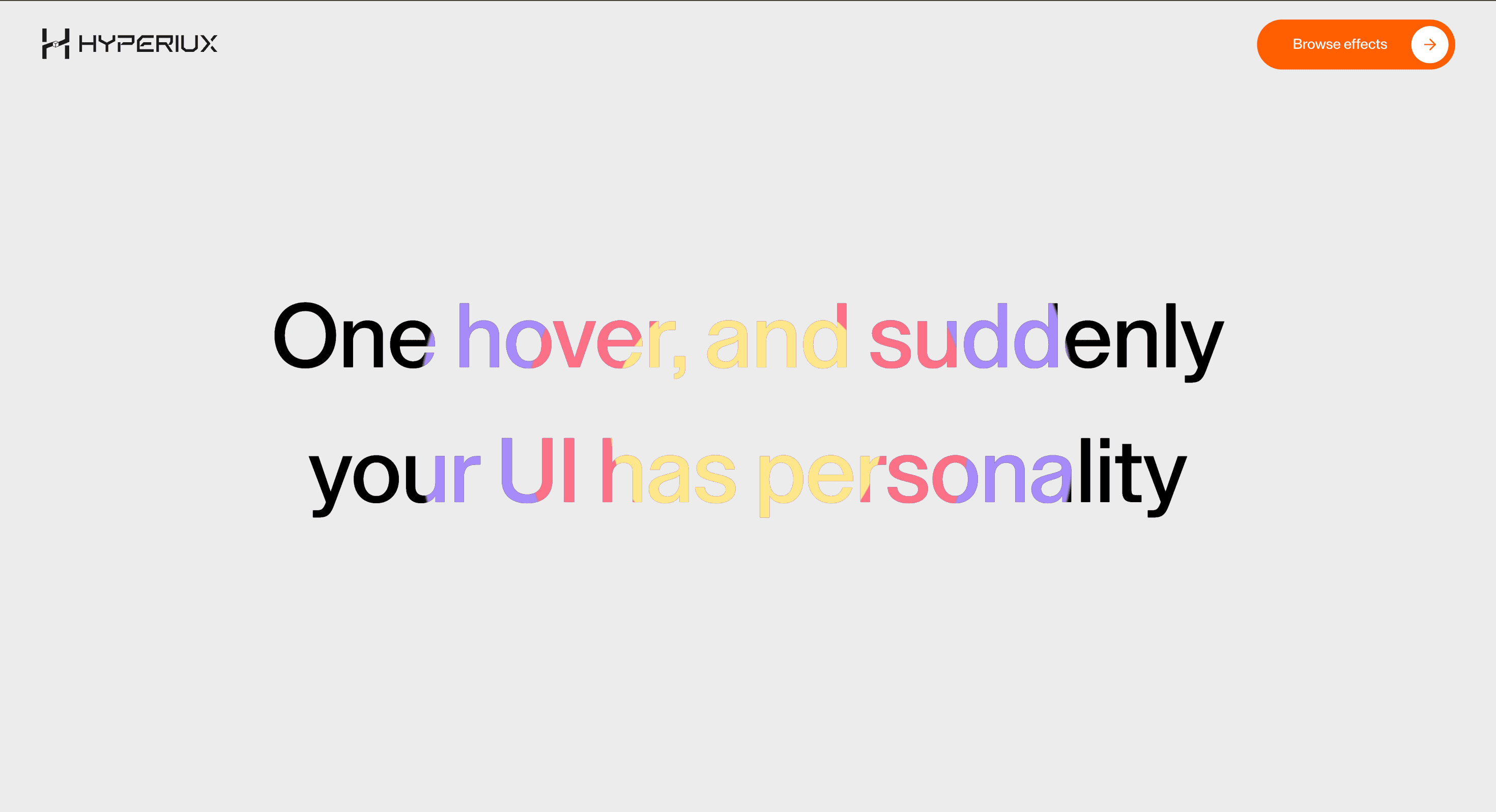
A soft glow cursor effect that adds atmospheric color around the pointer without hiding controls or page content.
Published On: June 4, 2026
Last Updated: August 17, 2026
GSAP
Overview
Colorful Cursor Aura turns pointer movement into atmosphere: a soft aura follows the pointer.
Use it on creative homepages, portfolios, campaign pages, and brand experiments where the cursor can carry the visual language. Keep it off dashboards, checkout, forms, and utility-heavy product screens.
The thing to watch is restraint. Treat the cursor layer as throwaway: switch it off on touch, keep focus states visible, and let nothing about clicking depend on it. If the page falls apart once you remove the effect, the cursor was doing work it should not own.
Install Command
This is a Pro Effect.
You can preview it now. Upgrade to Pro for instant install access.
Usage Code
This is a Pro Effect.
You can preview it now. Upgrade to Pro for instant install access.
Component Code
This is a Pro Effect.
You can preview it now. Upgrade to Pro for instant install access.
This is a Pro Effect.
You can preview it now. Upgrade to Pro for instant install access.
Example Production Use Case
Use this as cursor-system implementation guidance. Verify the shipped component export, pointer-tracking model, coarse-pointer disablement, z-index behavior, focus safety, cleanup, and reduced-motion handling before relying on exact props, defaults, imports, or installation steps.
Best Used For
- Creative homepages that need a soft atmospheric pointer state instead of image trails.
- Brand pages where the cursor can add mood while leaving controls visually clear.
- Colorful Cursor Aura gives pointer movement a brand role without hiding core controls or content.
Not For
Not for dashboards, checkout, forms, dense product UIs, or any flow where precision beats atmosphere.
Performance Budget
Use one cursor layer, throttle movement with requestAnimationFrame, avoid full-screen filter effects, and disable Colorful Cursor Aura on coarse pointers.
Accessibility and Mobile
Switch it off for coarse pointers and leave touch native; anything revealed by the cursor needs a visible or tap-accessible alternative.
Common Mistakes
- Letting Colorful Cursor Aura cover focus rings or clickable controls.
- Forgetting to disable the effect on coarse pointers.
- Hiding useful content behind mouse-only movement.
Changelog
v1.1.0
Jul 22, 2026reduce-motion applied
v1.0.0
Jun 4, 2026Initial release
Props
| Prop | Type | Default | Description |
|---|---|---|---|
auraSize | number | 325 | Diameter of the cursor aura. |
color1 | string | #a78bfa | Outer aura ring color. |
color2 | string | #fb7185 | Middle aura ring color. |
color3 | string | #fde68a | Inner aura ring color. |
followSpeed | number | 0.12 | How quickly the aura follows the cursor. |
Frequently Asked Questions
When should I use Colorful Cursor Aura?
Use it when a creative homepage needs a soft aura following the pointer for atmosphere — not on utility flows.
Does Colorful Cursor Aura work on mobile?
Disable it on coarse pointers with CSS and JS pointer queries, then provide native touch behaviour.
Can Colorful Cursor Aura reveal important content?
Only when the same content is visible or accessible without pointer movement. Cursor-only reveals are not suitable for critical information.
How should Colorful Cursor Aura behave around links and buttons?
Native click targets, visible focus, hover states, and modal stacking all have to keep working underneath it.
What should reduced motion do for Colorful Cursor Aura?
Disable trails, lag, ripples, and pointer-following motion, then return to the native cursor.
Request a Custom Cursor Animation
Need a custom effect? Tell us what to create.


