@base-ui/reactclass-variance-authoritydate-fns
Date Picker Component
Components
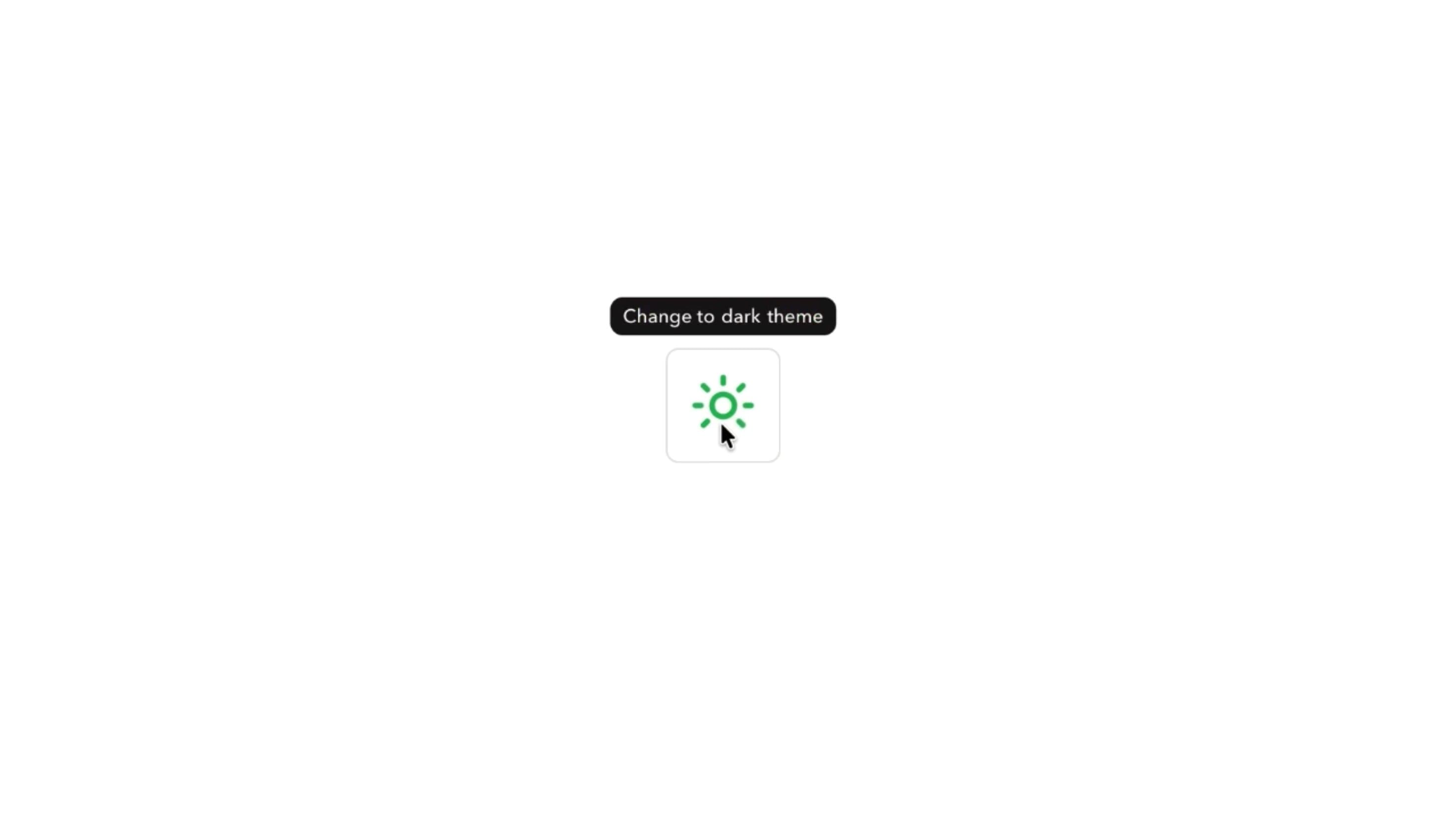
An animated tooltip that follows the cursor or stays anchored to an element, with morphing content, elastic movement, and responsive transitions between controls.
Tooltip can keep one shared label that moves between controls, resizing to fit each label while the text slides, fades, or rolls in. It can trail the cursor with elastic weight, stretch and tilt with pointer speed, or stay anchored to its trigger.
Use it for controls that need a short explanation but not permanent text, such as icon toolbars, editors, dashboards, and design tools. The label must stay readable and the controls easy to use.
Set surface style, roundness, side, and offset from the trigger or cursor. Motion options include morphing between triggers, sliding, fading, or rolling content, duration, elastic bounce, stretch and tilt on move, follow speed, entrance animation, and close delay.
A design app toolbar with Share, Edit, Duplicate, and Delete icons can use one shared tooltip that glides between buttons and resizes for each label, with a short close delay to prevent flicker.
A SaaS dashboard can anchor tooltips to compact status icons, explaining what each indicator means without cluttering the layout.
A collapsed navigation rail can show anchored tooltips beside each icon so users identify destinations without expanding the sidebar.
Controls that already have clear visible labels don’t need a tooltip repeating them.
Essential instructions, validation errors, or must-read information should stay visible rather than depending on hover.
Longer or interactive content needs Hover Card, Popover, or Dialog, and touch-first interfaces shouldn’t hide key guidance behind hover.
Track the pointer without app-wide state updates, measure label size only when it changes, and respond instantly to new triggers. Stop tracking and decorative motion when hidden.
Use tooltip semantics with aria-describedby, a named trigger, display on keyboard focus, and Escape to dismiss. Keep it open long enough to read and stable across small pointer gaps. On mobile, offer tap or focus access instead of hover and keep it inside the viewport. With reduced motion, simplify following, morphing, stretch, tilt, and bounce.
| Prop | Type | Default | Description |
|---|---|---|---|
theme | string | valorant | Colour palette. The Filled style always uses its primary colour; any theme but Default also tints the Outline style's text and border. |
mode | string | dark | Light or dark version of the palette. Starts dark. |
variant | string | default | Filled background or an outline. |
rounded | string | md | Corner radius of the tooltip. |
follow | string | anchor | The tooltip trails the cursor, or stays put next to the element. |
side | string | top | Which side of the element or cursor the tooltip sits on. |
sideOffset | string | 4 | Gap between the tooltip and what it points at, in Tailwind spacing units. |
changeAnimation | string | slide | What happens when you move straight to another element: the text swaps, or the tooltip morphs to the new size. |
duration | number | 0.35 | How long the change between elements takes, in seconds. Not used by Swap text. |
elastic | boolean | true | The tooltip moves on a spring that can overshoot. |
bounce | number | 0.1 | Springiness of the movement. Does nothing with Elastic off and Change animation set to Swap text. |
stretchOnMove | boolean | true | The tooltip stretches in the direction it moves. Needs Elastic on. |
tiltOnMove | boolean | true | The tooltip leans into the direction it moves. Needs Elastic on. |
stiffness | number | 750 | How tightly the tooltip follows the cursor or glides between elements. Higher is snappier. |
appearAnimation | string | scale | How the tooltip appears and disappears. |
closeDelay | number | 0.1 | How long the tooltip stays after the pointer leaves, in seconds. |
Tooltip is an animated React component that shows contextual information near an element, with cursor following, element anchoring, shared transitions between triggers, and configurable movement.
Yes. Cursor-following mode tracks the pointer, and follow speed sets how quickly it catches up.
Morph lets the shared tooltip reshape when moving between triggers with different labels, while the text transitions into place.
Elastic adds spring overshoot while following or repositioning and enables optional stretch and tilt on move.
It keeps the tooltip available briefly after the interaction ends, preventing flicker between neighbouring triggers.
No. Tooltips should hold short, non-interactive text. Use a popover or hover card for clickable content.
Need a custom effect? Tell us what to create.
Components
Components
Components