@base-ui/reactclass-variance-authoritymotion
Questionnaire Component
Components
An animated radio component with sliding selection indicators, interactive option cards, elastic feedback, and customisable selection states for modern forms and product interfaces.
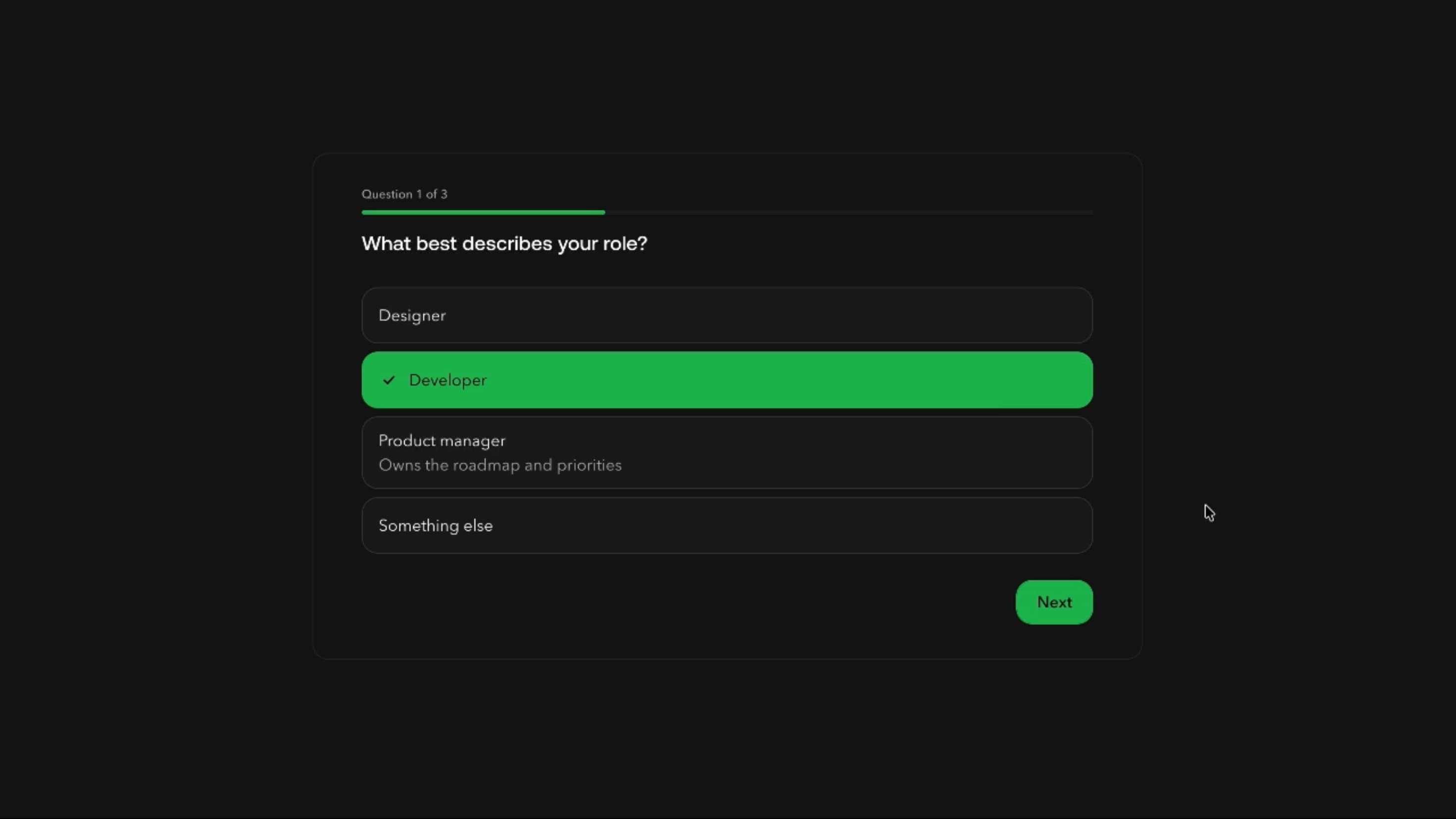
Radio slides its active dot from the previous choice to the new one, and in card layouts the selected background glides between options. Optional elastic feedback adds a short bounce on press, while the group keeps standard single-selection behaviour.
Use it for mutually exclusive choices users should compare before picking, such as delivery methods, billing periods, roles, and product variants. Animation should make the active choice clearer, not add noise.
Choose inline or card layouts, outlined, filled, or solid controls, muted or primary card backgrounds, per-option accent colours, and whether the icon shows. Interactions include the sliding dot, sliding card background, elastic feedback, and draggable ordering.
An ecommerce checkout can list Standard, Express, Same day, and Collect delivery as cards with prices and estimates. Choosing Express glides the highlight across while the order total updates.
A SaaS billing page can use inline radios for monthly or yearly billing, with the sliding dot making the switch obvious at a glance.
An onboarding step can ask users to pick their role from text-led cards with the icon hidden, keeping the choice visual and quick on mobile.
When users can pick several options, use Checkbox instead.
Very large lists need a searchable selector or dropdown rather than dozens of visible radios.
For page navigation use Tabs, and for instant on/off settings use a toggle. Only enable drag reordering when order actually matters.
Animate the shared indicator without per-frame layout work, follow the latest selection during rapid switching, keep elastic effects short, and use stable IDs when reordering. Don’t animate while the group is idle.
Use semantic radio groups with labels, accurate checked states, arrow-key navigation, and focus styles distinct from selection. With the icon hidden, selection must still show without relying on colour alone. On mobile, keep targets comfortable and indicators aligned when labels wrap, offer an alternative to dragging, and with reduced motion remove sliding and bounce.
| Prop | Type | Default | Description |
|---|---|---|---|
theme | string | valorant | Colour palette. The selected radio and its dot take its primary colour; the selected card too when Card fill color is Accent. |
mode | string | dark | Light or dark version of the palette. Starts dark. |
variant | string | card | Inline radios or bordered cards. |
cardFillColor | string | accent | Fill of the selected card: a muted tint or the solid accent. Needs Style set to Cards. |
showIcon | boolean | true | Show the radio circle next to each label. |
showDescription | boolean | true | Show each option's description line. |
slideDot | boolean | false | The dot glides from the old choice to the new one. Needs Icon on, and not used by the Full look. |
slideCard | boolean | true | The card highlight glides between cards. Needs Style set to Cards. |
elastic | boolean | true | The radio squashes and springs back when picked. Needs Icon on. |
appearance | string | outline | Radio look: an outline ring, a filled ring or one solid circle. Needs Icon on. |
reorder | boolean | true | Drag options up and down to reorder them. |
colorful | boolean | false | Use each option's own accent colour. |
Radio is an animated React component for selecting one option from a group, with sliding indicators, selectable cards, elastic feedback, and customisable states.
Yes. It offers a compact inline style and a card layout that highlights the whole selected option.
Yes. Slide card lets one background glide between cards in card layouts.
Yes. Arrow keys plus Home and End move through options. Verify full focus behaviour in the shipped implementation.
Yes. Users can reorder choices, and each option’s value and selection should be preserved.
Radio allows one selected value per group, while Checkbox lets several options stay active.
Need a custom effect? Tell us what to create.
Components

Components

Components
Components