@base-ui/reactclass-variance-authoritydate-fns
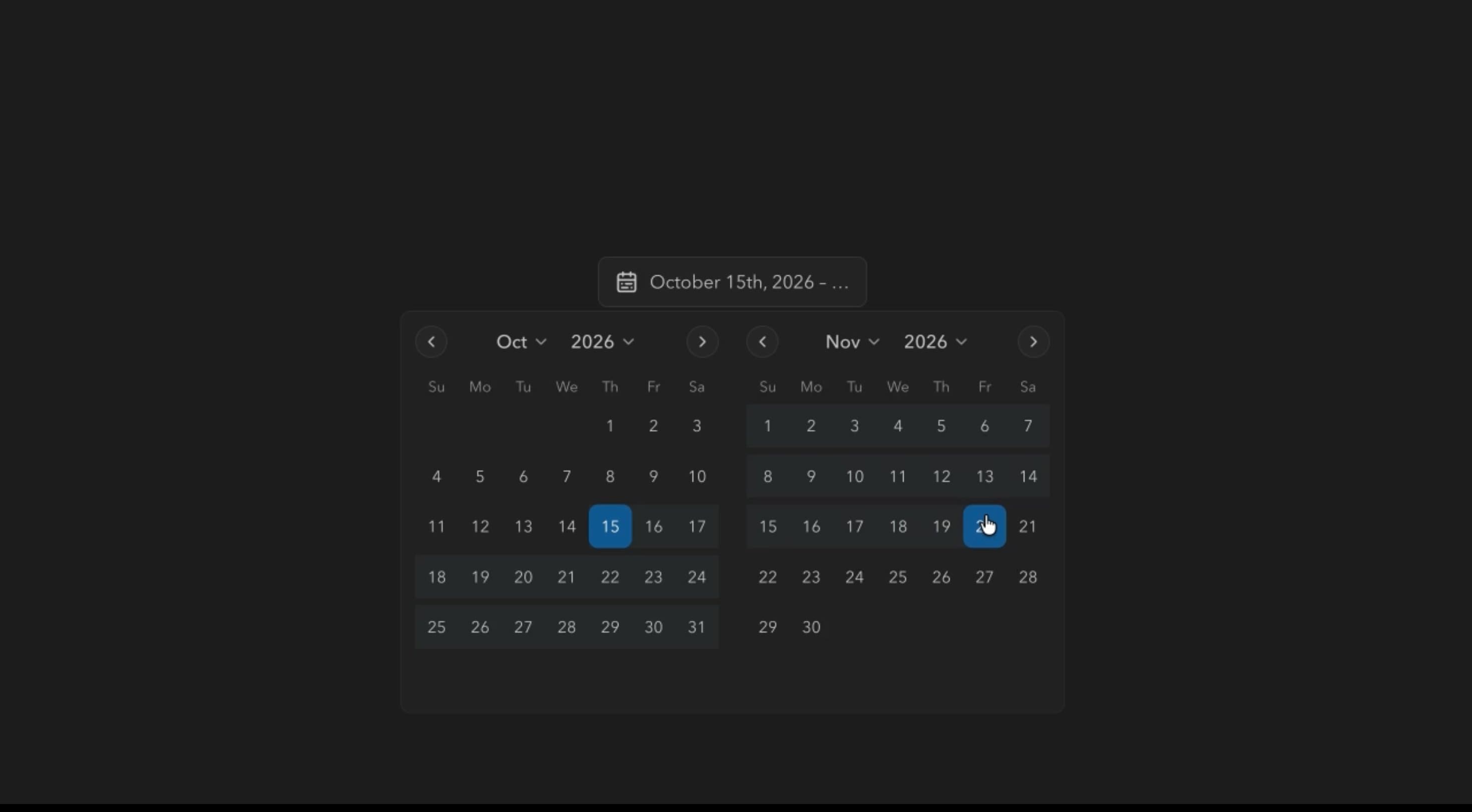
Date Picker Component
Components
An animated checkbox with elastic selection feedback, centre-out fills, selectable cards, and interactive controls for managing multiple choices
Checkbox animates its indicator, fills from the centre, and adds a subtle elastic response on selection, without changing how a checkbox behaves. Options can be compact inline controls or larger selectable cards, and groups support select all, clear, Shift-click ranges, a live counter, minimum and maximum limits, and drag reordering.
Use it when users choose several independent options, such as features, notification preferences, onboarding interests, or permissions. Animation should confirm each choice while selection rules stay predictable.
Choose inline or card layouts, muted or primary card fills, a check or circle mark, filled or outlined boxes, corner roundness, per-option colours, and an animated strike-through. Interactions include centre-out fills, elastic compression, bulk actions, Shift-click ranges, and drag reordering.
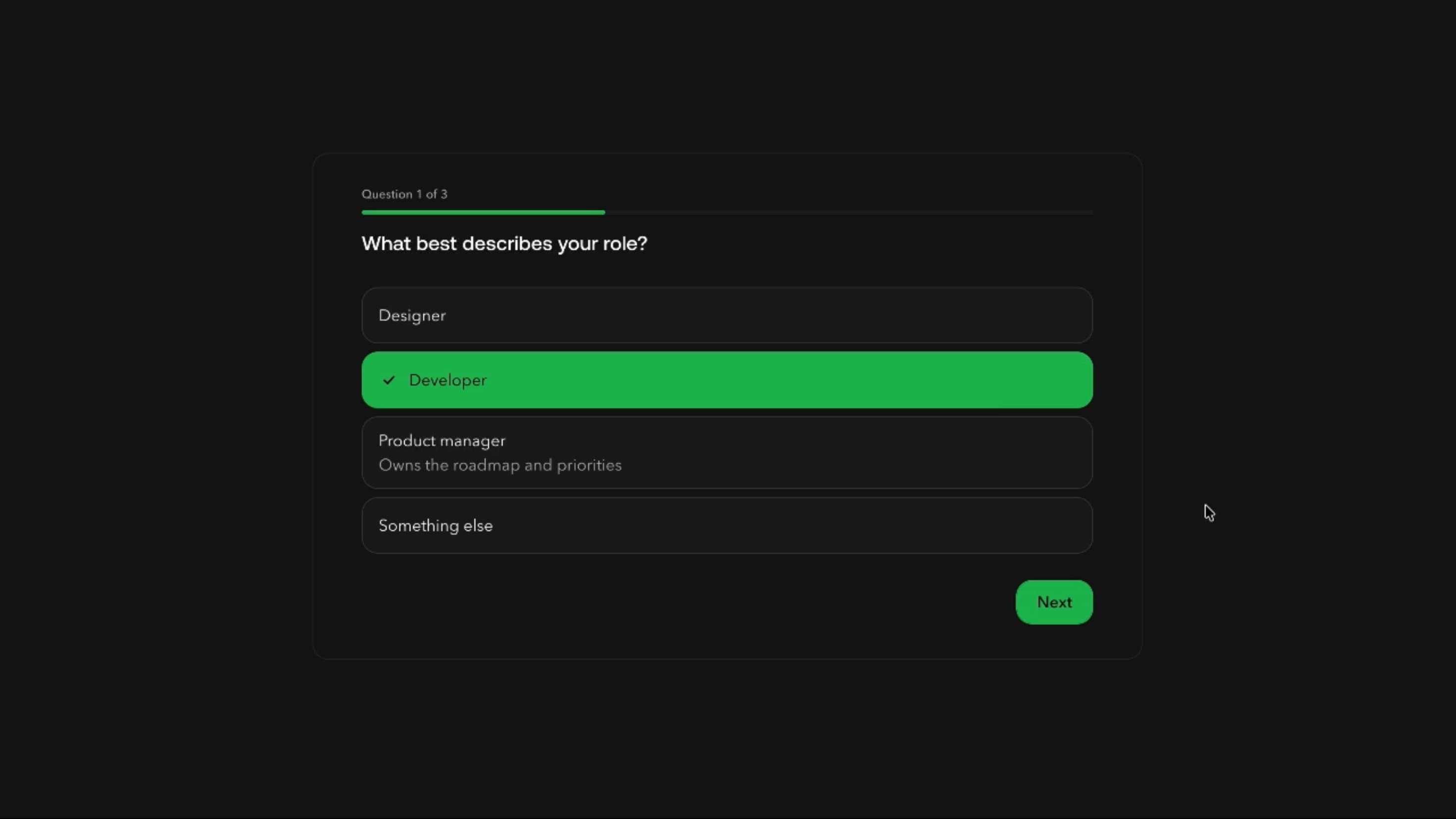
A SaaS onboarding step can present capabilities like Analytics, Automation, and Reporting as selectable cards, with at least one and at most four allowed. The counter updates instantly, and a fifth choice is blocked until another is cleared.
A notification settings page can group email and push categories as inline checkboxes, with Select all and Deselect all for quick bulk changes.
A meal-kit or product configurator can use colour-coded cards for add-ons, letting customers reorder chosen items when sequence matters.
When users must choose exactly one option, Radio is clearer. For settings that switch on and off immediately, Switch communicates that better.
Very long option lists need search, grouping, or filtering, since bulk actions don’t fix discovery problems.
Complex hierarchical or dependent permissions suit a tree selector or structured configuration flow better than a flat checkbox group.
Keep checked-state animations short and separate from the value update, so counts and form state change instantly. Reconcile bulk and Shift-click changes in a single state update, preserve item identity during drag, and avoid animating unaffected items in large groups.
Use native checkbox semantics with labels, a fieldset and legend for groups, Space to toggle, and limits explained in text, not just disabled styling. Bulk actions must be keyboard-operable, and Shift-click and drag need alternatives. On mobile, keep tap areas large and cards responsive, and with reduced motion simplify fills, bounce, and strike-through.
| Prop | Type | Default | Description |
|---|---|---|---|
theme | string | vscode | Colour palette. Any theme but Default also puts ticked labels in its accent colour. |
mode | string | dark | Light or dark version of the chosen palette. |
variant | string | card | Inline checkboxes or bordered cards. |
cardFillColor | string | accent | Fill of ticked cards: muted tint or solid accent. Needs the Cards style. |
showIcon | boolean | true | Show the box next to each label. |
showDescription | boolean | true | Show each option's description line. |
fill | boolean | true | Box and card fill grow from the centre. |
elastic | boolean | true | Springy squash when a box is ticked. Needs Icon on. |
mark | string | check | What appears in a ticked box. Needs Icon on. |
appearance | string | filled | Filled or outline box when ticked. Needs Icon on. |
rounded | string | md | Box corner radius. Needs Icon on. |
strike | boolean | true | Strike through ticked labels. |
showSelectAll | boolean | true | Show the Select all button. |
showDeselectAll | boolean | true | Show the Deselect all button. |
showCounter | boolean | true | Show the rolling selected counter. |
rangeSelect | boolean | true | Shift-click ticks a range of options. |
min | number | 0 | Fewest options that should be ticked: below this it shows an error and shakes, but doesn't stop unticking. Capped at At most. |
max | number | 0 | Most options that can be ticked; 0 means no limit. |
reorder | boolean | true | Drag options up and down to reorder them. |
colorful | boolean | true | Use each option's own accent colour. In Cards this replaces the Card fill colour's muted tint. |
Checkbox is an animated React component for selecting one or several independent options, with centre-out fills, elastic feedback, selectable cards, bulk actions, Shift-click ranges, and selection limits.
Yes. The Style setting switches from compact inline options to larger cards with a bigger interaction area and selected-card backgrounds.
Yes. Select all chooses enabled options up to the configured maximum, and Deselect all clears the group, which may trigger minimum-selection feedback.
Yes. At least shows validation feedback below a minimum, and At most blocks new selections once the maximum is reached.
Yes. Shift-click toggles every option between two clicks, respecting disabled items and the maximum.
Checkbox lets several independent options stay selected, while Radio allows only one. A circular checkbox mark is purely visual.
Need a custom effect? Tell us what to create.
Components
Components
Components
Components