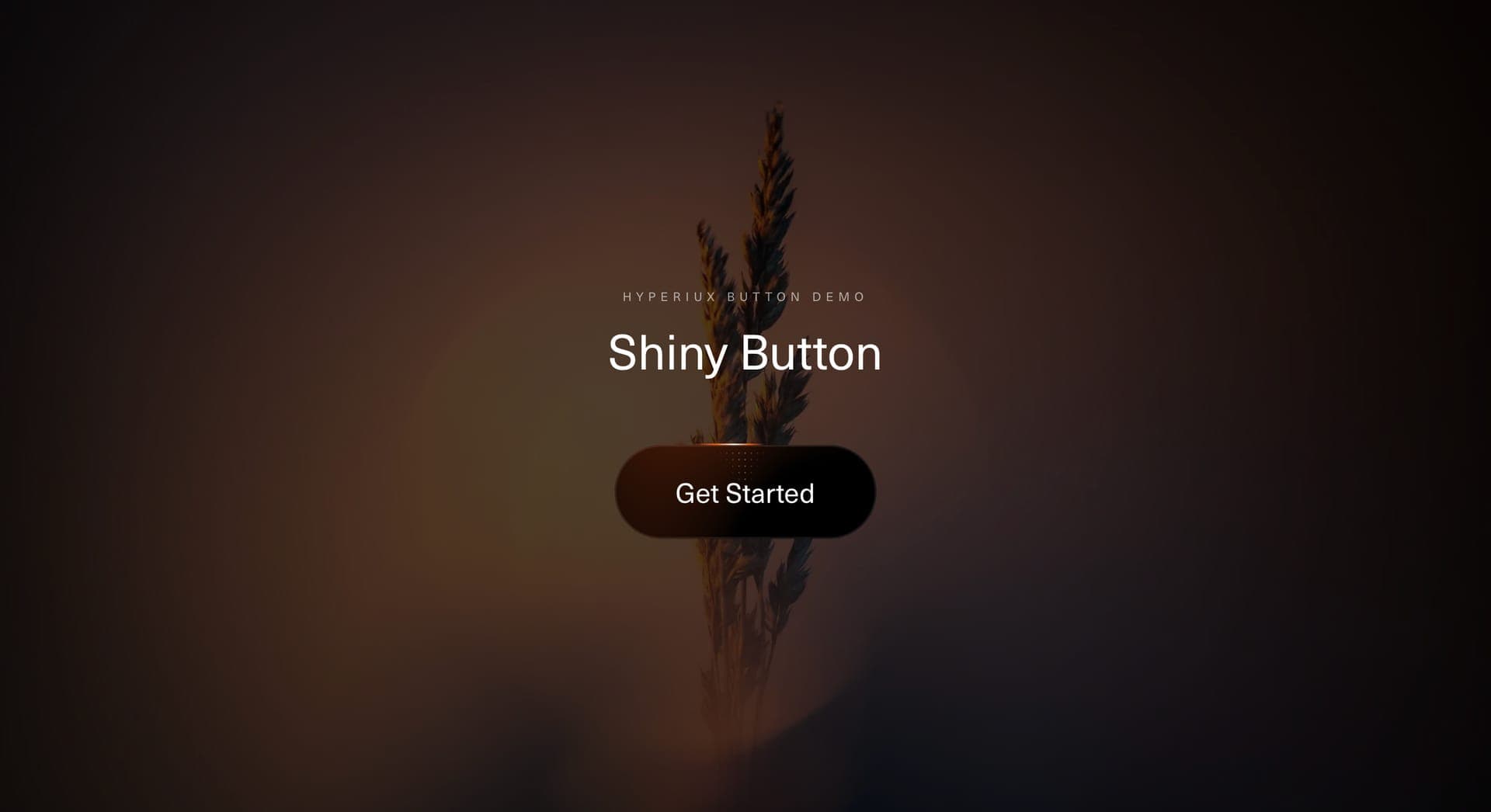
Shiny Button
Buttons
A premium button component for luxury interfaces, product launches, portfolio CTAs, pricing actions, and dark landing pages where the button should feel tactile, weighty, and deliberately finished.
Metallic Button turns a simple action into a refined surface.
The component uses a dark rounded base, metallic rim, specular highlights, and soft moving light to make the button feel physically polished. The label stays quiet and readable while the surface carries the premium treatment.
Use Metallic Button when the CTA belongs inside a high-craft interface: luxury products, creative studios, premium SaaS pages, AI launches, design portfolios, waitlists, product previews, and campaign pages with a darker, more cinematic visual system.
The page job is materiality. The button should feel like an object with finish, depth, and touch response. The effect should make the action feel considered, not make the interface look like it ordered chrome from a plugin marketplace and used the whole bottle.
// Built using Hyperiux Vault: https://vault.hyperiux.com import MetallicButton from "@/components/effects/metallic-button"; export default function Page() { return ( <> <div className="h-screen w-screen flex items-center justify-center relative"> <MetallicButton /></div> </> );}A premium agency homepage can use Metallic Button as the primary inquiry CTA inside a dark hero. The chrome edge catches attention, the surface feels tactile, and the label stays calm enough for the page to retain a refined tone.
The outcome is confidence. The CTA feels more valuable without shouting at the visitor.
A product page can use the same button for paid templates, early access, booking flows, or high-intent actions where the interface should feel polished and deliberate.
Not for low-priority links, dense dashboards, destructive actions, form field controls, documentation navigation, or pages that need a plain utility interface.
Not for every CTA. Metallic treatment works because it feels rare. Use it everywhere and the page becomes a showroom for button anxiety.
Not for tiny buttons where the material detail cannot be seen.
Keep the highlight system lightweight. Prefer CSS gradients, shadows, transforms, and opacity over heavy filters or large blurred layers. Avoid running pointer updates when the button is inactive, offscreen, or on touch devices.
Keep shadow and blur values controlled. Metallic surfaces need crispness. Too much glow turns chrome into fog.
Use real button or anchor semantics, visible focus states, sufficient contrast, and clear labels. Provide disabled and loading states that remain understandable without relying on color alone.
On mobile, use a stable highlight or simplified pressed state. Pointer-follow reflections should be disabled or simplified on touch devices. For reduced motion, freeze reflection movement, remove hover travel, and keep a static metallic surface.
| Prop | Type | Default | Description |
|---|---|---|---|
baseColor | color | #000000 | Dark base the metal sits on. |
sheenColor | color | #ffffff | Overlay tint; sets how warm or cold the chrome reads. |
bandCount | number | 4 | Density of the stripe bands. |
edgeBlur | number | 0.5 | Colour transition sharpness: 0 is a hard edge, 1 a smooth gradient. |
flowAngle | number | 45 | Direction the pattern flows, in degrees. |
zoom | number | 8 | Zoom into the pattern; higher reads as brighter chrome. |
warp | number | 0 | Noise warp over the stripe pattern. |
redFringe | number | 0.3 | Red-channel dispersion; drives the warm edge fringing. |
blueFringe | number | 0.3 | Blue-channel dispersion; drives the cool edge fringing. |
idleSpeed | number | 0.6 | Sweep speed at rest. |
hoverSpeed | number | 1 | Sweep speed while hovered. |
clickSpeed | number | 2.4 | Sweep speed kicked on click, before settling back. |
Metallic Button is a React button component with a chrome-like border, glossy surface, and reflective highlight treatment.
Use it for premium CTAs in hero sections, product launches, portfolio pages, agency inquiry flows, template purchases, and dark landing pages.
No. Glassmorphism usually suggests translucency and blur. Metallic Button focuses on polished material, chrome edge highlights, and reflective surface lighting.
Yes, depending on implementation. The highlight can follow pointer position to make the surface feel reflective and tactile.
Reduced motion should remove moving reflections, cursor-follow highlights, shimmer travel, and repeated light sweeps. Use a static metallic surface instead.
Need a custom effect? Tell us what to create.
Buttons
Components
Buttons
Buttons