
canvas
Dotted Grid Background
Backgrounds
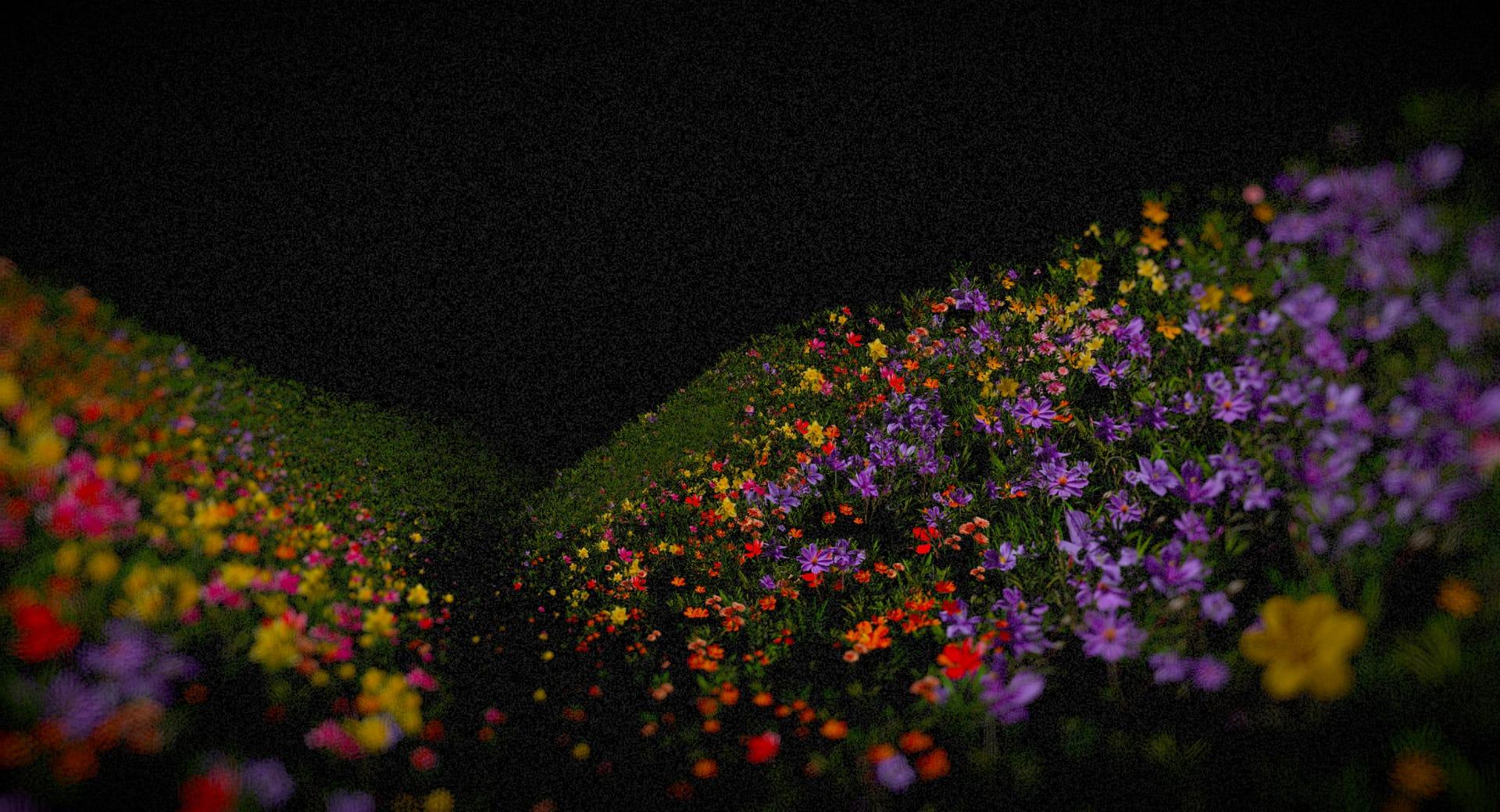
An atmospheric 3D background where luminous grid particles ripple across an undulating, moss-like landscape, blending organic motion with digital precision.
Moss Grid combines the organic appearance of a rolling green landscape with the precision of a glowing particle grid. Soft, wave-like terrain stretches towards a dark horizon while luminous dots form flowing patterns across its surface.
The effect creates a striking contrast between natural textures and digital geometry. Bright particle formations rise, ripple, and fade across the landscape, introducing movement without requiring conventional shapes or illustrations.
Built with Three.js and React Three Fiber, Moss Grid uses WebGL rendering and a postprocessing pipeline to create atmospheric depth. It works particularly well for creative portfolios, experimental websites, and technology brands looking for a distinctive visual environment.
import MossGrid from '@/components/effects/moss-grid' const page = () => { return ( <div className="h-screen w-full"> <MossGrid /> </div> )} export default pageConsider an AI research company launching a website focused on intelligent systems inspired by natural processes. The homepage needs a visual identity that communicates both computational precision and organic complexity.
Moss Grid provides a fullscreen background featuring a dark green landscape with luminous points travelling across its surface. A strong headline and primary call to action sit above the scene, while the animated terrain establishes the atmosphere.
The flowing patterns reinforce the relationship between nature and technology without distracting from the central message. The result is a distinctive first impression that supports the brand's positioning while keeping the website's content accessible.
Moss Grid is not ideal for content-heavy pages, complex dashboards, checkout flows, or websites where lightweight rendering is a priority. Its continuous WebGL scene and postprocessing effects require more resources than a static or CSS-based background.
Avoid combining it with several other demanding 3D effects on the same page. Moss Grid works best as a focused visual element with enough space to establish its atmosphere.
Use efficient geometry, shared materials, and controlled particle updates to reduce GPU load. Keep the canvas pixel ratio appropriate for the device and evaluate whether every postprocessing pass contributes enough visual value to justify its cost.
Limit unnecessary scene updates when the effect is outside the viewport. On lower-powered devices, reduce particle density, simplify postprocessing, or provide a static fallback to maintain smooth page interaction.
Keep text, navigation, and calls to action as accessible HTML elements above the WebGL scene. Maintain sufficient contrast against the changing terrain and glowing particles.
On mobile, simplify scene complexity and adjust camera framing to preserve the landscape composition. Respect prefers-reduced-motion by pausing animated waves or displaying a static background.
| Prop | Type | Default | Description |
|---|---|---|---|
mossColor | color | #22331a | Moss in the hollows and at the base of the strands. |
mossHighlight | color | #628c58 | Moss at the tips of the strands and on the crests. |
dotColor | color | #c3e4e0 | Colour of the lights. |
dotSize | number | 1.5 | Size of each light, in px at the focus distance. |
dotGlow | number | 1 | Brightness of the lights. |
depthOfField | number | 1 | How blurred the far hills are. 0 keeps everything sharp. |
grain | number | 0.09 | Film grain strength. 0 turns it off. |
speed | number | 1 | How fast everything moves. 0 holds it still. |
undulate | number | 1 | How much the hills drift. 0 keeps the ground fixed. |
interactive | boolean | true | Light up the grid where the pointer moves, swell the ground under it and ripple the lights. |
autoplay | boolean | true | Wander a light across the moss on its own when the pointer is away or still. |
idleDelay | number | 1.5 | Seconds the pointer can rest before the light wanders off on its own. |
revealRadius | number | 0.6 | Size of the pool of light around the pointer, in world units. |
trail | number | 1.2 | How long the trail of light behind the pointer lingers, in seconds. |
ambient | number | 0 | How visible the grid is away from the pointer. 0 hides it, so it shows only where the pointer is. |
cursorStrength | number | 1 | How strongly the pointer swells the ground. |
cursorRadius | number | 1.2 | How far the swell under the pointer reaches, in world units. |
Moss Grid is a Three.js animated background featuring undulating green terrain and luminous grid particles that create flowing, wave-like formations across the surface.
A React Three Fiber scene renders mossy hills from stacked shells over a noise-based terrain, with a grid of lights laid over the surface. The lights appear in a pool around the pointer and along a short trail behind it, the ground swells and ripples under the cursor, and when the pointer rests the light wanders across the moss on its own.
Moss Grid uses React, TypeScript, Three.js, React Three Fiber, React Three Postprocessing, and the postprocessing library.
Bloom adds a soft glow around the brightest lights, so the grid stands out against the dark moss. Only the brightest parts of the frame bloom, which keeps the hills themselves crisp.
Depth of Field blurs the hills beyond the focus distance, giving the scene a sense of distance. Its strength is set with the depthOfField prop, and 0 keeps everything sharp.
Yes. The effect uses Three.js and React Three Fiber for GPU-accelerated 3D rendering through WebGL.
Need a custom effect? Tell us what to create.
Backgrounds

Backgrounds
Backgrounds
Backgrounds
WebGL